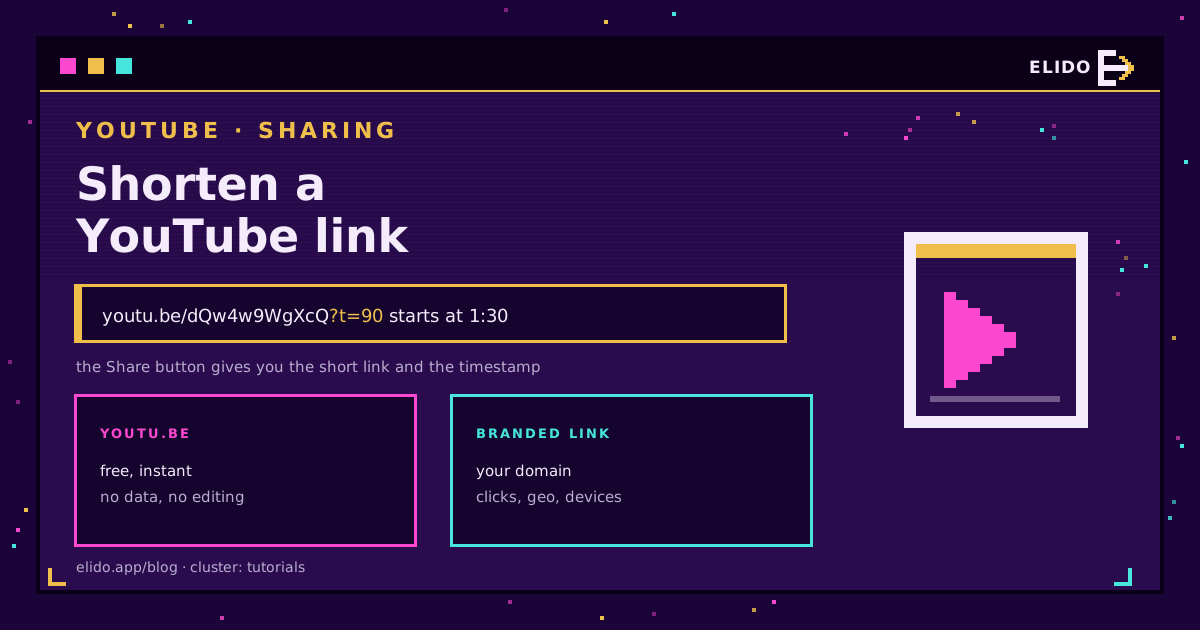
Shortening a YouTube link takes one button. Open the video, press Share, and YouTube gives you a youtu.be/VIDEO_ID address that is already about as short as it gets. Tick "Start at" first and the link keeps its timestamp as ?t= plus the number of seconds.
That is the whole answer for sharing a video in a message. It stops being the answer the moment someone asks how the link performed, because youtu.be reports nothing back to you and its destination can never be changed. This post covers both: the fast copy-paste route, and when a branded short link in front of it is worth the extra thirty seconds.
If you are here for the general case rather than YouTube specifically, how to shorten a URL is the walkthrough for any link. For putting a trackable link on a Short rather than a video, see trackable links for YouTube Shorts.
The Fast Way: The Share Button
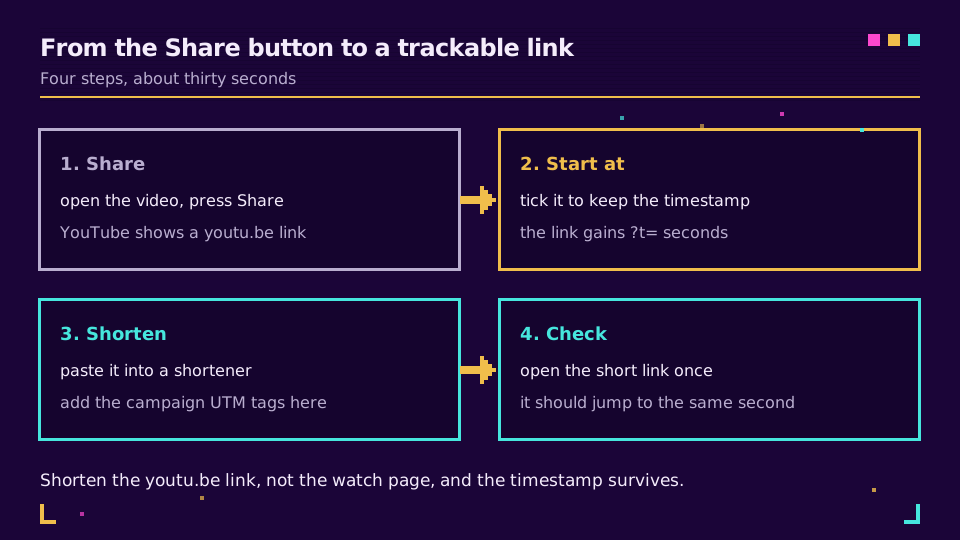
On desktop, under the player, press Share. YouTube shows the youtu.be link with a Copy button. On mobile it is the same Share icon in the row under the title.
Three details people miss:
- Start at is a checkbox in that dialog. Tick it and the copied link gains
?t=90for a start at one minute thirty. Untick it and the timestamp is gone even if you paused there. - The link you get on a playlist page includes
&list=, which sends viewers into the playlist rather than the single video. Open the video on its own page first if you want just the video. - Copying from the browser address bar gives you the long
youtube.com/watch?v=form. That works everywhere too, it is simply longer.
Keeping the Timestamp Through a Shortener
A youtu.be link with a timestamp looks like this:
https://youtu.be/dQw4w9WgXcQ?t=90
The t is in seconds, so 90 is one minute thirty. YouTube also accepts 1m30s, and the player parameters reference documents the rest for embeds.
Shorten that whole string, including ?t=90, and the timestamp survives: a redirect sends the browser to the exact URL you stored, query string and all. What breaks is shortening the video URL and then trying to bolt ?t=90 onto the short link afterwards. Some shorteners forward unknown query parameters, many do not, and you will not find out until someone watches from the beginning and mentions it.
One caveat worth knowing: a few apps parse youtu.be links themselves rather than following them, and a handful of those have historically dropped the ?t=. If a link has to start at a precise second in a specific app, test it in that app once. Ten seconds of checking beats a support thread.
When youtu.be Is Not Enough
youtu.be is free, instant, and made by YouTube. It also gives you nothing to work with afterwards.
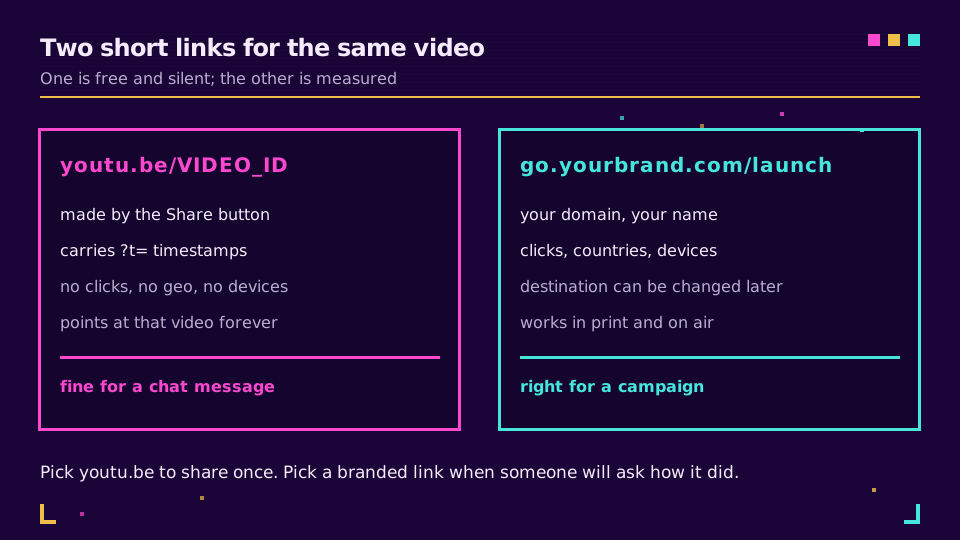
Three situations where a branded short link on your own domain earns its place:
- You need to know which channel worked. YouTube Analytics tells you a view came from "External", not that it came from the March newsletter rather than the LinkedIn post. Tag the short link with UTM parameters and the answer arrives in your own analytics before the viewer even reaches YouTube. The UTM parameters guide covers the naming, and UTM naming conventions keeps a team consistent.
- The destination might change. A launch video gets re-uploaded, a webinar recording moves, a playlist replaces a single video. A
youtu.belink is welded to one video ID forever; a branded short link is repointed in a few seconds and every place it was printed keeps working. - It goes into print, a slide, or a podcast read.
go.yourbrand.com/demois readable aloud.youtu.be/dQw4w9WgXcQis a spelling test.
Ready to try it? Create a link on the free plan, paste the youtu.be URL as the destination, and the short link is live on the spot.
How to Set It Up Properly
Point the branded short link at the youtu.be URL, not the watch?v= one. Both work, but the shorter destination keeps the redirect chain honest and makes the link easier to eyeball in a list.
Add campaign tags to the destination if you want YouTube's own reporting to see them, and keep them on the short link if you want your analytics to see them. Those are different questions and the answer is usually both.
Then check it once. Open the short link on a phone: it should hand off to the YouTube app, at the right second, without an interstitial. If it opens the mobile web player instead, the destination is probably the long form with extra parameters attached.
For a video that also gets a QR code on a poster or a conference badge, the how to create a QR code guide covers making one from the same short link, which means the print and the digital campaign report into the same row.
The same reasoning applies one platform over, where X charges every link a flat 23 characters no matter how short you make it.
What Not to Do
Do not run a YouTube link through a free public shortener for a campaign. Those domains are shared with everyone else who uses them, and short links get blocked in Slack and Teams when a neighbour on the same domain does something stupid. Your own domain has your reputation and only yours.
Do not shorten a link you have already shortened. A double redirect adds a hop for no benefit, and some apps stop following after the first one.
And do not put a raw youtu.be link in something you cannot edit later, like a printed flyer or a book. That is the one case where the destination will eventually be wrong and you will have no way to fix it. Branded vanity URLs exist for exactly that.
Read the Cornerstone Series
This sits in the tutorials cluster. The general version is how to shorten a URL, the tracking side is how to track link clicks, and smart links explained covers sending the same link to different destinations by device or country.
Related on the Blog
- How to add a trackable link to your YouTube Shorts
- UTM parameters explained: the tags that make attribution work
- How to shorten a Google Maps link
- How to track social media links across platforms
- How to shorten a LinkedIn link (profile and posts)
- How to shorten a Google Drive link without breaking it
- Shorten a link for X (Twitter): what t.co does to it
Frequently asked questions
How do I shorten a YouTube link?
Open the video, press Share, and YouTube hands you a youtu.be link that is already short. Copy it. That link is free, permanent, and made by YouTube itself, so nothing else is needed unless you want to measure clicks or use your own domain.
How do I keep the timestamp when I shorten a YouTube link?
Tick Start at in the Share dialog before copying, which appends ?t= and the start time in seconds to the youtu.be link. If you then shorten that link with another shortener, the redirect carries the whole URL including ?t=, so the video still opens at the right second.
What is the difference between youtu.be and youtube.com/watch?
They point at the same video. youtu.be is YouTube's own short domain and puts the video ID directly in the path, while youtube.com/watch carries it in a v= query parameter. Both accept ?t= for a start time; youtu.be is simply shorter to print or read aloud.
Can I track clicks on a YouTube link?
Not with youtu.be, which gives you no click data at all. YouTube Analytics shows views and traffic sources, but it cannot tell you how many people clicked a specific link in a specific newsletter. A branded short link in front of the youtu.be URL records the click before the viewer reaches YouTube.
Is it safe to shorten a YouTube link with a third-party shortener?
Yes, provided the destination stays a real YouTube URL and the shortener is one you control or trust. The risk with any shortener is that the destination can be changed later, which is exactly why you want the link on a domain that belongs to you rather than a free public one.
Does shortening a YouTube link hurt SEO or the video's ranking?
No. A 301 redirect passes through to the video page and YouTube ranks the video, not your link. What a short link changes is attribution: the referrer your analytics sees becomes your own domain, which is why campaign tags on the short link matter.
Try Elido
Paste a URL, get a working short link
No signup. Link lives for 30 days. Sign up to keep it forever.
Free, no signup required · 2 per day