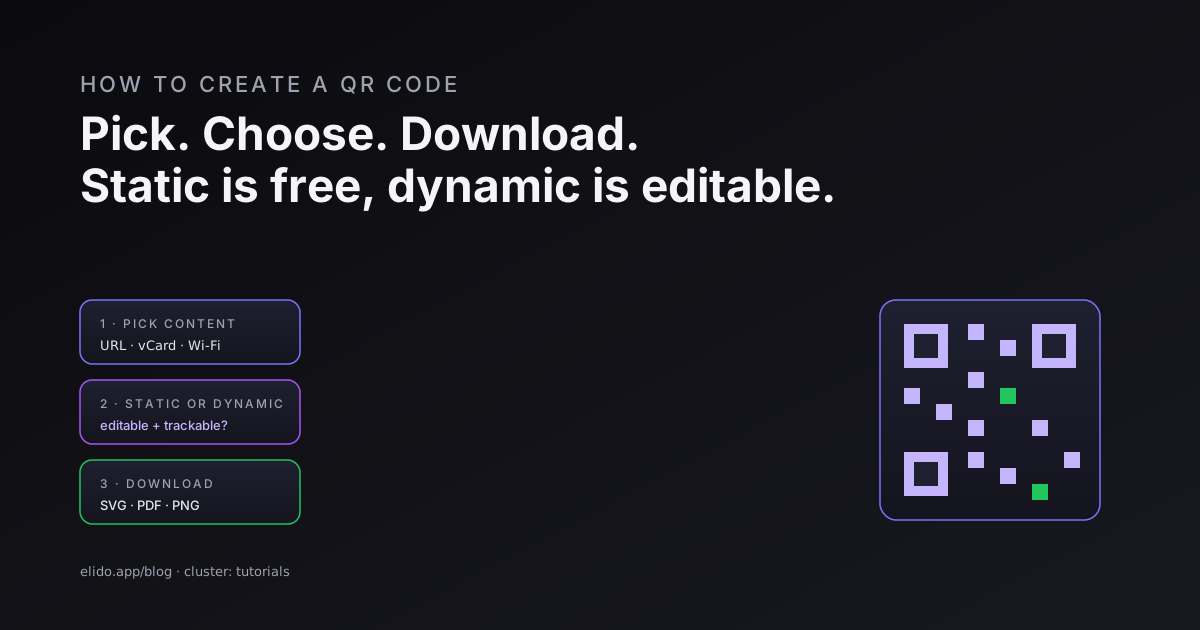
To create a QR code, open a QR code generator, choose what the code should hold (most often a URL), and download the image it produces. That part takes about ten seconds. The decision that actually matters, and that most free generators bury, is whether you make a static QR code or a dynamic one - because that choice decides whether you can ever edit the code or count its scans.
A static QR code bakes the destination into the pattern itself. It is free, it never expires, and it can never be changed or tracked. A dynamic QR code stores a short redirect instead, so the same printed square can be repointed later and every scan is counted. Get that one choice wrong and a typo on a printed poster means reprinting the whole run. So this guide creates the code in three steps, then spends most of its time on the static-versus-dynamic call you should make before you download anything.
If you are also shortening the link behind the code, how to shorten a URL covers that side, and the UTM tracking guide shows how QR scans slot into a full campaign report.
The Fastest Way to Create a QR Code
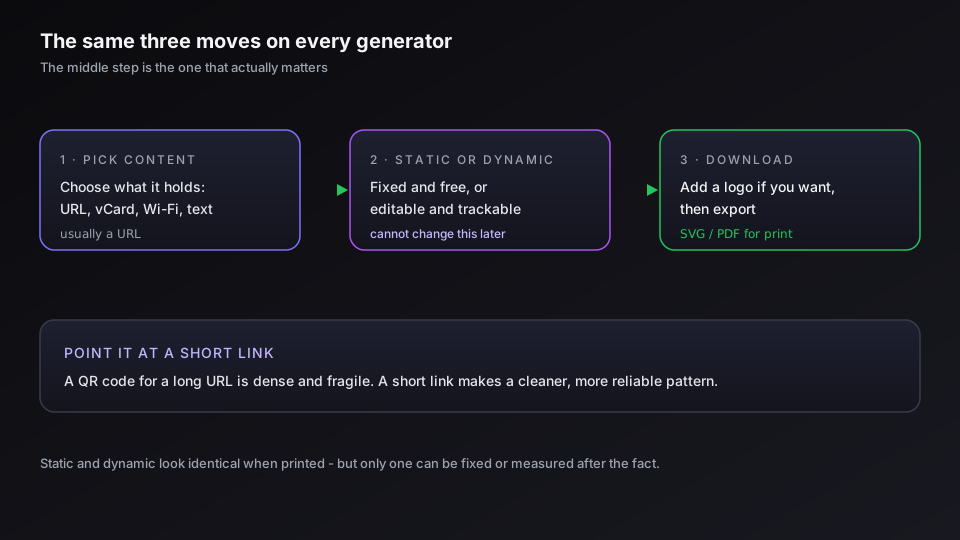
Every generator follows the same three moves, whether it is a browser tool, a phone app, or a link platform.
- Pick the content. A QR code can hold more than a web address - a URL, plain text, a vCard contact, a Wi-Fi login, an email, a phone number. Choose the type first, because the fields change with it. Most of the time it is a URL.
- Choose static or dynamic. This is the real decision, covered in full below. Static is fixed and free; dynamic is editable and trackable. Pick before you generate, because you cannot convert one into the other afterward.
- Customize and download. Add a logo or brand colors if the tool supports it, then download. Vector formats (SVG, PDF, EPS) scale to any size without blurring; PNG is fine for screens and small print.
That is the whole mechanic. The QR standard itself is an ISO-published specification, and the history and structure of the format is worth a skim if you are curious, but you never need to understand the encoding to make one.
Static vs Dynamic: The One Choice That Matters
Here is the decision the free tools rush you past. A static and a dynamic QR code look identical when printed, but they behave like completely different objects.
A static code encodes the destination directly into the black-and-white pattern. There is nothing between the scan and the URL, which means it is free, it never expires, and it works forever - but it can never be edited and its scans can never be counted. A dynamic code encodes a short redirect URL instead. The scan hits that redirect, which forwards to wherever you currently point it, so you can change the destination after printing and you can measure every scan.
| Property | Static QR code | Dynamic QR code |
|---|---|---|
| Edit the destination after printing | No, fixed forever | Yes, anytime |
| Track scans (count, location, device) | No | Yes |
| Expires | Never | Lives as long as the redirect service runs |
| Cost | Free | Usually an account or paid tier |
| Best for | A permanent link you will never change | Anything printed, campaign-based, or measured |
The rule writes itself. If the code is going on something disposable or will only ever point to one fixed place, static is fine and free. If it is going to print, into a campaign, or anywhere you would hate to reprint over a typo, make it dynamic. We go deeper on the tradeoff in dynamic vs static QR codes. For most marketing use, the honest answer is dynamic, because the ability to fix and measure a printed code is worth far more than the small cost.
How to Create a QR Code for a Website
The most common request is a QR code that opens a web page, and it is the simplest case. Choose the URL content type, paste the full web address, pick dynamic if you will ever want to edit or track it, and download. The same steps cover a document: to point a code at a PDF you host the file first and encode its link, which QR code for a PDF walks through. A survey works the same way, with the form's share link as the destination, as a QR code for a Google Form shows.
One habit pays off here: point the QR code at a short link rather than the raw URL. A QR code for a long, parameter-heavy address produces a dense, fragile pattern that is harder to scan from a distance or a curved surface. Point it at a clean short link instead and the pattern is simpler and more reliable, and you get the link's analytics on top of the scan data. A dynamic QR code already works this way under the hood - it is a redirect - so pairing it with a branded short link on your own domain gives you one editable, measurable object instead of two.
If you want a QR code that you can repoint and measure without gluing tools together, create a free Elido workspace and generate one from any link.
Make It Branded and Trackable
A plain black QR code works, but a branded one earns more scans because it looks intentional rather than like spam. Most platforms let you add a center logo, change the foreground color, and shape the eyes (the three corner squares).
Two limits keep a branded code scannable. Keep the logo small - roughly the middle fifth of the code, because the error correction that lets QR codes survive a logo only tolerates so much. And keep strong contrast between the pattern and the background; light-on-dark can work but low-contrast color pairs fail under bad lighting. The design details are in branded QR code design, and the QR codes feature covers the options we support.
Tracking is the other half. Because a dynamic code routes through a redirect, every scan becomes a data point - total scans, where, on what device, and when. That turns a QR code from a static convenience into a measurable channel you can compare against your other links in analytics.
Printing and Scanning Without Surprises
A QR code only earns its keep if it actually scans in the wild, and that is where rushed codes fail. A few rules prevent the common disasters.
- Leave the quiet zone. QR codes need clear margin around them, about four modules wide, or scanners struggle to find the pattern. Do not crop it tight against other artwork.
- Mind the size. A rough guide is a tenth of the scanning distance: a code read from two meters wants to be around twenty centimeters. Bigger is safer outdoors.
- Test before the run. Scan the final artwork with more than one phone, in the lighting it will live in, before you print a thousand of anything. This single step catches most failures.
Modern phones scan QR codes straight from the camera app with no separate app needed, so the friction is gone - which is exactly why a code that fails to scan is so costly. It is not the technology that breaks, it is a code printed too small, too dense, or untested. Make it dynamic, point it at a short link, give it room, and check it on a real phone, and a QR code does its job quietly for years. If the job is five thousand codes rather than one, the same rules apply per row and bulk QR code generation has the pipeline.
Related on the Blog
- Dynamic vs static QR codes: which one breaks first
- Branded QR code design: logos, color, and scannability
- How to shorten a URL: free, branded, and bulk links
- Build a QR code campaign from scratch
- vCard QR codes for business cards
- How to track QR code scans and read the analytics
- Are QR codes safe? quishing and how to stay protected
- WiFi QR codes: make one your guests can scan
- Google review QR code: get more reviews fast
- How to scan a QR code on iPhone, Android, and PC
- How big should a QR code be? size and distance rules
- QR code for Google Maps: get people to your location
- AI QR code art: how to make one that scans
- QR code for a PDF: link any document in minutes
- NFC tags vs QR codes: which to use for your campaign
- Wedding QR code: RSVPs, photos, and a code you can repoint
- Bulk QR code generation: from a CSV to print-ready files
- What is a QR code, and how does scanning actually work?
- QR code not scanning? Four causes and how to fix them
- QR code for a Google Form: create, track, and repoint it
Frequently asked questions
How do I create a QR code for free?
Open a QR code generator, choose what the code should hold (most often a URL), paste it in, and download the image. Static QR codes - the kind that point straight at a fixed URL - are genuinely free on almost every tool, and the code is yours forever. The catch is that a free static code cannot be edited or tracked after you make it. The moment you want to change the destination or count scans, you need a dynamic code, which usually sits behind an account or a paid tier.
What is the difference between a static and a dynamic QR code?
A static QR code stores the destination directly in the pattern, so it can never be changed and its scans cannot be tracked - but it is free and never expires. A dynamic QR code stores a short redirect URL instead, so the same printed code can be repointed to a new destination at any time and every scan is counted. Static is right for a permanent link you will never touch; dynamic is right for anything printed, campaign-based, or worth measuring.
Do QR codes expire?
A static QR code never expires - the data lives in the pattern itself, so it works as long as the destination page exists. A dynamic QR code works for as long as the service hosting its redirect keeps it live, which is why the provider behind a dynamic code matters. The QR pattern does not rot; what rots is the page it points to or the service that runs the redirect, so keep both healthy.
Can I edit a QR code after I print it?
Only if it is a dynamic QR code. A static code is fixed forever - the destination is baked into the pattern, so a typo or a moved page means reprinting everything. A dynamic code stores a redirect you control, so you can change the destination, fix a typo, or swap the campaign without touching the printed code. For anything that goes to print, use a dynamic code so a mistake is not permanent.
Can I track how many times a QR code is scanned?
Yes, but only with a dynamic QR code. Because a dynamic code routes through a redirect you own, every scan is a request you can count - total scans, location, device, and time. A static code points straight at the destination, so the scan never passes through anything you control and there is nothing to measure. If scan analytics matter, the code has to be dynamic.
How do I make a QR code with a logo?
Use a generator that supports a center logo and custom colors, upload your mark, and keep it small enough that the code still scans - roughly the middle fifth of the code, no more. QR codes carry error correction, so a modest logo does not break them, but an oversized one or low color contrast will. Always test the finished code with a real phone before you print it.
Try Elido
Paste a URL, get a working short link
No signup. Link lives for 30 days. Sign up to keep it forever.
Free, no signup required · 2 per day