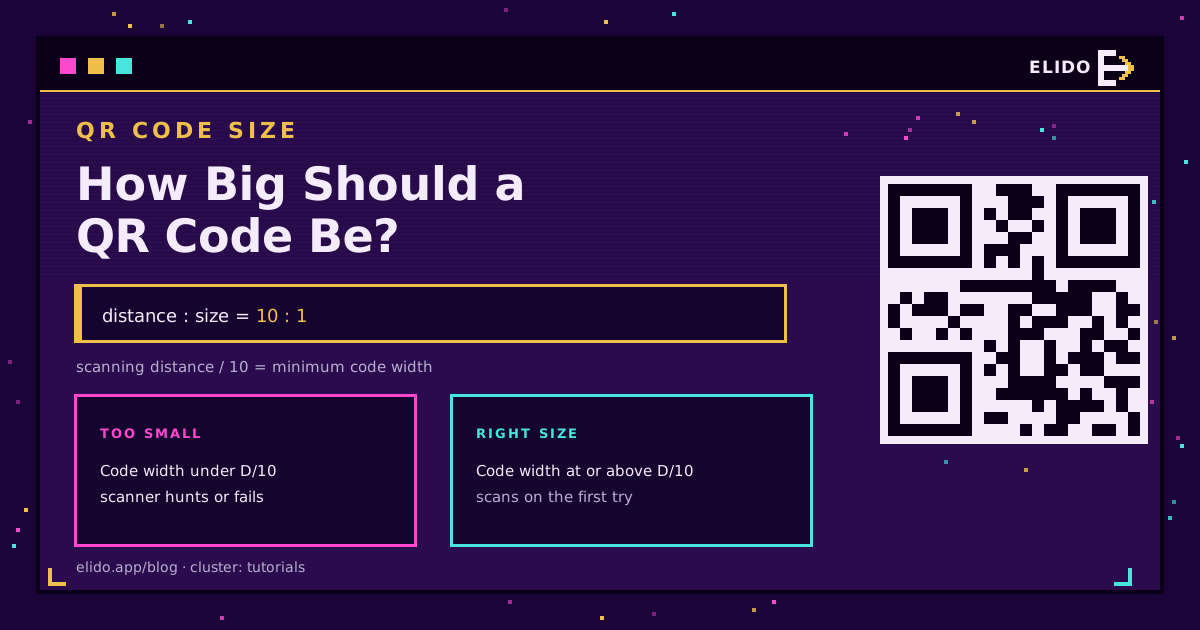
How big should a QR code be? Use the 10:1 rule: the code should be at least one tenth of the distance people scan it from. Scanned from 30 cm, make it about 3 cm across; scanned from 3 metres, make it about 30 cm. For most printed material the practical floor is 2 x 2 cm, plus a blank margin around it. Get those two things right - the ratio and the margin - and the code scans on the first try.
This is a tutorials-cluster read; if you have not made the code yet, how to create a QR code is the starting point, and this piece is about sizing the one you have so it actually scans.
The 10:1 Rule, and Why Distance Beats Surface
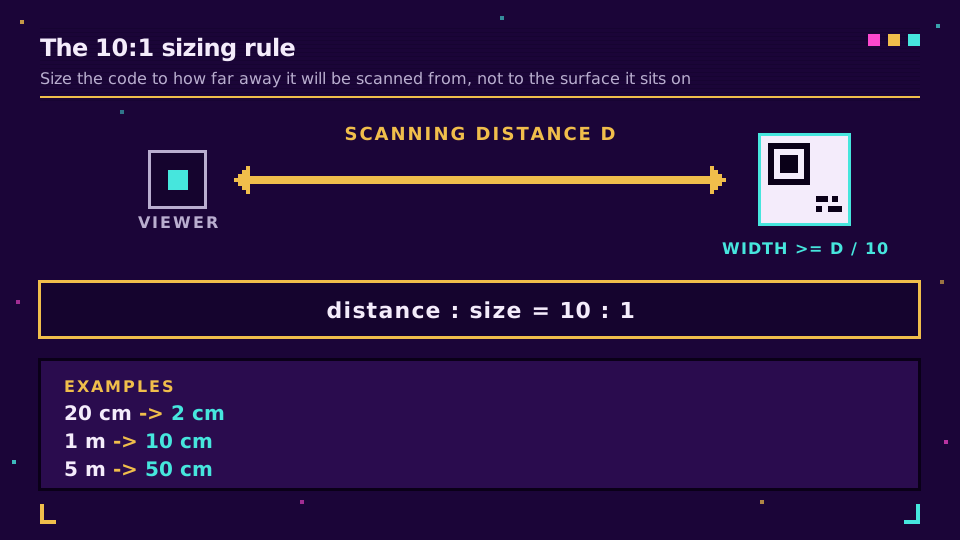
The single number that matters is scanning distance, not the size of the thing the code sits on. The 10:1 rule captures it: a code's width should be at least one tenth of the distance it is scanned from.
- Scanned at 20 cm (a business card in hand): about 2 cm.
- Scanned at 1 m (a shelf talker): about 10 cm.
- Scanned at 5 m (a shop window from the pavement): about 50 cm.
A small code on a huge billboard fails not because the billboard is big, but because nobody can get within a metre of it. Size to how far away the phone will be. Nielsen Norman Group's QR code usability guidelines make the same point from the user's side: if scanning is awkward or uncertain, people give up.
The Minimum Size and the Quiet Zone
Below a certain size, no ratio saves you. The practical minimum for print is 2 x 2 cm (about 0.8 inch). Smaller can work under good light with a recent phone, but it is fragile, and you are designing for the worst phone in the worst light, not the best.
Then there is the margin almost everyone forgets. The QR standard, ISO/IEC 18004, requires a quiet zone: a clear border at least four modules wide (four of the smallest squares) on all four sides. That blank space is how the scanner locks onto the code. Crop it to fit a tight layout and scans slow down or fail even when the code itself is plenty big. Leave the margin.
Two more things buy reliability:
- Contrast. Dark code on a light background. Light-on-dark and low-contrast pairings are a common failure, and the 3:1 floor behind that rule is in QR code accessibility.
- Headroom for hard conditions. Add 20-30% to your size for low light, curved surfaces, motion (a bus wrap), or an audience on older devices. A higher error correction level also means a denser grid and smaller modules, so it makes the size you pick matter more.
Sizes by Use Case
Translating the rule into numbers you can hand a designer:
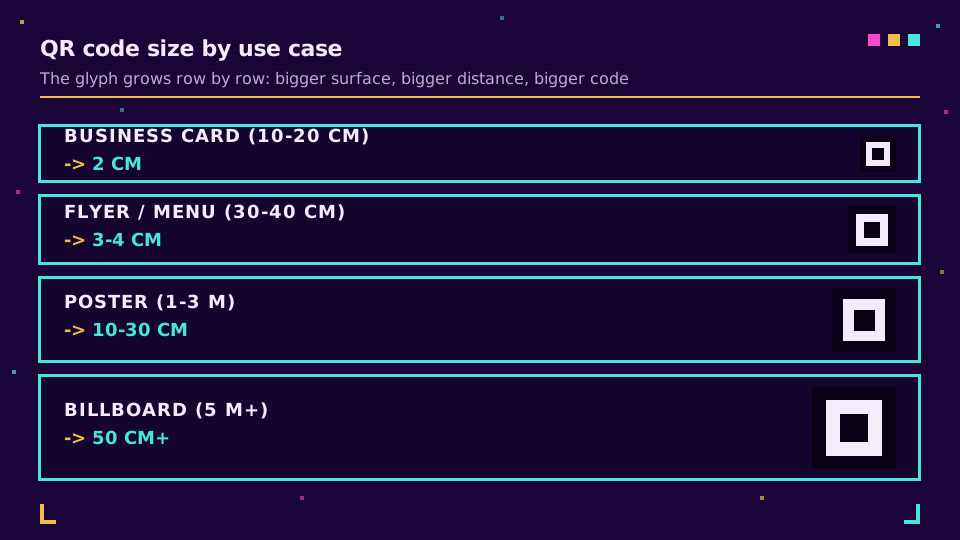
- Business card or product label (scanned 10-20 cm): 2-2.5 cm.
- Flyer, menu, or packaging (30-40 cm): 3-4 cm.
- Poster or shelf display (1-3 m): 10-30 cm.
- Storefront window or banner (3-5 m): 30-50 cm.
- Billboard (5 m and up): 50 cm and larger.
For a menu specifically, the restaurant QR code guide covers table-tent placement, where 2.5-3 cm at arm's length is the norm.
Print at High Resolution, and Keep It Dynamic
Size is half the job; resolution is the other half. Export the code as a vector (SVG or EPS) for print so it stays crisp at any dimension, or as a PNG at 300 DPI at the final printed size. A code scaled up from a small raster goes blurry and stops scanning.
One design choice makes every reprint cheaper: use a dynamic QR code. A static code bakes the destination into the pattern, so a wrong link means a reprint. A dynamic code encodes a short link you can repoint later, and it also lets you track scans - which tells you whether your size and placement are actually working. Generate a dynamic QR code once, and resize or repoint it without regenerating the artwork.
If you remember one thing: size to the distance, keep the quiet zone, and never go below 2 cm on print.
Read the Cornerstone Series
This sits in the tutorials cluster. The cornerstone is how to create a QR code. For the static-versus-dynamic decision that affects every reprint, see dynamic vs static QR codes.
Related on the Blog
- How to create a QR code that scans every time
- Dynamic vs static QR codes: which to use
- How to track QR code scans
- QR codes for restaurant menus
- Branded QR code design: logo, color, and shape
- QR code accessibility: WCAG, contrast and alternatives
- QR code not scanning? Four causes and how to fix them
- QR code error correction levels: L, M, Q, H explained
Frequently asked questions
How big should a QR code be?
Use the 10:1 rule: the code should be at least one tenth of the distance it is scanned from. Scanned at 30 cm, make it about 3 cm; scanned at 3 m, make it about 30 cm. For most print the practical floor is 2 x 2 cm (about 0.8 inch), and you add a quiet-zone margin around it.
What is the minimum size for a QR code?
About 2 x 2 cm (0.8 x 0.8 inch) for reliable scanning on print. A code can technically scan smaller under ideal light and with a new phone, but 2 cm is the safe minimum for a business card or product label at normal reading distance.
What is the 10 to 1 rule for QR codes?
The 10:1 rule sizes a QR code to its scanning distance: the code's width should be at least one tenth of how far away people scan it. At 1 metre, that is roughly 10 cm; at 5 metres, roughly 50 cm. It is a starting point - add margin for low light, motion, or older devices.
How big should a QR code be on a poster or billboard?
Size it to the viewing distance, not the poster. A poster read from 2-3 m wants a code around 20-30 cm; a billboard scanned from 5 m or more needs 50 cm or larger. If people cannot physically get closer, the distance, not the surface, sets the size.
What is the quiet zone around a QR code?
The quiet zone is the blank margin around the code that lets a scanner find its edges. The QR standard (ISO 18004) calls for a clear border of at least four modules (four of the smallest squares) on every side. Crop that margin and scans get slower or fail, no matter how big the code is.
Try Elido
Paste a URL, get a working short link
No signup. Link lives for 30 days. Sign up to keep it forever.
Free, no signup required · 2 per day