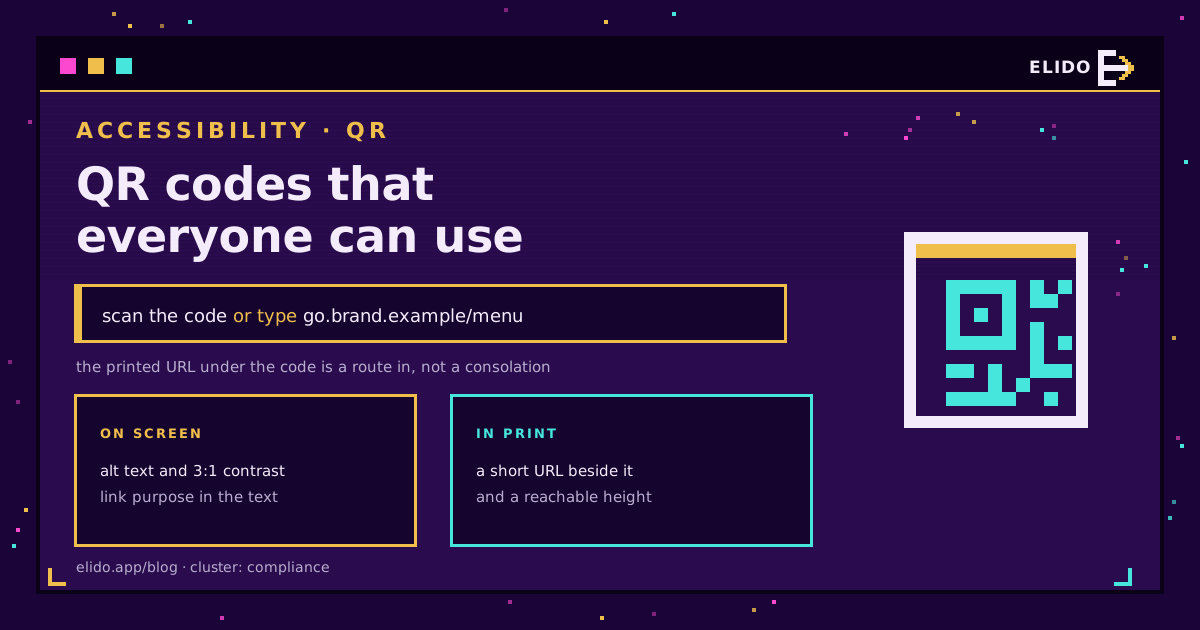
A QR code is a picture of a link. To use it, a person has to know it is there, find it in space, aim a camera at it and hold still. Anyone who cannot do those four things has no route to the information at all, which is why every serious accessibility guideline treats a code as one way in rather than the way in.
The obligations divide cleanly. On screen, the code is an image and the Web Content Accessibility Guidelines apply to it directly. In print, no guideline reaches the paper, and the responsibility shifts to what you put next to the code. In both cases the destination page is where most of the legal risk actually sits. For what a scan collects once it works, QR codes and the GDPR covers the data side of the same square.
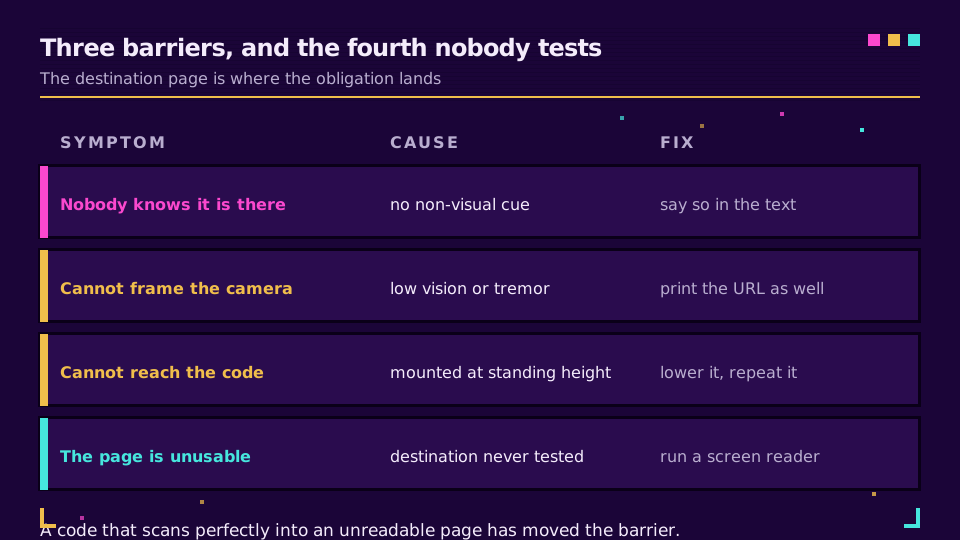
Three Barriers, Not One
Teams tend to fix the visible barrier and leave the other two.
Finding it. A printed code announces itself only visually. Someone who is blind does not know a poster carries a code, a table tent has one, or a letter includes one, unless the text says so. This is why "scan the code" printed in small type under a symbol solves nothing on its own.
Scanning it. Framing a code needs usable central vision and reasonably steady hands. Low vision, tremor, limited grip and a wheelchair user facing a code mounted at standing height are all separate failures with the same result. A code behind glass or above a counter adds distance that the size arithmetic has to account for.
Using what opens. The page behind the code is a web page like any other, and it is where the enforceable obligations concentrate. A scannable code that leads to a PDF menu with no text layer has moved the barrier, not removed it.
What WCAG Asks For
Four provisions come up repeatedly, and none of them are onerous.
A code shown as an image needs a text alternative that describes the destination, under the non-text content rule. "QR code" is a wasted alt attribute; "QR code linking to the appointment booking form" is the information. Where the URL is also printed as text on the same page, the code can reasonably be marked decorative instead.
Contrast is the one designers break most often. The non-text contrast requirement sets a 3:1 floor for the parts of a graphic needed to understand it, which for a QR means the modules against their background. Photographic backdrops, low-contrast brand pairings and inverted patterns all fail both the guideline and, often, the scanner. Branded QR code design covers how far you can push styling before the pattern stops decoding.
Link purpose matters too. When the code sits beside a link, the visible text should say where it goes, and link purpose in context is the provision that asks for it. "Click here" fails for the same reason an unlabelled code does.
And the quiet zone, the clear margin around the pattern, is an accessibility issue as much as a printing one. Cropping it to fit a layout makes the code harder to acquire for everyone and impossible for some.
Where the European Accessibility Act Lands
Directive (EU) 2019/882 has been applicable since 28 June 2025, and it changes the calculation for private-sector organisations that previously treated accessibility as a public-sector concern.
Three points decide whether it reaches you. It covers specified products and consumer-facing services, including e-commerce, consumer banking, passenger transport and e-books. It attaches to the service, which means the page the code opens is in scope even though the printed square is not. And it is transposed nationally, so the enforcement body, the penalties and the details of the micro-enterprise exemption for services depend on the member state you sell into.
The practical reading for a marketing team: if a scan leads to a purchase, a booking or a bank interaction with consumers in the EU, treat the destination as a regulated surface and test it accordingly. Public bodies are already covered by the earlier web accessibility rules and the EN 301 549 standard, which is the ground URL shorteners for government covers in more detail.
I would rather a team fixed the destination page and printed a URL than spent a week on the aesthetics of the code. The first two are what an enforcement body asks about.
The Printed Short URL Is the Accessibility Feature
This is the single highest-value change on the list, and it costs a line of type.
A short URL printed under a code is the text alternative that print cannot otherwise carry. It serves someone using screen magnification who can read type but cannot frame a camera. It serves someone whose phone has no working camera app, someone on a borrowed device, and someone who wants to open the page later on a laptop. It also serves the sighted majority in the specific case where the code will not scan because of lighting or gloss.
Make it transcribable:
- Keep the path to a few characters, so it can be held in memory between reading and typing.
- Use lowercase throughout, and avoid character pairs that print ambiguously.
- Prefer a word to a random string. A custom back-half that reads as a word survives a bad photocopy, a random one does not.
- Set it in a size someone can read at the distance the code is scanned from, not in the smallest type the layout allows.
- Put your own domain in front of it. A recognisable domain is a trust signal for everyone, and what a branded link is covers why that matters more on print than on screen.
Generating codes with a readable printed fallback for each one? Elido's QR code features create the code and the short link together, so the typed alternative always matches the code beside it.
Testing It as Someone Else
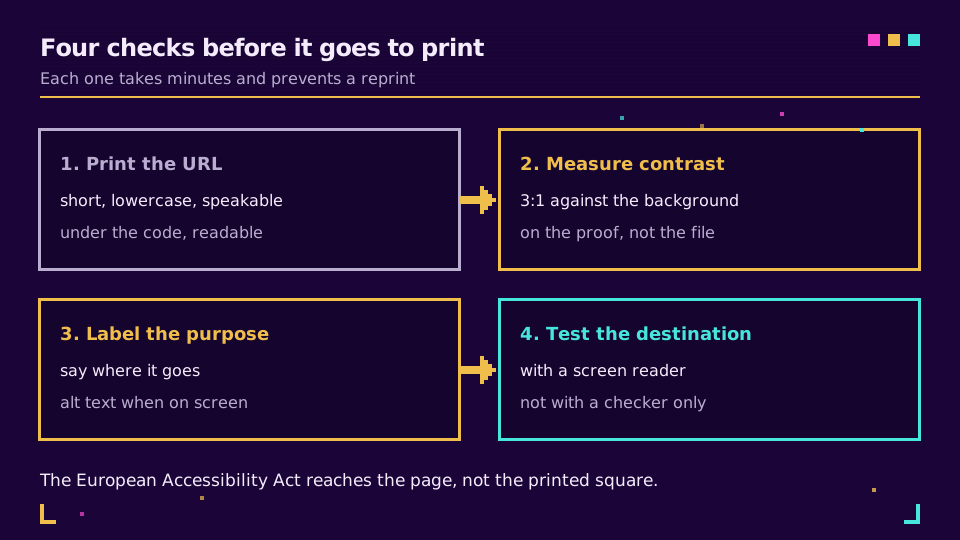
Five checks, and the first three take ten minutes.
Run the destination page through a screen reader. Not a checklist tool, an actual screen reader, listening for whether the primary action is reachable and labelled. The US Section 508 guidance on QR implementation is a compact reference for what to listen for.
Measure the contrast of the printed proof rather than the file. Ink on uncoated stock loses contrast that a screen preview flatters.
Scan the code from the position a real person occupies: seated, at the actual mounting height, in the venue's real lighting. A code at 1.6 metres is a different object to a wheelchair user than it is to the designer who placed it.
Try the printed URL by hand, on a phone keyboard, without looking at the code. If it takes three attempts, the slug is wrong.
Then check the page behind it against the same standard as your main site. That is where the obligation lives, and it is the check most often skipped.
Read the Cornerstone Series
This post sits in the compliance cluster. GDPR for URL shorteners is the cornerstone for the data-protection half of the same surface, and QR codes and the GDPR covers what a scan actually collects.
Related on the Blog
Frequently asked questions
Are QR codes accessible?
Not on their own. Scanning one requires sight to locate it, a steady aim to frame it, and a camera-capable device. None of those can be assumed, which is why accessibility guidance treats a QR code as an additional route to information rather than the only one. Print a short URL beside it and most of the barrier disappears.
Does a QR code need alt text?
When it appears as an image on a web page or in a document, yes. Describe where it leads rather than what it is: a screen reader user gains nothing from being told there is a QR code, and everything from being told it opens the booking page. On printed material there is no alt text, so the text alternative is the URL itself, set in readable type.
What contrast does a QR code need?
At least 3:1 between the dark modules and the light background under the WCAG non-text contrast rule, and in practice more, because scanners need margin that a compliance floor does not guarantee. Keep it dark on light, avoid photographic backgrounds, and never invert the pattern for a design effect.
Does the European Accessibility Act apply to QR codes?
It applies to the service behind the code. Directive (EU) 2019/882 covers consumer-facing services such as e-commerce, banking, transport and e-books, and has been applicable since 28 June 2025. If the code opens a menu, a ticket or a checkout, the accessibility obligation attaches to that page, not to the printed square.
What should the printed fallback look like?
Short, lowercase, and unambiguous when read aloud or copied by hand. Avoid characters that are easy to confuse in print, keep the path to a few characters, and set it large enough to be transcribed by someone using magnification. A branded short domain helps here, because the reader can tell at a glance who they are about to visit.
Is NFC a good alternative to a QR code?
It is a useful complement rather than a replacement. A tap avoids the aiming problem entirely, which helps people with low vision or limited fine motor control, but it needs a supported phone and a physical tag. The most inclusive combination on a printed surface is a code, a tag where budget allows, and a typed URL under both.
Try Elido
Paste a URL, get a working short link
No signup. Link lives for 30 days. Sign up to keep it forever.
Free, no signup required · 2 per day