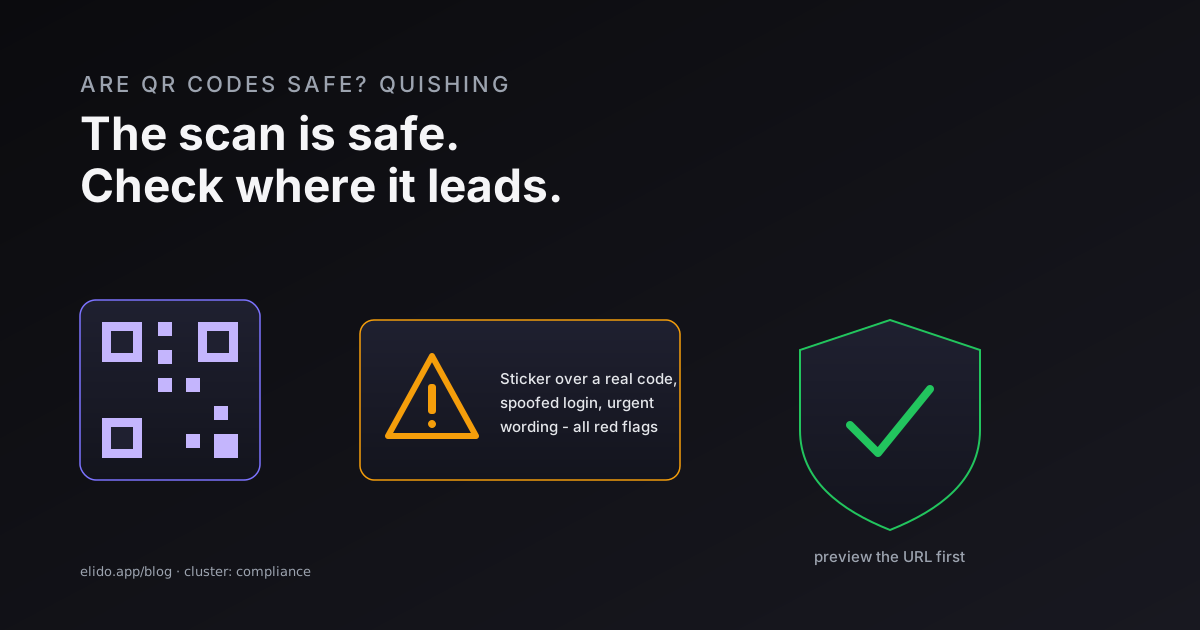
QR codes are safe to scan. The code itself is just an encoded link, and opening it is no more dangerous than typing the same web address by hand. The real risk lives in where the code sends you - and that is where attackers operate. A malicious QR code can point to a spoofed login page built to steal your password, or to a download that asks you to install something harmful. So the honest answer to "are QR codes safe" is: the scan is safe, the destination is what you have to check.
The attack has a name now - quishing, a blend of "QR" and "phishing" - and it has grown because it sidesteps two defenses at once. A QR code hides its destination until after you scan, so the old advice to inspect a link before clicking is harder to follow. And because a code is an image, it slips past many email filters that only read text and links. Government and security researchers have flagged the rise, and the technique now shows up in everything from fake parking-meter signs to invoices.
I look at this from a compliance seat, where the question is usually "can we put a QR code on a customer-facing thing without creating risk?" The answer is yes, with habits. This guide covers how quishing works, how to read a code before you trust it, and what to do if you already scanned a bad one. If you are creating codes rather than scanning them, how to create a QR code is the place to start.
How Quishing Works
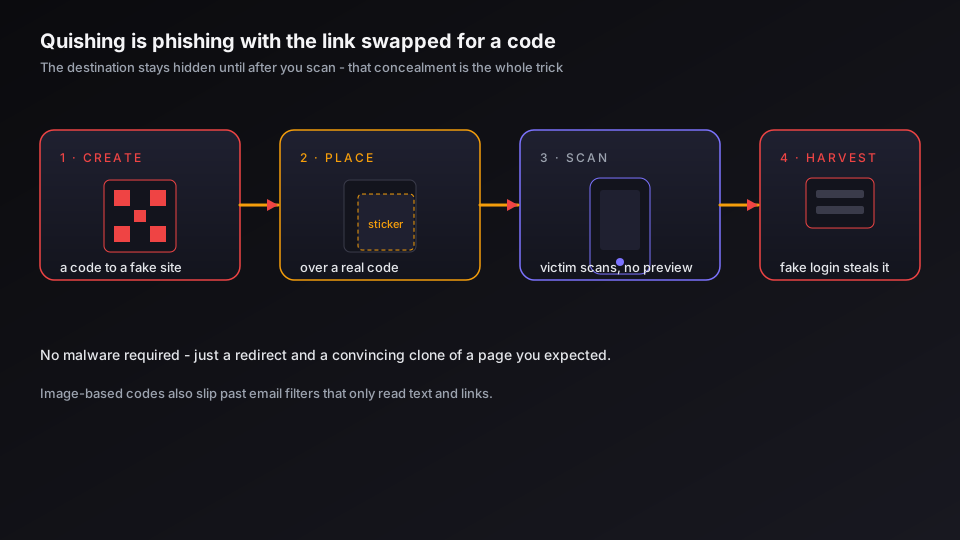
A quishing attack has the same anatomy as any phishing attempt, with the link swapped for a code. Understanding the steps makes the warning signs obvious.
The attacker produces a QR code that resolves to a fraudulent destination - a fake login portal, a payment page, or a malware prompt. They place it where people scan without thinking: an email that looks like it is from IT or a bank, a sticker stuck over a real code on a poster or parking meter, a flyer, or an unexpected package. The victim scans with their phone, sees a page that mimics something familiar, and enters credentials or card details. The data goes to the attacker.
What makes it effective is concealment. With a normal phishing link, a careful person can hover and read the URL first. A QR code shows you nothing until you have already committed to scanning, and on a small screen the address bar is easy to ignore. Kaspersky's breakdown of quishing makes the same point: the hidden destination is the whole advantage. The related server-side trick that lets any redirect be bent toward a malicious site is the subject of open redirect vulnerabilities, and it is worth knowing the two often work together.
Warning Signs of a Malicious QR Code
You can catch most quishing attempts before any harm by reading the context and the preview together. A few signals do most of the work.
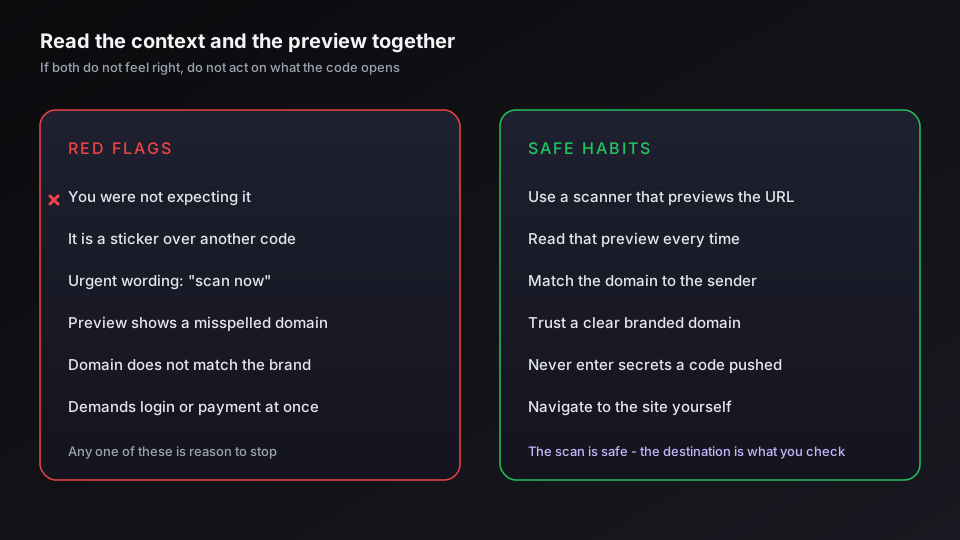
- You were not expecting it. A code that arrives unsolicited - in an email, a text, a piece of mail, or a delivered package you did not order - deserves suspicion before anything else.
- It is a sticker. A physical code that looks added on top of existing artwork, especially on parking meters, posters, and menus, is the single most common in-the-wild trick.
- It manufactures urgency. Wording like "scan immediately to avoid suspension" or "verify now" is designed to push you past the moment where you would normally check.
- The preview looks wrong. After scanning, most phones show the URL before opening it. Misspellings, an unfamiliar domain, a domain that does not match the brand, or a shortener you cannot resolve are all reasons to stop.
- It demands credentials or payment right away. A legitimate destination rarely asks you to log in or pay before showing you anything. A fake one leads with it.
The US Federal Trade Commission's guidance and the UK NCSC's advice on suspicious messages both come down to the same instinct: if the code and its context do not both feel right, do not act on what it opens.
How to Scan QR Codes Safely
Safe scanning is a short set of habits, not a special app. None of them slow you down much once they are routine.
- Use your phone's built-in camera or a scanner that previews the URL. Read that preview before you open it, every time.
- Check the domain against who you think sent the code. The brand at the front of the address should match the brand on the poster, email, or menu.
- Be wary of codes that resolve to a shortener you cannot expand - and conversely, trust is easier when a code points to a clear branded domain you recognize.
- Never enter passwords, card numbers, or one-time codes on a page you reached only because a QR code told you to. Navigate to the site yourself instead.
That third point cuts both ways, and it is where the people who make codes can help the people who scan them. A branded short link on a domain a customer recognizes is far easier to trust than an opaque one, which is part of why branding a code is a security feature and not just a design one - see branded QR code design.
If you publish customer-facing QR codes and want them to read as trustworthy - your domain, your branding, a destination you can repoint if it is ever abused - generate trackable QR codes with Elido so your audience sees a name they know rather than a random string.
If You Already Scanned a Bad One
Scanning and previewing a malicious code does almost nothing on its own, so if you stopped at the preview, you are very likely fine - close it and carry on. The exposure comes from the next steps, and if you took them, move quickly.
Close the page and do not enter anything more. If you already entered a password, change it on the real site and switch on two-factor authentication for that account. If you entered card or bank details, call your bank. If you installed or downloaded anything, run a security scan and remove it. Then report it - in the US through the FTC, and elsewhere through your national fraud or cybercrime body - and keep an eye on the affected accounts for a few weeks, because stolen credentials are often used later rather than immediately. The wider posture for vetting any short or shortened destination is in are URL shorteners safe and the URL shortener security checklist.
QR Codes Are Worth Keeping - With Habits
None of this is a reason to abandon QR codes. They are a genuinely useful bridge from physical to digital, and the format itself is not the problem - the social engineering wrapped around it is. The same logic applies on the publishing side: a code you control, point at your own domain, and can measure and repoint is safer for your audience than a static throwaway, because you can react if a destination is ever compromised.
For organizations, the compliance view is that a QR code is just another channel carrying a link, and the same data-minimization and residency rules apply to whatever it leads to - the detail is in GDPR for URL shorteners and on our trust page. Scan with a preview, check the domain, never enter secrets on a page a code pushed you to, and QR codes stay what they were meant to be: a convenience, not a liability.
Related on the Blog
- Are URL shorteners safe? how to vet a short link
- Open redirect vulnerabilities and how to prevent them
- The URL shortener security checklist
- How to track QR code scans and read the analytics
- Branded QR code design: logos, color, and scannability
- How to scan a QR code on iPhone, Android, and PC
- Event ticket QR code fraud: how to prevent screenshots
- QR codes and GDPR: what a scan collects and what you owe
- How to see where a short URL goes before you click
Frequently asked questions
Are QR codes safe to scan?
Scanning a QR code is safe in itself - the code is just an encoded link or text, and opening it does nothing more dangerous than typing the same address. The risk is entirely in where it leads. A malicious QR code can point to a spoofed login page that steals your credentials, or to a download that asks you to install something harmful. So the safe habit is not to avoid QR codes, but to preview the URL before you act on it and to treat any code that demands login or payment with the same suspicion you would give an unexpected email link.
What is quishing?
Quishing is phishing carried out through a QR code - the word blends 'QR' and 'phishing'. Instead of a clickable link in an email, the attacker sends or posts a QR code that, once scanned, sends the victim to a fraudulent site or a malware download. It works because a QR code hides its destination until after you scan, so the usual advice to inspect a link before clicking is harder to follow, and because image-based codes slip past many email filters that only scan text and links.
Can scanning a QR code install malware or give you a virus?
Scanning alone almost never installs anything - the scan just reads a URL and offers to open it. Harm requires a further step: you visit the page and it tricks you into downloading an app, granting a permission, or entering credentials. Modern phones add a layer of protection by showing the URL and asking before opening it. The practical risk is social, not automatic: the danger is being persuaded to act on the destination, so the defense is to read the preview and stop if anything looks off.
Are QR codes on restaurant menus safe?
Usually yes, but they are a known target because diners scan them without thinking. The specific trick is a sticker placed over the legitimate code, redirecting to a fake page that asks for payment or a login. Before scanning a menu code, check that it is printed as part of the menu rather than a sticker stuck on top, and once it opens, confirm the domain matches the restaurant or its ordering provider. If a menu code asks for a password or card details before showing you any food, close it.
How can you tell if a QR code is malicious?
Look at the context and the preview together. Warning signs include a code you did not expect (in an unsolicited email, text, or package), a sticker covering another code, urgent wording like 'scan now to avoid suspension', and a previewed URL that is misspelled, uses an unfamiliar domain, or hides behind a shortener you cannot resolve. After scanning, a legitimate destination rarely demands login or payment immediately. If the preview and the context do not both feel right, do not proceed.
What should I do if I scanned a malicious QR code?
If you only scanned and previewed the link, you are almost certainly fine - close it and move on. If you entered information or downloaded something, act quickly: close the page, change the password for any account you exposed and enable two-factor authentication, contact your bank if you entered card details, run a security scan on the device, and report it to the relevant authority (in the US, the FTC at ReportFraud.ftc.gov). Watch the affected accounts for unexpected activity over the following weeks.
Try Elido
Paste a URL, get a working short link
No signup. Link lives for 30 days. Sign up to keep it forever.
Free, no signup required · 2 per day