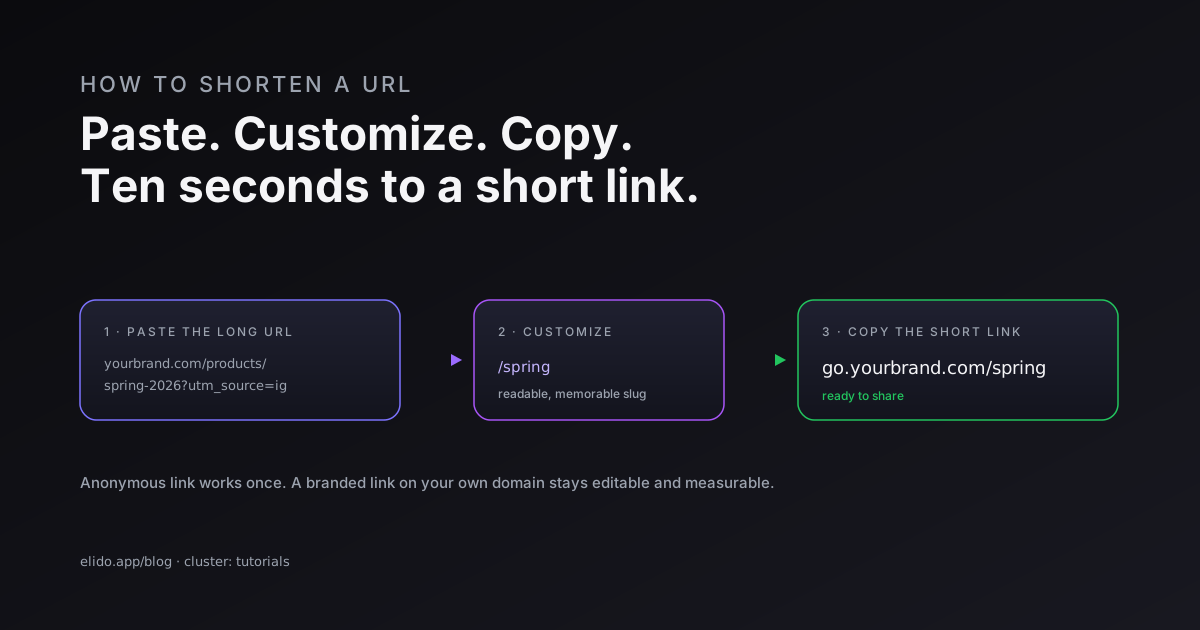
To shorten a URL, paste the long link into a URL shortener, optionally change the ending to something readable, and copy the short link it hands back. The whole thing takes about ten seconds, costs nothing for a basic link, and works the same whether you are shortening one address or a thousand. That is the entire job - everything below is about doing it so the link is yours, stays alive, and tells you something when people click.
There is a real difference between grabbing an anonymous short URL and making a short link you control. A free anonymous link works, but you cannot edit it, you barely see who clicked, and you are renting space on someone else's domain. A custom short link on your own domain is editable, measurable, and carries your brand into every share. This guide covers both, plus how to shorten links in bulk and what to check before one goes in front of an audience.
If you are new to the format, what a URL shortener actually is sets the foundation, and the end-to-end UTM tracking guide shows where a shortened link fits in a real campaign. The practice goes back to the mid-2000s, when services started trimming long addresses for early character-limited platforms, as the history of URL shortening records.
The Fastest Way to Shorten a URL
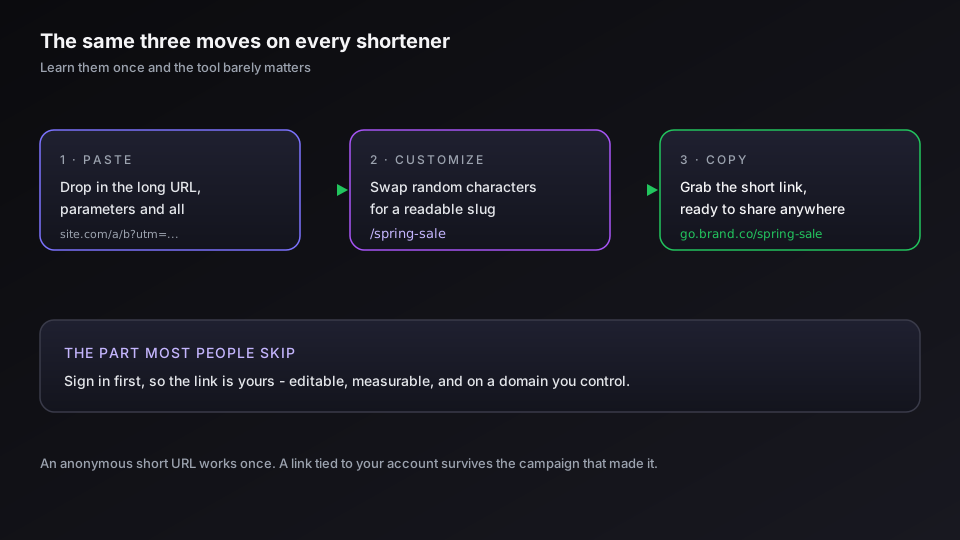
Every shortener follows the same three moves. Learn them once and the tool barely matters.
- Paste the long URL. Copy the address from your browser bar and drop it into the shortener's input box. A good tool accepts the full link, query parameters and all, without you trimming anything - the anatomy of a URL is worth a glance if you are unsure which part is which.
- Customize the ending (optional). Replace the random characters with a readable slug -
/spring-salereads better than/aZ9x2. This step is what turns a generic short URL into something a person can remember and trust. - Copy the short link. Hit the button, and the tool returns your shortened URL. Copy it, and it is ready for a post, an email, a slide, or a printed flyer.
That is it. The mechanics of what happens next - the redirect, the click record - are covered in how URL shorteners work under the hood, but you do not need to understand any of it to shorten a link.
Free vs Branded: What You Trade When You Shorten a Link
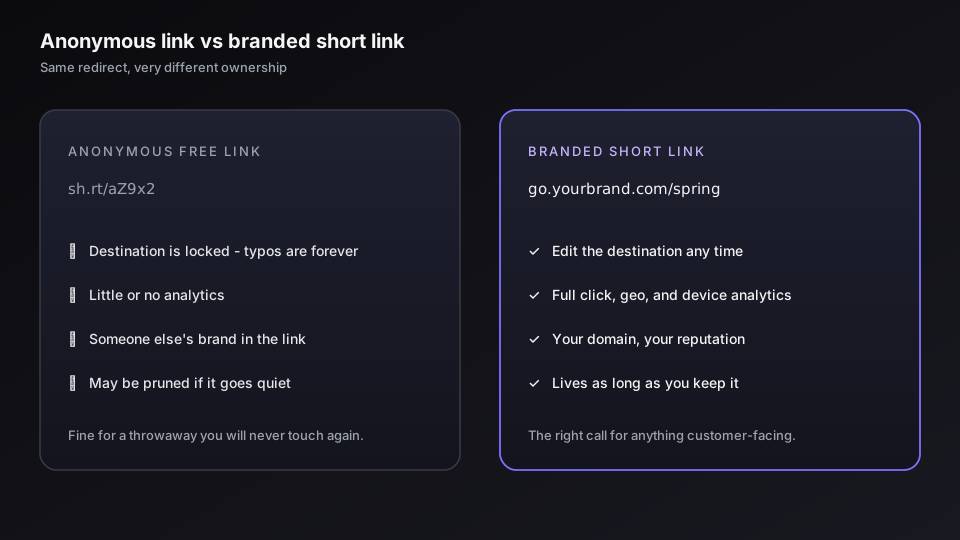
The ten-second version above gives you a working link. What it does not give you is ownership. This is the choice that actually matters when you shorten a URL, and most people make it without realizing they had one.
A free anonymous short link is fine for a throwaway - a one-off share in a chat, a link you will never touch again. But it has three quiet costs. You cannot change the destination after the fact, so a typo in the target is permanent. You see little about who clicked. And the link lives on the shortener's domain, which means a stranger's brand sits between you and your audience, and the link's survival depends on that company's retention policy. Our ranking of free URL shorteners breaks down exactly what each one withholds.
A branded short link flips all three. It sits on a custom domain you control, so the link reads go.yourbrand.com/offer instead of someone else's name. You can edit where it points without changing the link itself. And it comes with real analytics. The trade is small - you sign up, and on most platforms a branded domain needs a paid tier - but for anything customer-facing, the branded version wins on trust alone.
How to Make a Branded (Custom) Short Link
A branded short link is just a short link on your own domain with a slug you chose. Setting it up is a one-time job, after which every link you create inherits your brand automatically.
The sequence is short. First you connect a domain or subdomain - most teams use a subdomain like go. or l. so it stays separate from the main site. You add a DNS record your shortener gives you, the platform issues a TLS certificate, and the domain goes live. The full walkthrough, including the exact records, is in setting up branded short links. After that, creating a link is the same three steps as before, except the domain is yours and you type your own back-half.
The readable ending has a name worth knowing: a vanity URL. yourbrand.com/careers is a vanity URL, and it is the format that performs in print, on stage, and anywhere a link has to be typed rather than tapped. If you want the link to do more than redirect - route by country, by device, or by language - that is the job of smart links, which run rules on the same short link before it resolves.
Branding the link is the single biggest upgrade you can make to a shortened URL. Start a free workspace and connect your domain to make every link you shorten carry your name.
Other Ways to Shorten a URL
The paste-and-copy flow is the common case, but it is not the only one. Depending on volume, three other routes save real time.
- In bulk, from a spreadsheet. If you are shortening dozens or hundreds of links for a campaign, do not do them one at a time. Import a CSV and the platform shortens every row at once, slugs and tags included. The bulk import from Google Sheets guide walks through the format.
- Through the API. If shortening is part of an app or an automated workflow, call the shortener's API and get a short URL back in the response. This is how scheduling tools and CMS plugins create links without a human in the loop. There is a code walkthrough per runtime: Python, JavaScript and Node, PHP, and Go.
- As a QR code. Every short link can also be a QR code, which is the same redirect in scannable form. Generate one from the link and it is ready for a poster, a package, or a table tent - how to create a QR code walks through it, and the QR code feature page has the options.
Most people will only ever use the manual flow, but knowing the bulk and API routes exist means you never shorten two hundred links by hand.
Before You Share It: SEO and Safety
A shortened URL goes in front of other people, so two questions are worth thirty seconds before you hit publish.
On SEO: a short link that returns a proper 301 redirect passes ranking signals straight to the destination, so search engines credit the real page, not the short one. The failure modes are using the wrong redirect type or pointing at a flaky service - we cover the mechanics in 301 vs 302 redirects for short links and the broader question in whether URL shorteners hurt SEO. Used correctly, the impact is neutral, and a branded domain can even help click-through.
On safety: the short form hides the destination, which is exactly why a reputable shortener scans every target for malware and phishing and why you should never issue links from a service that does not. The URL shortener security checklist is the short version, and whether short links are safe is the longer one. If you are on the receiving end of an unknown link, most providers let you preview the destination before you open it.
What to Do After You Shorten a Link
The link is the start, not the finish. The reason to use a real shortener rather than a throwaway is what happens after the click.
Tag the link with UTM parameters so the visit shows up correctly in your analytics, and the UTM tracking guide shows how to keep those tags consistent across a whole campaign. Watch the analytics to see clicks, locations, and devices in near real time. And if the destination ever changes - a sale ends, a page moves - edit the link instead of reprinting everything that pointed at it. That edit-after-the-fact ability is the quiet reason branded links outlast the campaigns they were made for.
Related on the Blog
- What is a URL shortener, and how does it work?
- How URL shorteners work under the hood
- Free URL shorteners ranked by what you actually lose
- Custom domains for short links: the DNS and TLS walkthrough
- Vanity URLs explained: branded links people remember
- How to create a QR code: static, dynamic, trackable
- Link preview not showing? Causes and how to fix it
- URL shortener browser extension: one-click short links
- How to shorten a URL on iPhone with the Shortcuts app
- How to shorten a YouTube link and keep the timestamp
- How to shorten a Google Maps link for a place or route
- How to shorten a URL on Android from the share sheet
- How to shorten a Google Drive link without breaking it
- How to shorten a LinkedIn link (profile and posts)
Frequently asked questions
How do I shorten a URL for free?
Open a URL shortener, paste your long link into the box, and click the button that creates the short link. The tool returns a shortened URL you can copy and share right away. Free tiers cover the basics - the link works, it redirects to your destination, and you usually get a click count. What free plans tend to hold back is a custom ending, a branded domain, and detailed analytics, which is the line where a paid plan starts to pay off.
Can I shorten a URL without an app or signup?
Yes. Many shorteners let you paste a link and get a short URL with no account at all. The catch is that an anonymous link is not yours - you cannot edit where it points, you get little or no analytics, and if the service prunes inactive links you have no way to recover it. For anything you will reuse or put in print, sign up so the link is tied to your account and stays editable.
How do I make a custom short link?
A custom short link is one where you choose the part after the slash - for example go.yourbrand.com/spring instead of a random string. You get it by signing in to a shortener, creating the link, and typing your own slug into the custom back-half field. To replace the shortener's domain with your own brand, you connect a custom domain first, then every link you make uses it.
Does shortening a URL hurt SEO?
Not when it is done right. A short link that returns a 301 redirect passes ranking signals to the destination, so search engines treat the target as the real page. Problems only appear if the shortener uses the wrong redirect type, the service goes down, or the short domain has a bad reputation. Use a reputable shortener on a clean domain and the SEO impact is neutral to positive.
Are shortened URLs safe to click and to share?
A short link is as safe as the destination behind it and the service that issues it. The risk is that the short form hides where you are going, which is why reputable shorteners scan destinations for malware and phishing. When you create links, use a provider that runs safety checks; when you receive one, you can preview most short links by adding a character such as + to the end before opening.
Try Elido
Paste a URL, get a working short link
No signup. Link lives for 30 days. Sign up to keep it forever.
Free, no signup required · 2 per day