
Elido's bulk import creates up to 100 short links per batch from a list of url, slug, title rows. You can paste the rows from Google Sheets into the dashboard, upload them as a CSV, or call the bulk API from Apps Script. UTM tags are not a separate import column: you build the final tagged URL in the sheet, and Elido stores it as the destination.
That is narrower than some tutorials promise (including an earlier version of this one), so this post sticks to what the code does today. If you came for a dry-run mode, skip-on-conflict flags or a 10,000-row upload, those do not exist yet; they are tracked as planned work and marked as such below.
For the wider UTM picture, the UTM tracking cornerstone covers templates and server-side conversion forwarding. This post is the sheet-to-short-links slice.
TL;DR
- One sheet per campaign. Columns:
final_url(built with a formula, UTMs included),slug,title. - Dashboard path: open New link, then the Bulk tab (paste) or the CSV tab (upload). Both accept 100 links per batch.
- API path:
POST /v1/links/bulkwith a JSON body of up to 100 items. Items takedestination_url,slug,title,tags. - Each row succeeds or fails on its own. A taken slug fails only that row.
- No dry run yet (planned). Check a handful of rows after the first batch instead.
Build the sheet
Elido reads three things per link: destination, slug, title. Keep the working columns on the left and one output column on the right.
| Column | Used by Elido | Notes |
|---|---|---|
base_url | no | The clean landing page URL |
utm_source, utm_medium, utm_campaign | no | Sheet-only inputs to the formula |
final_url | yes (destination) | Built by a formula, see below |
slug | yes (optional) | Blank means Elido generates one |
title | yes (optional) | Label shown in the dashboard link list |
short_link | no | Filled in after import |
The final_url formula does the UTM work Elido does not:
=TRIM(A2) & IF(ISNUMBER(FIND("?", A2)), "&", "?")
  & "utm_source=" & ENCODEURL(B2)
  & "&utm_medium=" & ENCODEURL(C2)
  & "&utm_campaign=" & ENCODEURL(D2)
Doing this in the sheet has a side benefit: the destination you review is the destination that ships. Nothing is rewritten after the fact, and a destination that already carries a ? is extended with & rather than broken.
Google's own guidance is to always set utm_source, utm_medium and utm_campaign when you tag a URL; without them reporting shows "(not set)" (Google Analytics help, accessed 2026-10-09). Add a check column such as =IF(OR(B2="",C2="",D2=""),"missing UTM","ok") and filter on it before you export. That replaces the dry-run warning other tools give you.
Path 1: paste into the dashboard (Bulk tab)
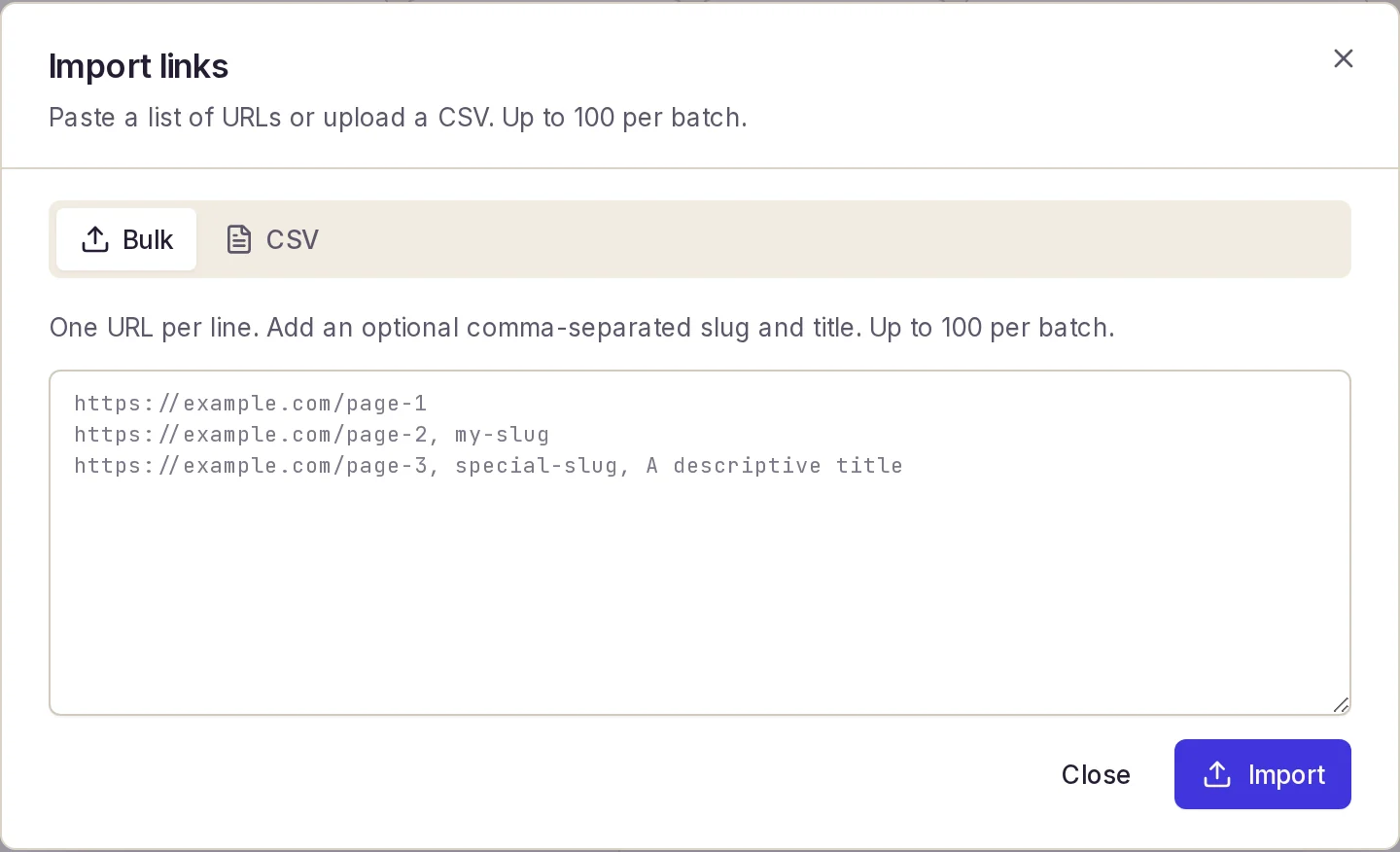
Open New link and switch to Bulk. The text area takes one link per line:
https://shop.example/de?utm_source=newsletter&utm_medium=email&utm_campaign=q2-spring, q2-hero-de, Hero DE
https://shop.example/fr?utm_source=newsletter&utm_medium=email&utm_campaign=q2-spring, q2-hero-fr, Hero FR
The parser splits each line on commas: the first part is the URL, the second the slug, everything after is the title. Blank lines and lines starting with # are ignored. That has two consequences for sheets:
- Commas inside a destination URL break the row. If a UTM value contains a comma, encode it as
%2C(theENCODEURLin the formula above already does this). - Pasting from Sheets gives you tab-separated cells, not commas, so build one comma-joined line per row in a helper column, for example
=E2 & ", " & F2 & ", " & G2, and copy that single column.
After the import the dialog shows the number created and the number failed, with each failed line and its reason expandable underneath.
Path 2: CSV upload (CSV tab)
Download the sheet as CSV (File, Download, Comma-separated values) with the columns in the order url, slug, title and upload it on the CSV tab. The file is read in your browser and sent through the same 100-link batch as the paste tab. If the first row does not start with http, it is treated as a header and dropped.
The CSV reader is a plain comma split, not a full CSV parser. Quoted fields containing commas are not understood, so keep titles free of commas or the title will be cut. If you need more than 100 rows, split the file into chunks of 100.
If the brief lives in Excel, how to shorten URLs in Excel covers the routes there.
Path 3: the API from Apps Script
For a sheet that fills up all week, call the API. The endpoint is POST https://api.elido.app/v1/links/bulk. The token is a personal access token or a workspace API key sent as Authorization: Bearer ..., and a workspace-bound key lets the call omit workspace_id and domain_id (the workspace's default domain is used). Authentication is described in the API docs under Authentication.
curl -X POST https://api.elido.app/v1/links/bulk \
  -H "Authorization: Bearer $ELIDO_TOKEN" \
  -H "Idempotency-Key: $(uuidgen)" \
  -H "Content-Type: application/json" \
  -d '{
    "links": [
      { "destination_url": "https://shop.example/de?utm_source=newsletter&utm_medium=email&utm_campaign=q2-spring",
        "slug": "q2-hero-de", "title": "Hero DE", "tags": ["q2-spring", "email"] }
    ]
  }'
The response reports ok, failed and an items array with one entry per input row, in order, each marked ok or error. A slug that is already taken returns slug already exists for this domain on that row only. The Idempotency-Key header is honoured for 24 hours: the same key with the same body replays the original response instead of creating links twice (see Idempotency in the API docs).
Every created link is also queued for an asynchronous safety scan, so a bulk import does not wait on the scanner.
// Google Apps Script: send new sheet rows to Elido's bulk endpoint.
// Trigger: time-driven, hourly. Batches of 100 (the API maximum).
function importNewLinks() {
  const sheet =
    SpreadsheetApp.getActiveSpreadsheet().getSheetByName("Q2 Spring");
  const data = sheet.getDataRange().getValues();
  const h = data[0];
  const urlCol = h.indexOf("final_url");
  const slugCol = h.indexOf("slug");
  const titleCol = h.indexOf("title");
  const doneCol = h.indexOf("short_link");

  const pending = [];
  for (let i = 1; i < data.length && pending.length < 100; i++) {
    if (data[i][urlCol] && !data[i][doneCol]) pending.push(i);
  }
  if (!pending.length) return;

  const links = pending.map((i) => ({
    destination_url: data[i][urlCol],
    slug: data[i][slugCol] || undefined,
    title: data[i][titleCol] || undefined,
  }));

  const resp = UrlFetchApp.fetch("https://api.elido.app/v1/links/bulk", {
    method: "post",
    contentType: "application/json",
    headers: {
      Authorization:
        "Bearer " +
        PropertiesService.getScriptProperties().getProperty("ELIDO_TOKEN"),
    },
    payload: JSON.stringify({ links }),
    muteHttpExceptions: true,
  });
  if (resp.getResponseCode() !== 200) {
    console.error(resp.getContentText());
    return;
  }

  JSON.parse(resp.getContentText()).items.forEach((item) => {
    const row = pending[item.index] + 1;
    const cell = sheet.getRange(row, doneCol + 1);
    cell.setValue(
      item.status === "ok" ? item.link.slug : "ERROR: " + item.error,
    );
  });
}
Notes on the script:
- It writes the slug (or the error text) back, not a full URL. Prepend your short domain in a formula column if you want clickable links. Rows with an error text in
short_linkare skipped on the next run, so clear the cell after you fix the slug. - Keep the token in script properties, not in the code.
- Apps Script limits for consumer accounts are 20,000 URL Fetch calls per day, 6 minutes per execution and 90 minutes of trigger runtime per day (Workspace accounts: 100,000 calls, 6 hours) (Apps Script quotas, accessed 2026-10-09). An hourly job sending 100 links per call stays far below that.
- Elido's API rate limit applies on top, per token and per workspace; see Rate Limits in the API docs.
Slugs and tags
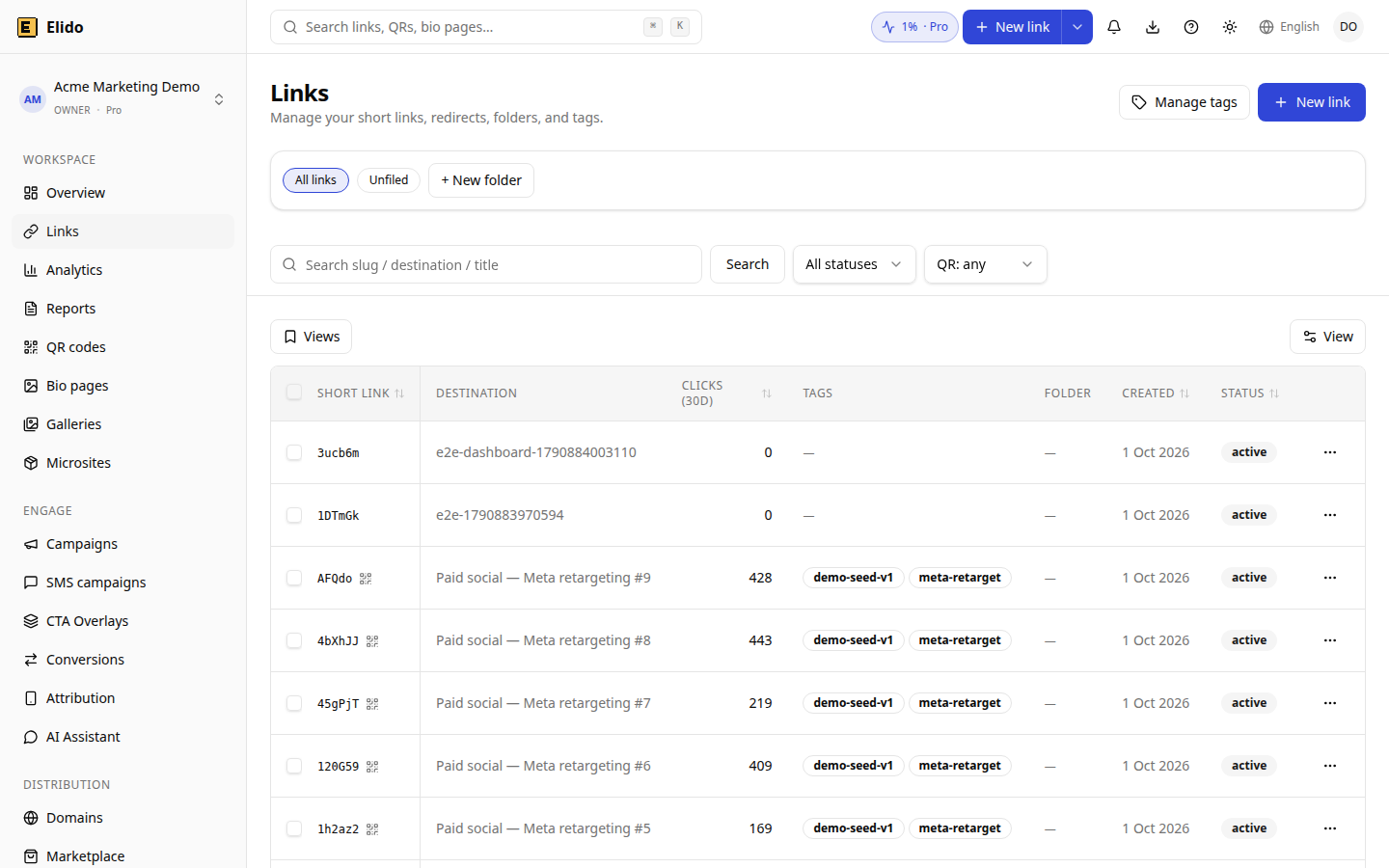
Slugs. Prefix campaign slugs (q2-, jun26-) so they do not collide with older links. A collision is reported per row and the rest of the batch goes through, so a re-run of the same sheet returns errors for rows that already exist rather than duplicating them. Leaving the slug blank makes Elido generate one.
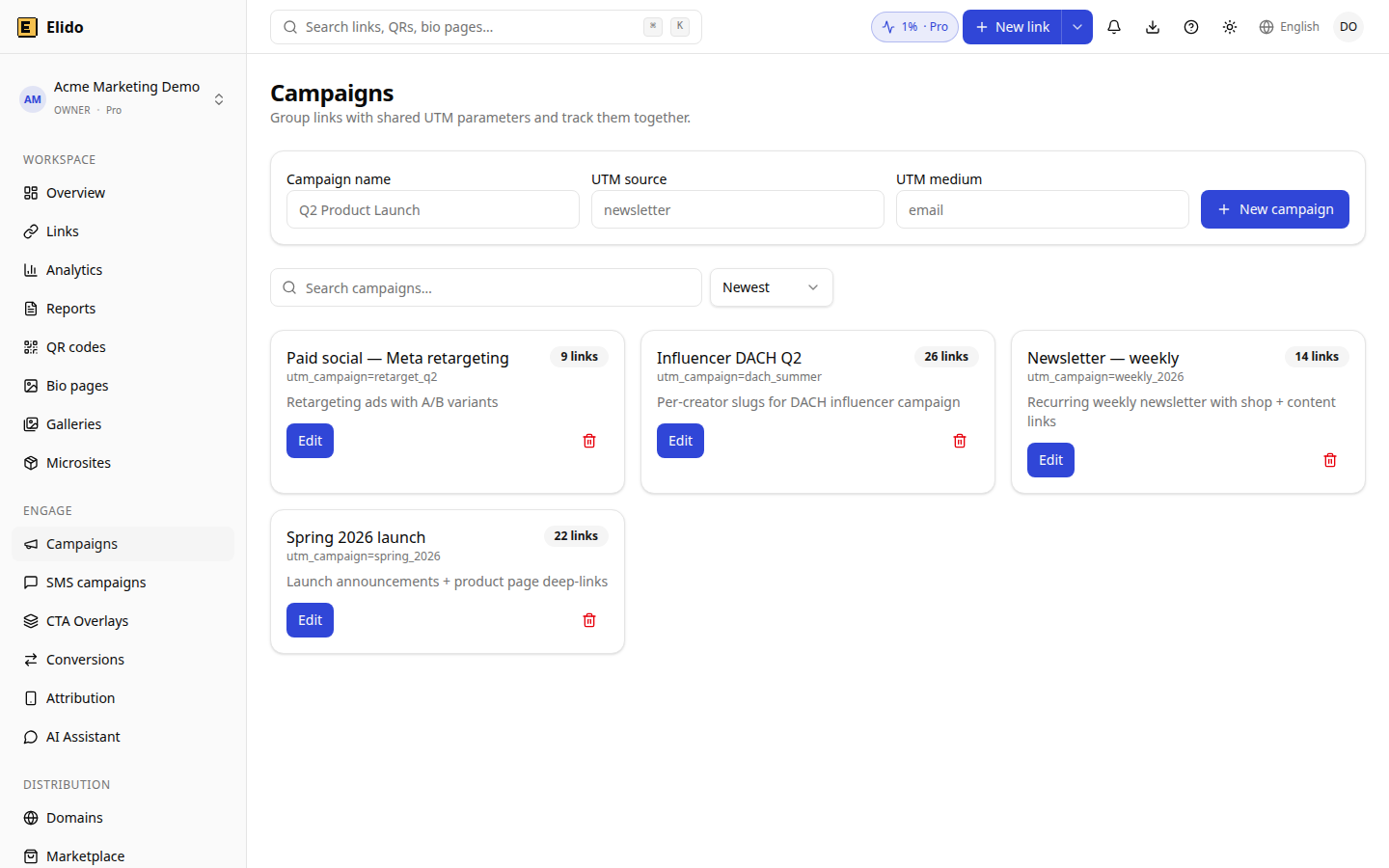
Tags. The dashboard Bulk and CSV tabs do not set tags; the API does, through the tags array. Tags are plain strings, so a dimension:value convention (channel:email) is just a naming habit that you enforce in the sheet, for example with ="channel:"&C2. For how campaigns group clicks, see the campaigns feature.
What is not built yet
These were described in an earlier version of this post and do not exist in the product today:
- A dry-run preview of resolved links and conflicts before commit. Planned.
- Conflict modes (skip, fail, replace) for existing slugs. Planned; today a taken slug is a per-row error.
- UTM columns and a workspace UTM template applied during import. Planned; use the sheet formula above.
- Larger batches (10,000 rows) and an async upload with status reporting. Planned; the limit is 100 per request.
- Direct tags in the dashboard import tabs. Planned.
Until the dry run exists, spot-check the first and last rows of the first batch in the dashboard before you publish the links.
Where to go next
Set a default domain and branding first with setup-branded-short-links. For attribution after the click, server-side conversion tracking covers how forwarding conversions to Meta and GA4 works; Elido itself does not forward purchases to them yet. The marketer workflow end to end is on solutions/marketers and the campaigns feature.
Related on the Blog
Frequently asked questions
How many links can I shorten at once in Elido?
100 per batch, both in the dashboard Bulk and CSV tabs and in the POST /links/bulk API call. Larger sheets are split into batches of 100. Each row is processed on its own, so one bad row does not fail the batch.
What columns does the Elido bulk import read?
In the dashboard, one line per link in the order url, slug, title. Slug and title are optional. Through the API each item also accepts a tags array. There are no UTM columns: build the tagged URL in the sheet first.
Does Elido have a dry run for bulk imports?
No. There is no preview mode today, and no skip or replace option for slugs that already exist. A taken slug comes back as an error on that row only. It is on the backlog as planned.
What happens when a slug already exists?
That row returns status error with the message slug already exists for this domain, and every other row is still created. Fix the slug and import just the failed rows again.
Can Apps Script call the bulk API on a schedule?
Yes. A time-driven trigger can read rows without a short link, POST them to the bulk endpoint with UrlFetchApp and write the slugs back. Google's quota is 20,000 URL Fetch calls a day on a consumer account, far more than hourly batches of 100 need.
Should UTM parameters go in the sheet or in the shortener?
In the sheet. Elido's bulk import stores the destination exactly as given, so a formula that appends utm_source, utm_medium and utm_campaign to each URL gives you reviewable, auditable destinations before any link exists.
Try Elido
Paste a URL, get a working short link
No signup. Link lives for 30 days. Sign up to keep it forever.
No signup needed. Sign up free for 50 links a month.