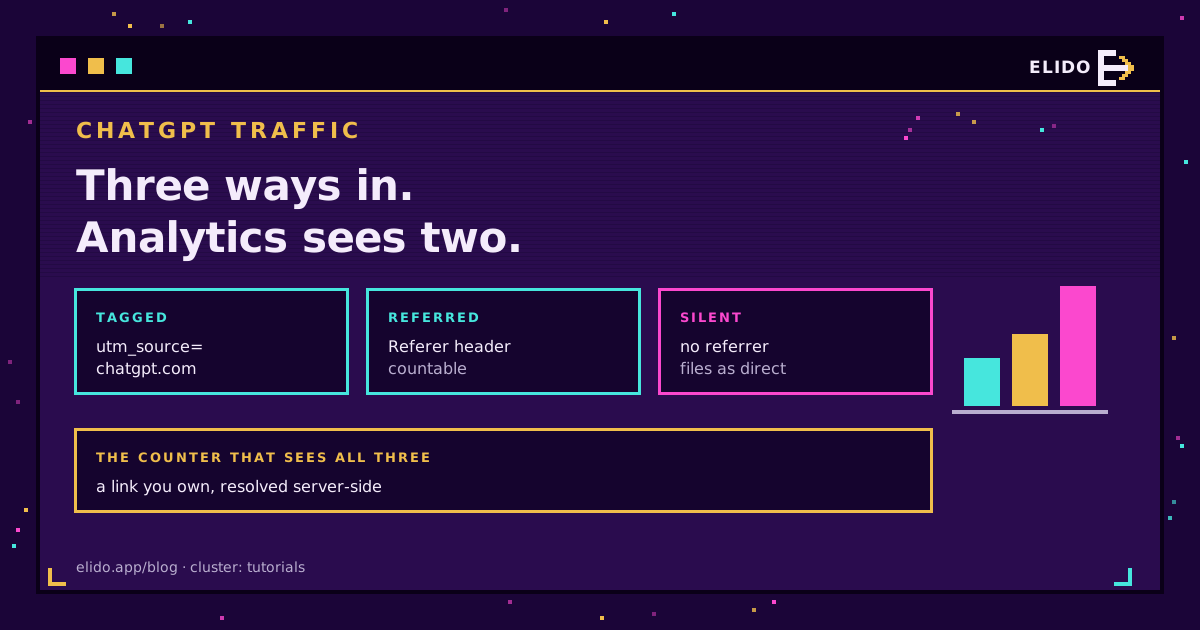
Your ChatGPT number is too low. Not by a rounding error, and not because you configured something wrong: a click from ChatGPT can reach you three different ways, and conventional analytics can only see two of them. The third arrives with no referrer and no parameter, gets filed under Direct, and becomes indistinguishable from someone typing your domain.
That is the whole problem in one paragraph. What follows is how to count the two visible paths properly, how to size the invisible one instead of pretending it is zero, and what number to put in a report without overclaiming. If you want the GA4 feature specifically, the AI Assistant channel has its own write-up; this post is about one assistant, measured end to end, whatever tool you use.
The Three Ways a ChatGPT Click Arrives
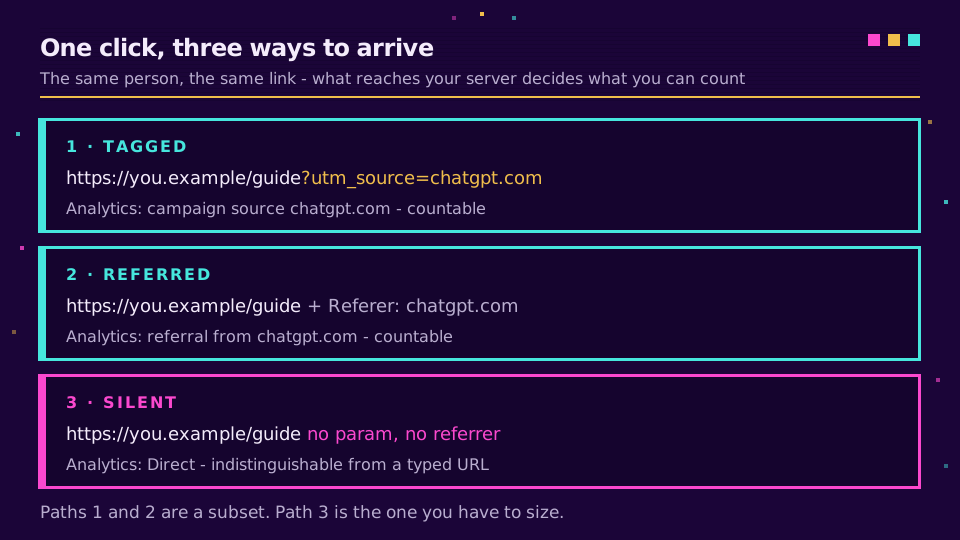
Path one: tagged. ChatGPT appends a campaign parameter to some of the outbound links it cites, so the URL that hits your server carries utm_source=chatgpt.com. This is the cleanest signal you will get, and it is the one worth building your filter around (behaviour observed 2026-08-22).
Path two: referred. No parameter, but the browser sends chatgpt.com in the Referer header. Your analytics reads it and files a referral. Slightly noisier, still countable.
Path three: silent. Nothing arrives. No parameter, no referrer, no way to attribute it. The session is Direct and stays Direct.
Most teams build a filter for path one, see a number, and stop. The number is real, but it is a subset of a subset.
Why So Much of It Lands in Direct
The referrer is not a guarantee. It is a header the browser may or may not send, and its behaviour is governed by a policy the sending page controls. MDN's Referrer-Policy reference documents the full range, including policies that strip the header entirely on cross-origin navigation.
Three situations produce a silent click, and none of them is exotic:
- The mobile app. Taps inside a native app often open in an in-app webview that does not carry a
Refereracross to your server. - Copy-paste. Somebody copies the URL out of the answer and pastes it into a different browser. There was never a referrer to send.
- Stripping at the source. Where the sending context applies a restrictive referrer policy, the header does not survive the hop, parameter or not.
You cannot fix any of these from your side. That is the point worth internalising before you spend a week on channel rules: the gap is structural, not a configuration mistake. The same mechanism is why dark social swallows a large share of messaging-app clicks.
Filtering on the Parameter You Did Not Create
For the tagged path, the setup is a five-minute job in any analytics tool: segment sessions where utm_source equals chatgpt.com, then look at landing pages rather than totals. Landing pages tell you which content an assistant is actually citing, which is the part you can act on.
Two things about this parameter deserve more caution than they usually get.
It is not yours. You did not set it, you cannot configure it, and OpenAI can change or drop it whenever they like. Anything you build on top of it should degrade gracefully rather than break. I would not anchor a year-over-year chart to it either: that chart measures OpenAI's tagging policy as much as it measures your traffic.
It pollutes your campaign reports. Because it arrives as a campaign parameter, those sessions show up alongside campaigns you actually ran. Teams discover a chatgpt.com source in their campaign report and assume a colleague built something. Nobody did. If you report on campaign performance, exclude it explicitly or your paid and email numbers inherit traffic that belongs to neither.
Worth being honest about scale while you are at it. Semrush's clickstream analysis of ChatGPT found web search enabled on roughly a third of queries as of February 2026, which means most sessions never generate an outbound click at all. Outbound referral traffic still grew sharply year over year, and the prompts that do resemble search language skew navigational and transactional. Small pool, high intent.
If you would rather have a count that does not depend on whose header survived, set up a workspace and put a link you own on the pages assistants cite.
The Counter That Sees All Three Paths
A link you control changes what you are measuring. Instead of inferring the source of a session after it lands, you record the resolve at the moment it happens: the link, the destination, the timestamp, server-side, in an EU region. That capture does not care whether a referrer arrived, whether a parameter survived, or how any downstream tool later classifies the session.
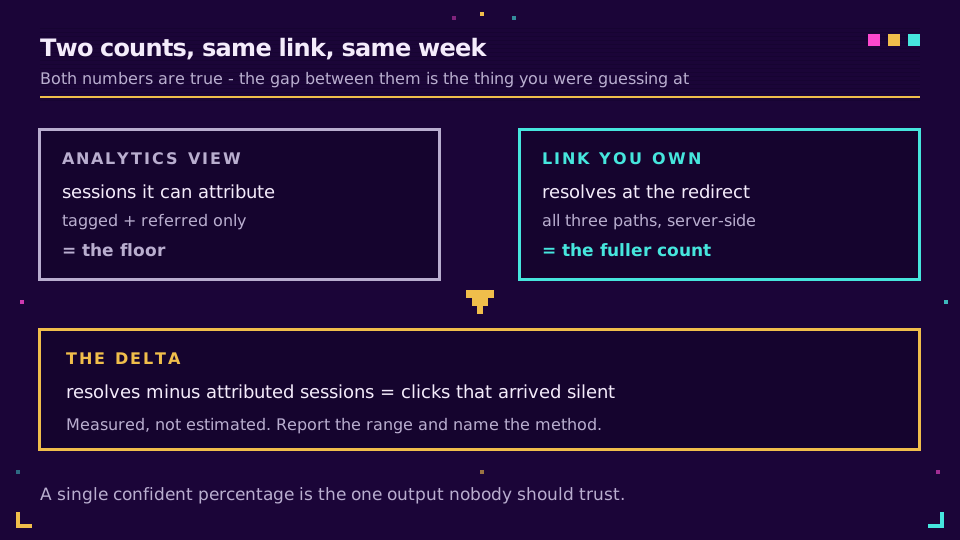
Concretely: put a tagged short link in the content an assistant is likely to cite, then compare its click total against what your analytics attributes to ChatGPT for the same link over the same window. Both numbers are true. The difference between them is the size of your blind spot, measured rather than guessed, and it is the only honest way to size path three.
This is the same server-side principle behind tracking UTMs end to end, applied to a source that refuses to identify itself consistently. It also means the measurement exists for periods before any vendor shipped an AI channel.
What Number to Actually Report
Report a range and say which method produced it. A single confident percentage is the one output nobody should trust.
| Arrival path | What analytics sees | What a link you own sees | Countable |
|---|---|---|---|
| Tagged with the parameter | Campaign source chatgpt.com | The resolve | Yes |
| Referrer only | Referral from chatgpt.com | The resolve | Yes |
| Neither | Direct, unattributable | The resolve | Only by link |
So: analytics gives you the floor, a link you own gives you the fuller count, and the delta is what a referrer-based view structurally cannot reach. Present it that way and the number survives scrutiny. Present one figure with no method attached and somebody will eventually ask how you know, which is a bad conversation to have in a quarterly review.
Honest Limits
Two things this does not give you.
It does not tell you which prompt produced the click. You see the landing page and the timestamp, not the conversation, and no method available to a website owner recovers that. Anyone selling prompt-level attribution is inferring it.
And a link you own only counts clicks on links you placed. If an assistant cites your homepage from its own index, that click has no tagged link in front of it and falls back to whatever the referrer gives you. So instrument the pages you most want cited, and treat everything else as the floor. Which content to instrument first is a question the answer engine optimization guide is better placed to answer than this one.
One more thing, because it comes up. If you plan to have an assistant generate those tagged links rather than making them yourself, check the mechanism before you trust the output: an unconnected chat returns a slug that never existed, as the ChatGPT url shortener guide explains.
Related on the Blog
- GA4's AI Assistant channel: what it tracks and misses - the platform feature, and its two gaps.
- AI crawlers and short links - what happens before a human ever clicks.
- Dark social: why analytics miss most of your shares - the same referrer problem, different source.
- Track UTMs end to end - the tagging convention this relies on.
- Privacy-first click analytics - what gets recorded at the redirect.
Frequently asked questions
How do I track traffic from ChatGPT?
Filter your analytics for sessions where the source is chatgpt.com or where utm_source equals chatgpt.com, which catches the clicks that arrive tagged or with a referrer. The remainder lands in Direct and cannot be separated after the fact. To count all three paths, put a link you control on the pages assistants cite and read the click at the redirect.
What is utm_source=chatgpt.com?
It is a campaign parameter ChatGPT appends to some of the outbound links it cites in answers, so the destination site can see where the click came from. You did not create it and you cannot configure it. It shows up in your campaign reports as a source you never set up, which is why some teams see a mysterious chatgpt.com campaign appear in GA4.
Why does ChatGPT traffic show as direct?
Because no referrer arrives. Clicks from the mobile app and from in-app browsers frequently drop the Referer header, and links opened by copy-paste never had one. Analytics cannot tell a referrer-less ChatGPT click apart from someone typing your URL, so both land in Direct.
How much ChatGPT traffic am I missing?
There is no way to know precisely, which is the honest answer. You can size it by comparing the click count on a link you own against the sessions your analytics attributes to ChatGPT for the same link and period. The difference is your floor for what the referrer-based view misses.
Is ChatGPT traffic worth measuring at all?
Yes, though the volume is smaller than headline numbers suggest. Semrush's clickstream analysis found ChatGPT enabled web search on only about a third of queries as of February 2026, so most sessions never produce an outbound click. Outbound referrals still grew sharply year over year, and the clicks that do arrive skew navigational and transactional.
Does the GA4 AI Assistant channel solve this?
Partly. It gives ChatGPT its own row without configuration, which is a real improvement over reading the Referral report by hand. It does not recover clicks that arrive with no referrer, and it is not retroactive before 13 May 2026. It classifies what it can see; it cannot create data that never arrived.
Try Elido
Paste a URL, get a working short link
No signup. Link lives for 30 days. Sign up to keep it forever.
Free, no signup required · 2 per day