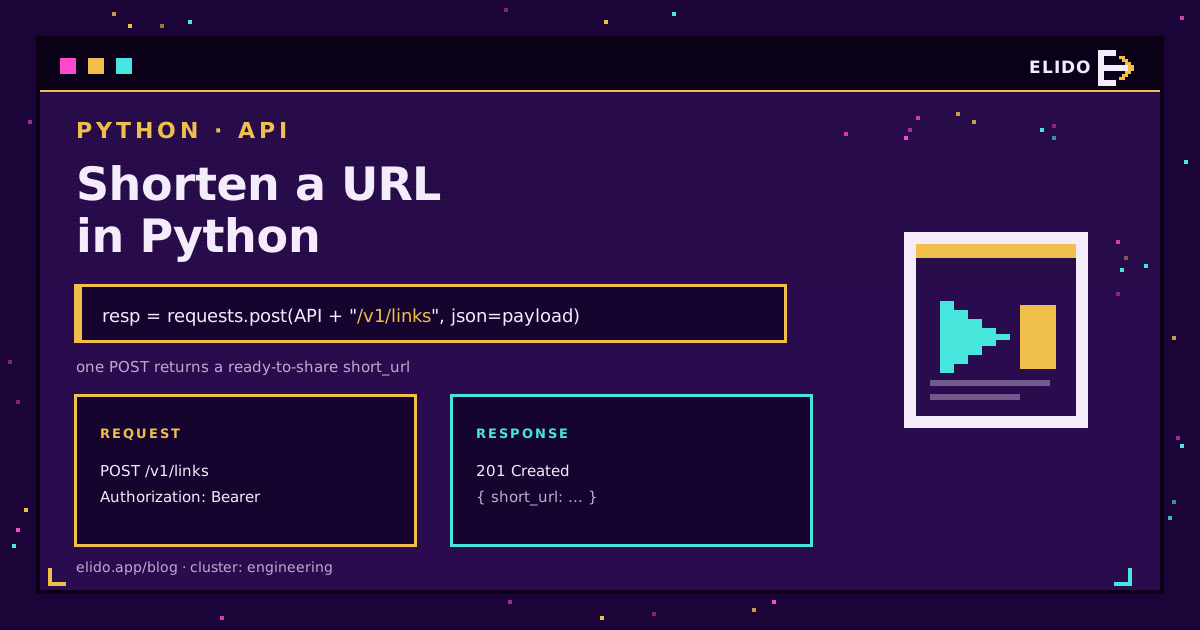
Shortening a URL in Python is one HTTP POST. You send your long link to a shortener's API with the requests library, pass your API key as a Bearer token, and read the short link out of the JSON response. The whole thing fits in about five lines, and the rest of this guide is what to add once you are doing it for real: error handling, idempotency, bulk, and async.
This is the developer version of the general how-to-shorten-a-url walkthrough - that one covers the dashboard and browser flow, this one is code you can paste into a script. The endpoints and field names below use the Elido API, but the shape (POST a destination, get a short URL back) is the same across most modern shorteners, so the patterns port.
Start from the free URL shortener API overview if you have not picked a service yet - it lays out the request shape, the auth model, and the free-tier limits this article assumes.
The Fastest Way: One POST With requests
Install requests, put your API key in an environment variable, and POST the destination URL to the links endpoint:
import os
import requests

resp = requests.post(
    "https://api.elido.app/v1/links",
    headers={"Authorization": f"Bearer {os.environ['ELIDO_API_KEY']}"},
    json={"destination_url": "https://example.com/a-very-long-path?with=params"},
    timeout=10,
)
resp.raise_for_status()
print(resp.json()["short_url"])   # -> https://s.elido.me/ab12cd
Three things make this production-grade rather than a toy. The API key comes from the environment, never a literal in the source. timeout is set, so a hung connection fails fast instead of blocking forever. And raise_for_status() turns a 4xx or 5xx into an exception you can catch, rather than letting a failed call look like a success.
The response is JSON. Read short_url for the finished link; most shorteners also return an id you store if you plan to edit or expire the link later.
Handle Errors and Rate Limits Properly
The happy path is five lines. A script that runs unattended needs to survive the unhappy ones: a transient 5xx, a 429 when you are going too fast, a network blip. Wrap the call so it retries on the errors worth retrying and gives up on the ones that will never succeed.
import os
import time
import requests

def shorten(destination: str, *, retries: int = 3) -> str:
    headers = {"Authorization": f"Bearer {os.environ['ELIDO_API_KEY']}"}
    for attempt in range(retries):
        resp = requests.post(
            "https://api.elido.app/v1/links",
            headers=headers,
            json={"destination_url": destination},
            timeout=10,
        )
        if resp.status_code == 429:
            time.sleep(int(resp.headers.get("Retry-After", 2)))
            continue
        if resp.status_code >= 500:
            time.sleep(2 ** attempt)   # exponential backoff
            continue
        resp.raise_for_status()        # 4xx other than 429 -> raise
        return resp.json()["short_url"]
    raise RuntimeError(f"shorten failed after {retries} attempts")
A 401 or 403 will never fix itself by retrying, so those fall through to raise_for_status() and stop the script. A 429 respects the Retry-After header the API sends. A 5xx backs off exponentially. The rate limits and idempotency deep-dive covers why retrying blindly is how you turn one outage into two.
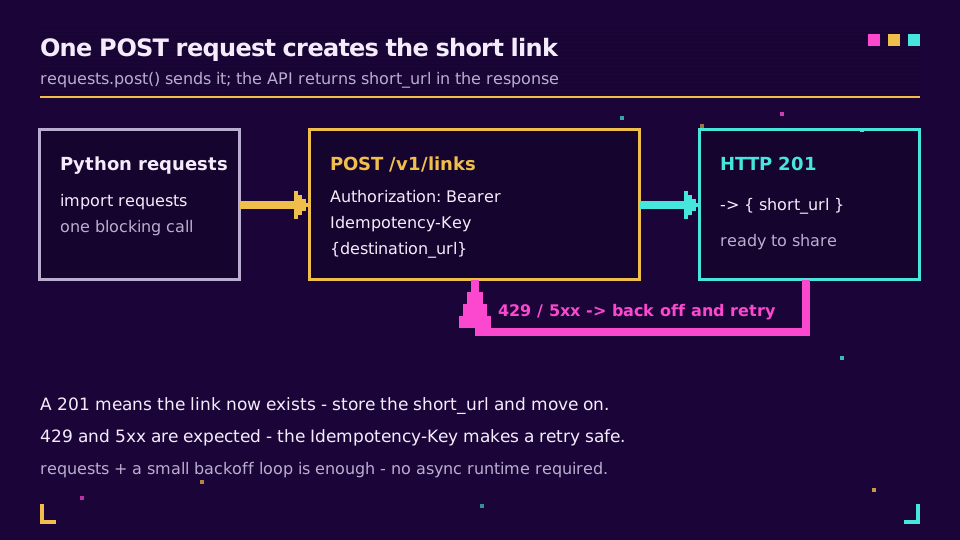
Send an Idempotency-Key So Retries Do Not Duplicate
Here is the subtle bug in the retry loop above. If a POST succeeds on the server but the response gets lost on the way back, your code sees a timeout, retries, and creates a second short link for the same URL. An idempotency key fixes that: send a stable, unique key with each logical request, and the API returns the original link on a repeat instead of minting a new one.
import uuid

key = str(uuid.uuid4())   # one key per URL you want shortened once
resp = requests.post(
    "https://api.elido.app/v1/links",
    headers={
        "Authorization": f"Bearer {os.environ['ELIDO_API_KEY']}",
        "Idempotency-Key": key,
    },
    json={"destination_url": "https://example.com/launch"},
    timeout=10,
)
Generate the key once per URL and reuse it across retries of that same URL - not per attempt. Store it alongside the URL if the batch itself might be re-run. This is the single most important habit when you move from shortening one link to shortening a list, and it is baked into the API and SDKs for exactly this reason.
Shorten URLs in Bulk
With a safe shorten() in hand, a batch is a loop - but a loop that respects the rate limit and does not lose the mapping between input and output:
urls = [
    "https://example.com/spring-sale",
    "https://example.com/newsletter",
    "https://example.com/docs/getting-started",
]

results = {}
for url in urls:
    try:
        results[url] = shorten(url)
    except Exception as err:      # log and keep going; one bad URL should not sink the batch
        results[url] = f"ERROR: {err}"

for original, short in results.items():
    print(f"{short}\t{original}")
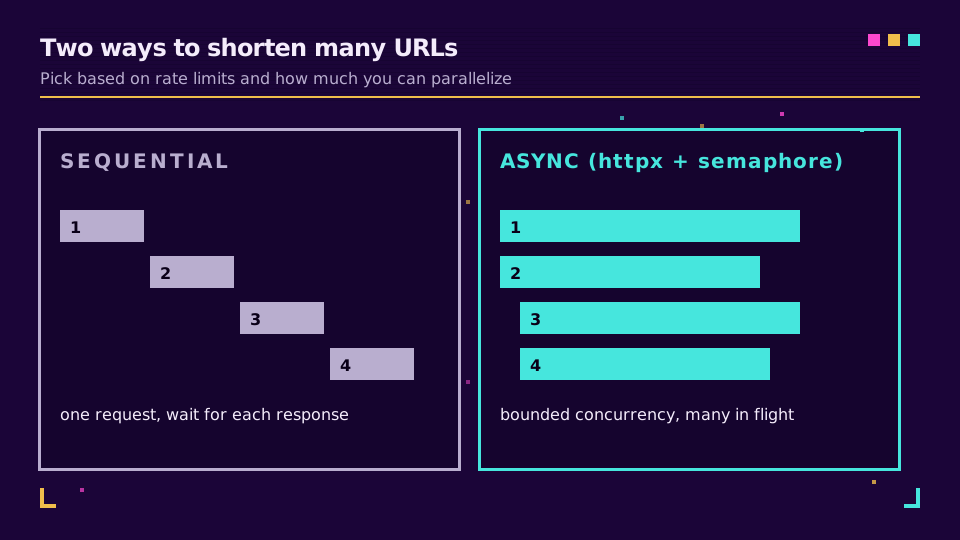
Keeping the result in a dict keyed by the original URL means a partial failure is visible and re-runnable, not a silent gap. For a few hundred links this sequential version is fine. For thousands, the round-trip latency adds up, and that is where async earns its place.
Async at Scale With httpx
When the batch is large, the bottleneck is waiting on the network, not Python. An async client like httpx sends many requests concurrently while keeping a ceiling on how many are in flight, so you saturate the connection without tripping the rate limit.
import asyncio
import os
import httpx

async def shorten_all(urls: list[str], concurrency: int = 10) -> dict[str, str]:
    headers = {"Authorization": f"Bearer {os.environ['ELIDO_API_KEY']}"}
    limit = asyncio.Semaphore(concurrency)
    out: dict[str, str] = {}

    async with httpx.AsyncClient(timeout=10) as client:
        async def one(url: str) -> None:
            async with limit:
                r = await client.post(
                    "https://api.elido.app/v1/links",
                    headers=headers,
                    json={"destination_url": url},
                )
                out[url] = r.json()["short_url"]

        await asyncio.gather(*(one(u) for u in urls))
    return out

# asyncio.run(shorten_all(my_urls))
The Semaphore(10) is the whole trick: it caps concurrent requests at ten so you go fast without hammering the API into 429s. Tune it to the plan's documented limit. For the full request shape, the field names, and the current limits, the API docs are the reference, and solutions for developers has the SDKs if you would rather not hand-roll the client.
Which Approach to Reach For
Match the tool to the size of the job. One link in a script: the five-line requests call. A dependable job that runs on a schedule: the retry-plus-idempotency version. A one-off batch of a few hundred: the sequential loop. Tens of thousands on a deadline: httpx with a semaphore.
Whichever you pick, keep the key in the environment, set a timeout, and send an idempotency key on anything that might retry. Those three habits are the difference between a snippet that demos and a script you can leave running.
The same walkthrough exists for the other runtimes: JavaScript and Node, where the interesting part is keeping the key out of the browser, PHP with curl, Guzzle, and WordPress, and Go with context deadlines and a bounded errgroup.
Read the Cornerstone Series
This sits in the engineering cluster. The starting point is the free URL shortener API guide for the endpoint shape and auth, then the rate limits and idempotency piece for behaving well under load. The live reference is the API docs.
Related on the Blog
- Free URL shortener API: the request shape, auth, and limits
- URL shortener API rate limits and idempotency
- How to shorten a URL: free, branded, and bulk links
- How to shorten a URL in JavaScript with fetch and Node
- How to shorten a URL in PHP with curl, Guzzle, or WordPress
- How to shorten a URL in Go with net/http
- How to shorten a URL in Ruby with Net::HTTP and Faraday
- How to shorten a URL in Java with the built-in HttpClient
- URL shortener CLI: shorten links from the terminal
Frequently asked questions
How do I shorten a URL in Python?
Send an HTTP POST to a URL shortener's API with the requests library, passing your long URL in the JSON body and your API key as a Bearer token, then read the short link out of the JSON response. It is about five lines: build the headers, post the destination URL to the links endpoint, and print response.json()['short_url'].
Can I shorten a URL in Python without an external library?
Yes. The standard library's urllib.request can POST JSON without installing anything, which is handy in a locked-down environment. It is more verbose than requests - you encode the body yourself, set the headers manually, and read the response - but it needs no pip install.
How do I shorten many URLs at once in Python?
Loop over the list and POST each one, but send an Idempotency-Key per URL so a retry never creates a duplicate, and respect the API's rate limit by backing off on HTTP 429. For large batches, an async client like httpx with a bounded semaphore shortens thousands of URLs concurrently instead of one at a time.
Why is my Python URL shortener request returning 401?
A 401 means the API key is missing or wrong in the Authorization header. Confirm you are sending 'Authorization: Bearer YOUR_API_KEY' exactly, that the key has not been revoked, and that you loaded it from an environment variable rather than pasting an expired one. A 403 instead means the key is valid but lacks scope for that action.
Try Elido
Paste a URL, get a working short link
No signup. Link lives for 30 days. Sign up to keep it forever.
Free, no signup required · 2 per day