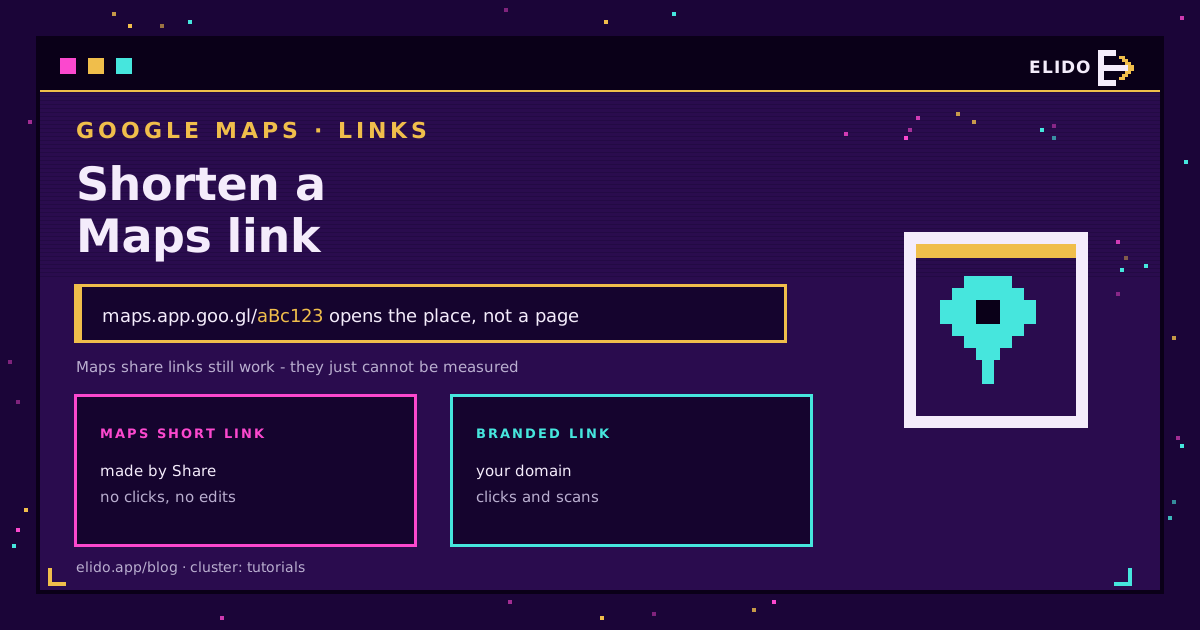
Shortening a Google Maps link takes two taps. Open the place, press Share, press Copy link, and Maps hands you a maps.app.goo.gl address that opens the app directly on a phone. It is short, free, and made by Google.
There is a persistent myth that these links are dying. They are not. Google retired its general-purpose goo.gl shortener, with inactive links stopping in August 2025, but links generated by Google's own products, Maps sharing included, were never part of that retirement.
What a Maps share link cannot do is tell you anything. No clicks, no scans, no countries, and no way to change where it points once it is on a flyer. This post covers the two-tap version and when to put a link of your own in front of it.
The Fast Way: Share, Copy Link
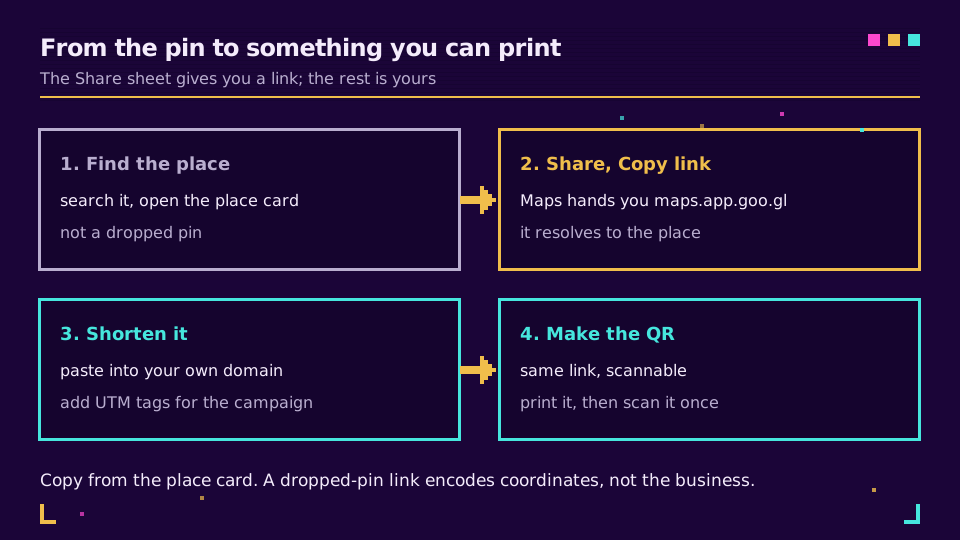
On the phone: open the place, tap Share in the row of actions, tap Copy link. On desktop: open the place, press Share in the left panel, and the Send a link tab shows a short URL with a Copy link button. Google's own share a place guide covers the variations, including sharing to a specific app.
One thing to get right, because it is the mistake that actually costs you customers: copy the link from the place card, not from a long-press on the map. A place link resolves to your listing, with the name, the opening hours, and the reviews. A dropped-pin link encodes bare coordinates and shows a nameless marker, which on a busy street means people stand outside the wrong door and give up.
What the Maps Link Cannot Do
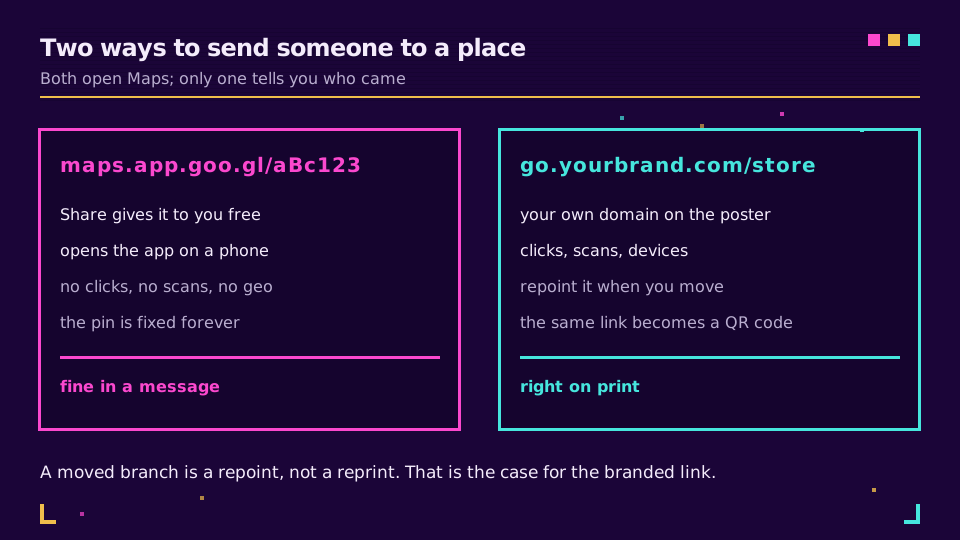
maps.app.goo.gl/aBc123 is fine in a message to one person. On anything that reaches a crowd, it has two hard limits.
It reports nothing. Google Business Profile shows you interactions inside Google's surfaces, which is useful, but it cannot tell you that 340 people arrived from the flyer in the hotel lobby and eleven from the newsletter. That comparison only exists if the click passes through something you own first.
And it is permanent in the wrong way. A branch moves, a pop-up ends, a second location opens and should catch half the traffic. The Maps link points where it points. Anything already printed becomes wrong at the moment the pin changes.
Putting a Branded Link in Front
The setup is one step longer than copying the Maps link, and it changes what you can do afterwards.
Take the maps.app.goo.gl URL as the destination and create a short link on your own domain: go.yourbrand.com/store. Add campaign tags if the link goes in more than one place, so the flyer and the newsletter are distinguishable rather than a single blob of traffic. The UTM parameters guide covers the tagging, and custom domains for short links covers getting your own domain onto the redirect.
Now the useful part. When the branch moves, you repoint the link and every flyer, menu, and window sticker keeps working. That is not a small saving, it is the difference between a repoint and a reprint.
Try it on a real location: create a link on the free plan with your Maps URL as the destination, then print the QR and scan it once from across the room.
The QR Code on the Window
Most Maps links end up as a QR code somewhere, which is where the choice of destination starts to show physically.
A QR code encoding a long Maps URL has more modules, so the printed code is denser and needs to be bigger or cleaner to scan reliably. A QR code encoding a short link is sparse, scans from further away, and survives a scuffed sticker. How big should a QR code be has the sizing maths, and QR code for Google Maps covers the placement side for a storefront.
The other reason to encode the short link is the one above: the destination stays editable after the sticker is on the glass.
Routes, Multi-Location, and the Honest Limits
For directions, the Share sheet behaves the same way on a route. Bear in mind that a route link carries a starting point, so it is usually better to share the destination and let each person route from wherever they actually are.
For a chain, give each location its own short link rather than one link to a locator page. Per-location links tell you which stores the campaign moved, and a locator page adds a click for the customer.
And the honest limit: none of this changes how you rank in Maps. A short link is a distribution and measurement tool, not a local SEO tactic. What ranks a location is the profile, the reviews, and the consistency of the business details.
Read the Cornerstone Series
This sits in the tutorials cluster. The general version is how to shorten a URL, and how to track link clicks covers reading the numbers once they arrive. For the retail and restaurant angle, URL shorteners for restaurants covers menus and table tents.
Related on the Blog
Frequently asked questions
How do I shorten a Google Maps link?
Open the place in Google Maps, press Share, then Copy link. Maps gives you a maps.app.goo.gl address that is already short and opens the app directly on a phone. Nothing needs installing, and the link works for a place, a route, or a Street View position.
Do goo.gl Maps links still work after the shutdown?
Yes. Google retired its general-purpose goo.gl shortener, but links generated by Google's own apps, including Maps sharing, were never part of that retirement. Links you created through the Share sheet keep resolving, and new ones are still issued as maps.app.goo.gl.
Can I track how many people opened my Google Maps link?
Not with the Maps link itself, which reports nothing back to you. Put a short link on your own domain in front of it and the click is counted before the handoff, so you can see volume by day, country, and device, and compare a flyer against a newsletter.
What is the difference between a place link and a dropped-pin link?
A place link resolves to the business listing, with name, hours, and reviews. A dropped-pin link encodes raw coordinates and shows a nameless marker. Copy the link from the place card rather than long-pressing the map, or people arrive at a point on a street instead of at your door.
How do I make a QR code that opens Google Maps?
Encode a short link that redirects to the Maps URL rather than the Maps URL itself. The QR code stays small and readable because the encoded string is short, and the destination can be corrected later without reprinting anything that carries the code.
Can I shorten a Google Maps directions link?
Yes, the Share sheet works the same way on a route: set the destination, open Directions, and share. Keep in mind that a route link carries a starting point, so it is usually better to share the destination place and let each person route from wherever they are.
Try Elido
Paste a URL, get a working short link
No signup. Link lives for 30 days. Sign up to keep it forever.
Free, no signup required · 2 per day