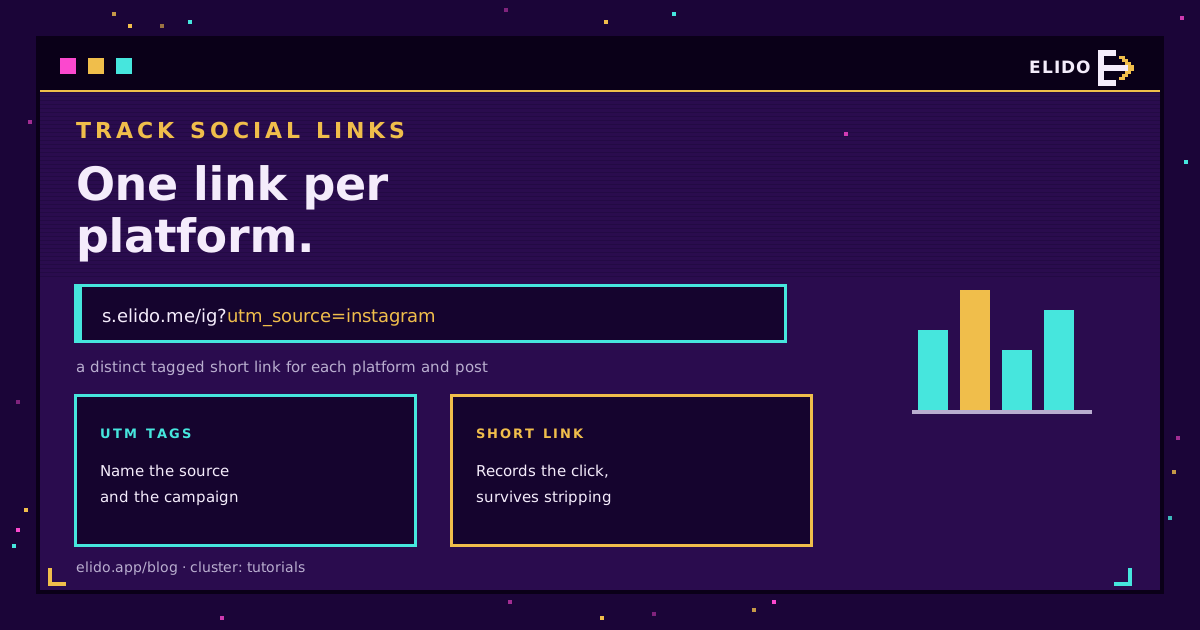
To track social media links, add UTM parameters to the destination URL, shorten each tagged link, use a distinct one for every platform and post, then read the clicks in your analytics. The short link records each tap even when a platform strips the UTM tags, which is where a lot of social tracking quietly breaks. Done right, you get clicks broken down by platform, by post, and over time, instead of one blurry bucket of social traffic.
This is a step-by-step for marketers who share links across Instagram, TikTok, LinkedIn, and the rest and want to know which ones actually work. It builds on tracking UTM end to end, which is the cornerstone for this whole topic.
The Two Layers That Make It Work
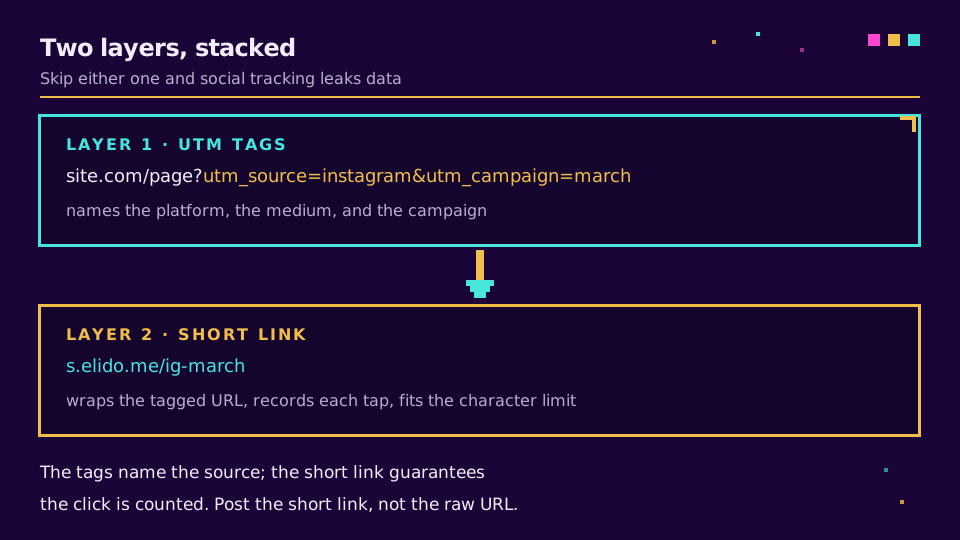
Social link tracking is two things stacked, and skipping either one is why most attempts leak data.
The first layer is the UTM tag: a few parameters on the URL that name where the traffic came from. utm_source names the platform, utm_medium the type of traffic, utm_campaign the specific push. Google's Campaign URL Builder (accessed 2026-07-18) builds these without hand-typing, they show up as campaign traffic in Google Analytics, and UTM parameters explained covers each field.
The second layer is the short link wrapped around the tagged URL. A UTM-tagged link is long and ugly, which reads badly in a bio and eats character counts, so you shorten it. But the short link does more than tidy up: it becomes the thing that records the click. Every tap hits your redirect first, which logs the event, then forwards to the destination. That redirect is why the click survives even when the platform mangles the query string.
Step by Step
Five steps, and the order is the whole method.
- Build the tagged URL. Start from your destination and add
utm_source,utm_medium, andutm_campaign. Keep the naming consistent, lowercase, no spaces, becauseFacebookandfacebookbecome two rows in your reports. - Shorten it. Wrap the tagged URL in a short link. This is what you actually post.
- Use a distinct link per platform and post. One link for the Instagram story, another for the LinkedIn post, another for the TikTok bio. Same destination, different links, so the clicks separate.
- Post it, and label it. Give each short link a descriptive label so a week later you know which one was the March LinkedIn carousel.
- Read the data. Compare clicks by platform, by post, and by day, and double down on what works.
The one habit that pays off most is the distinct-link-per-placement rule. It is tempting to reuse one link everywhere, but that throws away the exact breakdown you are trying to build.
Platform wrappers sit in the same place: X rewraps everything in t.co, which is why shortening a link for X changes what you measure rather than how long the post is.
The UTM-Stripping Problem
Here is the failure most guides skip, and it is the reason the short link is not optional.
When a link is shared through apps, in-app browsers, and certain share flows, the platform often strips the query parameters off the URL, taking your UTM tags with them. Depending on the channel, somewhere between 30 and 80 percent of that tracking data can vanish before it ever reaches your analytics. If your only tracking lives in the UTM string, that is a huge blind spot. Two platforms need their own treatment here: Pinterest link tracking, where pins outlive the destination, and posting links on Reddit, where a shortener is usually removed on sight.
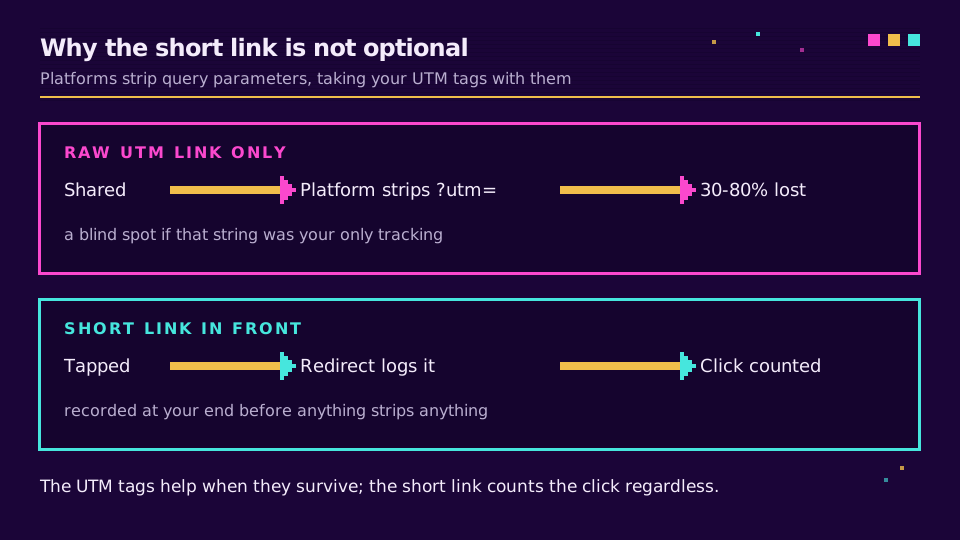
The short link closes it. Because the tap hits your redirect before anything strips anything, the click is recorded at your end, with the campaign context attached to the link itself rather than to a fragile query string. The UTM tags still help when they survive, for the analytics join; the short link is what guarantees you at least know the click happened and where it came from. This is the same reason messaging channels need it, covered in WhatsApp click-to-chat links.
What to Actually Measure
Once the links are tracked, a few comparisons tell you almost everything.
Clicks by platform answer where your audience actually acts, which is often not where you post most. Clicks by post show which content drives taps, not just likes. Clicks by time reveal when your audience clicks, which shapes your schedule. And clicks per placement, the bio versus the story versus the pinned post, tell you which surface on a platform earns its keep. Pair those click counts with the reach numbers each platform reports and you have a click-through rate for every channel. The deeper metric list is in short link analytics.
If you want the tagging, shortening, and reporting in one place rather than stitched from three tools, Elido's analytics records every tap with the campaign context and breaks it down by channel, and you can start on the free plan.
The other half of a shared link is how it looks in the feed, and Open Graph image size covers the one file that renders correctly everywhere.
Common Mistakes
Four habits that quietly wreck social link tracking:
- One link everywhere. You lose the per-platform breakdown, which is the main thing you wanted.
- Inconsistent naming.
IG,ig, andinstagramfragment into three rows and none of them add up. - Posting the raw UTM link. Long and ugly, it reads badly and is more likely to be mangled. Shorten it.
- Never reading the data. Tracking you do not check is just overhead. Set a weekly glance and act on it.
Get the two layers right, one tagged short link per placement, consistent names, a weekly read, and your social links stop being a black box and start telling you exactly where your audience comes from.
Related on the Blog
- Tracking UTM end to end with short links
- UTM parameters explained
- UTM parameters for Google and Meta ads
- What is CTR and how to lift it
- Short link analytics: what to measure
- Pinterest link tracking: UTMs, claims and outbound clicks
- Posting links on Reddit without getting auto-removed
- How to add a trackable link to YouTube Shorts
- Shorten a link for X (Twitter): what t.co does to it
- Open Graph image size: one file for every platform
Frequently asked questions
How do I track links on social media?
Add UTM parameters to the destination URL so your analytics can name the source, then shorten that tagged link and use a distinct one for each platform and post. When someone taps it, the short link logs the click and passes the UTM tags to your analytics. That gives you clicks by platform, by post, and over time, which a raw link shared everywhere cannot. Build the tagged URL, shorten it, post it, and read the data.
Can you track clicks on a social media link?
Yes, if the link runs through something you control. A bare link to your site shows up in analytics as generic social traffic at best. Put a short link with UTM tags in front, and every tap is a logged event with a time, device, and location, plus the campaign tags. The short link captures the click even on platforms that strip query parameters, which is where a lot of social tracking quietly fails.
How do I know which platform my traffic came from?
Use a different tagged link per platform, with utm_source naming the platform: facebook, instagram, linkedin, tiktok. Because each platform gets its own link, the clicks separate cleanly in your reporting instead of blurring into one social bucket. If you reuse the same link everywhere, you lose the ability to tell Instagram traffic from LinkedIn traffic, which is usually the first thing you want to know.
Do UTM parameters work on social media?
They work, but they are fragile. Many apps, in-app browsers, and share flows strip query parameters, and studies put the loss anywhere from 30 to 80 percent depending on the channel. The fix is to put a short link in front: the redirect records the click and the campaign context at your end before the destination ever sees the URL, so the count survives even when the UTM string does not.
What is the best way to track social media links?
A short link with UTM tags, one per platform and campaign, read in your own analytics. UTM tags name the source and campaign; the short link fits platform character limits, records the click reliably, and stays editable. Native platform analytics tell you about impressions and engagement on the post, but only a link you control tells you what happened after the tap, joined across every channel in one place.
Try Elido
Paste a URL, get a working short link
No signup. Link lives for 30 days. Sign up to keep it forever.
Free, no signup required · 2 per day