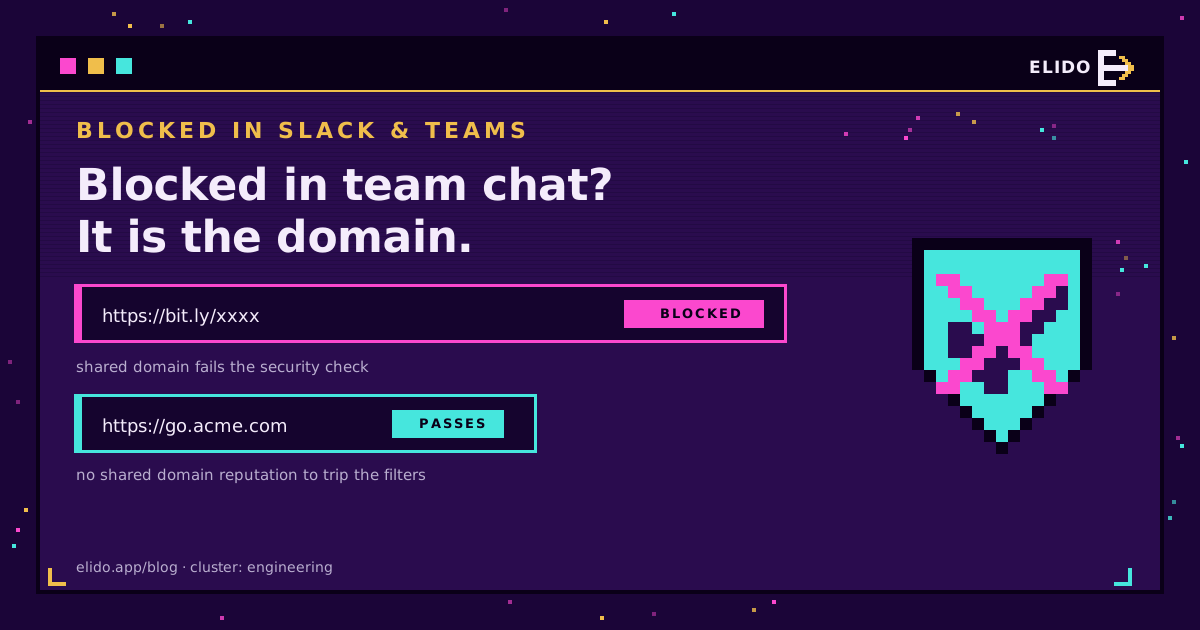
Short links get blocked in Slack and Microsoft Teams because a shared shortener domain fails a security check, not because short links are inherently unsafe. The usual culprit is Microsoft Defender Safe Links, a corporate content filter, or Slack's own link-reputation check. All three ask the same question: what do we know about this domain, and can we see where it goes? A shared shortener like bit.ly answers badly on both counts, so the link gets rewritten to a warning, stripped of its preview, or blocked. Put the same link on a branded domain you own and the blocks stop.
This is the same reputation story that decides whether a short link hurts email deliverability, applied to team chat instead of the inbox. It sits in the link management picture: the domain your links live on is a security signal, and you get to choose whether that signal is a stranger's or your own.
What Is Actually Blocking the Link
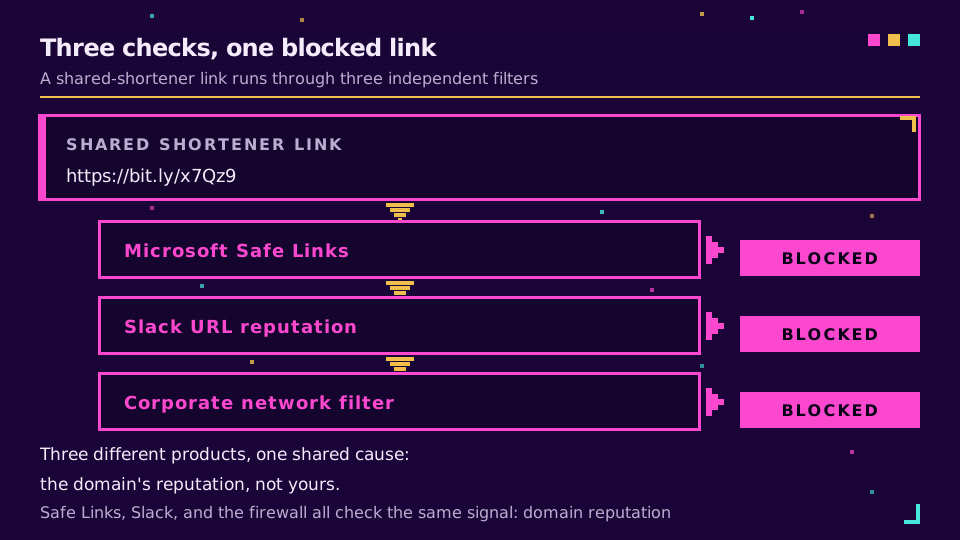
Three mechanisms account for almost every blocked short link in team chat, and they are worth telling apart because the fix is the same but the symptom differs. If you are not yet sure the block is what you are looking at, diagnose the link first: a domain block and a plain 404 look identical inside a chat client and have nothing to do with each other.
Microsoft Defender Safe Links. In organisations on Microsoft 365, Teams (and Outlook) run URLs through Safe Links, a time-of-click check that verifies the destination against Microsoft's threat data at the moment someone clicks. When it distrusts a URL, it routes the click to a warning page instead of the destination. A shortener domain with a mixed reputation is a natural target.
URL reputation in Slack. Slack tries to unfurl a link into a title-and-image preview, and part of that involves checking the URL. A link on a domain with poor aggregate reputation may lose its preview or get flagged, which reads to recipients as "this link is sketchy."
Corporate network filters. Plenty of companies run a web filter or secure gateway that blocks known public-shortener domains wholesale, so the message arrives but the link simply will not open on that network.
Why Shared Shortener Domains Trip the Check
Every one of those checks is really scoring the domain, and a shared shortener is the worst-case domain to be judged on.
- Pooled reputation. Millions of senders use the same shortener domain, so its security score is an average that includes malware operators and phishing campaigns. You inherit that average, and a clean sender on a domain with a bad aggregate score still gets caught.
- A hidden destination. A shortener masks the real URL behind a redirect. That is precisely the technique attackers use to disguise a malicious link, so a security filter treats an opaque redirect on an unfamiliar domain as a risk in its own right.
Note what is not the problem: the length of the link, or the fact that you are tracking clicks. A short, tracked link on a clean domain sails through. The trouble is specifically the shared, opaque version, which is the same distinction behind why shortened links get flagged as spam elsewhere.
The Fix: A Branded Domain You Control
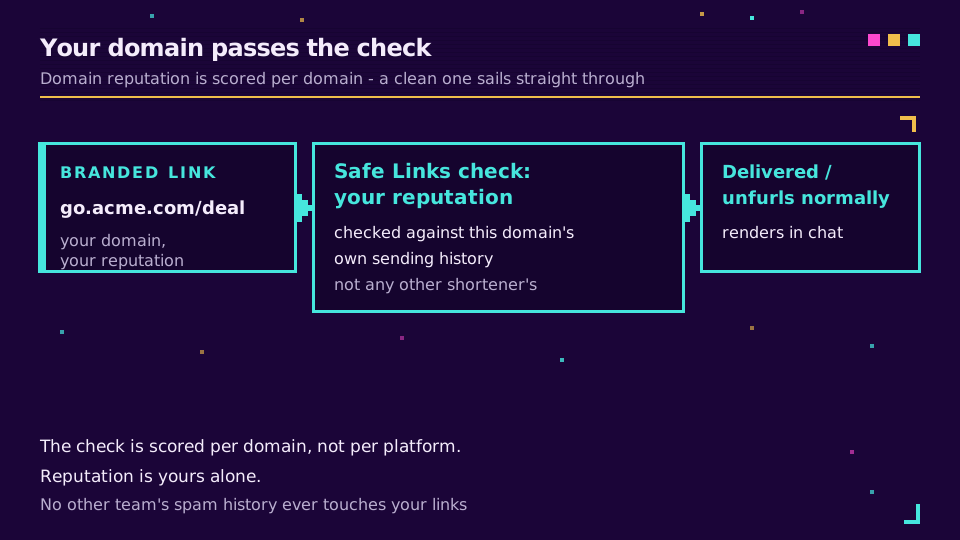
The whole problem is that the domain is not yours. So make it yours. A branded short link runs on a domain only you use, such as go.yourbrand.com, which means its reputation reflects only your behaviour. A Safe Links check, a Slack preview, and a corporate filter all evaluate go.yourbrand.com on its own history, not on the pooled score of a public shortener. If your usage is clean, the link passes, and recipients see a domain that visibly belongs to you rather than an anonymous redirect. One platform does not accept that answer: posting links on Reddit covers why even a fresh branded short domain gets filtered there.
You keep everything that made the short link useful, the click tracking, the campaign tags, and the ability to repoint a link after sending, and you stop borrowing a stranger's reputation to get it. Set up a branded link domain once and every link you drop into a channel after that carries your name through the filter.
If You Are Still Getting Blocked
A branded domain fixes the reputation cause, but a few operational habits keep it clean:
- Keep the redirect a single hop to an honest destination. Chains of redirects look evasive and re-raise the same suspicion.
- Warm and reuse one branded domain rather than rotating domains, so its reputation has time to build.
- If a specific corporate network still blocks the link, an admin can add your branded domain to the org's Safe Links allow list, and because the domain is yours, that request is easy to justify and stays fixed.
If you send a lot into internal channels, the Slack link-shortening bot can create branded links inline so the whole team stays on the domain that passes. Allowlisting a shared shortener, by contrast, has to be redone for every workspace you touch and never repairs the underlying score.
Read the Cornerstone Series
This sits in the engineering cluster. The foundation is what is link management; the closest sibling is do short links hurt email deliverability, which is the same reputation mechanic in the inbox.
Related on the Blog
- Do short links hurt email deliverability?
- What is a branded link? short links on your domain
- How to set up branded short links on your own domain
- Slack link-shortening bot and alerts
- Short link not working? Diagnose it in one command
- Posting links on Reddit without getting auto-removed
- Safe Links: why Outlook rewrites your campaign URLs
Frequently asked questions
Why are my bit.ly links blocked in Microsoft Teams?
Usually Microsoft Defender Safe Links. Teams runs URLs through a time-of-click security check, and a shared shortener domain like bit.ly carries the pooled reputation of everyone using it, including phishers. If that domain has a poor score, or if your organisation's policy distrusts shortener domains, the link gets rewritten to a warning page or blocked outright. A branded link on your own domain is checked on its own reputation instead.
Why does Slack flag short links as suspicious?
Slack tries to unfurl a link into a preview and checks it against URL-reputation data. A shared shortener hides the true destination behind a redirect, which is exactly the pattern malicious links use, so shorteners on domains with mixed reputation get flagged or stripped of their preview. Some workspaces also run their own link-scanning that blocks known shortener domains.
How do I stop my short links from being blocked?
Move them to a branded domain you control. When the link is on go.yourbrand.com instead of a shared shortener, its reputation is yours alone, the destination reads as legitimate, and it passes the same Safe Links and filter checks that were blocking the shared domain. Keep the redirect a single hop to an honest destination.
Are short links a security risk?
Shared ones can be abused, which is why filters distrust them. The risk is not shortening itself but the combination of a pooled domain and a hidden destination. A branded short link that resolves in one hop to a real destination is not a security signal, and it is what security-conscious teams use in place of raw shared shorteners.
Can I get a shortener domain allowlisted in Teams or Slack?
You can ask an admin to allowlist a domain, but it is brittle. It only fixes one workspace, it has to be repeated for every organisation you message, and it does nothing for the shared domain's underlying reputation. A branded domain solves the problem everywhere at once, which is why it is the recommended fix rather than chasing allowlists.
Try Elido
Paste a URL, get a working short link
No signup. Link lives for 30 days. Sign up to keep it forever.
Free, no signup required · 2 per day