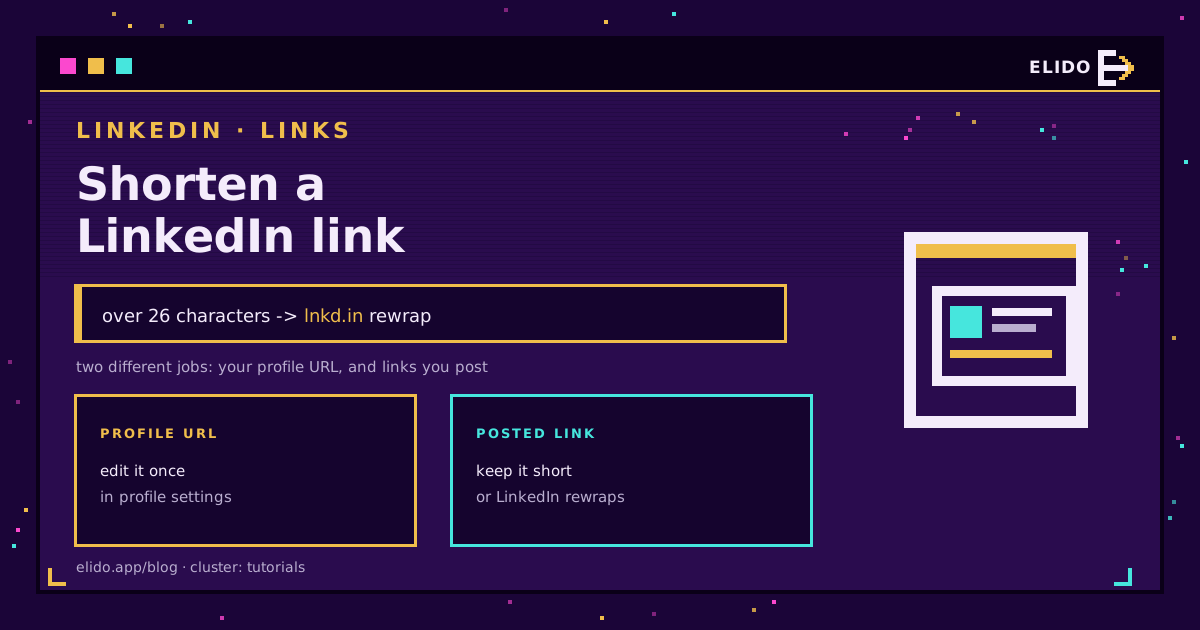
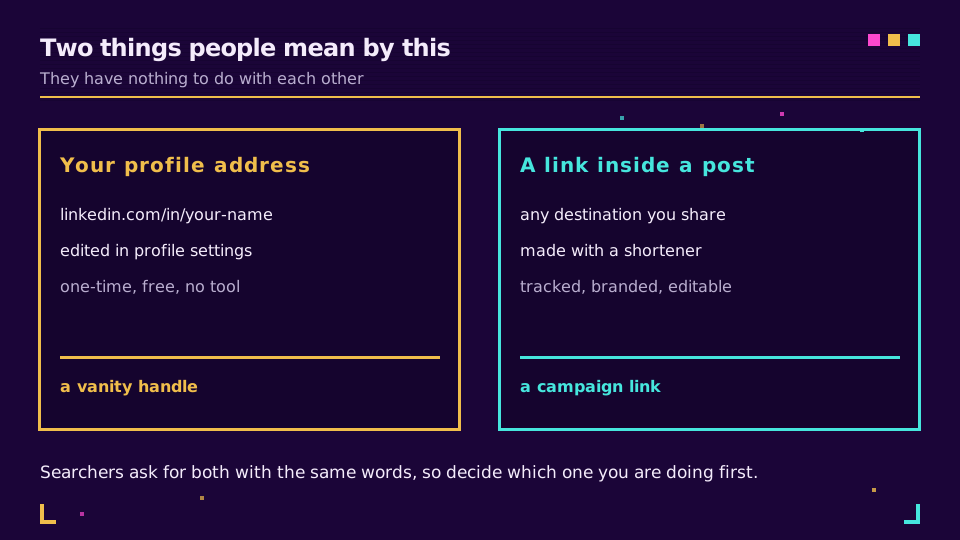
Two entirely different jobs get asked with the same words. One is customizing your profile address so it reads linkedin.com/in/your-name instead of a string of digits. The other is shortening links you paste into posts so they are branded, trackable, and not rewritten by LinkedIn.
The first is a free one-time profile setting. The second needs a shortener and has a wrinkle worth knowing: LinkedIn wraps longer links in its own lnkd.in domain when you publish. Both below.
Job One: Your Profile URL
New profiles get an address with a random suffix. Changing it takes one edit: open your profile, choose Edit public profile and URL from the panel on the right, and set the custom handle. LinkedIn's help page covers the exact placement, which moves occasionally.
Three practical notes. The handle must be globally unique, so a common name is long gone and something like /in/ana-kowalska-eu is the realistic outcome. Changing it breaks the old address, so update it on your CV, email signature, and anywhere it is printed. And it is the version to put on a business card, because a /in/ address is self-evidently a LinkedIn profile in a way a random short link is not.
No shortener is involved here at all. If that was your question, you are done.
Job Two: Links You Post
Here a shortener earns its place, for the ordinary reasons: your domain in the post rather than someone else's, a destination you can repoint, and click data that is yours rather than a platform's summary.
There is one LinkedIn-specific behaviour to design around.
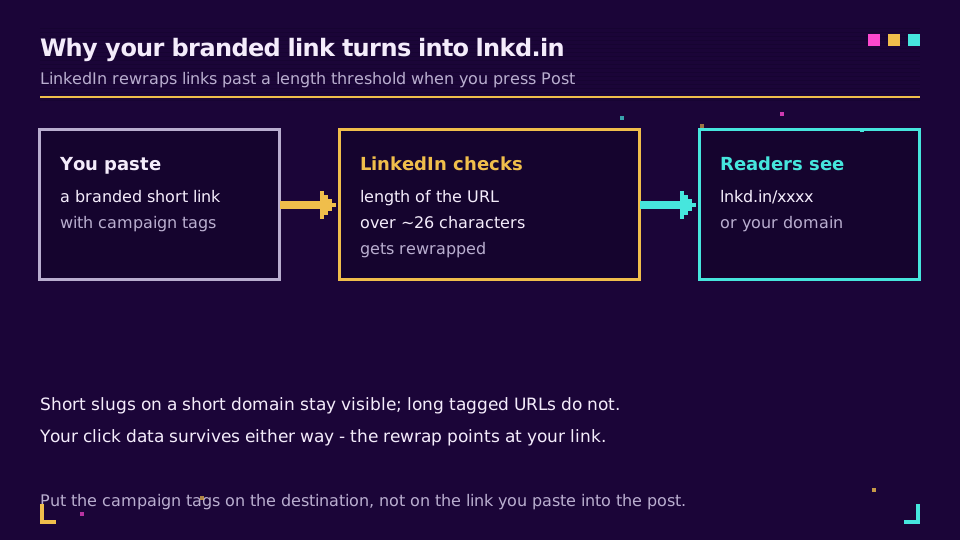
When you publish, LinkedIn wraps links past a length threshold, in practice around 26 characters, into lnkd.in. So a carefully branded go.yourbrand.com/spring-sale-2026?utm_source=linkedin&utm_medium=social is displayed as lnkd.in/xxxxx, and the brand you put in the link disappears from the post.
Two things follow.
Keep the pasted URL genuinely short. A short domain plus a short slug, well under the threshold, stays visible. go.brand.co/spring survives; the tagged version does not.
Put the campaign tags on the destination, not on the pasted link. The redirect carries them either way, so tagging behind the short link gets you the same attribution with none of the length. That also keeps the post text clean, which is worth something on its own. UTM parameters explained covers where the tags actually need to be.
Worth saying clearly: the rewrap does not cost you data. lnkd.in resolves to your short link, which records the click and forwards to the destination. What you lose is visibility of your domain in the post, which is a branding question rather than a measurement one.
Want to test the threshold yourself? Create a short link on the free plan with a five-character slug, post it, and compare what LinkedIn displays against a tagged version of the same link.
Reputation Beats Cleverness
There is no confirmed reach penalty for shortened links on LinkedIn, whatever the coaching posts say. What is real, and measurable, is domain reputation.
Links on shared public shortener domains carry the pooled reputation of everyone using them, and LinkedIn's own ad URL rules show how little control you have over presentation once a platform is in the middle, which is why corporate security filters treat them with suspicion and why short links get blocked in Slack and Teams. LinkedIn sits behind the same class of filters for many recipients, particularly in regulated industries.
A domain you own carries only your reputation. That is the entire argument, and it applies to every platform rather than just this one. Custom domains for short links covers the DNS side, which is a fifteen-minute job.
What LinkedIn's Own Analytics Will Not Tell You
Post analytics give you impressions, reactions, and a click count on the post. Useful, and it stops at the platform boundary.
What it cannot tell you: whether the same link performed better in the newsletter than in the post, which country the clicks came from, what device people were on, or what happened after the click. Those come from your own short link and the tags behind it, which is why the two are complementary rather than redundant. How to track social media links covers doing this across platforms consistently.
For ads specifically the picture changes again, because LinkedIn Campaign Manager has no dynamic URL parameters: every UTM value is typed per ad, by hand. UTM parameters for TikTok and LinkedIn ads covers what that asymmetry does to a naming convention.
The Short Version
Profile address: free, one edit, no tool. Posted links: a branded short link with a short slug, tags on the destination, on a domain you own. Do not tag the pasted URL, do not double-shorten anything, and do not expect LinkedIn's numbers to answer questions about what happened after the click.
X does the same thing with a different wrapper and a flat character charge, which shortening a link for X covers.
Read the Cornerstone Series
This sits in the tutorials cluster. Start with how to shorten a URL, then what is a branded link for the domain argument and how to track link clicks for reading the result.
Related on the Blog
Frequently asked questions
How do I shorten my LinkedIn profile URL?
Open your profile, choose Edit public profile and URL, and set a custom handle so the address becomes linkedin.com/in/your-name. It is free, takes one edit, and needs no shortener at all. The handle must be unique, so common names are usually taken and need a suffix.
How do I shorten a link I post on LinkedIn?
Create a branded short link with a shortener and paste that into the post. Keep the whole URL short, because LinkedIn rewraps longer links into its own lnkd.in domain when you publish, and put your campaign tags on the destination rather than on the link you paste.
Why does LinkedIn change my short link to lnkd.in?
LinkedIn wraps links past a length threshold in its own shortener when the post is published, roughly 26 characters. It is not blocking your link and your click data still arrives, because lnkd.in resolves to your short link, which then redirects to the destination. What you lose is your domain being visible in the post.
Does using a link shortener reduce LinkedIn reach?
There is no confirmed penalty for shortened links specifically. What does matter is reputation: links on shared public shortener domains are treated with more suspicion by security filters than links on a domain you own. A branded domain is the safer choice for that reason alone.
Can I track clicks on a link in a LinkedIn post?
Yes, with a short link of your own in front of the destination. LinkedIn's post analytics show clicks on the post, but not how those visitors behaved afterwards or how the post compares with the same link shared elsewhere. A short link with campaign tags answers both.
Should I put UTM parameters on the link I paste into LinkedIn?
Put them on the destination behind the short link, not on the pasted URL. Tags make the pasted URL long, which is exactly what triggers the lnkd.in rewrap, and they clutter the post text. The redirect carries them to the destination either way.
Try Elido
Paste a URL, get a working short link
No signup. Link lives for 30 days. Sign up to keep it forever.
Free, no signup required · 2 per day