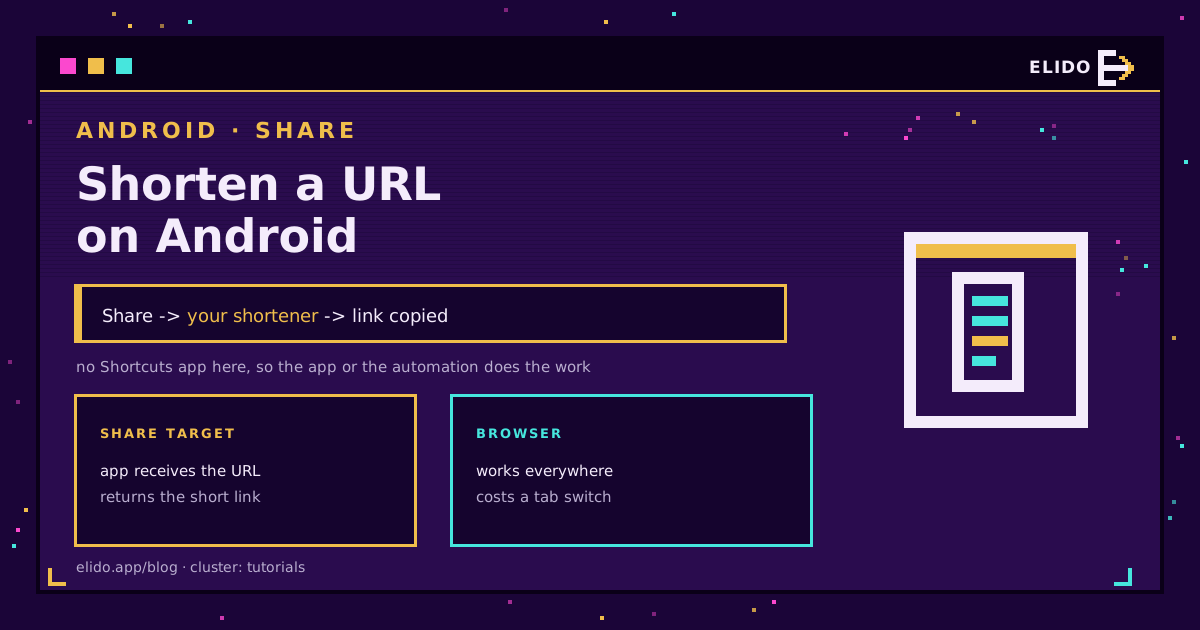
Android has no built-in URL shortener, and Chrome's share sheet copies the whole address. What it does have is the share-target system: any app that registers for links can appear in the share sheet, so shortening becomes Share, tap the shortener, done.
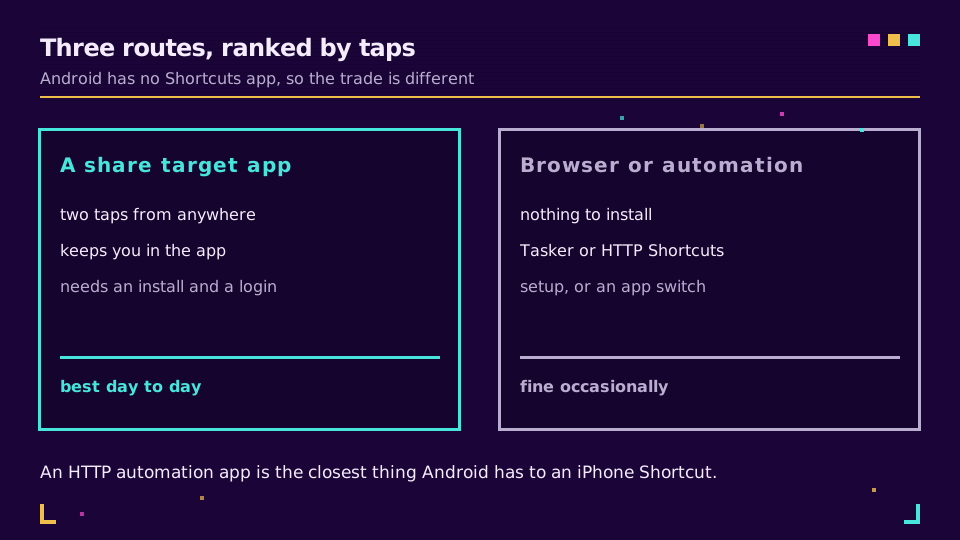
That is the two-tap route and it covers most people. The other two are a browser tab, which needs no setup at all, and an HTTP automation app for anyone who wants an iPhone-Shortcuts-style pipeline without an iPhone. All three below.
This is the Android half of a pair: the iPhone version uses the Shortcuts app, and the desktop route is in how to shorten a URL.
The Share Sheet Route
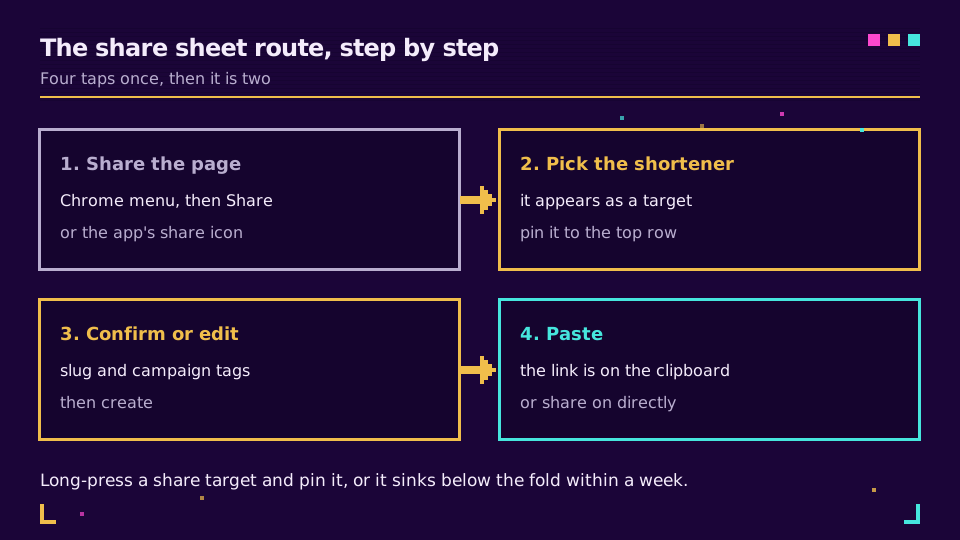
Open the page in Chrome, tap the three-dot menu, tap Share. In most other apps it is the share icon. Android's share system hands the URL to whichever target you pick, so a shortener app appears alongside Messages and Gmail.
One step is worth doing on the first run: long-press the shortener in the share sheet and pin it. Android reorders targets by predicted usage, so an unpinned one drifts below the fold within a week, and hunting for it is what turns a two-tap job into an annoyance.
From there the app usually offers the slug and campaign tags before creating the link, which is the moment to add them. Tags applied at creation are consistent; tags added later, from a laptop, mostly do not happen.
Need something to point it at? Create a key or an account on the free plan and the first link works from the phone straight away.
The Browser Route, and When It Is Right
Open the shortener's site, paste, copy the result, go back. Nothing to install, works on a borrowed phone, and it is genuinely the right answer if you shorten a link once a month.
It costs you three actions per link and the risk of losing the tab. For anything more frequent, the setup cost of the share target pays for itself in a fortnight.
The Automation Route
This is where Android differs from iOS in an interesting way. There is no first-party Shortcuts app, but third-party automation apps can register as share targets and call an API directly, which means you can build exactly the pipeline an iPhone user builds, with more control over what happens around it.
The shape is the same in every one of them:
- a POST to
https://api.elido.app/v1/links - an
Authorization: Bearer YOUR_API_KEYheader andContent-Type: application/json - a JSON body with
destination_urlset to the shared text - a step that reads
short_urlout of the response and copies it
Add a step before the request that appends UTM parameters to the shared URL and every link created on the phone carries the same tags as the ones built at a desk. UTM naming conventions covers a scheme that survives more than one person using it.
The API shape is documented in the free URL shortener API overview, and if you would rather write it as a script than wire it in a UI, the JavaScript and Python versions are the same three fields.
One caution that applies to any of these apps: the API key is stored in the automation, on the device. Treat the automation like a credential, do not sync it to a public backup or share the exported config, and use a key scoped to link creation if the API supports scoping.
What Usually Goes Wrong
Three things, all cheap to check.
The share target does not appear at all. Either the app has not been opened since install, some launchers suppress targets until first run, or you are sharing from an app that builds its own sheet instead of calling the system sharesheet.
The link is created but the clipboard is empty. Android restricts clipboard access from background contexts on newer versions, so an automation that copies without showing a UI can silently fail. Adding a notification or a toast step usually fixes it and tells you it worked.
The short link resolves to the wrong page. That is not an Android problem, and short link not working walks the actual causes, starting with reading the response headers.
When the Phone Is the Wrong Place
Shortening on a phone is for links you are about to send. It is a poor place to manage a campaign: no folders, no bulk edit, no side-by-side click comparison.
Once there are more than a handful of links, the work moves to a dashboard, and the phone becomes the capture device rather than the workspace. For teams doing that at scale, URL shorteners for marketers covers the workflow, and how to track link clicks covers reading what came back.
Read the Cornerstone Series
This sits in the tutorials cluster. Start with how to shorten a URL for the general case, then how to track link clicks. The free URL shortener API documents the request an automation sends.
Related on the Blog
Frequently asked questions
How do I shorten a URL on Android?
Open the page, tap Share, and pick your shortener from the share sheet. The app receives the URL, creates the short link, and puts it on the clipboard or shares it straight on. With the target pinned to the top row it is two taps from any app that can share.
Does Android have a built-in URL shortener?
No. Android has no system shortener and Chrome's share sheet copies the full address. What Android does have is the share-target system, so any installed app that registers for text and URLs can appear as a one-tap destination, which is how a shortener plugs into it.
Can I shorten a link on Android without installing an app?
Yes, by opening a shortener's site in the browser and pasting the URL. It works everywhere and costs a tab switch, a paste, and a copy each time. Anyone shortening links weekly is better served by an app or an automation that lives in the share sheet.
How do I pin a share target so it stops moving around?
Long-press the app's icon in the share sheet and choose Pin. Android orders share targets by predicted usage, so an unpinned target sinks below the fold within a week or two even if you use it regularly. Pinning is the difference between two taps and a scroll.
Is there an Android equivalent of the iPhone Shortcuts app?
Not built in. Third-party apps like HTTP Shortcut or Tasker fill the gap and can call an API directly from the share sheet, which gives you the same result as an iOS Shortcut. The setup is comparable: a POST, a bearer header, and a step that reads short_url from the response.
Can I add UTM tags automatically when shortening on a phone?
Yes, in an automation app: add a step that appends your campaign parameters to the shared URL before the API call. In a shortener app, most offer a UTM builder on the create screen. Either way the point is that phone-created links match the tagging convention desktop links use.
Try Elido
Paste a URL, get a working short link
No signup. Link lives for 30 days. Sign up to keep it forever.
Free, no signup required · 2 per day