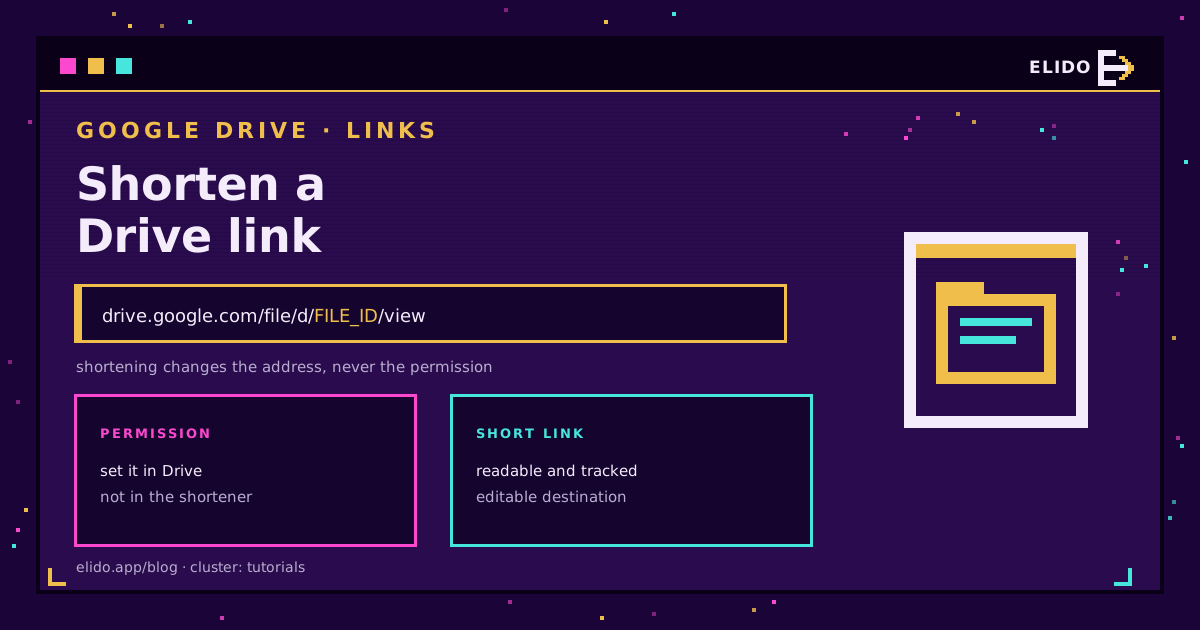
Shortening a Google Drive link is two steps: copy the sharing link from Drive, paste it into a shortener as the destination. The short link redirects to the same file, and it is a great deal easier to read out, print, or fit into a slide than 90 characters of file id.
The step people skip is the one that matters. A shortener changes the address; it does not change permission. Permission lives on the file in Drive, so a short link in front of a restricted document still lands on the request-access screen, and a short link in front of an anyone-with-the-link document is exactly as public as the original.
For the general case, how to shorten a URL covers any link. This page is about the Drive-specific parts: permissions, versioning, and what you can actually measure.
Get the Link Right First
In Drive, open the file, press Share, and use Copy link. Google's sharing guide covers the variations for folders and shared drives.
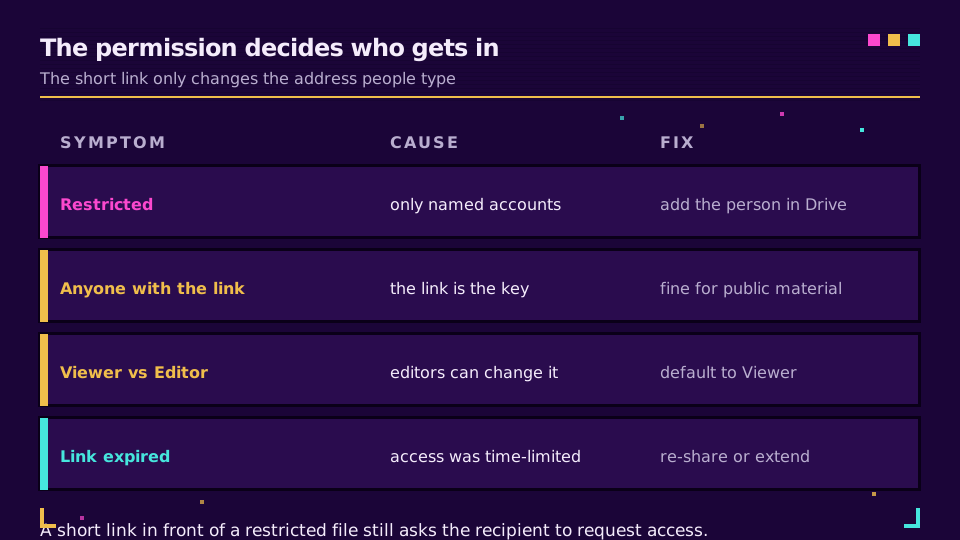
Before copying, look at the General access dropdown, because it decides everything downstream:
- Restricted means only the accounts you have added can open it. Anyone else, short link or not, sees the request-access screen.
- Anyone with the link means the link is the credential. Passing it around is granting access, which is fine for a brochure and wrong for a contract.
Google documents how to change or stop sharing if a link has already gone further than you meant. Then pick Viewer, Commenter, or Editor deliberately. Editor on an anyone-with-the-link file means any recipient can change the document, and that is a genuinely bad afternoon waiting to happen.
Then Shorten It
Paste the copied URL into the shortener as the destination and give it a slug people can read: go.yourbrand.com/pricing-deck rather than a random back-half. That is most of the value for a document you will send more than once.
Two Drive-specific tips.
The /view?usp=sharing suffix is fine to keep; it is what Drive hands you. If you want the file to download rather than open in the preview, some file types accept /export?format=pdf style variants, and it is worth testing the exact destination once before it goes out.
For a folder rather than a file, the same thing applies with one extra caution: folder links expose everything inside, including items added later. A short link makes that folder easier to share widely, so the permission check matters more, not less.
Want a readable link on your own domain? Create one on the free plan with the Drive URL as the destination, then open it once from a signed-out browser to see what an outside recipient actually gets.
What the Short Link Buys You
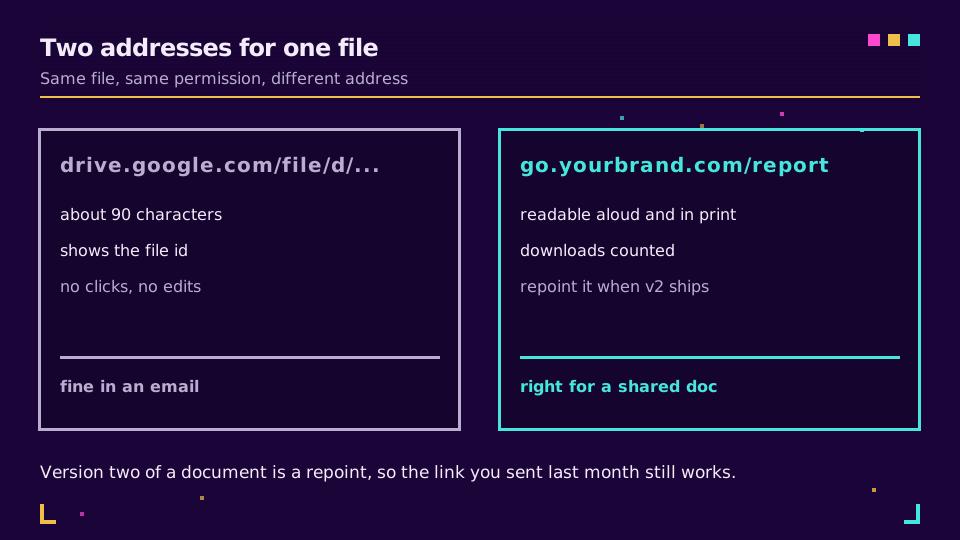
Three things the raw Drive URL cannot do.
It cannot be repointed. Replace a file rather than editing it, and the id changes, so every copy of the old link breaks. A short link survives that: repoint it and the version in last month's email still works. For a document that ships as v2, v3, v4, that is the whole argument.
It cannot be counted. Drive tells you about viewers inside your workspace; it tells you nothing useful about the twelve external recipients on a proposal. Click data on the short link answers how many people followed it, when, and from where, which for a sales document is the interesting question. How to track link clicks covers reading it.
And it cannot be read aloud. drive.google.com/file/d/1aZ... on a slide is noise; go.yourbrand.com/report is a thing someone can type from the back of a room.
The Privacy Part Worth Saying Plainly
A short link is a redirect, so it records that a click happened: time, rough location, device. That is fine and normal, and it is worth knowing when the document is sensitive, because it means a third party now has a record that someone opened a link at 11:04.
More importantly, a short link hides the destination. Recipients cannot see that they are being sent to a Drive file until they arrive, which is exactly why cautious people distrust short links from unknown senders. Sending from your own domain rather than a shared shortener domain fixes most of that: go.yourbrand.com carries your name, which is a stronger signal than any generic shortener.
If the file itself is confidential, none of this replaces the permission model. Share with named accounts, and treat the short link purely as a convenience for people who already have access. Password-protected short links exist for the middle ground, and GDPR for URL shorteners covers what the redirect records.
When Not to Bother
A link you are pasting into a chat with one colleague does not need shortening. Drive links are ugly and they work.
Shorten when the link will be printed, read aloud, put on a slide, sent to people outside the organisation, or reused across a campaign, or when the underlying file is likely to be replaced. Those are the cases where the address needs to outlive the file id.
Read the Cornerstone Series
This sits in the tutorials cluster. Start with how to shorten a URL, then custom domains for short links for getting your own domain on the front. Link expiration and self-destructing links covers time-limiting a shared document link.
Related on the Blog
Frequently asked questions
How do I shorten a Google Drive link?
Copy the sharing link from Drive with the Share button, then paste it into a shortener as the destination. The short link redirects to the same file. Set the permission in Drive first, because the shortener changes the address people type and nothing about who is allowed in.
Does shortening a Drive link change who can open the file?
No. Permission lives on the file in Google Drive, not on the URL. A short link in front of a restricted file still lands on the request-access screen, and a short link in front of an anyone-with-the-link file is exactly as open as the original was.
Is it safe to share a shortened Google Drive link publicly?
It is as safe as the file's permission. If the file is set to anyone with the link, the link is the key, and a short link makes that key easier to pass around. For anything confidential, share with named accounts instead and accept that recipients will need to sign in.
Why does my shortened Drive link ask people to request access?
Because the file is restricted to specific people. The short link forwarded them correctly and Google then checked their account. Fix it in Drive by adding the person, or by changing the general access setting, not by regenerating the short link.
Can I track how many people opened a shared document?
You can count clicks on the short link, which tells you how many people followed it, from where, and on what device. Drive itself reports viewers only for files you own within a workspace. The two answer different questions, and the click count is the one that works for external recipients.
What happens to the short link when I upload a new version of the file?
If you replace the file, the id changes and the old Drive URL breaks. That is the main argument for the short link: repoint it at the new file and everyone who has the short link keeps working, including the version printed in a slide deck or an email sent last month.
Try Elido
Paste a URL, get a working short link
No signup. Link lives for 30 days. Sign up to keep it forever.
Free, no signup required · 2 per day