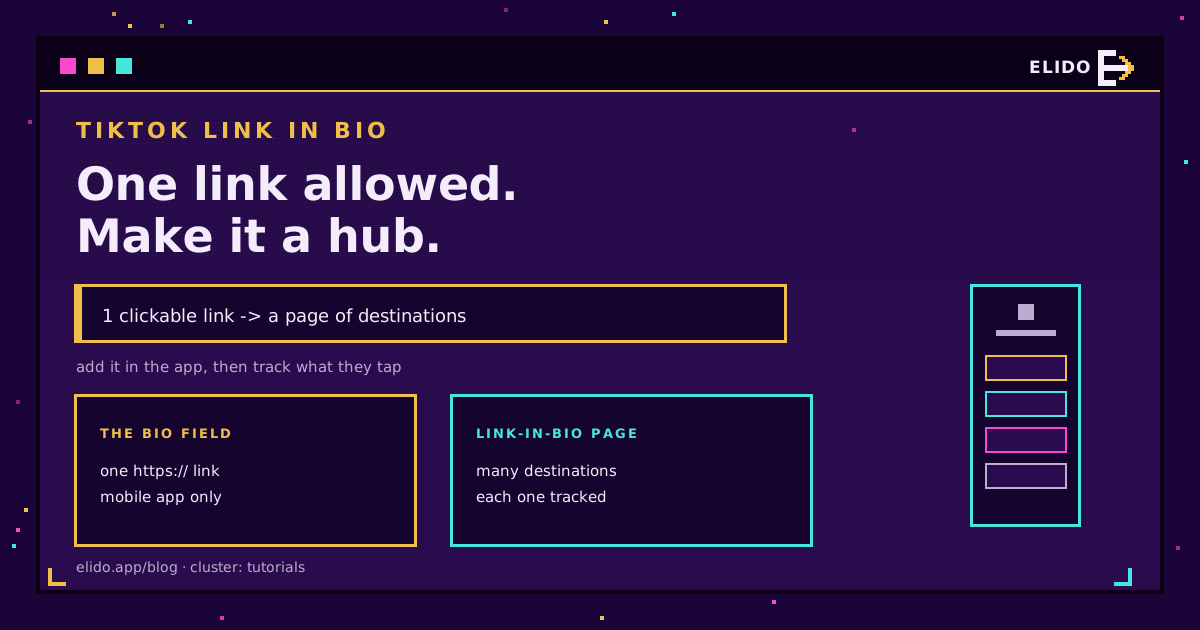
To add a link to your TikTok bio: open the app on your phone, go to your profile, tap Edit Profile, paste your URL into the Website field, and tap Save. It has to start with https:// or TikTok will not make it clickable. That is the whole process, and it takes about thirty seconds once your account qualifies.
The catch is that TikTok gives you exactly one clickable link, and getting the field at all depends on your account. This post covers both: how to add the link, who can, and how to turn that single slot into a hub of everything you want to send people to, with tracking on which one they tap.
Can You Add a Link Yet?
Before the steps, the requirements, because this is where most people get stuck.
The clickable Website field depends on your account type. A Business account can add a bio link with no follower minimum. A personal account has historically needed around 1,000 followers to unlock it, though TikTok has changed this rule more than once, so some personal accounts see the field earlier now. Beyond that, you must be in the TikTok mobile app, on a recent version, with an account in good standing and no recent community-guideline strikes.
If you do not see the Website field at all, the fastest fix is to switch to a Business account, which is free, in Settings under Account. It removes the follower requirement and adds a few analytics features while it is at it. TikTok's own Help Center has the current wording if you want to confirm the threshold for your region.
How to Add It
Once you qualify, the steps are quick and mobile-only.
- Open TikTok on your phone and tap Profile at the bottom right.
- Tap Edit Profile.
- Find the Website field and type or paste your URL, including the
https://prefix. - Tap Save. The link now shows as a tappable button on your profile.
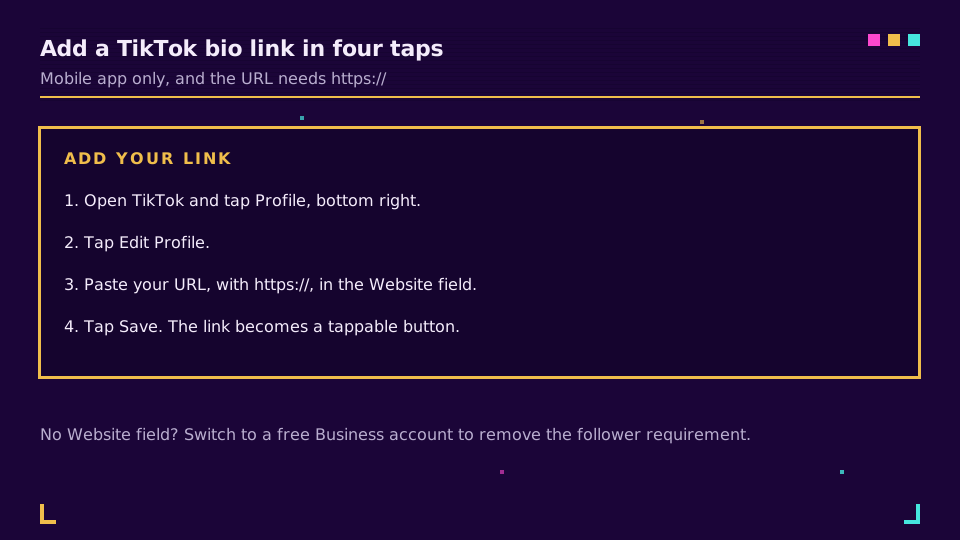
Do this on the phone. The desktop site will not let you add or edit the field, which surprises people who manage everything else from a laptop.
The One-Link Problem
Here is the limit that shapes everything. TikTok gives you a single clickable link, and most creators and brands have more than one thing to point at: a shop, a newsletter, the latest video, a booking page.
Cramming those into one URL is impossible, and swapping the bio link every time you promote something different is slow and breaks any link you shared earlier. The standard answer is a link-in-bio page: one landing page that lists all your destinations, so the single slot TikTok allows opens a hub instead of a dead end. We walk through building one in build a link in bio in 5 minutes, and bio pages for creators covers the creator-specific setup.
Turn One Link Into Many
A link-in-bio page fixes the one-link problem and adds something a raw URL never could: data.
Point your TikTok Website field at a bio page, and that single link opens a page listing your shop, your other socials, your latest drop, whatever you choose. Change what is on it any time without editing your TikTok profile, so a link you put in a video caption last month keeps working. And because every destination on the page is a tracked link, you can see which one your TikTok audience actually taps, which tells you what this specific channel wants.
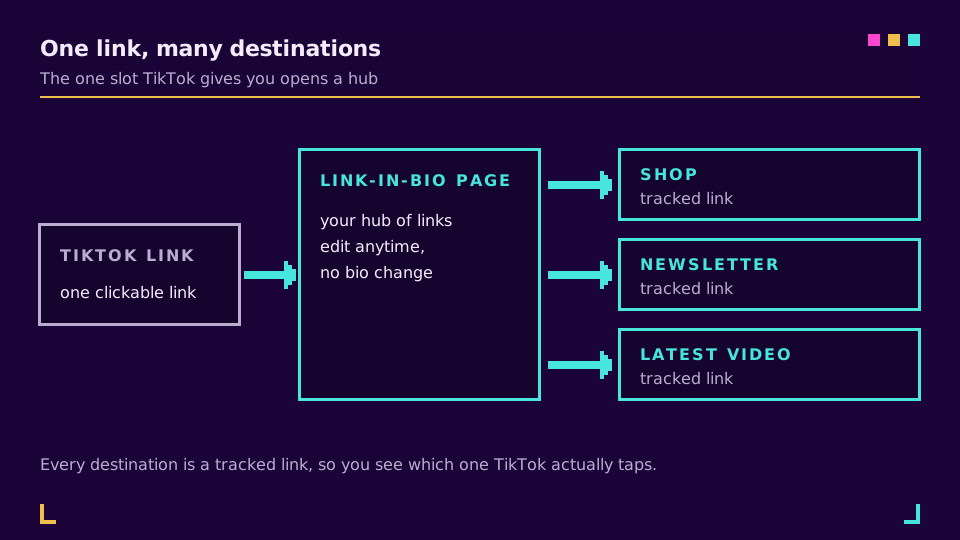
You can set up a bio page on the free plan and have your TikTok link pointing at it in a few minutes. If you also run Instagram, the same page works there, and adding a link to your Instagram bio follows the same idea.
If Your Link Isn't Working
When the bio link misbehaves, it is almost always one of a handful of things, and each has a quick fix.
- The link shows as plain text, not a button. Your URL is missing the
https://prefix. TikTok does not add it for you, and without it the link is not clickable. Edit the field and put it back. - There is no Website field at all. Your personal account is below the follower threshold, or your app is out of date. Switch to a Business account in Settings, which removes the requirement, or update TikTok first.
- You cannot find where to edit it on your laptop. The field is mobile-only. Open the app on your phone; the desktop site will not show it.
- The change will not save. Update to the latest app version and check the account is in good standing, since a recent guideline strike can block profile edits.
Work through those four and the link almost always comes back.
Get the Most From It
A few habits make the one link work harder.
Use a short, branded link rather than a long raw URL, because it looks trustworthy and you can change where it points without editing your bio. Tag destinations with UTMs so TikTok traffic shows up cleanly in your analytics. And actually read the click data: the whole advantage of a tracked link over a pasted URL is learning what your audience wants, so check which destination wins and lead with it next time. TikTok's creator portal has more on growing the account itself.
That is the difference between a bio link that just sits there and one that tells you how to grow the account.
Related on the Blog
Frequently asked questions
How do I add a link to my TikTok bio?
Open TikTok on your phone, go to your profile, tap Edit Profile, and paste your URL into the Website field. It must start with https:// or TikTok will not make it clickable. Tap Save. The link then appears as a tappable button on your profile. You can only add or edit it in the mobile app, not on the desktop site.
How many followers do you need for a link in TikTok bio?
It depends on the account type. Business accounts can add a Website link with no follower minimum. Personal accounts have historically needed around 1,000 followers to unlock the clickable Website field, though TikTok's rules have shifted. If you do not see the field, switching to a free Business account is the fastest way to get it.
Why can't I add a link to my TikTok bio?
Usually one of four reasons: you are on the desktop site instead of the mobile app, your URL is missing the https:// prefix, your personal account is below the follower threshold, or the account has a recent community-guideline strike. Switching to a Business account in settings removes the follower requirement and is the quickest fix.
Can I put more than one link in my TikTok bio?
Not directly. TikTok allows a single clickable Website link. To share several destinations, point that one link at a link-in-bio page, a single landing page that lists all your links. That way the one slot TikTok gives you opens a hub of everything you want to send people to, and you can change it without editing your profile.
Can I track clicks on my TikTok bio link?
Yes, if you use a short link or a link-in-bio page rather than a raw URL. A tracked short link logs each click, and a link-in-bio page shows which destination on it gets tapped most. That tells you what your TikTok audience actually wants, which a plain pasted URL cannot. You can also update the destination without touching your bio.
Try Elido
Paste a URL, get a working short link
No signup. Link lives for 30 days. Sign up to keep it forever.
Free, no signup required · 2 per day