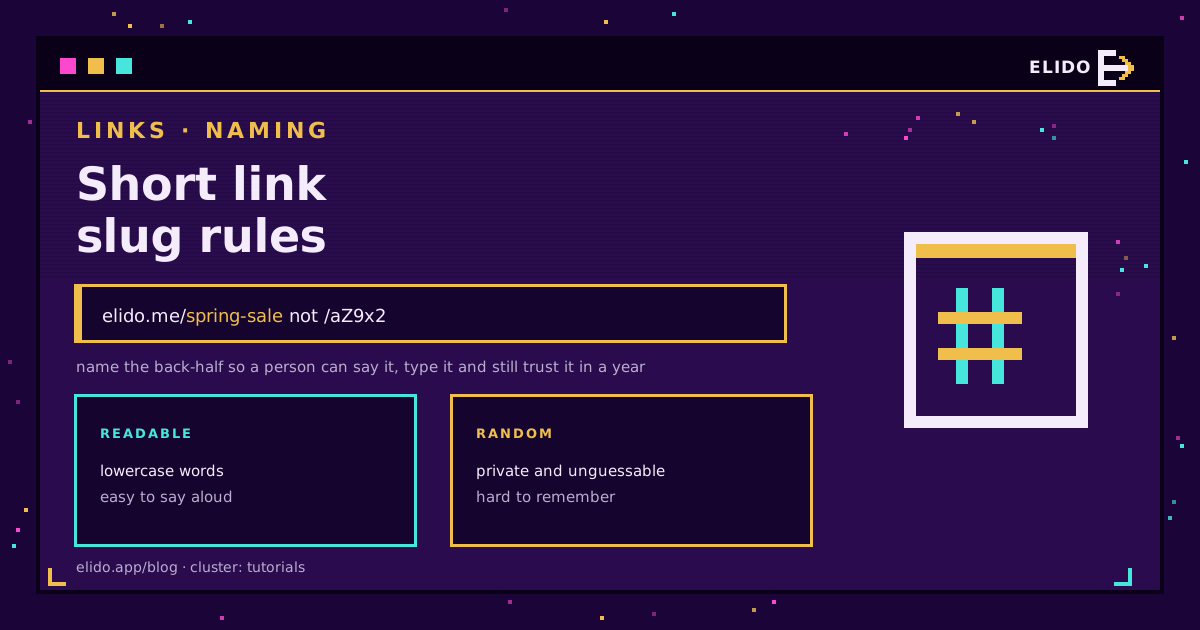
A good short link slug is lowercase, made of real words, three words at most, and never reused once it's been printed or sent. Everything else in this post is the reasoning behind those four rules, plus a few traps I've watched teams walk into.
The slug is the piece after the slash: in elido.me/spring-sale it's spring-sale. You'll also hear back-half, alias or vanity path. If you leave it blank, the shortener fills it with a random code. If you type your own, you've made a custom short link, and now you own a naming problem. This is the part that vanity URLs leave open, so here's the detail.
Custom vs Random Slugs
Choose by who will read the link. If a human will see, say or type it, use a custom slug. If only a machine or one recipient will ever touch it, a random one is better, since a random token can't be guessed from the one next to it.
The split is simple in practice:
- Custom: posters, QR codes under a logo, podcast reads, slide decks, sales emails, anything a person might retype.
- Random: private shares, per-recipient links, automated sends, anything you'd be uncomfortable seeing someone else guess.
Random doesn't mean careless. Elido's generated slugs are short base62 strings that aren't sequential, so one link doesn't reveal its neighbour. Base62 vs hash short codes walks through why that matters.
One plan note, because I'd rather say it than have you find it: per the pricing matrix, custom slugs are included on Pro and Business, and Free gets random ones. Free is 25 links in total, so it suits trying things out, not a naming scheme.
What Elido Accepts
Elido's slug check is deliberately narrow. A custom slug must be 1 to 64 characters, made only of ASCII letters, digits, hyphens and the _ character. Empty means "generate one for me". Spaces, dots, slashes, accents and emoji are rejected with an invalid_slug error.
That's good news, because it keeps you inside the characters RFC 3986 calls unreserved, so a slug never needs percent-encoding. If you want to see what happens when characters do need it, URL encoding explained covers it. The validator checks characters and length only; I couldn't find a reserved-word list in it, so don't assume admin or login is blocked for you.
Slugs are unique per domain, and the comparison ignores case. /Sale and /sale collide. The same slug on two different domains is fine.
Readable and Sayable Beats Clever
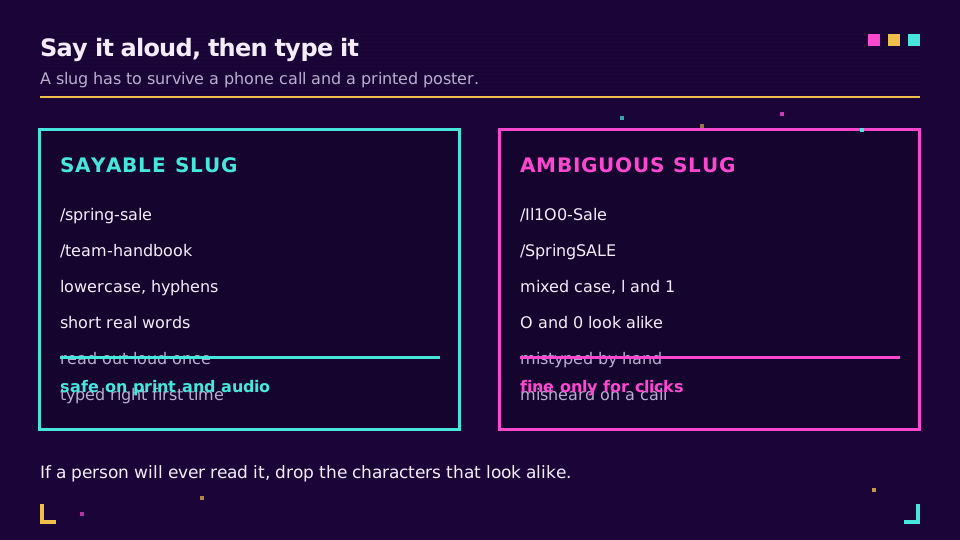
Pick slugs a person can say over the phone and spell right the first time. That sounds obvious until a QR code fails and someone has to type the fallback by hand.
Three habits cover most of it:
- Lowercase everything. Case-insensitive matching helps on our side, but a printed
/SpringSALEstill makes people wonder whether capitals matter. - Avoid look-alikes in anything meant to be read. Zero and capital O, lowercase l and the digit 1, capital I. In a random token these are unavoidable, which is one more reason to use words for printed links.
- Say it out loud once. If you have to spell it, it's not a slug, it's a password.
Hyphens and Length
Use hyphens between words and skip _. Hyphens read as spaces, while _ vanishes when a link is underlined in an email client. Elido accepts both. I just don't think you should use the second.
Run the words together only when each is short and the whole thing is a known term, like /faq. /springsale is worse than /spring-sale, because the eye has to find the join.
On length: the limit is 64, and you should land under 20. Two or three words is plenty. A slug that's trying to be a headline belongs on the page it points at, not in the link. The W3C's old advice still holds: cool URIs don't change, and short, boring ones are the easiest to keep unchanged.
Never Reuse a Slug
Once a slug has been printed, mailed or posted, treat it as spent. Elido will let you reuse one after you delete the link, since a deleted link no longer holds the name on that domain. That's a convenience for fixing typos on day one, not permission to recycle /menu for next year's menu.
Think of the flyer in a drawer, the PDF in someone's downloads folder, the slide from a talk. Those copies live for years. Point an old slug somewhere new and every one of them quietly sends people to the wrong place, with no error to tell you so. Link rot prevention is mostly this one habit.
If the destination changes, edit the link's target and keep the slug. If the campaign is over, leave the slug alone and point it somewhere sensible, like your campaign archive or the home page.
Want slugs that your whole team names the same way? Pick a plan on the pricing page and give each campaign owner the scheme below before they create anything.
Naming Schemes for Campaigns and Teams
A scheme beats taste. Without one, six people invent six styles and your link list turns into noise. Decide four things once: word order, separators, how you mark a date, and who owns a prefix.
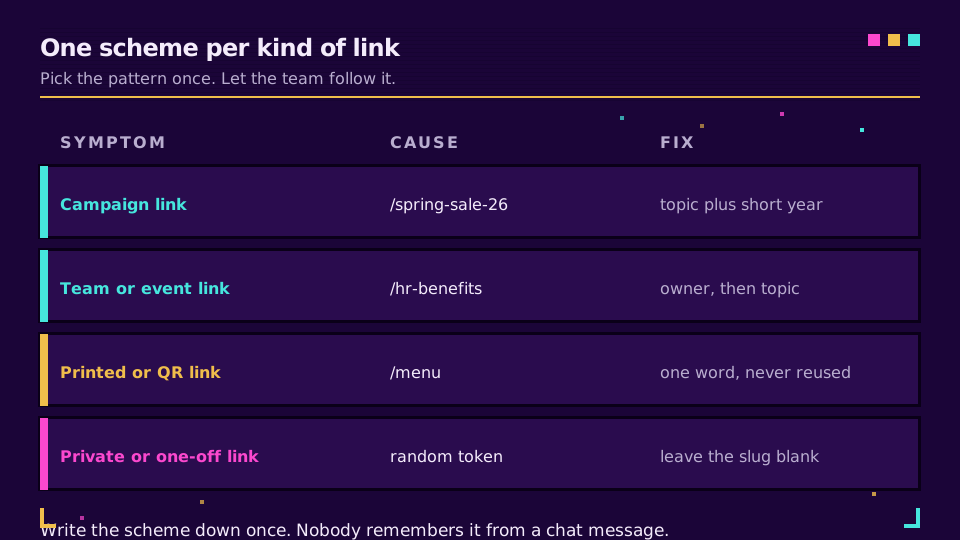
My default is topic first, owner or channel second, a two-digit year only when the same topic recurs: /spring-sale-26, /hr-benefits. Keep the slug itself short and put the detail where it belongs. Which channel brought the click is a job for UTM parameters, not the slug, so follow UTM naming conventions for that and use the slug for the thing being promoted.
Once the links sit on your own domain, the branded short links setup guide shows how to connect it, and custom domains lists what each plan includes.
Reserved Words and Security
A slug is public. It shows up in browser history, server logs, screenshots and the preview card of any chat app. So rule one is simple: no personal data, no secrets, no internal IDs.
That rules out /jane-doe-invoice, /order-48213 and /reset-9a8b7c. A guessable pattern is also an enumeration invitation. If /invoice-1001 works, someone will try /invoice-1002. The OWASP guidance on direct object references describes the general problem: don't let a predictable identifier be the only thing between a stranger and a resource.
Two practical consequences. First, for anything private, leave the slug blank and let the random generator do its job. Second, a slug is not access control. Even a random one only makes a link hard to guess, so protect the destination if it's sensitive.
Last, avoid slugs that borrow someone else's authority, like /paypal-login or /bank-verify. Scanners and blocklists treat those as phishing patterns, and they're right to.
A Short Checklist
Before you create the link:
- Would a stranger understand it, say it and spell it?
- Is it lowercase, hyphenated and under 20 characters?
- Is there anything personal or guessable in it?
- Has this slug ever pointed anywhere else?
If any answer is wrong, rename it before it ships, not after. Renaming later breaks every copy already out there.
Related on the Blog
Frequently asked questions
What is a slug in a short link?
It is the part after the domain and the slash. In elido.me/spring-sale the slug is spring-sale. Other tools call it the back-half, alias or keyword. It's what identifies one link on one domain.
Should I use a custom slug or a random one?
Use a custom slug when a person will see, say or type the link, such as on a poster, a podcast or a slide. Use a random one when the link is private, one-off or machine-generated, because nobody can guess it.
Are short link slugs case sensitive?
In Elido they aren't: slugs are matched without regard to case, so /Sale and /sale can't both exist on one domain. Other tools differ, so check before you rely on case to tell two links apart.
How long should a short link slug be?
As short as it can be while still saying what it is. Two or three real words is a good ceiling. Elido accepts up to 64 characters, but nobody types 64 characters correctly.
Can I reuse a slug after deleting the link?
Elido lets you, because a deleted link releases its slug on that domain. It's still a bad idea: old printed or shared copies will send people to the new destination. Retire slugs, don't recycle them.
What should never go in a slug?
Names, emails, order numbers, account IDs or anything else personal or secret. A slug is public, it appears in browser history and logs, and short ones are easy to guess.
Try Elido
Paste a URL, get a working short link
No signup. Link lives for 30 days. Sign up to keep it forever.
Free account required. The free plan includes 25 links in total. Already have an account? Log in