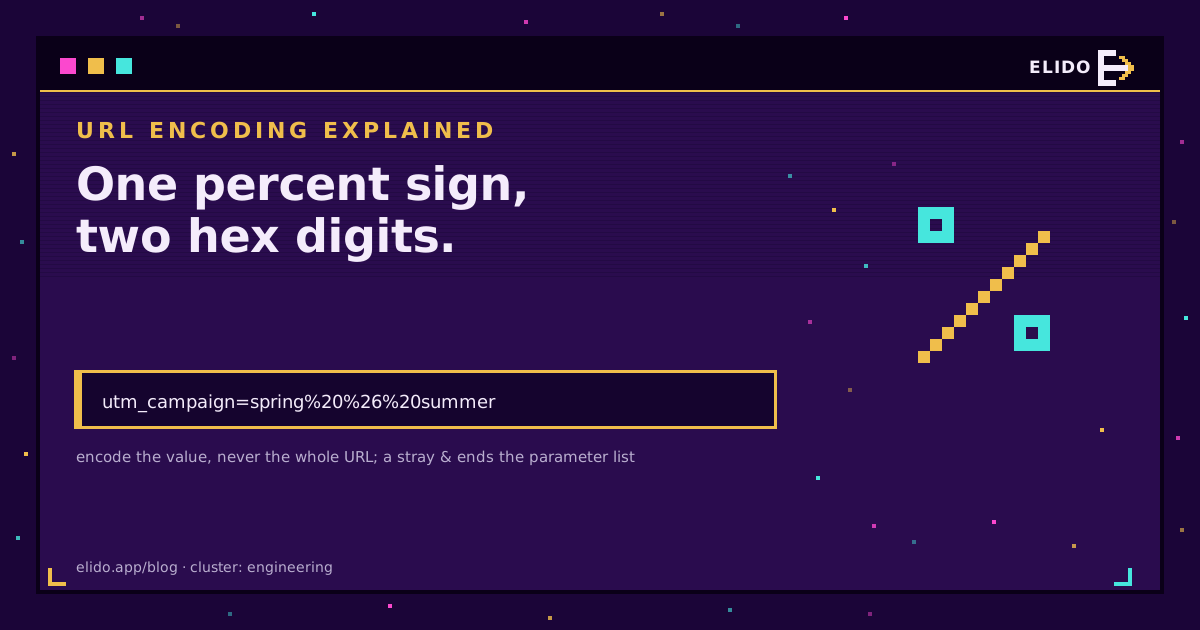
URL encoding replaces a character with a percent sign and two hexadecimal digits: a space becomes %20, an ampersand becomes %26, a question mark becomes %3F. The point is to stop a character being read as URL syntax when you meant it as data. Nothing more.
The reason it feels harder than that is that almost every question about it is really a question about scope. Which characters, in which part of the URL, escaped by which layer? Get the scope wrong and you get one of two classic failures: a tracking parameter that silently truncates, or a destination that arrives as https%3A%2F%2Fexample.com and 404s. This post covers the two character sets that decide the answer, the places where the rules change, and how to check what a link is actually carrying. For the wider picture of what a redirect does with all of this, see types of redirects.
The Two Sets That Decide Everything
RFC 3986 section 2.3 defines an unreserved set that never needs encoding: letters, digits, and exactly four punctuation marks - hyphen, period, underscore, tilde. If your value contains only those, you have nothing to do.
Everything else falls into one of two buckets. Reserved characters carry structural meaning: : / ? # [ ] @ separate the parts of a URL, and ! $ & ' ( ) * + , ; = separate things inside those parts. Section 2.2 lists them. They are legal as syntax and must be encoded when they appear as data. The rest is everything outside ASCII, which gets encoded byte by byte after being converted to UTF-8 - which is why one accented letter usually costs six characters rather than three.
That gives the only rule worth memorising: encode a character when it is data and would otherwise be read as syntax. An ampersand between two parameters is syntax. An ampersand inside a campaign name is data, and if you leave it alone the parameter list ends there.
Encode the Value, Not the URL
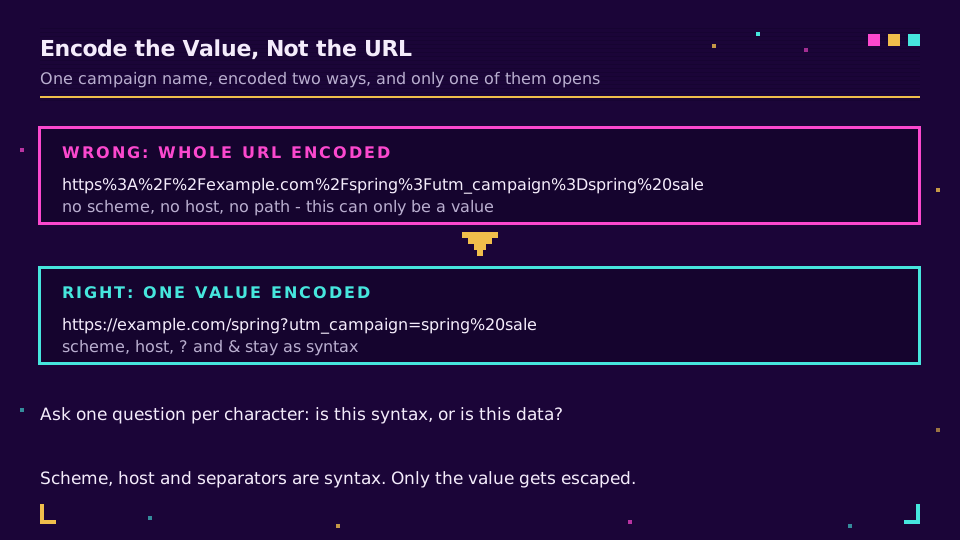
This is the mistake I see most often, and it is always the same shape. Somebody has a URL, they know it needs encoding, so they paste the whole thing into an encoder and get:
https%3A%2F%2Fexample.com%2Fspring%3Futm_campaign%3Dspring%20sale
That string is not a URL. It is a URL-shaped piece of text that can only ever be a value inside another URL - which is exactly where it belongs when you are passing a destination through a redirector, and exactly where it does not belong when you are trying to open it.
The correct treatment encodes each value on its own:
https://example.com/spring?utm_campaign=spring%20sale&utm_source=flyer
Scheme, host, path separators and the ? and & are left as syntax. Only the value changed. Every language ships two functions for this distinction and picking the wrong one is the other half of the problem: MDN's page on encodeURIComponent is blunt that encodeURI deliberately leaves reserved characters alone because it expects a whole URI, while encodeURIComponent escapes them because it expects a fragment of one. Values want encodeURIComponent. In Python that is urllib.parse.quote, in Go url.QueryEscape, in PHP rawurlencode.
Space Is %20, Except Where It Is a Plus
Both are correct, in different places, and this is the single most confusing thing about the topic.
In a path or a generic URI, a space is %20. In a query string built the way an HTML form builds one, a space is +, because that is what the application/x-www-form-urlencoded serialisation in the WHATWG URL standard specifies. Both forms are read as a space by every server-side query parser you are likely to meet.
The trap is the reverse direction. If a plus sign is data - a phone number, a search term, a campaign named spring+summer - it has to be written %2B. Left alone in a query string it becomes a space, and you will spend an afternoon wondering why the number in your CRM lost its country code.
| Character | Encoded | Why it matters |
|---|---|---|
| space | %20 or + | + only inside a query string, %20 everywhere |
& | %26 | Unencoded, the parameter list ends there |
? | %3F | Unencoded, everything after it becomes the query |
# | %23 | Unencoded, the rest never reaches the server at all |
+ | %2B | Unencoded in a query, it arrives as a space |
% | %25 | Unencoded, the next two characters get eaten |
The # row deserves a note, because it is the one that produces the most confusing bug report. A fragment is never sent to the server. Put an unencoded # in a redirect target and the server sees a truncated URL while the browser address bar still looks right, so the person reporting it swears the link is fine.
If you build campaign URLs by hand more than occasionally, stop: our UTM builder encodes each value as you type, and UTM naming conventions covers picking values that need no encoding in the first place. Shorten the result on your own domain and the encoded mess stops being something anyone has to look at.
Double Encoding, and How to Spot It
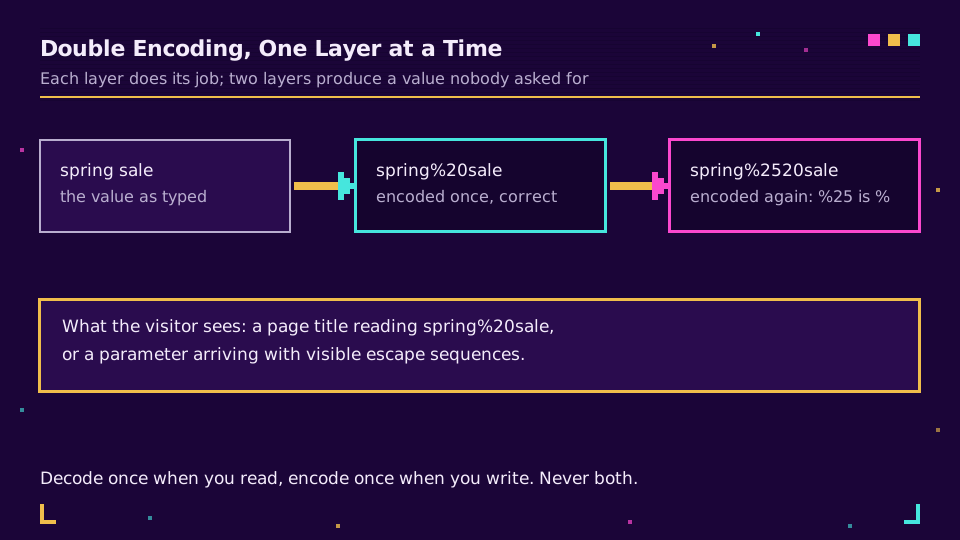
Double encoding is what happens when a value passes through two layers that each do their job. The percent sign is itself a character that needs escaping, so %20 becomes %2520, and %2520 becomes %252520.
The symptoms are recognisable once you have seen them. A page title that displays spring%20sale to a real visitor. A parameter that arrives in analytics with visible escape sequences. A redirect that works on the first hop and fails on the second. The cause is nearly always an encode call wrapped around a value that arrived already encoded, often because it came out of a database that stored the encoded form.
The fix is to decide which layer owns encoding and make the others hands-off. Decode once when you read a value, encode once when you write it into a URL, and never do both in the same function.
Where This Bites in Practice
Three places, in the order you are likely to meet them.
Tracking parameters. A campaign value with an unencoded ampersand truncates the parameter list, so the session lands in your analytics as direct traffic and the campaign gets no credit. Nothing errors. UTM parameters not showing in GA4 covers the diagnosis from the reporting end, and browsers strip UTM parameters covers the other reason a parameter can vanish between click and page.
Redirects. Server rules re-encode inconsistently, and whether a query string survives at all depends on the directive you used. A 301 redirect in .htaccess has the full table for Apache; the short version is that a rule which replaces the query string will quietly drop yours.
QR codes. Encoding inflates payload length, and payload length decides how dense the printed code is. Each space costs three characters instead of one, each accented letter six. A tracking URL with a couple of encoded campaign names can push a code up a version or two, which is a real difference at business-card size - QR code not scanning puts payload length among the four causes for exactly this reason. Encoding a short link instead of the full URL is the cheapest fix available. That same character inflation is why a heavily encoded URL is often the one that trips a browser, server, or inbox limit further down the chain, and maximum URL length covers where those ceilings actually sit.
Check What a Link Actually Carries
Two commands settle almost every argument. The first shows what the server receives after a redirect:
curl -sI 'https://example.com/spring?utm_campaign=spring%20sale' | grep -i '^location'
The second builds the encoding for you rather than trusting your fingers, which is useful when a value contains several offenders at once:
curl -G --data-urlencode 'utm_campaign=spring & summer sale' \
  --data-urlencode 'utm_source=flyer' \
  -o /dev/null -w '%{url_effective}\n' https://example.com/spring
Read the output as data, not as decoration. If you see %2520 you have a double-encoding problem, if you see a value ending early you have an unencoded separator, and if you see %3A%2F%2F at the start you encoded the whole URL. Our link checker does the redirect half in a browser if you would rather not open a terminal.
The habit worth building is to look at the final URL once, by eye, before a campaign goes out. Encoding bugs are invisible in a browser and obvious in a terminal, and they cost you attribution rather than uptime, which is why they survive so long.
Read the Cornerstone Series
This post sits in the engineering cluster. For the redirect side, types of redirects covers every status code and client-side method, and how do URL shorteners work covers what happens between click and page.
Related on the Blog
- UTM parameters explained, with a naming scheme that survives
- UTM parameters not showing in GA4? Here is why
- A 301 redirect in .htaccess: rules, order, query strings
- Maximum URL length: the real-world character limit
- How to shorten a URL in Python with the requests library
- QR code not scanning? Four causes and how to fix them
Frequently asked questions
What is URL encoding?
Replacing a character with a percent sign followed by its byte value in hexadecimal, so the character cannot be mistaken for URL syntax. A space becomes %20, an ampersand becomes %26, a question mark becomes %3F. The mechanism is defined in RFC 3986 and is also called percent-encoding.
Which characters need to be URL encoded?
Anything outside the unreserved set, which RFC 3986 defines as letters, digits, and the four characters hyphen, period, underscore and tilde. Everything else is either reserved punctuation that carries structural meaning, or a byte outside ASCII, and both must be percent-encoded when they appear inside a value rather than as syntax.
Should I encode the whole URL or just parts of it?
Just the parts. Running a full URL through an encoder turns https://example.com into https%3A%2F%2Fexample.com, which is no longer a URL at all. Encode each query-parameter value and each path segment separately, and leave the scheme, the host and the separators alone.
Is a space %20 or a plus sign?
Both, in different places. In a path and in a generic URI, a space is %20. In a query string built the way HTML forms build one, a space is a plus sign, because that is what the application/x-www-form-urlencoded serialisation specifies. A literal plus inside a query value therefore has to be written %2B or it will be read as a space.
What is double encoding?
Encoding something that was already encoded, so %20 becomes %2520 because the percent sign itself gets escaped to %25. The symptom is a page that displays a literal %20 in its text or a parameter that arrives with visible escape sequences. It is almost always a value passed through two layers that each helpfully encoded it.
Why do encoded characters make a QR code harder to scan?
Because each one costs three characters instead of one. A space is one character of intent and three of payload, so a handful of them can push the code up a version or two, which means more modules in the same printed area. Encoding a long tracking URL into a QR is one of the quickest ways to make a code that only scans at close range.
Try Elido
Paste a URL, get a working short link
No signup. Link lives for 30 days. Sign up to keep it forever.
Free, no signup required · 2 per day