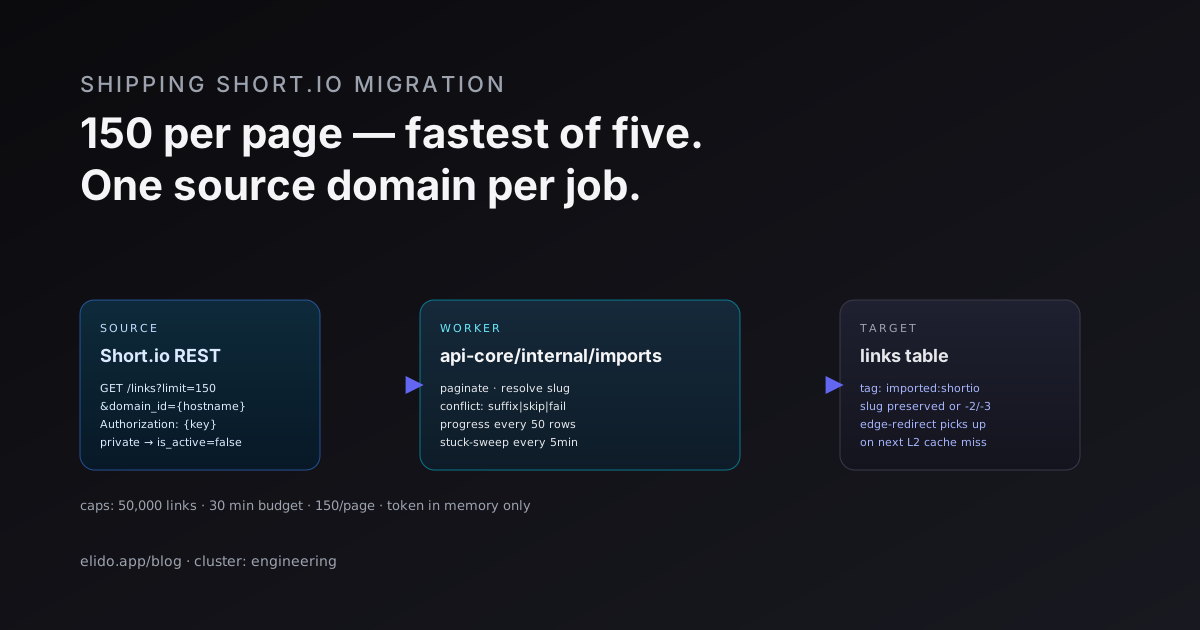
A Short.io migration has four parts: get your links out, decide how domains, folders and tags land in the new tool, move the DNS, and prove nothing broke. Elido can pull links straight from the Short.io API, so no CSV is needed, but the importer has limits you should know before you start. This guide covers the export options Short.io documents, what the Elido importer carries over and drops, a cutover order that avoids downtime, and a verification checklist.
Short.io facts below come from Short.io's own documentation, accessed 2026-10-02. Elido behavior was checked against the importer source and the dashboard, not a marketing page.
Short.io Export Options at a Glance
You have three ways to get your link list out of Short.io. Which one you pick decides what survives.
| Method | What you get | Catch |
|---|---|---|
| CSV export (per domain or selected links) | ID, short URL, path, original URL, title, clicks, created, updated, expires, created by, tags | Not enabled by default; you ask Short.io support to switch it on. Bulk export arrives by email |
| REST API list endpoint | Everything above plus folder, password, cloaking, redirect type, UTM fields, device URLs | Needs a secret API key and paging. Returns up to 150 links per call |
| Elido importer | Destination, slug, title, tags (via the API key you paste) | Per domain, and it does not read the extra fields in the API row |
The list endpoint is the richest source. It filters by domain, folder and date range, sorts by creation date, and returns a nextPageToken for paging. That makes it the right tool for an audit of the things the importer will not carry, which is the part most guides skip.
Short.io also has a CSV importer for the other direction, with columns for URL, slug, tags, title and creation date (import guide). If you would rather script it, Elido has a bulk link-creation API endpoint, and the CSV columns above map to destination, slug, title and tags.
Step 1: Audit Before You Move Anything
Run an audit of the source domain first. I would not skip this step: it is cheap, and it is the only way to learn which links need hand work before visitors do.
- Export the CSV or page through the API and count links per domain. Compare against the 50,000-per-run limit.
- Filter for links with an
expiresAt, apassword,cloaking: true, device URLs (androidURL,iphoneURL) or a split URL. These are the links the importer will recreate as plain redirects. - Note the redirect type. Short.io lets you pick 301, 302, 307 or 308 per link. The importer does not read it, so decide what you want on Elido. The tradeoffs are in 301 vs 302 redirects.
- Archive the clicks column. Keep the CSV; it is the only record of per-link totals once you cancel.
Domains and Folders: How the Mapping Works
Short.io organizes everything under a domain. Elido organizes under a workspace, and a workspace owns the domains.
- Custom domain you own: add it to the workspace and change DNS yourself. The importer does not do this.
- Short.io subdomain: links import onto a new Elido domain, but the old URLs on that subdomain stop resolving.
- Folder: rebuild as a folder in the links list after import. Not carried by the importer.
- Tag: carried over, plus an
imported:shortiotag. - Path (slug): carried over, with a leading
/stripped.
Two details matter here. First, the importer runs one Short.io domain into one Elido domain per job. If you run three domains, you start three jobs, one after another. Second, the importer sets no folder. The practical pattern is to filter the Elido links list by a Short.io tag, select the links and move them into a folder. If your folders were your main organizing tool at Short.io, convert each one to a tag in Short.io before the import so the tag travels with the link.
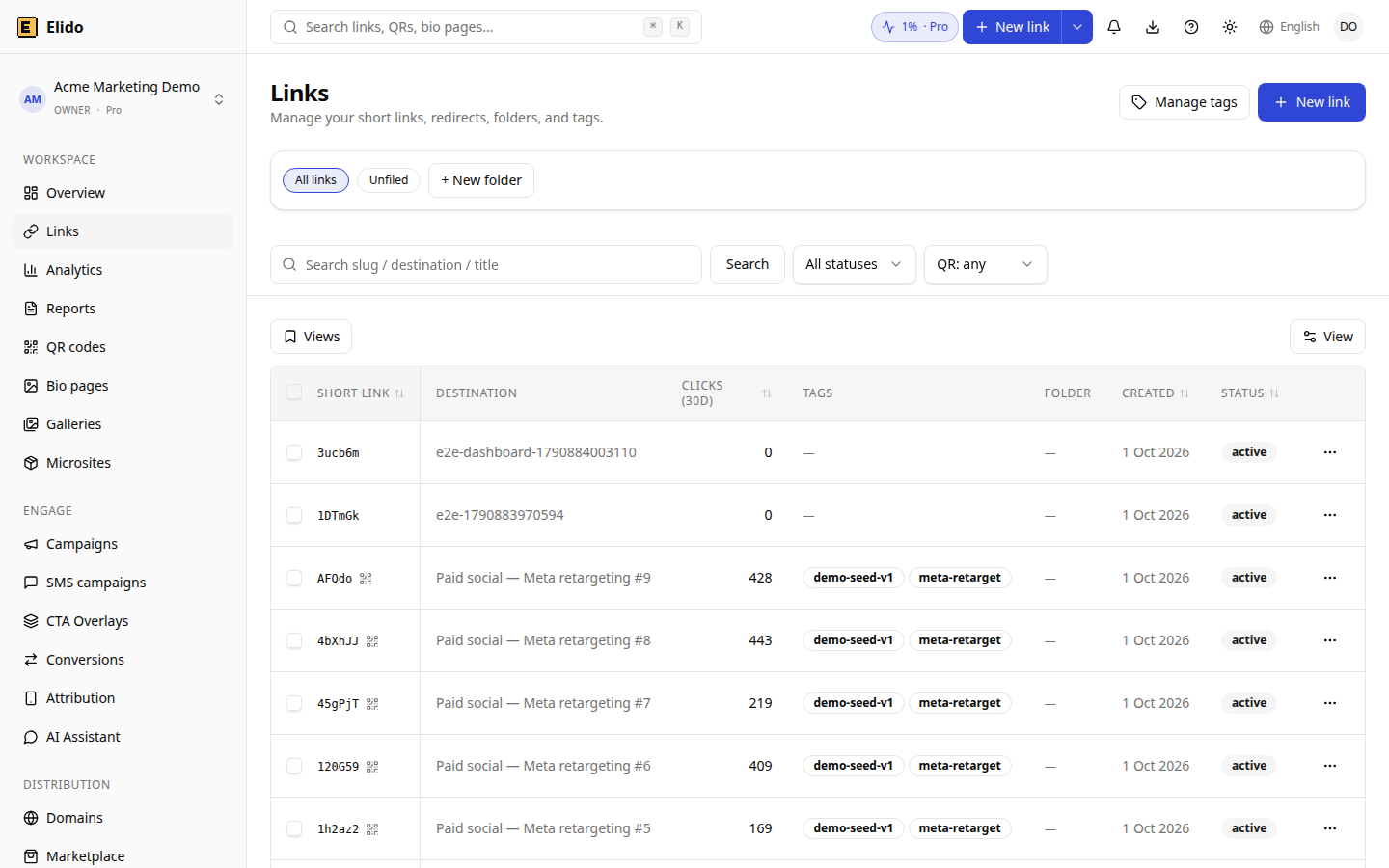
The Elido links list in a DEMO workspace with example data (all numbers are synthetic). Tags and the folder column are where imported Short.io metadata ends up.
Running the Elido Importer
The importer lives in the dashboard at Integrations, then Short.io. The integration page and the migrate from Short.io landing describe the same flow.
- In Short.io, create a secret API key under Integrations and API. The importer only reads.
- In Elido, open the Short.io migration card and paste the key. The card states that the key is never stored: it stays in memory for the run and is dropped when the job ends.
- Type the Short.io domain hostname to import from, for example
example.short.gy. - Pick the target Elido domain, which must already be added to your workspace.
- Pick a conflict strategy and start. The job polls its own progress every two seconds in the dashboard.
The three conflict strategies behave like this. Suffix renames a colliding slug to name-2, name-3 and so on. Skip leaves the existing Elido link alone and logs the source row. Fail stops the whole job at the first collision. Suffix is the safe default for a first run into an empty domain; use skip when re-running after a partial import.
Under the hood the worker requests 150 links per page and follows Short.io's nextPageToken until it runs out. A run is capped at 50,000 links and 30 minutes, progress is written back every 50 links, and the error log keeps the first 1,000 problem rows. A link with no destination URL or an empty slug is recorded as a failure and the run continues. Titles are cut at 200 characters.
Check the first result before you trust the second domain. Open a handful of imported links, compare slug and destination with the Short.io CSV, and only then queue the next job.
What Does Not Carry Over
Be explicit about this list in your project plan. The importer reads only the fields in the first table above.
- Passwords, expiry dates, cloaking, device URLs and split tests. They arrive as plain redirects. Rebuild geo and device routing as smart-link rules. Elido links also have their own expiry and password fields, so set those from your audit list.
- Folders. Rebuild by hand, see above.
- Redirect type. Set it again if you rely on 301 versus 302 behavior.
- Archived state. The importer does not check it. Verify archived links in your CSV against what appears in Elido.
- Pixels and webhooks. These are configured separately from the links in Short.io. Re-create them in the Elido workspace and re-issue webhook secrets, since signatures differ between the two products.
- Click history. See the next section.
What Happens to Analytics History
Per-click history does not move. The importer creates links and nothing else, so Elido starts counting from the first click it serves. This is true of every importer in the Elido dashboard and of most tools in the category.
You have two honest options. Keep the Short.io CSV, which carries a clicks total per link, and archive it with the cutover date as your baseline. Or, if you are on an Enterprise plan, ask Short.io for the S3 statistics export, which Short.io offers on request. After cutover, the analytics view shows clicks per day, countries, referrers and hosts for the whole workspace.
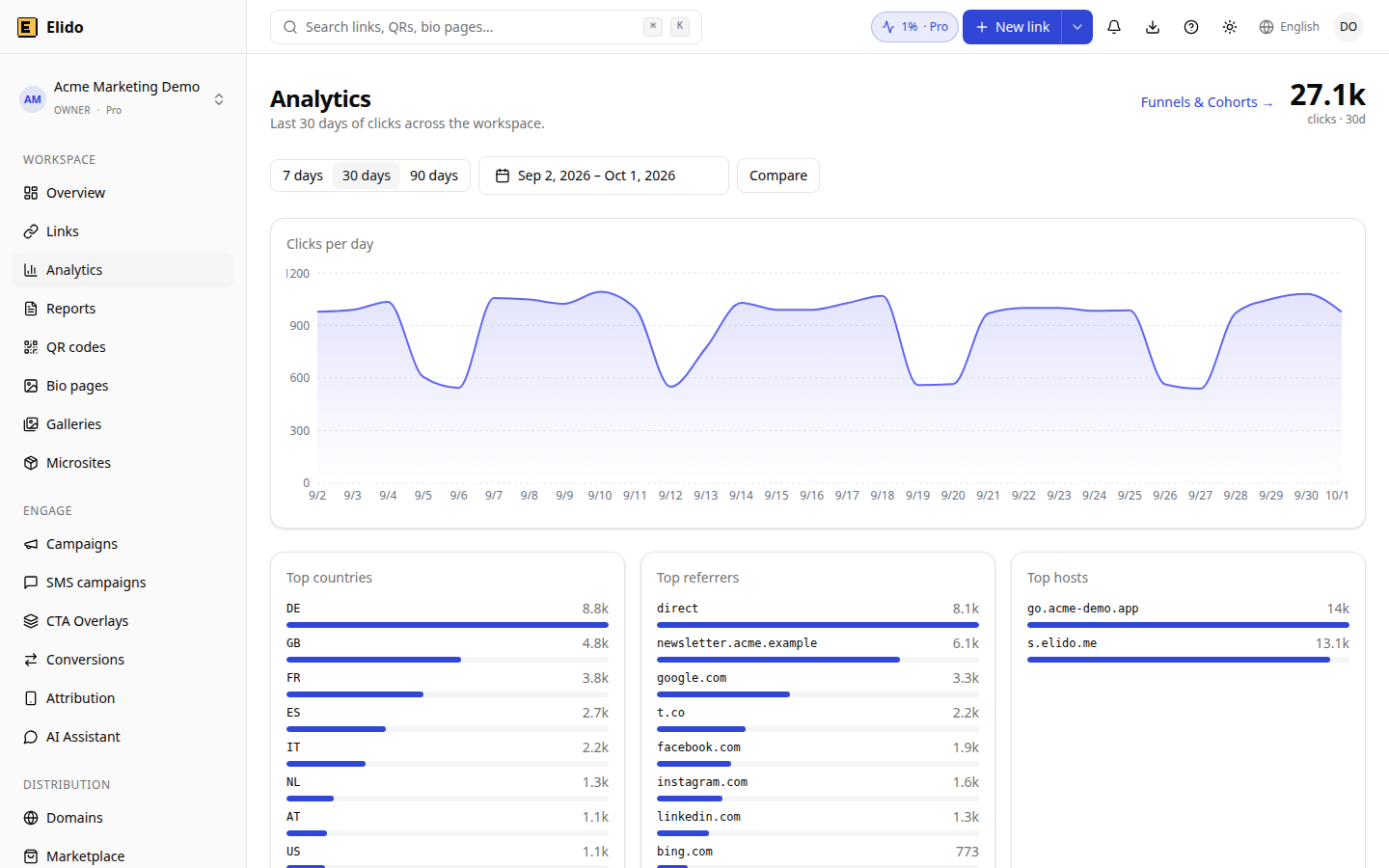
The Elido analytics overview in a DEMO workspace with example data (synthetic numbers, not customer results). After cutover this view only contains clicks served by Elido.
Cutover: A Safe Order for Custom Domains
Links on a hostname you own can move without anyone noticing, if you follow the order. Links on a Short.io subdomain cannot, because you do not control that DNS name.
- Add the hostname to Elido first. Add it under custom domains, publish the verification TXT record and wait for verification. The mechanics are in custom domain TLS in 5 minutes and the custom domains feature page.
- Import onto that hostname while Short.io is still serving production traffic. Nothing changes for visitors yet.
- Verify links on Elido by testing slugs against the new edge before DNS changes (see the checklist below).
- Lower the TTL on the existing record a day before, so the switch propagates quickly.
- Change the record. Short.io's guide uses an A record on the root (
207.174.61.1when accessed). Elido uses a CNAME toedge.elido.me. A CNAME cannot sit on the bare apex (RFC 1034), so for an apex hostname you need ALIAS or CNAME flattening at your DNS provider, or you switch to a subdomain. - Keep Short.io active for a billing cycle as a rollback. If anything looks wrong, revert the record.
If you also care about search and referral traffic, check that your old short URLs resolve in one hop. Chains cost time and are covered in redirect chains and SEO.
Verification Checklist
Run this after DNS has propagated, on a sample of at least 50 links or all links if you have fewer.
- Imported count matches the source count, once skipped and failed rows from the job error log are accounted for.
- Ten random slugs return the same destination as the Short.io CSV.
- Links you flagged in the audit (expiry, password, device rules) have been recreated and tested.
-
dig CNAME go.example.com +shortreturns the Elido edge and HTTPS loads without a certificate warning. - QR codes and printed material that use the old domain still resolve.
- A test click shows up in Elido analytics.
- The Short.io CSV with click totals is archived somewhere durable.
- Webhooks, pixels and SDK base URLs now point at Elido.
Not every account should move. If you only use a Short.io subdomain, a migration changes every public URL, and the work is bigger than the importer suggests. The comparison posts help you decide: Elido vs Short.io, the wider Short.io alternatives list, and the head-to-heads Short.io vs Bitly and Short.io vs Rebrandly. If you are weighing another source tool, the TinyURL playbook follows the same structure.
Ready to try it on a small domain first? Start the Short.io import with a test domain, check the results against your CSV, and decide on the rest from there.
Related on the Blog
Frequently asked questions
How do I export my links from Short.io?
Short.io documents two CSV exports: select links in the Branded links menu and click Export, or open the domain settings and choose Export links to receive a file by email. Short.io says the feature is not enabled by default, so you contact their support first. The API is the alternative and needs no approval.
Can I keep my custom domain when I leave Short.io?
Yes, if you own the hostname. Add it to Elido, import the links onto it, then change the DNS record at your registrar. The old short URLs keep working because the hostname now points at Elido. Short.io subdomains such as example.short.gy stay with Short.io.
Does Elido import Short.io folders?
Not as folders. The importer reads the destination, slug, title and tags of each link and adds an imported:shortio tag. Folder assignment is not part of that payload, so rebuild folders in the Elido links list and use the tags to find what belongs where.
Can I move my Short.io click history?
No. The importer creates links, not click events. Short.io's CSV export includes a clicks column with a total per link, which is worth archiving, and Short.io offers an S3 statistics export on Enterprise plans on request. New clicks in Elido count from cutover.
How long does a Short.io import take?
The importer reads 150 links per request and stops at 50,000 links or 30 minutes per run. A few thousand links usually finish in minutes, depending on how fast Short.io answers. Larger domains need to be split.
Do password-protected or expiring Short.io links migrate?
The importer does not read passwords, expiry dates, cloaking or device targets. Make a list of those links from the Short.io API before you cut over and recreate the behavior in Elido, for example with smart-link rules and link expiry.
Try Elido
Paste a URL, get a working short link
No signup. Link lives for 30 days. Sign up to keep it forever.
Free, no signup required · 2 per day