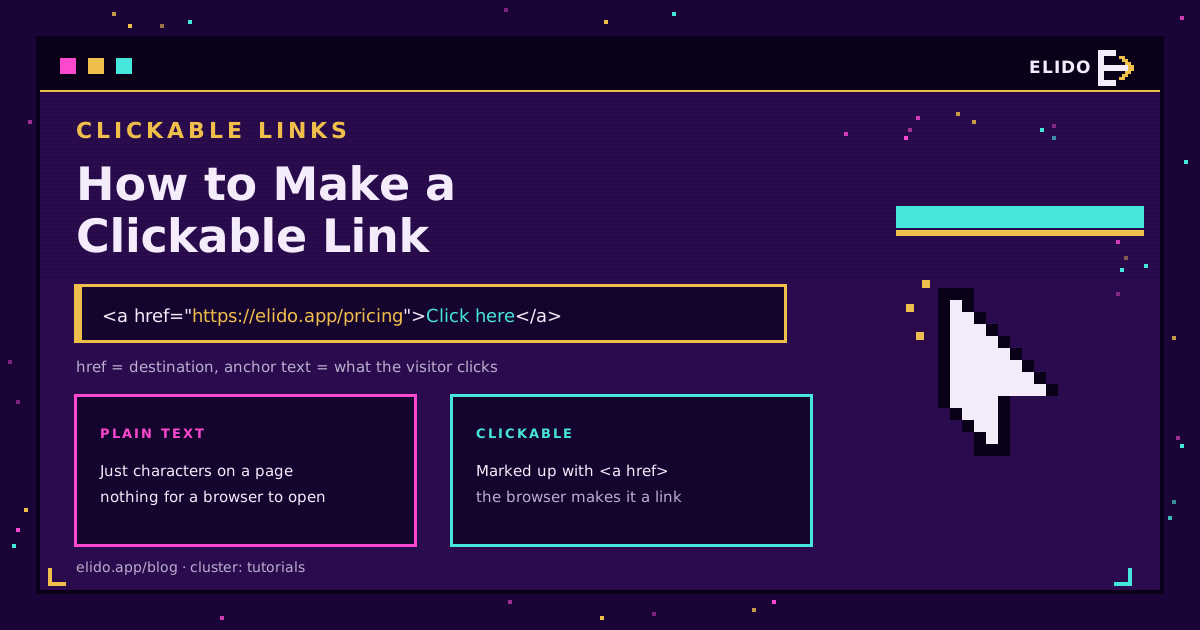
To make a link clickable, select the text you want to turn into a link, press Ctrl+K (Cmd+K on Mac), and paste the destination URL. That one shortcut works in Gmail, Google Docs, Word, Notion, and most editors. In raw HTML you write it by hand: <a href="https://example.com">visit us</a>. Everything else is knowing where hyperlinks work, where they do not, and how to make the link readable.
This is a tutorials-cluster how-to. For the bigger picture of what you do with links once they are clickable (branding, tracking, routing), the what is link management cornerstone covers it.
The Fast Way: Highlight and Ctrl+K
Almost every rich-text editor uses the same pattern. Write the words you want to be clickable, select them, and press Ctrl+K (Cmd+K on Mac) or click the chain-link icon in the toolbar. Paste the URL, confirm, done.
A few editors differ only in the button. Gmail, Google Docs, and Word all expose a link button; the keyboard shortcut is the constant. If you paste a bare URL that starts with https:// on its own line, most tools auto-detect it and make it clickable without any of this, but hyperlinked anchor text reads better than a naked link.
The one thing people get wrong is the anchor text. The visible words should describe the destination.
- Good:
read the [setup guide](/blog/setup-branded-short-links). - Weak: "click here", which tells neither a reader nor a screen reader anything.
How a Clickable Link Works in HTML
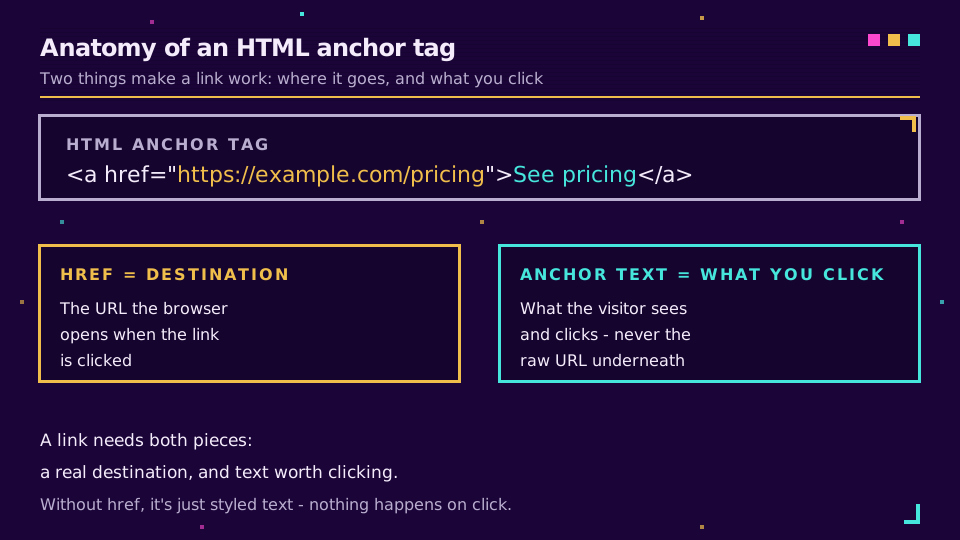
Under every "make link" button is one HTML element. The anchor tag has two parts: the href (where it goes) and the text between the tags (what the reader clicks).
<a href="https://example.com/pricing">See pricing</a>
That is it. The MDN reference for the anchor element documents the rest (opening in a new tab with target, rel attributes for security). Two variants come up a lot: mailto: links open an email, and tel: links start a call.
<a href="mailto:[email protected]">Email us</a>
<a href="tel:+15551234567">Call us</a>
Where Links Will Not Turn Clickable
Here is the part that sends people searching. Some of the most valuable real estate for a link is plain text, where nothing is clickable no matter what you do.
- Instagram captions and comments: not clickable.
- TikTok video descriptions: not clickable.
- Most in-feed social post bodies: not clickable.
- Printed materials, slides, and video: obviously not clickable, but a QR code covers those.
In those places, a raw URL just sits there as text a reader would have to type by hand. The fix is twofold: put the link where links do work (the bio-link slot or a link-in-bio page), and make the URL short and memorable enough to type or recognise. A long tracking URL is hopeless here; a short branded one is not.
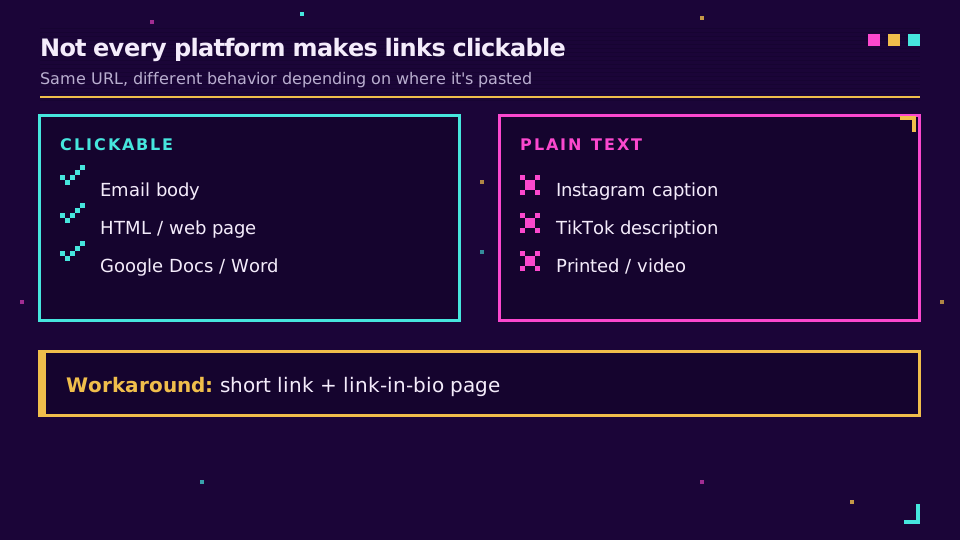
This is exactly why adding a link to an Instagram bio and the TikTok link-in-bio walkthroughs exist as their own guides - the platform, not your formatting, is the blocker.
Make the Clickable Link Worth Clicking
Once the link works, two upgrades make it better. Shorten it so it is clean and tappable, and brand it so people trust it. A short, branded link is easier to place in a bio, read aloud in a video, or drop into an SMS than a raw URL with a query string. It also lets you track the click and repoint the destination later without editing the post.
If you are hand-writing HTML, keep the raw URL in the href and let the anchor text carry the meaning. If you are dropping links into captions and bios, lean on a short branded link and a bio page. Same link, placed where it can actually be clicked.
Some links do more than open a page: an add to calendar link opens a pre-filled event instead, using the same anchor markup with a different destination.
Read the Cornerstone Series
This sits in the tutorials cluster. The cornerstone is what is link management. For the shortening basics, how to shorten a URL is the companion piece.
Related on the Blog
Frequently asked questions
How do I make a link clickable?
Select the text you want to link, press Ctrl+K (Cmd+K on Mac), and paste the destination URL. That shortcut turns highlighted text into a hyperlink in Gmail, Google Docs, Word, and most editors. In raw HTML you wrap the text in an anchor tag: <a href="https://example.com">visit us</a>.
Why is my link not clickable?
Two common reasons. The text was pasted as plain text in a place that does not auto-link, like an Instagram caption or a TikTok bio, where no URL is clickable at all. Or the URL is malformed - missing the https:// prefix, which many parsers need before they will turn it into a link.
How do I make a clickable link in an email?
Type the anchor text, highlight it, and use the toolbar link button or Ctrl+K to attach the URL. If you paste a full URL starting with https:// on its own, most email clients auto-detect it and make it clickable, but hyperlinked anchor text looks cleaner and is easier to tap.
How do I make a clickable link where links are not allowed, like Instagram captions?
You cannot hyperlink inside an Instagram caption or a TikTok video description - those are plain text. The workaround is a link-in-bio page or the single bio-link slot, and a short, memorable branded link people can copy or tap from the one place links do work.
What is anchor text in a clickable link?
Anchor text is the visible, clickable words that carry the link, like "read the guide" instead of the raw URL. Good anchor text describes where the link goes; avoid "click here", which tells the reader and assistive technology nothing about the destination.
Try Elido
Paste a URL, get a working short link
No signup. Link lives for 30 days. Sign up to keep it forever.
Free, no signup required · 2 per day