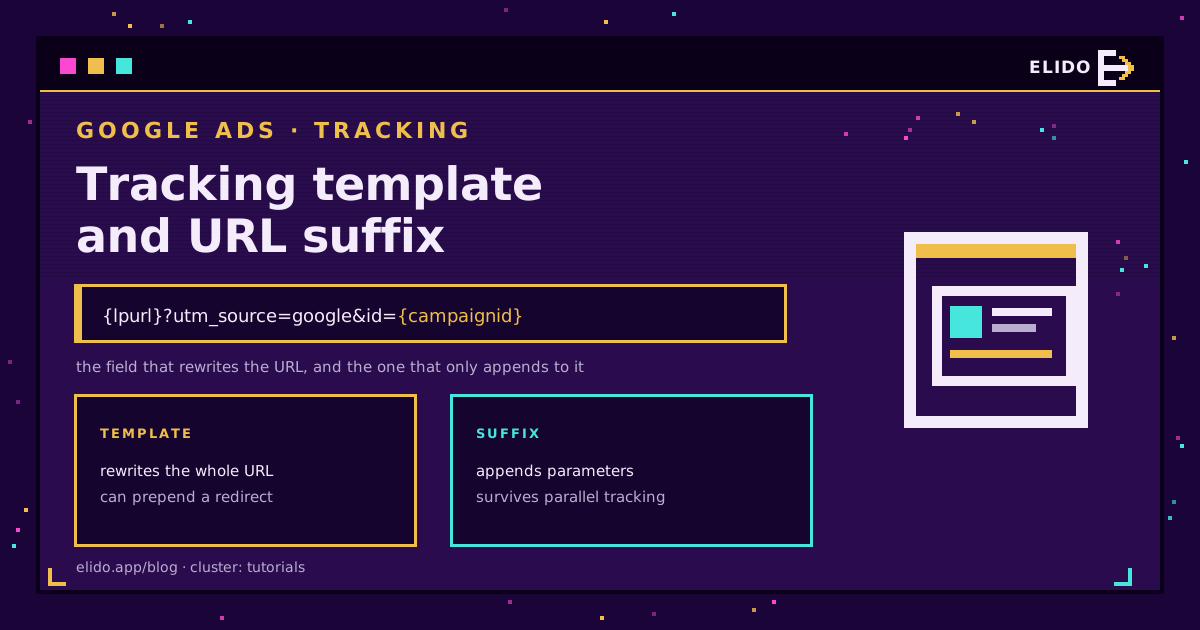
A Google Ads tracking template is a URL pattern, set at the account, campaign, ad group, ad, or keyword level, that Google Ads uses to build the address a click actually opens, inserting your final URL via a ValueTrack parameter like {lpurl} plus whatever else you add. It is a separate field from the final URL suffix, which only appends parameters and cannot redirect anywhere. One rewrites the whole URL; the other extends it. Mixing the two up is why so many accounts have tracking that quietly stopped working.
This post is field-level mechanics: where the template sits in the hierarchy, which level wins, when to use it instead of the suffix, and the encoding detail that breaks destination URLs with their own query string. For the tags themselves, UTM parameters explained is the primer, and UTM parameters for Google and Meta ads covers why Google Ads should mostly run on auto-tagging rather than manual UTMs.
What the Tracking Template Actually Does
Nothing on the landing page changes when you edit a tracking template. It only decides what happens between the click and the page load.
Google Ads reads the template at serving time, substitutes {lpurl} with your real final URL, fills in any ValueTrack parameters, and only then sends the browser to the assembled address. A template starting with a redirect domain sends the browser there first; a template that is just {lpurl} plus a query string sends it straight to your page with extra parameters attached.
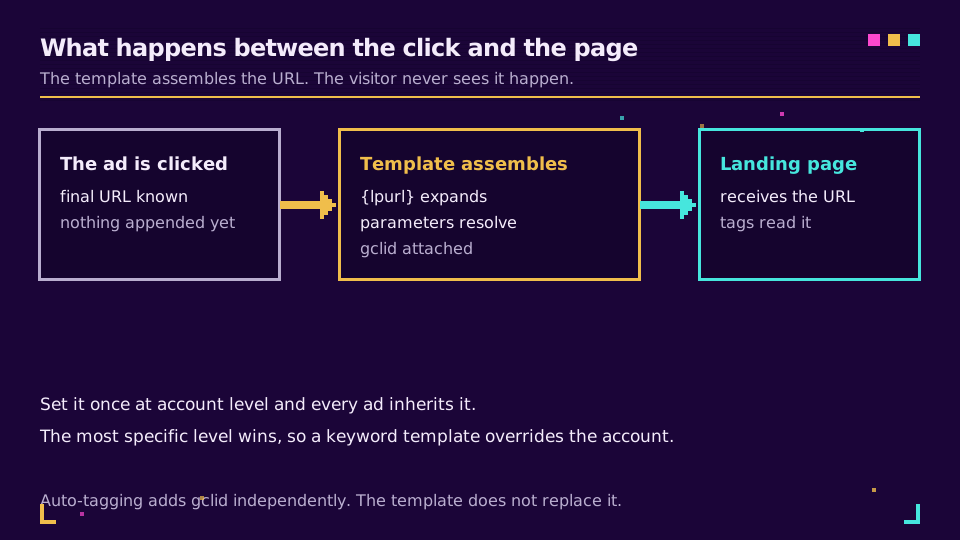
That is the whole point of the field. A hundred ads can share one final URL and one template, and a single edit to the template changes what all hundred clicks carry. The field definitions are laid out verbatim in Google's documentation on final URLs and tracking templates. If the template is one piece of a bigger tagging workflow, tracking UTM campaigns end-to-end covers the rest of the pipeline.
Where the Template Lives: Account, Campaign, Ad Group, Ad, Keyword
The field exists at five levels, and Google Ads doesn't merge them.
Set a tracking template at the account, campaign, ad group, ad, or keyword level, and when more than one is set, Google Ads uses the most specific one and ignores the rest, not additively. Order, most to least specific: keyword, ad, ad group, campaign, account. A keyword-level template overrides everything above it; account-level only applies where nothing more specific exists.
This is where accounts drift unnoticed. Someone sets a clean account-level template for a new tool, and it works everywhere except three ad groups that already had one left from an old vendor. Those three keep running the old redirect indefinitely, because the more specific setting always wins. I once spent an afternoon on an account still quietly routing clicks through a call-tracking domain that had been shut down over a year earlier, because one ad group had a template nobody remembered setting. Audit top to bottom: account, then campaign, ad group, ad, keyword, checking each for a leftover value before assuming the account-wide change reached everything.
Tracking Template vs Final URL Suffix
These two get confused because both add text to a URL. What they are allowed to add is not the same.
A tracking template can replace the whole URL: prepend a redirect domain, insert parameters anywhere, as long as {lpurl} or a variant appears somewhere. A final URL suffix does one thing, it appends a fixed set of parameters to the end of the final URL, after anything already there, and cannot point anywhere but your own page. Google's guidance on adding a final URL suffix is explicit that the suffix is for parameters, not redirects.
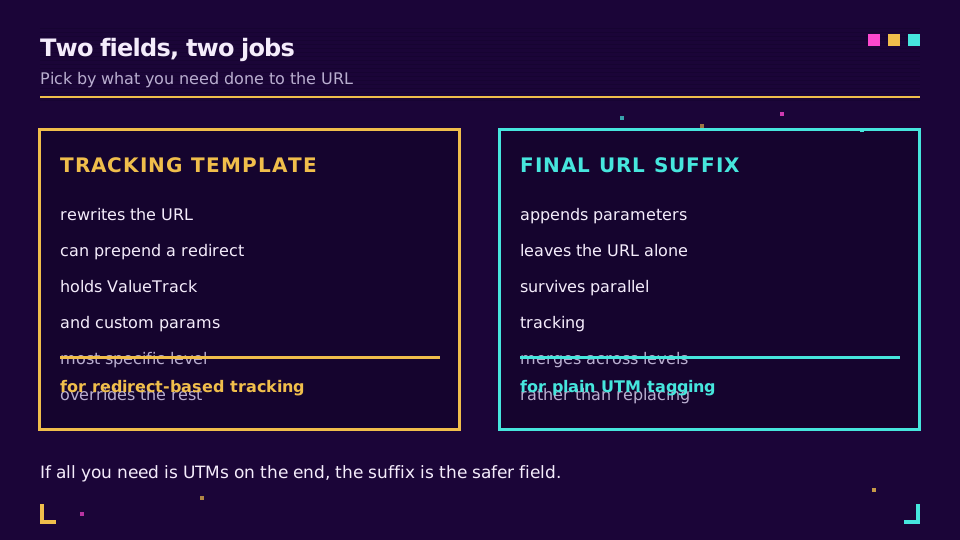
The rule is short: attaching parameters only, use the suffix. Routing the click through a third-party domain first, a call-tracking redirect or a verification pixel, use the template, because the suffix cannot redirect anywhere. Default to the suffix and drop to the template only when a redirect is genuinely required.
ValueTrack and Custom Parameters Worth Knowing
ValueTrack parameters are macros Google Ads fills in at click time. A handful cover almost every practical need.
{lpurl} is the one every template needs, your final URL. {campaignid} and {creative} (the ad ID) identify which campaign and ad served. {device} returns mobile, tablet, or desktop; {network} reports Search, Display, or Search partners. {keyword} and {matchtype} populate only on search campaigns, the triggering keyword and whether it matched broad, phrase, or exact. For the complete list, including a few specific to Shopping and app campaigns, see Google's ValueTrack reference.
Assembled into a template ready to paste into the campaign-level field:
{lpurl}?utm_source=google&utm_medium=cpc&utm_campaign={campaignid}&utm_content={creative}&utm_term={keyword}&device={device}&network={network}
Swap in whichever parameters you actually query on; adding every one Google offers just leaves empty columns on Display or Shopping traffic where half of them never populate. Anything outside Google's own macros, an internal campaign ID, a region code, needs a custom parameter instead: a name and value you define yourself, referenced as {_region}, up to eight per entity, name capped at 16 characters and value at 200. Google's custom parameters guide has the exact limits.
Building that string by hand across dozens of campaigns is exactly the kind of task that drifts the moment two people touch it. Elido's UTM builder generates the tagged portion from a form instead of a blank text field, so parameter names stay consistent before they ever reach the template.
The Encoding Trap: lpurl vs Unescapedlpurl
This detail breaks templates that looked fine in testing.
{lpurl} escapes certain characters, question marks, equals signs, quotes, spaces, whenever it appears anywhere except as the very first thing in the template. {unescapedlpurl} never escapes, regardless of position. It only matters when your final URL already has its own query string: an escaped ? inside a redirect wrapper turns into %3F, and a downstream system reading the address literally gets a broken parameter instead of a working one.
Put {lpurl} first, as in {lpurl}?utm_source=google, and escaping never triggers, so the two macros act identically. Put it after a redirect prefix, as in https://track.example.com/go?dest={lpurl}, and the destination's own ? and = get escaped inside the outer URL, which is usually correct, since the redirect needs one clean value to forward. Get the two swapped and the redirect service reads garbage instead of your page. Whenever a template routes through a redirect domain, verify with the test procedure below rather than assume the macro choice does not matter.
How This Interacts With Auto-Tagging and gclid
Auto-tagging and the tracking template solve different problems, and they don't fight over the URL the way manual UTMs and auto-tagging do.
Auto-tagging appends gclid after the template has already assembled the address, since gclid is added at dispatch, not baked into the template string. A template adding ValueTrack or custom parameters runs first, and gclid arrives on top, so the two coexist without conflict. The failure mode is different from the manual-UTM mistake in UTM parameters for Google and Meta ads: here it happens only if a template hardcodes a static destination instead of passing the click through, in which case the click never reaches the real dispatch path and gclid gets dropped along with everything else. As long as {lpurl} or {unescapedlpurl} genuinely sits in the template, gclid keeps working underneath it, and analytics for your links is where the resulting parameters and gclid show up as reportable data.
Parallel Tracking Broke Redirect Trackers - Test Before You Trust It
If a template stopped working with no warning, this is likely why.
Before parallel tracking became the default, a redirect template worked the way it sounds: the click hit the redirect first, the redirect service did its work, then forwarded the browser to the final URL. Parallel tracking changed the order. The browser now goes straight to the final URL immediately, while the template's redirect loads in the background instead of in the visitor's path. A tracker genuinely dependent on being the first hop, reading the click before forwarding, setting a cookie before the page renders, stopped seeing real traffic the moment parallel tracking took over, even though the template still looked correctly configured. As Google's overview of tracking in Google Ads confirms, parallel tracking is current default behavior, which is part of why the final URL suffix, which never redirects, is the safer default field.
Don't trust a template because it looks right in the editor. Google Ads has a Test button beside the field: click it and Google Ads assembles the URL exactly as a live click would, substituting every parameter, and shows the resulting address plus load time and errors. Read that string character by character; a misplaced {lpurl} or a missing ampersand shows up here before it costs a day of broken data. The Test button checks assembly, not delivery, so follow it with a real click: load your own ad in an incognito window, read the address bar once the page settles, confirm the ValueTrack values are populated rather than showing literal {device} text, and confirm gclid is present if auto-tagging is on. Five minutes here catches what the editor's syntax check cannot.
Related on the Blog
Frequently asked questions
What is a tracking template in Google Ads?
It is a field that holds a URL pattern Google Ads uses to build the address a click actually lands on, using ValueTrack parameters like {lpurl} plus anything you add. It exists at the account, campaign, ad group, ad, and keyword level, and it lets you route a click through a redirect or attach parameters without touching the final URL on every ad.
What is the difference between a tracking template and a final URL suffix?
A tracking template can rewrite the entire URL, including sending the click through a different domain first. A final URL suffix only appends parameters to the end of the final URL and cannot redirect anywhere else. Use the suffix for plain query parameters and the template only when you need to route through something else.
Which tracking template applies if I set it at multiple levels?
The most specific one wins. Google Ads checks keyword, then ad, then ad group, then campaign, then account, and uses the first template it finds set at that level. A blank template at a lower level does not clear a higher one; only an explicit override does.
What is the difference between lpurl and unescapedlpurl?
Both insert your final URL into the template, but {lpurl} escapes certain characters, such as question marks and equals signs, whenever it is not the very first thing in the template, while {unescapedlpurl} never escapes anything. Put {lpurl} first in a template and the two behave the same; put it after a redirect prefix and they diverge, which is the encoding trap that breaks destination URLs with their own query strings.
Does a tracking template affect gclid and auto-tagging?
No, they run independently. Auto-tagging appends gclid to the address after the tracking template has already built it, so a template that adds ValueTrack or custom parameters does not remove or override gclid. The one way to break it is hardcoding a static final URL inside the template that does not pass the click through, which strips every parameter including gclid.
Why did parallel tracking break my third-party redirect tracker?
Parallel tracking sends the visitor straight to the final URL and loads the tracking template's redirect in the background instead of routing the click through it first. Any tracker that depended on being the first hop, reading the click before forwarding it, or setting a cookie before the landing page loads stopped seeing those clicks once parallel tracking became mandatory.
Try Elido
Paste a URL, get a working short link
No signup. Link lives for 30 days. Sign up to keep it forever.
Free, no signup required · 2 per day