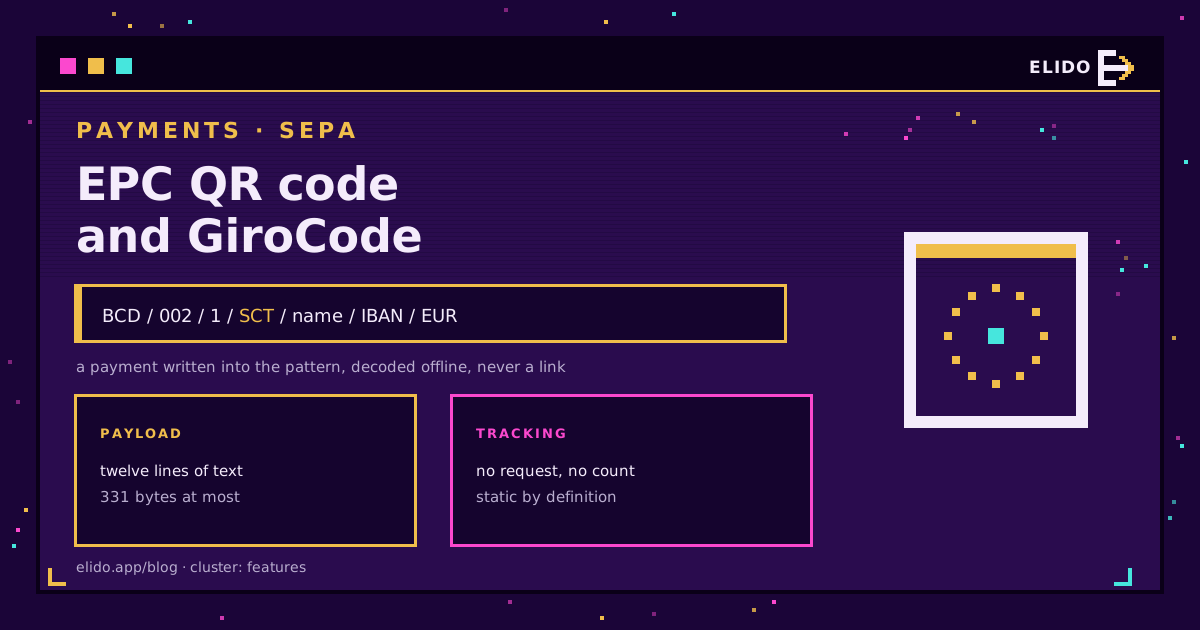
An EPC QR code does not contain a link. It contains a SEPA credit transfer, written out as a short block of plain text, and a banking app that recognises the format reads it and fills in the transfer form. No server is contacted, nothing is looked up, and nothing about the scan reaches you.
That single fact decides everything else about how these codes are used. You cannot shorten one, you cannot repoint one, and you cannot count the scans, because there is no request anywhere in the flow. The standard behind it is the European Payments Council's EPC069-12, the codes are usually called GiroCodes in German-speaking markets, and the format is worth understanding precisely before you print thousands of them on invoices. For the general case of what a code can carry, what a QR code is covers the payload question.
What the Payload Actually Contains
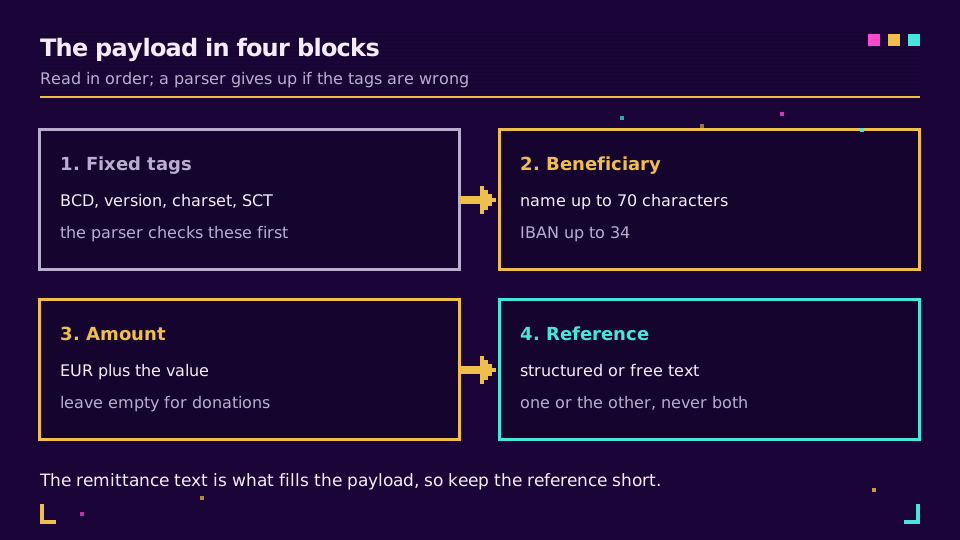
The payload is a sequence of lines, in a fixed order, each one a separate element. A parser reads line 1, expects BCD, reads line 4, expects SCT, and gives up if either is missing.
| Line | Content | Limit |
|---|---|---|
| Service tag | BCD | fixed, 3 characters |
| Version | 001 or 002 | 002 makes the BIC optional |
| Character set | 1 for UTF-8, up to 8 | one digit |
| Identification | SCT | fixed, 3 characters |
| BIC | beneficiary bank identifier | 11 characters, often omitted |
| Beneficiary name | the account holder | 70 characters |
| IBAN | beneficiary account | 34 characters |
| Amount | EUR followed by the value | 0.01 to 999999999.99, in EUR |
| Purpose code | ISO purpose, rarely used | 4 characters |
| Structured ref | creditor reference, or | 35 characters |
| Unstructured text | free-text remittance instead | 140 characters |
| Beneficiary to originator | note shown to the payer | 70 characters |
Two rules trip people up. The structured reference and the unstructured text are mutually exclusive: fill one, leave the other empty. And the amount is optional, which is the correct choice for a donation code where the payer decides, and the wrong choice for an invoice where you want an exact figure prefilled.
The whole block is capped at 331 bytes. The EPC069-12 guidelines also pin the error correction level at M and cap the symbol at version 13, so the code you print has a known ceiling on module count. If you are building this in code rather than clicking a generator, the Segno library documentation shows the field order and the encoding rules in a form you can test against.
Why You Cannot Shorten or Track It
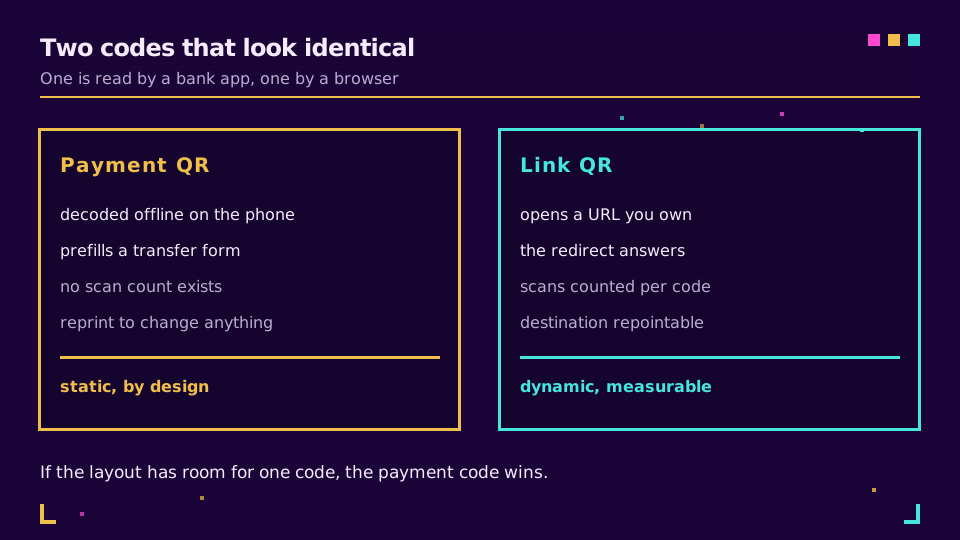
A tracked QR code works by encoding a URL you own. The scan opens that URL, your redirect answers, you count the request, and the visitor lands wherever you currently point the link. Dynamic versus static QR codes covers the mechanism in full.
None of that applies here. The banking app is not a browser. It parses text, matches the format, and opens a payment form locally on the device. There is no HTTP request to intercept, so:
- No scan count exists, anywhere. Not in your tool, not in the bank's.
- Nothing can be repointed. A wrong IBAN means a reprint.
- Wrapping the payload in a short link breaks it outright, because the parser sees
httpswhere it expectsBCD.
I have watched a team spend a week trying to get attribution on a payment code before someone read the spec. The honest answer is that the payment side and the measurement side are two different codes, and if the layout has room for one, the payment code wins.
What you can measure is everything around it. If a mailing carries an invoice with a payment code, put a separate tracked short link on the letter for the customer portal, the terms, or the support page, and read the engagement from that. Elido's QR code features cover the trackable half of the sheet, and the payment code stays exactly as the standard requires.
Where It Works and Where It Does Not
Support lives in individual banking apps, which is why coverage is uneven in a way that country lists oversell. Austrian and German apps have read these codes for years, Finnish and Dutch apps are broadly reliable, Belgian support is good. Beyond that, test before you commit to a print run.
Two neighbours are commonly confused with it. The Swiss QR-bill is a different specification with its own layout and a Swiss cross in the middle of the symbol; it is not an EPC code and euro-area apps will not read it as a payment. And a payment link from a card processor is not this at all: that is an ordinary URL in a QR, with a hosted checkout at the end, and it behaves like any other web link including the tracking that comes with one.
For the wider question of what a regulated payments or lending business can put in front of customers, URL shorteners for fintech covers the parts where a link is involved.
Producing One Without Regret
Six checks, in the order they save you money.
- Validate the IBAN before generation, not after printing. A checksum test costs nothing and a reprint costs a run.
- Decide the amount question deliberately. Fixed for invoices, empty for donation posters where any figure should be possible.
- Prefer the structured reference over free text. It is shorter, it reconciles automatically in your accounting, and it keeps the payload small.
- Test in at least three banking apps, on both phone platforms. Parsers differ in how strictly they treat the optional fields.
- Size the printed code for the distance it will be scanned from, exactly as with any other code. How big a QR code should be has the arithmetic.
- Keep it matte. Gloss varnish over a payment code on an invoice under office lighting is a support ticket waiting to happen.
The Sticker Problem
There is one real fraud vector, and it is physical rather than digital. A static payment code printed on an invoice, a parking meter, a market stall sign or a charity poster can be covered with a sticker carrying a different IBAN. Nothing in the code resists that, because the payload is the paper.
The mitigations are equally physical. Print the code inside the invoice layout where a label would be obvious, rather than on an adhesive patch. Show the beneficiary name and the last digits of the IBAN in text next to the code, so a payer can compare. And in the payment confirmation instructions, tell people to read the name their banking app displays before they confirm, because that screen is the only place the swap becomes visible. Are QR codes safe, and what quishing actually is covers the broader attack pattern, most of which does apply to the link codes you print elsewhere on the same page.
The reassuring part: a payment still needs a human to confirm it in an authenticated banking app. The code prefills a form, it never moves money.
Read the Cornerstone Series
This post sits in the features cluster. For the printed workflow around any code you generate, a QR code campaign from scratch is the cornerstone, and the QR code guide in the docs covers generating the trackable kind through the API.
Related on the Blog
Frequently asked questions
What is an EPC QR code?
A QR code that encodes the details of a SEPA credit transfer as plain text, so a banking app can read it and prefill the transfer form. It was standardised by the European Payments Council in the EPC069-12 guidelines and is also known as a GiroCode. The payload is a fixed sequence of lines starting with the service tag BCD, and it contains no web address at all.
Which countries support GiroCode payments?
Support sits in the banking app, not the country, but in practice the codes are widely read in Austria, Germany, Finland, the Netherlands and Belgium. Elsewhere in the euro area coverage is patchy, and outside it the code is meaningless. Switzerland uses its own QR-bill standard, which looks similar and is not compatible.
Can an EPC QR code be dynamic or trackable?
No. The payment details are inside the printed pattern, and the phone decodes them offline without contacting any server, so there is nothing to redirect and nothing to count. If you need to change the amount or the reference, you generate a new code. Anything sold to you as a dynamic payment QR is a link to a payment page, which is a different product.
What happens if I put a short link in an EPC QR code?
The banking app fails to parse it and either shows an error or falls back to treating the code as an ordinary URL. The parser expects the first line to be BCD and the fourth to be SCT; a URL matches neither. Payment QR codes and link QR codes are two separate codes that happen to share a symbol shape.
How big can the payload be?
331 bytes, which caps the QR at version 13 with error correction level M under the EPC guidelines. In practice the remittance text is what fills it, so a long free-text reference is the field that pushes a code over the limit. Keep the reference structured and short and the code stays sparse enough to scan from a printed invoice.
Are payment QR codes safe on printed invoices?
The code itself carries no executable content, and the payer confirms the transfer in their banking app, which shows the beneficiary name and IBAN before anything moves. The real risk is physical: a sticker placed over the printed code redirecting the payment to another account. Print the code inside the invoice layout, not on a label, and tell payers to check the name on the confirmation screen.
Try Elido
Paste a URL, get a working short link
No signup. Link lives for 30 days. Sign up to keep it forever.
Free, no signup required · 2 per day