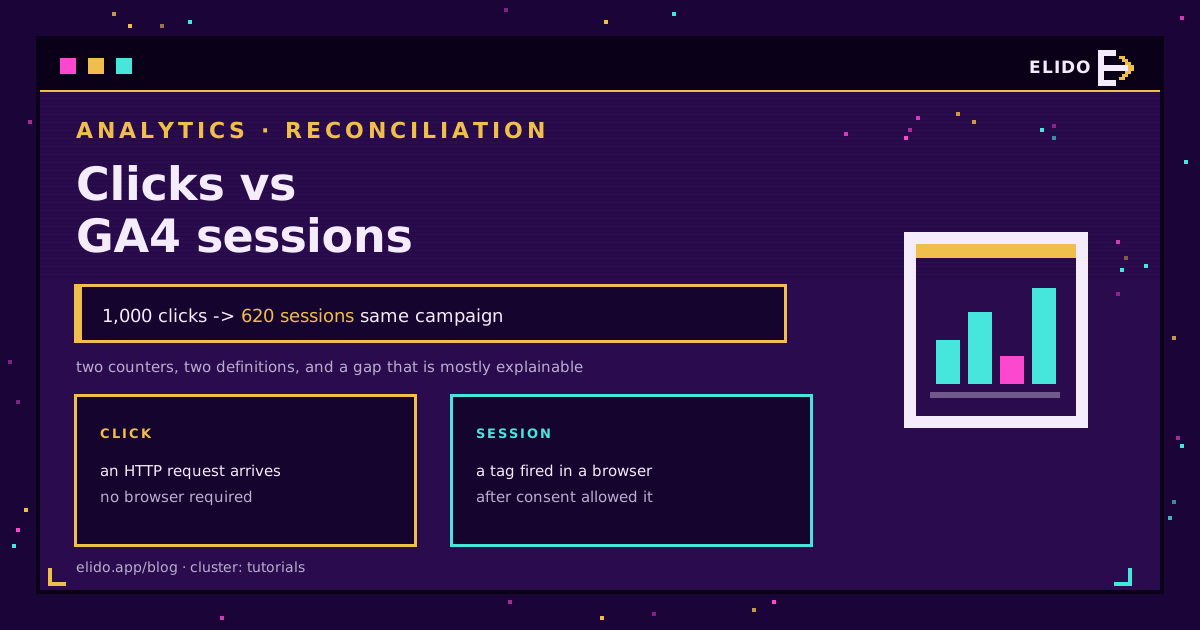
A shortener counts an HTTP request. Google Analytics counts a session that a browser reported after its tag loaded. Those are different events, measured at different layers, under different rules, so the totals will not agree, and no configuration change will make them agree.
A gap of 20 to 40 percent is ordinary on most campaigns. Larger than that usually means one specific thing is broken rather than six things being slightly off, and the size of the gap tells you which. This post walks the path from click to session, names each place the count changes, and ends with a reconciliation you can run in an afternoon. If you have not wired the tagging end to end yet, track UTM parameters end to end is the cornerstone that comes first.
The Two Numbers Count Different Events
A click is recorded at the moment a request arrives at the redirect. The response is a 301 or 302 with a Location header, and it is finished in a few milliseconds. Nothing in that exchange requires a human, a rendered page, or JavaScript.
A GA4 session begins when a session_start event reaches Google's servers from a browser that loaded your tag. Google's own definition makes that dependency explicit: the session is a client-side construct with a 30-minute inactivity timeout, not a count of arrivals. Between the redirect and that event sit the DNS lookup for the destination, the TLS handshake, the HTML response, the tag manager, the consent check, and the visitor's patience.
Every one of those is a place where a click exists and a session does not. There is exactly one place the reverse happens, and it involves the same person coming back later.
What Inflates the Click Side
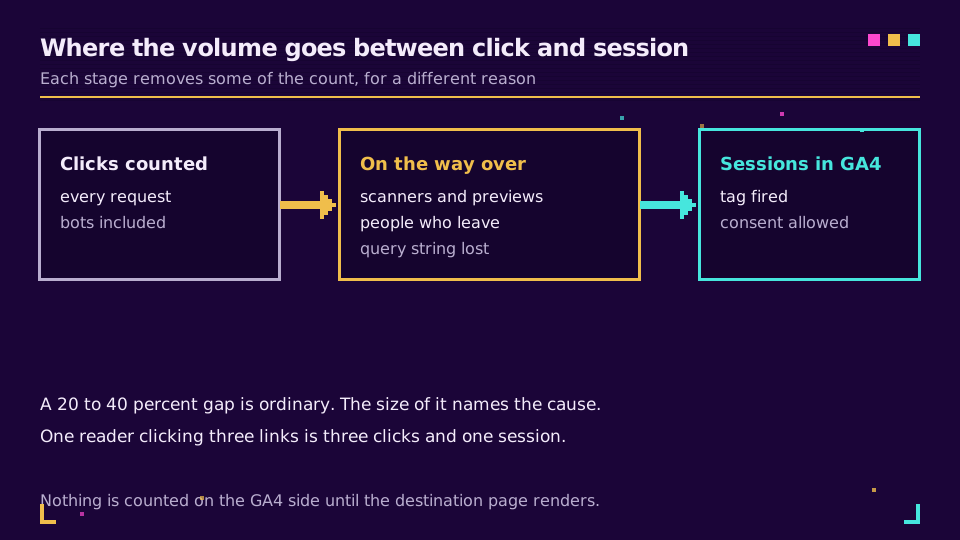
Automated traffic is the biggest single contributor, and it is not evenly spread across channels. Four sources account for most of it.
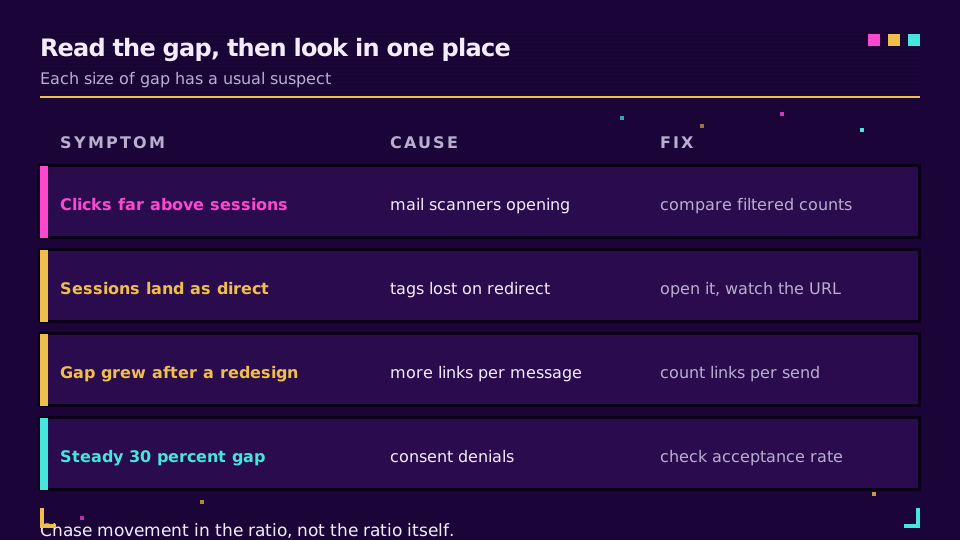
Mail security scanners. Corporate filters open every link in a message before it reaches the inbox, and some rewrite it first. The fingerprint is unmistakable: a burst of clicks on every link in a campaign, within seconds of delivery, from a small set of networks. If your recipients are in finance, healthcare, education or government, this alone can double raw click counts. Outlook Safe Links rewriting covers what that particular scanner does to the URL on the way through.
Link preview unfurlers. Paste a link into Slack, Teams, WhatsApp or a social composer and the platform fetches it to build a card. That fetch is a request against your redirect. Post the same link in five channels and you have five clicks before a colleague reads any of them.
Uptime and security monitors. Anything you added to a monitoring check keeps clicking on a schedule, forever, at whatever interval you configured.
Crawlers, including the new ones. Search crawlers have always followed redirects. The model-training and live-retrieval bots now do too, in volume, on anything publicly reachable. What AI crawlers do with short links goes through which agents follow a redirect and which stop at the first hop.
Elido drops known automated traffic before a click is counted rather than after, so the dashboard number is already filtered. That is the right default, and it is worth checking whether your current tool does the same, because a raw counter and a filtered counter can differ by more than the GA4 gap you are trying to explain. What to measure in short-link analytics covers the filtered-versus-raw distinction in more depth.
What Deflates the Session Side
Now the other direction. A real person clicked, and GA4 still recorded nothing.
Consent is the largest cause in Europe. Under Consent Mode v2 a denied analytics consent means no session in the standard reports; you get modelled data at best, and modelling needs volume before it produces anything. On a European audience with a strict banner, a quarter to a half of arrivals can be missing from the session count while every one of them was a genuine click. Consent Mode v2 for tracking covers what survives a denial and what does not.
Then the mechanical losses. Ad blockers and tracking-protection defaults stop the tag from loading at all. A slow destination page loses visitors who leave during the load, and a click that never reaches session_start is not a session. Tag container misconfiguration on a specific template, in-app browsers behaving oddly, a landing page that redirects again before the tag fires: all of these are click-yes, session-no.
I once spent most of a day on a 45 percent gap that turned out to be a marketing site serving its consent banner above an unrendered page on mobile Safari. The clicks were real, the visitors were real, and the tag never ran once.
Sessions Merge, Clicks Do Not
This one is structural, and it is the reason exact reconciliation is impossible.
Send a newsletter with four links. One reader clicks three of them within ten minutes. That is three clicks and one session, and both numbers are correct. Multiply across a list and the effect is large: the more links a campaign contains, the wider the ratio, with no fault anywhere.
The 30-minute inactivity window works the same way. Someone who clicks, reads, and comes back an hour later produces two sessions from two clicks. Someone who clicks twice in five minutes produces one. GA4 also starts a new session when the campaign source changes mid-visit, which is why a visitor who arrives from your newsletter and then clicks an ad shows up twice.
If your click-to-session ratio moves after a campaign redesign and nothing else changed, count the links per message before you go looking for a bug.
When the Query String Does Not Survive
A specific failure worth separating from the rest: the session is recorded but the campaign is not, so your shortener says 800 clicks from the newsletter and GA4 shows 800 sessions of direct traffic.
The cause is almost always the destination side. A trailing redirect from example.com/page to example.com/page/ that drops the query string, a hosting rule that strips unknown parameters, or a link that never carried UTM parameters in the first place. Some browsers and privacy modes remove specific tracking parameters too, which is a different mechanism with the same symptom, covered in browsers that strip UTM parameters.
Diagnosis takes two minutes: open the short link, watch the final address bar, and see whether the parameters are still on the URL. If they are gone, the fix is on the destination host, not in the shortener. Why UTM parameters do not show in GA4 walks the full decision tree.
Ready to compare filtered clicks against sessions on the same axis? Elido's link analytics reports bot-filtered counts by default and exports the raw event stream when you need to audit the difference yourself.
A Reconciliation You Can Run in an Afternoon
Work in this order. Each step removes one class of cause, so a mismatch that survives all five is worth escalating.
- Click your own link once, from a phone on mobile data, and confirm a matching session appears in GA4 DebugView with the campaign attached. If that fails, nothing downstream is measurable and the tagging is the problem.
- Compare filtered clicks with raw clicks for the same link and period. A wide split means automated traffic, and the channel usually tells you which kind.
- Segment by referrer. Email will show the worst ratio, your own website the best, chat platforms somewhere between.
- Check your consent acceptance rate for the period. Multiply sessions by the inverse and see how much of the gap it explains on its own.
- Count links per campaign. Four links and one recipient is four clicks; if the ratio moved when the template changed, you have your answer.
What Ratio Is Actually Normal
Anyone quoting a single benchmark is selling something. The ratio depends on your channel mix, your audience's mail infrastructure, your consent rate and how many links each message carries, and every one of those varies by market.
So build your own. Record clicks and sessions per campaign for a month, calculate the ratio, and write down what normal looks like for each channel. From then on the useful signal is movement: a newsletter that always runs at 1.4 clicks per session and suddenly reads 3.2 has a scanner problem or a broken landing page, and you will know within a day rather than at the end of the quarter.
That is the honest end state. Not one number, but two numbers whose relationship you understand well enough to notice when it breaks. Once you accept that, the job shifts to putting both numbers in the same report without either one looking wrong, and that blending problem is exactly what a Looker Studio dashboard on a shared join key is built to solve.
Read the Cornerstone Series
This post sits in the tutorials cluster. The full measurement chain, from link creation through to a report you can defend, is in track UTM parameters end to end, and UTM template conventions covers keeping the tags consistent across a team.
Related on the Blog
Frequently asked questions
Why does my link shortener show more clicks than Google Analytics?
Because the two systems measure different events at different points. The shortener counts every HTTP request that hits the redirect, including automated ones. GA4 counts a session only after its tag loads in a browser and consent allows it. Everything that happens between those two points, from a security scanner opening the link to a visitor leaving before the page renders, lands in the gap.
What is a normal difference between clicks and sessions?
There is no universal figure, and any vendor quoting one is guessing. Email-heavy programmes routinely see clicks run 30 to 60 percent above sessions because of link scanners; a link posted on your own site might sit within 10 percent. What matters is your own baseline: measure the ratio for a month, then treat a sudden move in it as the signal.
Do bots inflate short link click counts?
Yes, and on some channels they dominate. Corporate mail security opens every link before delivery, chat apps fetch a preview when a link is pasted, uptime monitors poll on a schedule, and AI crawlers follow links they find in public pages. A shortener that filters known automated traffic before counting will report far closer to GA4 than one that publishes raw request totals.
Does a redirect create a new GA4 session?
No. A redirect is a server response, not a page view, so nothing is counted until the destination loads. What the redirect can do is start a new session by carrying different campaign parameters, because GA4 restarts a session when the campaign source changes mid-visit.
Why do my clicks show up as direct or none in GA4?
Usually because the query string did not survive the hop. If the destination URL in your link has no UTM parameters, or a redirect on the destination side strips them, GA4 has nothing to attribute the visit to and files it under direct. The tag fired correctly; the campaign data never arrived.
Can I make clicks and sessions match exactly?
No, and chasing that is wasted effort. One person clicking three links in one newsletter is three clicks and one session by design. Aim instead for a stable ratio you understand, so the day it moves you know something changed.
Try Elido
Paste a URL, get a working short link
No signup. Link lives for 30 days. Sign up to keep it forever.
Free, no signup required · 2 per day