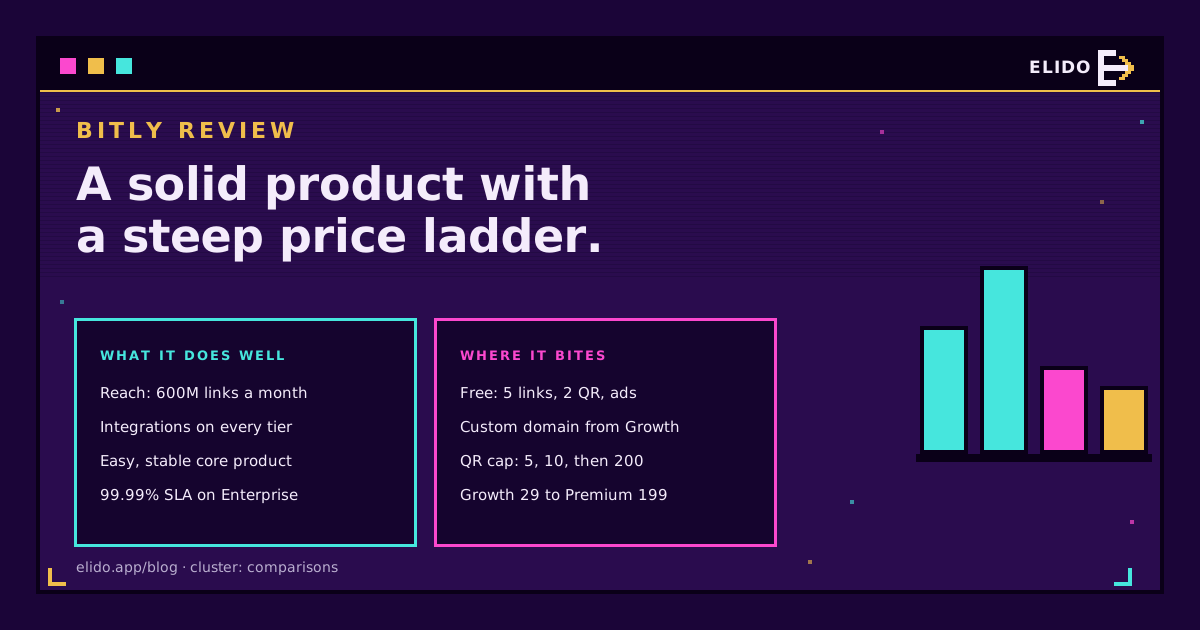
Bitly earns its reputation as a mature, reliable link and QR platform. Its plan structure, though, punishes small teams. It works well for marketers who already live in its integrations and sit comfortably on the Growth plan (29 USD a month on annual billing, accessed 2026-10-01). It is a poor fit for anyone who needs a branded domain cheaply, a usable free tier, or EU-only data handling.
That's the whole verdict. The rest of this Bitly review backs it with numbers from Bitly's own pricing page, a look at what reviewers say, and a plain list of who should buy it. If you want the plan-by-plan breakdown first, Bitly pricing explained covers it. For the wider market, the Bitly alternatives feature gap is the cornerstone this review sits under.
What We Based This Bitly Review On
Most reviews of a link shortener are feature tours. Rebrandly's hands-on Bitly review is a good example: a long, setup-to-support walkthrough by a competitor's marketer who discloses the conflict upfront. It's useful for how the product feels, and it flags real friction, like 20 link edits a month on Growth and country-level-only location data.
I took a different angle. I'm also a competitor, so I did not try to out-tour it. Instead this review stays on three questions that decide a purchase: what does each plan cost per unit, which limits will you actually hit, and which buyer profile benefits. Prices come from Bitly's public pricing page. Reputation signals come from Capterra, where Bitly shows 4.8 out of 5 across 1,297 reviews (accessed 2026-10-01). I haven't run a stopwatch on its dashboard, so anything about "feel" below is secondary to the numbers.
What Bitly Does Well
The strengths are real. Three of them matter most.
Reach and brand recognition
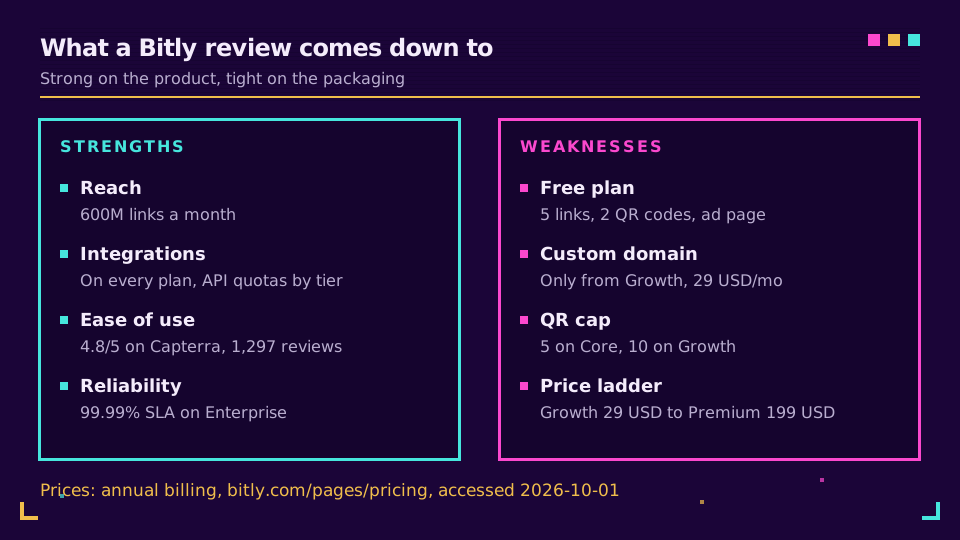
The service dates to 2008 and, per Wikipedia, shortens about 600 million links a month. Recipients recognise bit.ly. If you hand a link to the general public, say on a printed flyer or in a text message to people who don't know you, that familiarity lowers the hesitation to tap. The effect fades once you switch to a branded domain, but it exists at the start.
Integrations and ecosystem
Reviewers keep praising how easily Bitly slots into the tools marketers already use, and the pricing page lists integrations on every tier, Free included. API quotas scale with the plan: 1,000 requests a month on Free, 5,000 on Core, 25,000 on Growth, and 50,000 on Premium. That's generous for a small team, though a bulk import will hit it sooner than you expect.
Stability and ease of use
Capterra reviewers consistently describe it as easy to use, with analytics that show where traffic comes from. The core job, shorten a URL and watch the clicks, works without a tutorial. Enterprise customers get a 99.99% uptime SLA, according to the pricing page. I'd call this the quiet strength: boring in the best way.
Where Bitly Is Weak
The product is solid. The packaging is where a Bitly review turns critical.
The free plan is a demo
You get 5 links and 2 QR codes a month, no custom domain, and an ad interstitial on free links (accessed 2026-10-01). We covered the mechanics in Bitly ads on links. Rebrandly's reviewer called it a "stripped-down product demo", and I'd agree it works as a trial rather than as a place to run a small business.
QR codes are the tightest cap
Look at the monthly quotas side by side. Core allows 100 links but only 5 QR codes. Growth allows 500 links and 10 QR codes. Premium jumps to 3,000 links and 200 QR codes. If QR is your main channel, a restaurant chain or a print agency, the plan you need is set by the QR count, not the link count. Check the QR code features of any tool you compare for how it counts them.
The price ladder
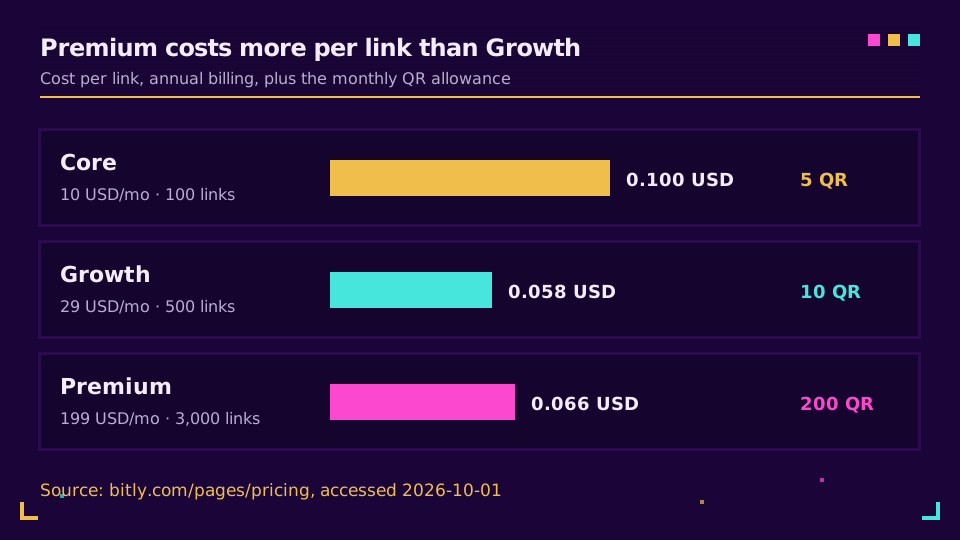
Here is the arithmetic on annual billing, using the page's own numbers.
| Plan | Price/mo (annual) | Links/mo | Cost per link | QR/mo |
|---|---|---|---|---|
| Core | 10 USD | 100 | 0.10 USD | 5 |
| Growth | 29 USD | 500 | 0.058 USD | 10 |
| Premium | 199 USD | 3,000 | 0.066 USD | 200 |
Two things stand out. Premium costs more per link than Growth, so you're not paying for volume discounts; you're paying for the QR allowance, the longer data window and the extra analytics. And monthly billing is expensive: Growth is 35 USD and Premium is 300 USD month to month, so the "flexible" option adds roughly 20 to 50 percent.
A custom domain only from Growth
Core has no custom domain. That's the detail that sends people from the 10 USD plan to the 29 USD plan within weeks. A branded domain is the feature most teams buy a shortener for; our guide to custom domains for short links explains why it matters for trust and deliverability.
Analytics windows and support
Core keeps 30 days of click and scan data, Growth four months, Premium one year, and Enterprise two years per the pricing page. If you report quarterly, Core can't answer last quarter's question. And Capterra reviewers mention that reaching a human has become harder, with an AI chatbot in front. That's anecdotal, but it shows up in recent reviews, so I'd weigh it for anything customer-facing.
Privacy, ads and trust in one paragraph
Two concerns deserve their own posts, so I'll keep this short. Bitly is US-based and transfers EU data under legal instruments rather than keeping it in the EU by default; is Bitly GDPR compliant walks through what's lawful and what isn't the same as residency. And the ad interstitial applies to free links, which matters if the link carries your brand.
What Real Users Say
Capterra's Bitly reviews (accessed 2026-10-01) are the best public sample I could read without a login. The praise is consistent: ease of use, clean analytics, and the ability to attach a custom branded domain once you pay. The complaints are consistent too. Reviewers cite restrictive monthly link limits, features sitting behind paywalls, and support that routes through a chatbot. One nonprofit founder described dynamic QR codes that stopped working after a trial period without a paid plan, which is the sort of surprise you only avoid by reading the QR terms before printing anything.
A 4.8 average also tells you less than it seems. Happy users review more often than people who quietly left, and Capterra's sample skews toward small businesses. I read it as "the product does its job" rather than "the plans are good value". Those are two different questions, and a review that blurs them isn't much use when you're about to sign an annual contract.
How to test Bitly before you pay
A short trial beats any review, mine included. Create your five free links and both QR codes, then check three things: does the destination load fast through the ad page, does the analytics view answer the question your boss actually asks, and can you get the integration you need working in under an hour. If you'd need a custom domain, price Growth rather than Core from day one, because that's where you'll land anyway. And if you print a QR code, confirm it's a dynamic one on a plan that keeps it alive before it goes on a poster.
Who Should Pick Bitly
It's the right call more often than its critics admit. Choose it if you match one of these:
- You are a marketer or small team on Growth with a branded domain, 500 links a month is plenty, and your stack already connects to it.
- You send links to a general audience where bit.ly familiarity helps, or you run occasional QR campaigns well under 10 codes a month.
- You only need to shorten URLs and track clicks, and your buyers don't ask about data residency.
- Your company already has a Bitly contract and migration effort would exceed the gain.
Who Should Skip It
Skip it, or at least run the numbers on alternatives, if any of these sound like you:
- You need a branded domain but not a 29 USD plan.
- You depend on QR volume, because a QR cap of 10 a month on Growth is tight.
- You create thousands of links a month, which is Premium territory at 199 USD or more.
- Your DPO wants EU-only processing as a default, not a negotiated clause.
If that's you, Elido versus Bitly puts the cost model side by side, and Dub versus Bitly and Short.io versus Bitly cover two other popular options. For a ranked field, see best URL shorteners.
When a Different Tool Makes More Sense
I work on Elido, so weigh this section accordingly. We built it for teams that hit exactly the walls above: a branded domain without a 29 USD floor, EU data handling by default, and billing that doesn't count every QR code against a tiny monthly cap. If your Bitly invoice or your DPO is the reason you're reading reviews, you can look at Elido pricing and compare it with the ladder above. Already on Bitly? The migration playbook shows how to move links without breaking the ones already in print.
If none of that applies, stay put. A tool that works and fits your budget beats a better tool you have to migrate to.
Final Verdict
It scores high on reach, integrations and reliability, and low on free-tier generosity, QR volume and price transparency between plans. Pick it for Growth-sized marketing work. Think twice if your needs sit at either end: very small and free, or very large and regulated.
Read the cornerstone: Bitly alternatives: the feature gap.
Related on the Blog
Frequently asked questions
Is Bitly worth it?
It is worth it if you are on the Growth plan, you run QR and social campaigns, and the bit.ly name helps your audience trust the link. It is hard to justify on Core, which has no custom domain, or for solo users who need more than 5 free links a month. Judge it by cost per link and per QR code, not by the headline price.
Is Bitly free to use?
Yes, but only as a trial. The free plan gives you 5 short links and 2 QR codes a month, no custom domain, and an ad interstitial in front of your links (accessed 2026-10-01). Wikipedia dates that ad page to 2025. Core, at 10 USD a month on annual billing, is the first paid step.
What are the disadvantages of Bitly?
Monthly caps on links and QR codes, a custom domain that only arrives on Growth, short analytics windows on lower plans (30 days on Core), and a steep jump from Growth to Premium. Reviewers on Capterra also flag hard-to-reach human support. Bitly is US-based, so EU teams should read the transfer terms.
How much does Bitly cost per month?
Core is 10 USD, Growth is 29 USD on annual billing or 35 USD monthly, and Premium is 199 USD annual or 300 USD monthly (accessed 2026-10-01). Free is 0 USD and Enterprise is custom. A branded custom domain is only included from Growth upward.
Is Bitly safe to use?
Bitly is an established service, founded in 2008, and its links are not malicious by themselves. Like every shortener, it can be abused by scammers, so recipients can't see the destination before clicking. For business use, a branded domain makes your links easier to trust than a shared bit.ly address.
Who should not use Bitly?
Teams that need EU-only data residency by default, solo users who want a generous free plan, and agencies that create thousands of links a month. Those groups hit the plan caps, the price ladder or the transfer terms first. If none of those describe you, Bitly is a safe default.
Try Elido
Paste a URL, get a working short link
No signup. Link lives for 30 days. Sign up to keep it forever.
Free, no signup required · 2 per day