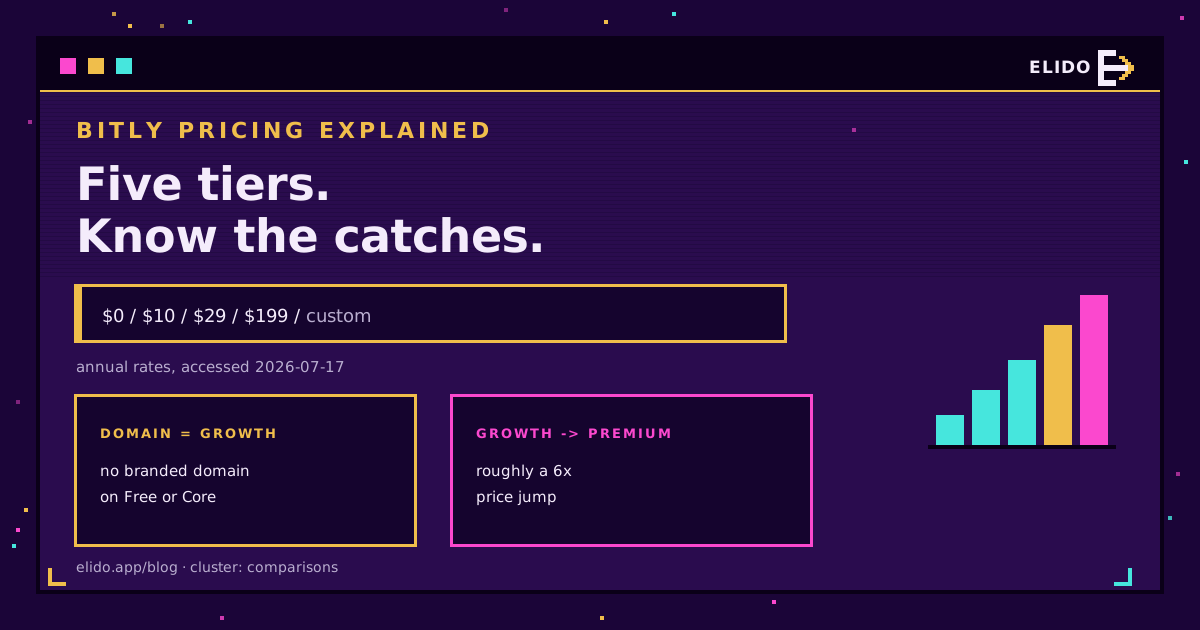
Bitly's pricing has five tiers: Free, Core at 10 USD a month, Growth at 29 USD, Premium at 199 USD, and custom Enterprise (rates on Bitly's pricing page, accessed 2026-07-17). This breaks down what each includes, where the value actually breaks, and the three catches worth knowing before you pick one: the ad on free links, the missing custom domain on Core, and the steep jump from Growth to Premium.
It is a comparisons-cluster piece, so the figures are dated and the trade-offs are named plainly. For the wider market this sits in, the Bitly alternatives feature gap cornerstone maps who competes where.
The Plans at a Glance
| Plan | Price (annual) | Links/mo | Custom domain | Analytics history |
|---|---|---|---|---|
| Free | 0 USD | 5 | No | Minimal |
| Core | 10 USD/mo | 100 | No | 30 days |
| Growth | 29 USD/mo | 500 | Yes (1) | 4 months |
| Premium | 199 USD/mo | 3,000 | Yes | 1 year |
| Enterprise | Custom | Custom | Yes | Custom |
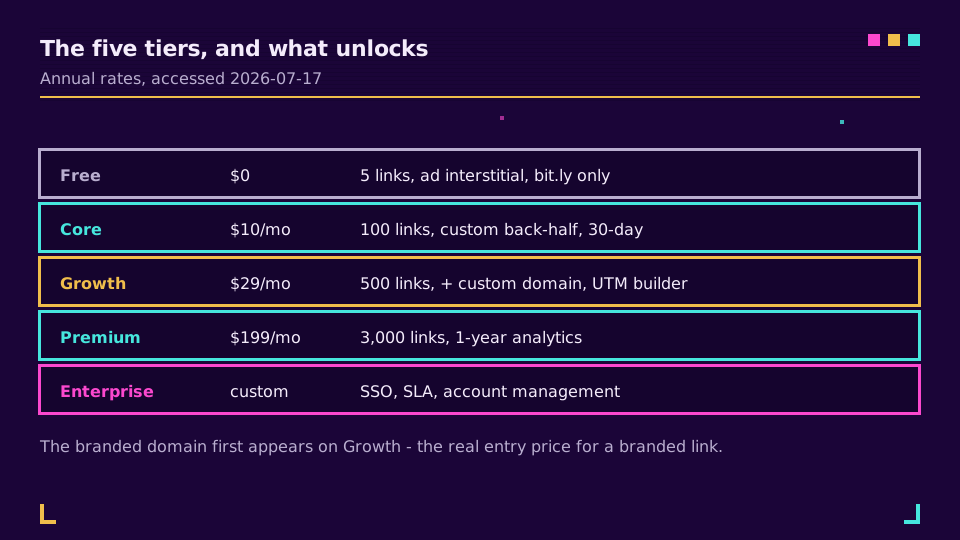
The single most useful thing to notice in that table: a branded domain, the feature most people actually want from a link tool, does not appear until Growth at 29 USD. Everything below it puts your links on the shared bit.ly domain.
The Free Plan, and the Ad
Bitly's free tier is the one that surprises people, because it changed.
You get 5 short links a month, 2 QR codes, no custom domain, and no real analytics history. On top of that, free links now carry an ad interstitial: a page that flashes in front of your destination before the visitor gets there. It is a legitimate way to fund a free product, but it means a free Bitly link is not just plain, it actively shows something you did not choose. We pulled that apart in Bitly ads on links. Treat the free plan as an evaluation, not a home.
Core and Growth, Where It Gets Useful
The paid tiers are where Bitly turns into a working tool, but the value is uneven.
Core at 10 USD a month is the cheapest way in. It lifts the link cap to 100 a month and adds custom back-halves and a 30-day analytics window. The gap it leaves is the branded domain, which is not here. Growth at 29 USD is where most marketing teams actually land: 500 links, a complimentary custom domain, a UTM builder, dynamic QR codes, and a longer analytics window. If you are going to pay for Bitly at all, Growth is the tier that justifies it.
That "custom domain only on Growth" detail is worth sitting with, because it means the honest entry price for a branded link tool is 29 USD, not the 10 USD the Core plan advertises.
Premium and Enterprise, the Steep Jump
Above Growth, the price accelerates hard.
Premium is 199 USD a month, close to seven times the Growth price. For that you get 3,000 links, a year of analytics history, and more QR volume, but nothing that fundamentally changes what the tool is. Enterprise is custom-quoted and typically starts around four figures a month, adding SSO, SLAs, and account management. The jump from Growth to Premium is the steepest single step in the lineup, and it is where teams start asking whether they are paying for links or for a logo.
If that question is landing, Elido versus Bitly and Dub versus Bitly both put the alternatives side by side, and you can see Elido's pricing for comparison.
Where Teams Overpay
A few pricing details quietly cost more than they first appear to.
The annual-billing rates are the tidy ones; the monthly-billing prices run noticeably higher, so paying month to month for flexibility carries a real premium. The link caps are monthly rather than a running total, so a burst campaign that creates a few hundred links in one week can push you up a tier for volume you do not sustain the rest of the year. And the branded-domain-on-Growth rule means anyone who signs up on Core to save money usually upgrades within weeks, having effectively paid twice to reach the plan they needed in the first place. None of this is hidden exactly, but it is easy to miss until the invoice lands.
Is Bitly Worth It?
It depends entirely on what you are buying it for, so here is the honest read.
Bitly is worth it if you value brand recognition, you run QR-heavy print and offline campaigns, and you can sit comfortably on the Growth plan. Bitly is a mature, dependable, widely trusted product, and for that specific profile the price is defensible. Our full Bitly review scores the product itself, separate from the price.
It is hard to justify if you are a solo user or small team wanting a better free tier, if you need a branded domain on the cheapest paid plan, or if EU data residency matters, because Bitly is US-based. On whether its compliance posture clears your bar, is Bitly GDPR compliant works through the detail. And if the pricing has simply outgrown the job, the best URL shorteners round-up covers what fits instead.
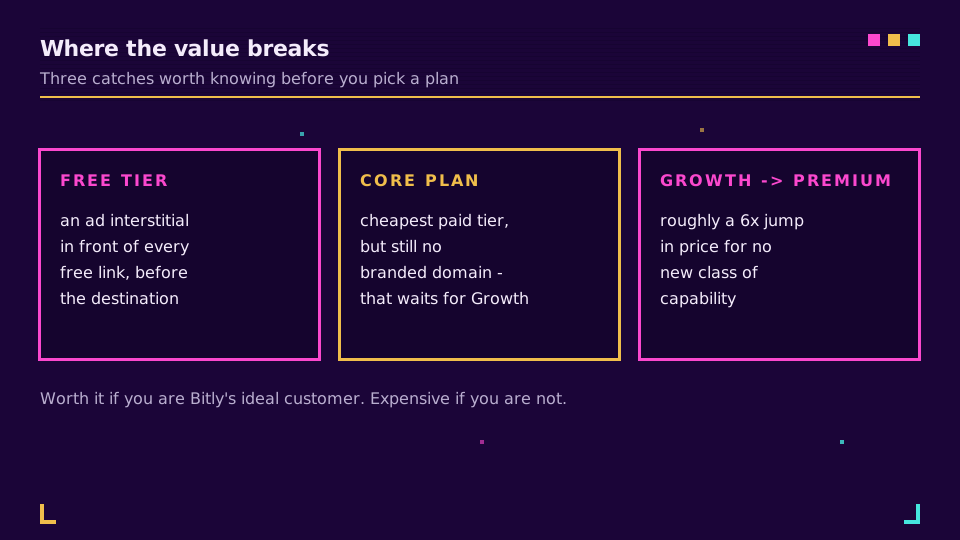
The short version: Bitly's pricing is fine if you are its ideal customer and expensive if you are not. Know which one you are before the renewal, not after.
Related on the Blog
Frequently asked questions
How much does Bitly cost?
Bitly has five tiers (accessed 2026-07-17): Free at 0 USD, Core at 10 USD a month, Growth at 29 USD a month on annual billing (about 35 USD monthly), Premium at 199 USD a month, and custom Enterprise pricing. The free plan is capped at 5 links a month with an ad interstitial, and a branded custom domain only arrives on Growth.
Is Bitly's free plan actually free?
It is free to use but limited and ad-supported. You get 5 short links a month, 2 QR codes, the bit.ly domain only, and an ad interstitial that shows in front of every free link before the destination loads. There is no branded domain and no meaningful analytics history. It works as a trial, not as a plan to run on.
Is Bitly worth it?
For brand recognition and mature QR-code campaigns on the Growth plan, it can be. For most solo users and small teams, the value is hard to justify: the free plan is thin and ad-supported, Core lacks a custom domain, and the jump from Growth to Premium is roughly six times the price. If your priorities are a better free tier or EU hosting, other tools fit better.
Why is there an ad on my Bitly link?
Bitly shows an ad interstitial in front of links created on the free plan, a page that appears briefly before the real destination. It is how the free tier is monetised. Removing it means moving to a paid plan, and even then it applies to newly created links. We cover the mechanics in the Bitly ads write-up.
What is the cheapest paid Bitly plan?
Core, at 10 USD a month billed annually. It lifts you to 100 links a month and custom back-halves, but it still does not include a branded custom domain, which only arrives on Growth at 29 USD. So the cheapest plan that gives you a branded link is Growth, not Core, which is the detail that catches most buyers.
Try Elido
Paste a URL, get a working short link
No signup. Link lives for 30 days. Sign up to keep it forever.
Free, no signup required · 2 per day