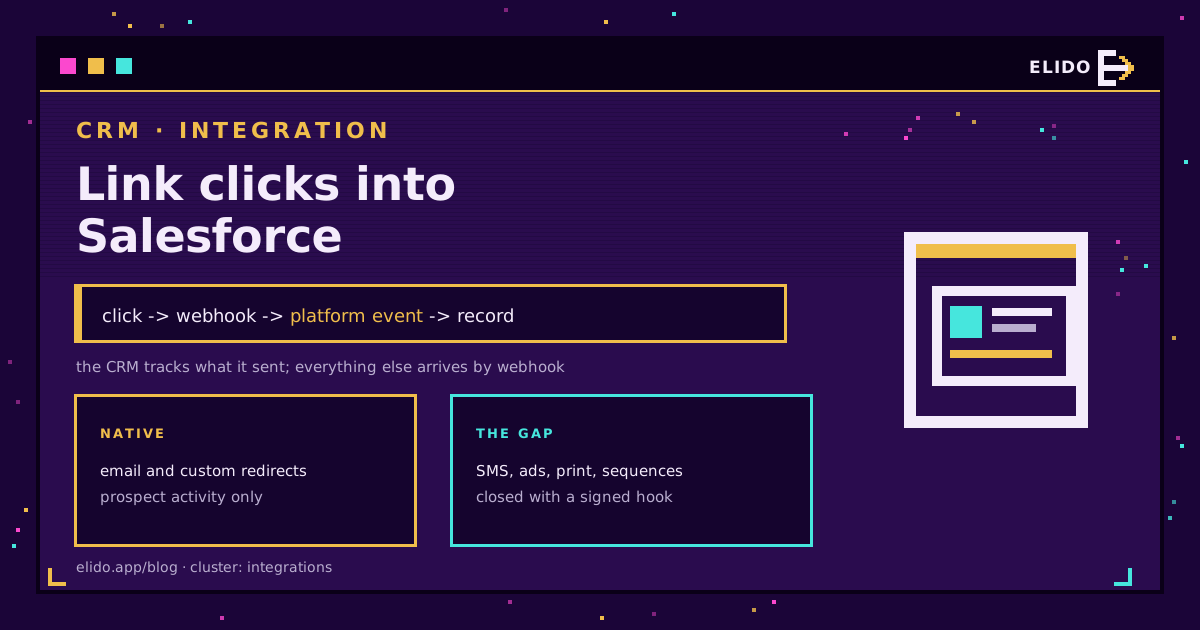
Salesforce records a click when Salesforce sent the link. Account Engagement rewrites the URLs in its own emails and attributes the click to a prospect, and custom redirects extend that to links you paste elsewhere. That is the whole of the native story.
Everything else your company sends produces no click in the CRM. A rep's follow-up from their own mailbox, an SMS sequence, a QR code on a conference stand, a paid ad, a partner newsletter: all invisible. Closing that gap takes a tracked link you own and a webhook that writes into Salesforce, and the interesting decisions are about what to write rather than how to send it. For the same problem in a different CRM, HubSpot link clicks on the contact timeline covers the shape of the integration.
What the Native Tools Cover
Two mechanisms, both scoped to Salesforce-sent messages.
Email link tracking in Account Engagement rewrites each link through a tracker subdomain, so the click is recorded against the prospect who was mailed. It works well and it only works there.
Custom redirects go one step further: you generate a tracked URL and use it in a banner, a social post or a document, and clicks appear as prospect activity. Two constraints shape how useful that is. Repeat clicks from the same prospect are throttled within a window, so the count is deliberately not a raw total. And attribution to a named prospect depends on the visitor already being identified, which for cold traffic means the click is recorded without a person attached.
Marketing Cloud has its own tracked-link model with the same principle: it measures what it sent.
None of this is a criticism. It is a scope, and knowing the scope tells you exactly what the third route is for.
The Gap and How to Close It
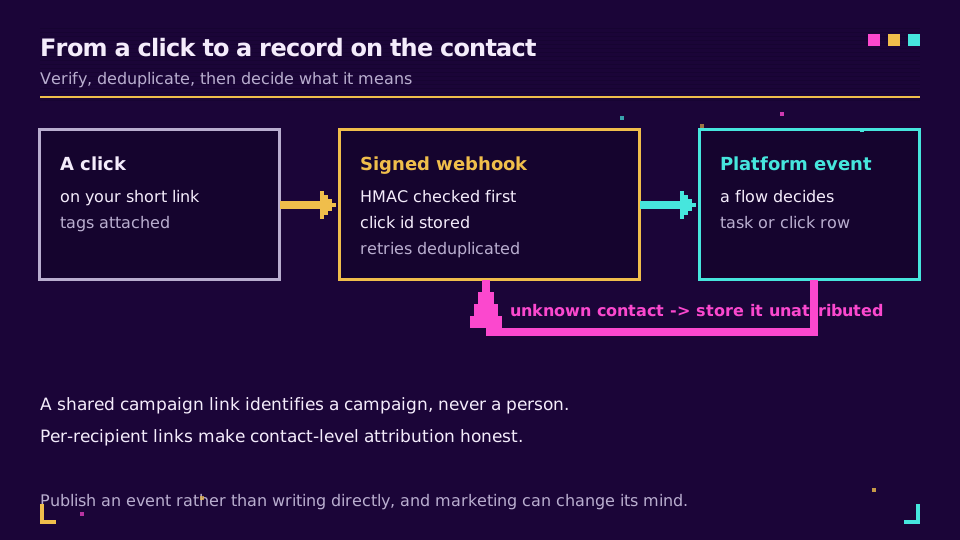
The pattern is short. Your shortener fires a webhook on each click. An endpoint receives it, verifies it, and turns it into a record.
Three implementation choices decide whether this is a weekend job or a recurring incident.
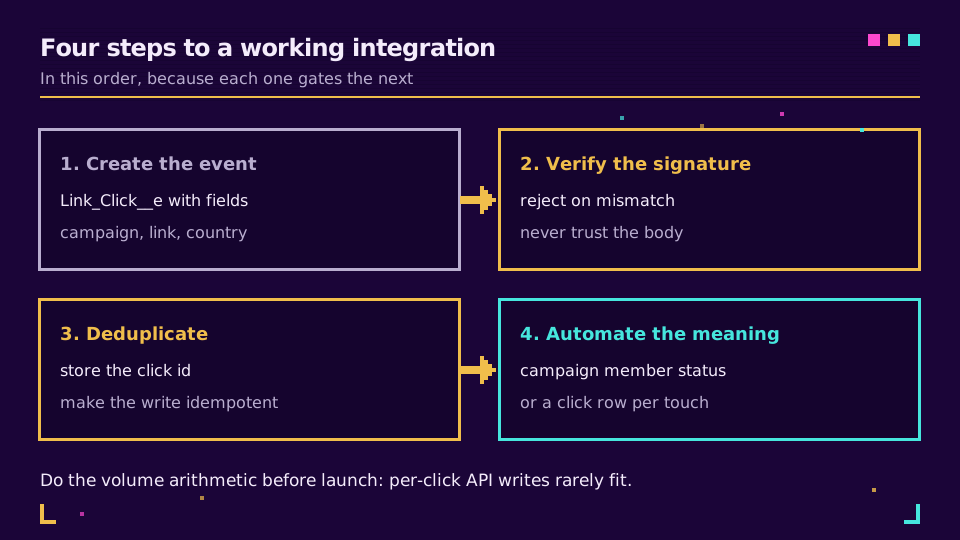
Publish a platform event rather than writing directly. A platform event decouples the ingest from the decision about what a click means. The integration publishes Link_Click__e; subscribers decide whether that updates a campaign member, creates a task, or does nothing for this campaign. When marketing changes its mind about what a click should trigger, you edit a flow rather than a webhook consumer.
Verify the signature before you trust the payload. The endpoint is public by definition. Check the HMAC against the shared secret, reject on mismatch, and never take the contact identifier from the request body without validating it against something you issued.
Deduplicate on the click identifier. Webhook delivery retries after a timeout, which means the same click can arrive twice. Store the identifier and make the write idempotent; the alternative is a contact with four identical click records from one tap. Rate limits and idempotency on a link API covers the same discipline on the outbound side.
Matching a Click to a Person, Honestly
This is where integrations quietly lie, so it is worth stating plainly.
A click carries whatever the link carried. If you generated a distinct short link per recipient, the payload identifies the recipient and you can write to their record with confidence. If four hundred people received the same link, you have four hundred clicks and no names, and no clever join recovers them.
So decide per use case. Outbound sequences and one-to-one follow-ups justify a link per recipient, generated through the API when the message is queued. Broad campaigns do not, and campaign-level counts are the honest output: clicks per campaign, per medium, per link, attached to the campaign object rather than to individuals. URL shorteners for B2B sales teams covers where the per-recipient version pays for itself.
The one thing not to do is infer identity from an IP address or a timing coincidence. It is wrong often enough to poison a pipeline report, and in Europe it is a processing decision you would rather not have to defend.
Wiring this up now? Elido's webhooks sign every delivery and retry with backoff, and the webhook reference in the docs lists the click payload fields you will be mapping.
What to Write, and Where
Four targets, in ascending order of how much thought they need.
- A custom click object.
Click__cwith lookups to Contact and Campaign, plus link, campaign parameters, country, device and timestamp. This is the durable choice; reporting stays fast and the activity feed stays readable. - Campaign member status. Moving a member from Sent to Responded on first click is the single most useful automation here, because it feeds every campaign report you already have.
- A task, sparingly. Useful for high-value links where a rep should see the touch in their feed. Terrible as a default, because a few thousand tasks a week buries everything else.
- A rollup field on the contact. Last clicked date and a running count are cheap to maintain and answer most questions a rep asks without opening a related list.
Map the campaign parameters into fields rather than parsing them later. utm_campaign on the click record is what lets a sales ops report group by campaign without joining to anything.
Volume Is the Constraint Nobody Plans For
Clicks arrive in bursts. A newsletter to fifty thousand people produces thousands of clicks in the first ten minutes, and a naive integration turns each one into an API call.
Salesforce orgs have daily API allowances, and platform event publishing has its own quotas. The arithmetic is worth doing before launch rather than during it: peak clicks per minute against your allowance, with the answer usually being that per-click writes do not fit.
Three ways out, in order of preference. Publish threshold events only, so the CRM hears about the third click rather than every click. Aggregate on your side and write hourly summaries for campaign-level reporting. Or batch, holding events briefly and inserting in bulk. Webhooks versus polling for click tracking covers the trade when the volume argues for the other direction entirely.
I have seen this fail exactly once, at 9am on a launch day, and the fix under pressure is always cruder than the fix designed in advance.
Testing It Before You Trust It
Five checks. Send a signed test click and confirm it becomes a record with the campaign attached. Send the same click twice and confirm one record. Send a click for an unknown contact and confirm it lands as an unattributed row rather than throwing. Replay a payload with a wrong signature and confirm a rejection. Then run a real campaign at low volume and reconcile the shortener's count against the record count for the same window; a gap of a few percent is delivery retries settling, a gap of thirty percent is a bug.
Read the Cornerstone Series
This post sits in the integrations cluster. URL shorteners for marketers is the cornerstone for the reporting side, and webhooks for link events covers the payload shapes in detail.
Related on the Blog
Frequently asked questions
Does Salesforce track link clicks natively?
It tracks clicks on links it sent. Account Engagement rewrites links in its emails through a tracker subdomain and records the click on the prospect, and custom redirects extend that to links you place elsewhere. Anything sent outside those tools, including a rep's own mailbox, an SMS campaign or a printed code, produces no click in Salesforce at all.
What is a custom redirect in Account Engagement?
A tracked link generated inside Account Engagement that records a click as an activity on the prospect record. It suits banner ads, social posts and files hosted elsewhere. Two limits matter in practice: repeat clicks by the same prospect are throttled within a short window, and the link only identifies a person when the visitor is already cookied.
How do I get short-link clicks into Salesforce?
Send a webhook from the shortener to Salesforce and write a record. The clean pattern is to publish a platform event and let a subscriber decide what to do with it, so the click lands as a custom object row, a task, or a campaign member status change without your integration knowing which. Verify the signature, deduplicate on the click identifier, and batch under load.
Can a click be attributed to a specific contact?
Only if the link was unique to that contact. A single campaign link clicked by four hundred people yields four hundred anonymous clicks, and nothing in the payload changes that. Generate a link per recipient when person-level attribution matters, and accept campaign-level reporting when it does not.
Should clicks be tasks or a custom object?
A custom object, once volume is real. Tasks are convenient because they surface on the activity timeline, and they become noise at a few thousand rows a week and inflate storage. A custom click object with a lookup to contact and campaign keeps reporting fast and lets you roll up counts without touching the activity feed.
Will click volume hit Salesforce API limits?
It can, quickly. A busy campaign produces more clicks per hour than a small org's daily API allowance, so writing one API call per click is the mistake to avoid. Aggregate before sending, publish threshold events rather than every click, or batch on a schedule.
Try Elido
Paste a URL, get a working short link
No signup. Link lives for 30 days. Sign up to keep it forever.
Free, no signup required · 2 per day