
Firebase Dynamic Links (FDL) shut down on 2025-08-25, and Firebase's FAQ says every link, on a custom domain or on page.link, now returns HTTP 404 (accessed 2026-10-25). Elido can replace the plain parts of FDL: a branded short link, platform routing to the right store, and Universal Links or App Links into an installed app. It can't replace deferred deep linking, because it has no endpoint that returns the original link to your app after install. That gap is the main thing to plan around.
Google's own advice on its FAQ page (accessed 2026-10-25) splits into the same two cases. If you need full parity, use a third-party provider such as Adjust, Branch or AppsFlyer. If you only need links into an installed app, use App Links and Universal Links.
What a dynamic link is, and what Firebase added on top
A dynamic link is a short link whose destination you can change after it's been shared, because it points at a redirect you control instead of carrying the destination itself. That indirection is the whole trick. You can repoint it, route each request by device or country, and count every click, while the URL on the poster or in the push payload stays the same. Its opposite is a static link, which is fixed the moment you create it and can't be edited or measured; the same split decides most QR code choices, as dynamic vs static QR codes shows.
It's not the same thing as a deep link. A deep link is about where a link opens (a specific screen inside an app, see what is a deep link). A dynamic link is about whether you keep control of the destination. They compose: a dynamic link can point at a deep link.
FDL took that generic idea and added three things: platform-aware routing to the right store, opening the installed app through Universal Links and App Links, and deferred deep linking that handed the original link to your app on first launch after install. That's why "what is a dynamic link" still returns Firebase pages, and why the migration question is really "which of those three did we use?" The concept didn't die on 2025-08-25. Google's product did. The table below maps each part to what Elido does today.
What carries over and what doesn't
| FDL capability | On Elido today |
|---|---|
| Branded short link on your domain | Yes. Custom domain via CNAME, automatic TLS. |
| iOS / Android / desktop routing | Yes, with targeting rules matching os and device. |
| Universal Links and App Links | Yes. You paste the AASA and assetlinks JSON, Elido serves it. |
| Deferred deep link after install | No endpoint. See below. |
| Install attribution | Basic: click data, plus an events API you call yourself. Not an MMP. |
| Parameters read in-app | Yes, as query parameters in the destination URL. |
Step 1: add a custom domain
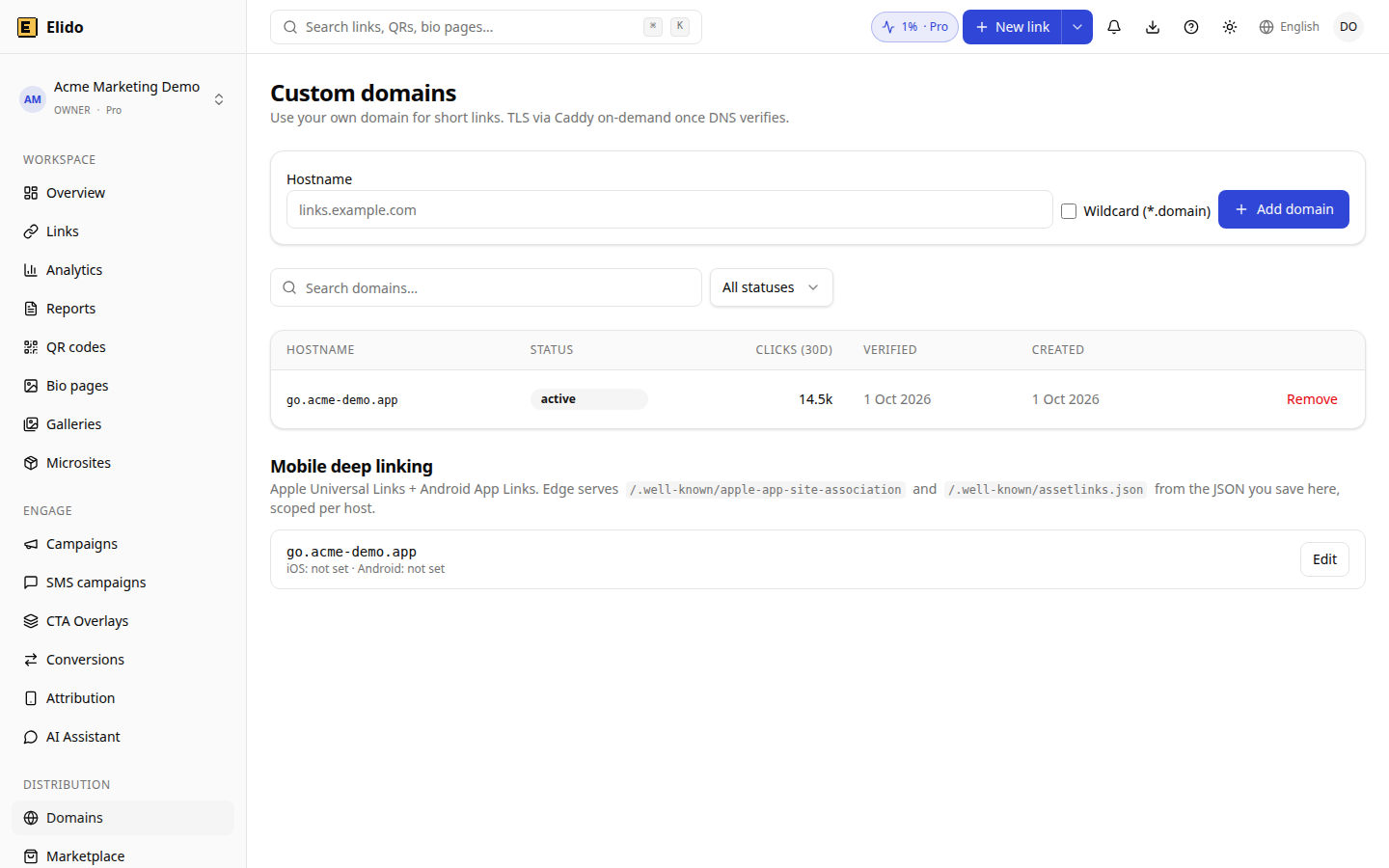
In the Domains section, add your branded host, for example links.yourapp.com. The dashboard shows the exact DNS records to create (a TXT record for verification and a CNAME). Create them and wait for verification. TLS is issued on demand once the domain points at Elido.
Step 2: publish the association files
The files are raw JSON you write. Elido stores and serves them at /.well-known/apple-app-site-association and /.well-known/assetlinks.json on your domain. It doesn't generate them from a bundle ID, so you write the content. In the dashboard open the domain's app links panel, or call the API:
curl -X PATCH https://api.elido.app/v1/workspaces/$WS/domains/$DOMAIN_ID/app-links \
  -H "Authorization: Bearer $ELIDO_TOKEN" \
  -H "Content-Type: application/json" \
  -d '{
    "apple_app_site_association": {
      "applinks": { "details": [
        { "appIDs": ["TEAMID.com.yourcompany.yourapp"], "components": [{ "/": "/l/*" }] }
      ]}
    },
    "android_asset_links": [{
      "relation": ["delegate_permission/common.handle_all_urls"],
      "target": {
        "namespace": "android_app",
        "package_name": "com.yourcompany.yourapp",
        "sha256_cert_fingerprints": ["AA:BB:..."]
      }
    }]
  }'
Either field can be sent alone; invalid JSON is rejected with a 400. Check what's served:
curl -s https://links.yourapp.com/.well-known/apple-app-site-association
curl -s https://links.yourapp.com/.well-known/assetlinks.json
On Android, Google documents the lookup as https://hostname/.well-known/assetlinks.json for each host in your intent filters, with android:autoVerify="true" (accessed 2026-10-25). The system verifies on install, and on Android 15 and later changes to the file can take up to seven days to reach devices. On older versions, updates are usually picked up when the app is installed or updated. Apple's associated-domains page didn't render for our fetch on 2026-10-25, so check the file format and caching rules there directly, and use the ?mode=developer entitlement option while testing.
Encrypted links can't carry app-link configuration. That's a deliberate limit, because the server never sees the destination.
Then update the app, which means a release. Add applinks:links.yourapp.com to the associated domains entitlement on iOS, and an https intent filter with autoVerify for the host on Android. Keep the old FDL domain listed during the rollout if installed versions still carry it.
Step 3: recreate the links
Rebuild your links with the API. Bulk create accepts up to 100 links per request and each row succeeds or fails on its own:
curl -X POST https://api.elido.app/v1/workspaces/$WS/links/bulk \
  -H "Authorization: Bearer $ELIDO_TOKEN" \
  -H "Content-Type: application/json" \
  -d '{
    "domain_id": 123,
    "links": [
      { "slug": "welcome", "destination_url": "https://yourapp.com/welcome", "tags": ["onboarding"] }
    ]
  }'
Bulk rows carry a slug, destination, title and tags. Platform routing is a per-link targeting rule, so add it afterwards with a link update:
{
  "targeting_rules": [
    {
      "match": { "os": ["ios"] },
      "destination_url": "https://apps.apple.com/app/id12345678"
    },
    {
      "match": { "os": ["android"] },
      "destination_url": "https://play.google.com/store/apps/details?id=com.yourcompany.yourapp"
    }
  ]
}
Rules are checked in order and the first match wins. Anyone who matches none, including desktop, gets the link's base destination. Elido reads the User-Agent header for this, so in-app browsers with unusual agents can fall through to the base URL.
Map old FDL parameters by hand: link becomes the destination, ifl and afl become the iOS and Android targeting rules, ibi and isi live in your association files.
The deferred deep link gap
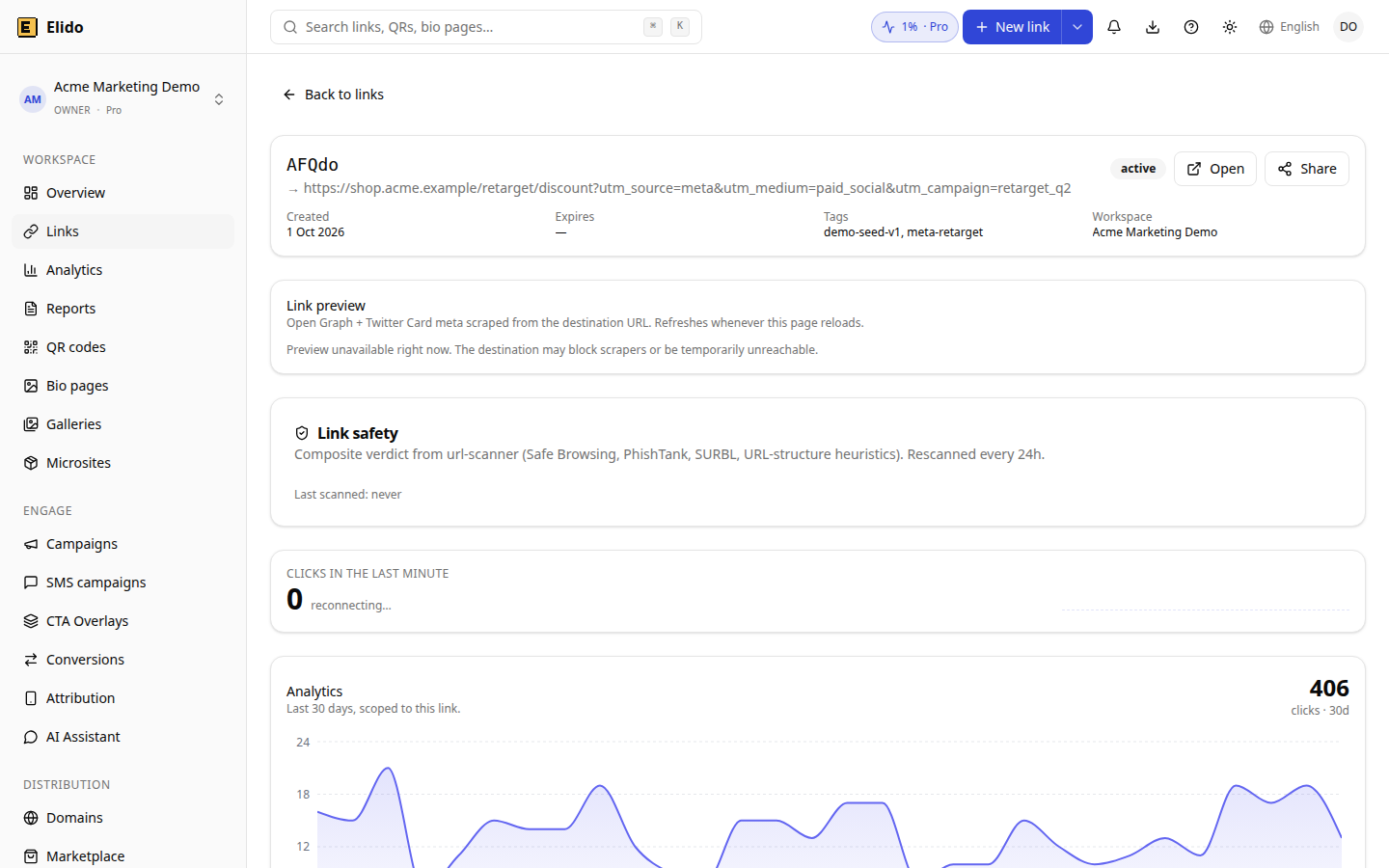
FDL's SDK recovered the intended screen after a store install. There is nothing equivalent here: no query endpoint, no click ID header or cookie, no mobile SDK. What exists is POST /v1/attribution/events, a public endpoint where your app can record install, open or custom events against a link ID and a registered mobile app, and a dashboard listing of those events. It records what you send. It doesn't match a fresh install to the click for you.
Options if you need that match:
- Put the screen in a place that survives the install without matching: send new users through onboarding, then ask for the content.
- On Android, the Play Install Referrer API is the usual route for passing a campaign value through the install. Check Google's current documentation for the exact format, we haven't verified it for this post.
- Use an MMP such as Branch, Adjust or AppsFlyer for the deferred part and keep Elido for the branded short links.
We haven't compared MMP pricing for this post, so we don't quote any.
Edge cases
Hardcoded page.link strings point at a domain Firebase no longer provides. Ship an app update or move link generation to your server.
Custom FDL domains are a different story. Firebase says these also stop working at shutdown, but if the domain is yours, you can point it at Elido and recreate the slugs, so printed QR codes and emails start resolving again. Keep slugs identical.
On privacy: click records keep the visitor IP truncated at the edge (IPv4 to /24, IPv6 to /48), plus city and the full user agent. Elido's primary data store is in the EU, and redirect nodes in the US and Singapore also process visitor requests. Read the EU data residency guide before you promise your DPO more than that.
When should you pick something else? If paid acquisition drives your budget and you need install attribution that reconciles with ad networks, use an MMP. If your FDL use was "branded link, store fallback, open the app when installed", Elido covers it. The deep links feature page and the deep links guide have the product details.
FAQ
The questions teams ask most once their FDL links start returning 404.
My app has FDL short links in push notification payloads. What happens when users tap them?
Firebase says every FDL link returns HTTP 404 after 2025-08-25, so the tap lands on an error page. Generate new short links server-side and put those in the payload. If the payloads are hardcoded in the app binary, you need an app update.
Does Elido replace deferred deep linking?
Not as a turnkey feature. There is no endpoint that hands your app the original link after install. You can route by platform to the store and post install or open events to the attribution events API yourself, but matching a post-install launch to a click is something you build, or buy from an MMP.
Do I need an app update?
For links to an already installed app, only if your app doesn't yet list the new domain in its associated domains (iOS) or intent filters (Android). Removing the Firebase SDK calls is an app update too.
Can I get my old page.link URLs back?
No. Firebase states that page.link domains are no longer available after shutdown. Links on your own custom domain can be pointed at another provider, with new rewrite rules.
Does Elido have a mobile SDK?
No iOS or Android SDK. Universal Links and App Links are OS features and need none. Of the official server SDKs only Go is published so far; TypeScript, Python and Ruby are not on their registries yet, and the REST API works from any language.
Which data does Elido keep about each click?
Each click record keeps the visitor IP truncated at the edge (IPv4 to /24, IPv6 to /48) plus city, approximate coordinates and the full user agent. The primary data store is in the EU, while redirect nodes in the US and Singapore also process visitor requests. A DPA is available on request.
Related on the blog
- Deep links without an SDK: how Universal Links and App Links actually work
- EU data residency for marketing tools: what your DPO actually asks
- Smart links explained: device, geo, time-of-day, and referrer routing
- Google URL Shortener alternative after goo.gl shut down
- What is a deep link? a plain-English guide
- Dynamic vs static QR codes: which to use
Frequently asked questions
My app has FDL short links in push notification payloads. What happens when users tap them?
Firebase says every FDL link returns HTTP 404 after 2025-08-25, so the tap lands on an error page. Generate new short links server-side and put those in the payload. If the payloads are hardcoded in the app binary, you need an app update.
Does Elido replace deferred deep linking?
Not as a turnkey feature. There is no endpoint that hands your app the original link after install. You can route by platform to the store and post install or open events to the attribution events API yourself, but matching a post-install launch to a click is something you build, or buy from an MMP.
Do I need an app update?
For links to an already installed app, only if your app doesn't yet list the new domain in its associated domains (iOS) or intent filters (Android). Removing the Firebase SDK calls is an app update too.
Can I get my old page.link URLs back?
No. Firebase states that page.link domains are no longer available after shutdown. Links on your own custom domain can be pointed at another provider, with new rewrite rules.
Does Elido have a mobile SDK?
No iOS or Android SDK. Universal Links and App Links are OS features and need none. Of the official server SDKs only Go is published so far; TypeScript, Python and Ruby are not on their registries yet, and the REST API works from any language.
Which data does Elido keep about each click?
Each click record keeps the visitor IP truncated at the edge (IPv4 to /24, IPv6 to /48) plus city, approximate coordinates and the full user agent. The primary data store is in the EU, while redirect nodes in the US and Singapore also process visitor requests. A DPA is available on request.
Try Elido
Paste a URL, get a working short link
No signup. Link lives for 30 days. Sign up to keep it forever.
Free account required. The free plan includes 25 links in total. Already have an account? Log in