
The Elido MCP server is a small Node process that lets Claude Desktop, Cursor or Claude Code create short links, list them and read click timeseries from inside a chat. It lives in the monorepo at packages/mcp-server, speaks MCP over stdio, and talks to the same REST API as everything else.
One correction up front, because an earlier version of this guide got it wrong: the package is not on npm and not public yet. As of 2026-11-11, npm view @elido/mcp-server returns a 404; a public release is coming soon. Until then you run it from a local build. Everything below was checked against the code in packages/mcp-server and services/api-core.
What MCP is
The Model Context Protocol is an open standard for letting an AI client call tools that live outside the model. The client starts or connects to a server, asks it for a tool list, and sends tool calls as JSON-RPC messages. The server does the work and returns text the model reads. The model never holds your API key; the server does.
The specification defines two transports, stdio for local processes and Streamable HTTP for remote ones (MCP specification, latest revision 2026-07-28, accessed 2026-10-25). The Elido server implements stdio only.

What the server does
It's written by hand, without the official @modelcontextprotocol/sdk, to stay dependency-free. In src/index.ts it answers four things: initialize (reporting protocol version 2024-11-05), tools/list, tools/call and the notifications/initialized notification. Anything else gets a "method not found" error. There are no resources, prompts or ping handlers.
Every tool call becomes an authenticated REST request to ELIDO_API_BASE (default https://api.elido.app) with Authorization: Bearer <key> and the header User-Agent: elido-mcp-server/0.1.0. Failed calls come back as an error that includes the HTTP status and the first 400 characters of the response.
| Tool | Request it sends | Status |
|---|---|---|
create_link | POST /v1/workspaces/{id}/links | Works; picks the first domain if none is given |
list_links | GET /v1/workspaces/{id}/links?limit&offset | Works; limit 1 to 100 |
query_analytics | GET /v1/workspaces/{id}/analytics/timeseries | Works; returns {"items":[{"ts","count"}]} |
generate_qr | POST /v1/workspaces/{id}/qr | No matching route found in api-core |
list_workspaces | GET /v1/workspaces | Works; lists workspaces the caller belongs to |
About generate_qr: api-core serves a public POST /v1/qr/generate and a per-link design at GET /v1/workspaces/{id}/links/{link_id}/qr, but nothing at the path the tool calls. Until that's reconciled, I wouldn't build a workflow on it.
It's in the backlog.
Build it and get an API key
The monorepo is private, so the steps below apply once you have the package source (a public release is coming soon). Build the package:
pnpm install
pnpm --filter @elido/mcp-server build
That produces packages/mcp-server/dist/index.js. You need Node 20 or newer (engines in its package.json).
For the key, open Dashboard, then API keys (/dashboard/api-keys), name the key after the agent, and pick a role. The form offers viewer, editor and admin, and editor is the default. Elido keys carry a workspace role, not per-tool scopes. A viewer key is the read-only option: it can list and read analytics, and the API refuses create_link. Set an expiry if the key is for a trial. Copy the key when it's shown, and keep it out of version control.
Configure Claude Desktop
Claude Desktop reads claude_desktop_config.json. The config location and the Developer settings tab are described in the MCP docs (connect local servers, accessed 2026-10-25). On macOS the file is ~/Library/Application Support/Claude/claude_desktop_config.json, and on Windows %APPDATA%\Claude\claude_desktop_config.json.
{
  "mcpServers": {
    "elido": {
      "command": "node",
      "args": [
        "/absolute/path/to/url-shortener/packages/mcp-server/dist/index.js"
      ],
      "env": {
        "ELIDO_API_KEY": "elido_your_key_here",
        "ELIDO_WORKSPACE_ID": "42"
      }
    }
  }
}
Use an absolute path. ELIDO_WORKSPACE_ID is optional only when the key sees exactly one workspace; the server then calls GET /v1/workspaces once and caches the id. With two or more workspaces it throws an error telling you to set the variable, so set it from the start.
Restart Claude Desktop after saving. If the server doesn't appear, run the same command in a terminal first. A missing key doesn't stop the process, it prints a warning to stderr and every tool call then fails.
Configure Cursor and Claude Code
Cursor reads the same mcpServers shape from .cursor/mcp.json in a project, or from ~/.cursor/mcp.json for all projects (Cursor MCP docs, accessed 2026-10-25). Paste the block above, add the file to .gitignore because it holds a live key, and check the server in Cursor's MCP settings.
Claude Code adds a stdio server from the command line (Claude Code MCP docs, accessed 2026-10-25):
claude mcp add --env ELIDO_API_KEY=elido_your_key_here --env ELIDO_WORKSPACE_ID=42 \
  --transport stdio elido -- node /absolute/path/to/packages/mcp-server/dist/index.js
Keys in a config file are plaintext. On a shared machine, give each person their own key so the audit trail means something.
Two sessions, with the real request shapes
These are illustrative conversations, not recordings, and the numbers are made up. The tool arguments and result fields match the code.
The first session shortens a campaign link. You ask Claude to shorten https://shop.example.com/spring with slug spring and the tag spring. It calls create_link with destination_url, slug, title and tags. Because no domain_id was passed, the server first fetches GET /v1/workspaces/{id}/domains and uses the first one returned. If your workspace has several domains, pass domain_id yourself. The API answers with the link record including short_url, and Claude puts that in the draft. If the slug is taken, the API returns 409 "slug already exists for this domain", and Claude can pick another.

The second one reads last week's clicks. You ask for daily clicks for one link, in Berlin time. Claude calls query_analytics with link_id, from, to, interval: "day" and tz: "Europe/Berlin". Dates are YYYY-MM-DD, and the API rejects a range where from isn't before to, so pass the day after your last day as to. If you omit them, the range is the last 30 days. The result is {"items": [{"ts": "...", "count": 312}, ...]}. There is no total field, so ask Claude to sum the counts. Clicks only: no country, device or referrer breakdown comes through this tool.
Security and limits
Keys carry roles, not scopes, so pick the lowest role that does the job: viewer for reporting agents, editor for ones that create links, admin only with a specific reason.
The server sends requests to your Elido API base and nowhere else.
What your AI client sends to its own provider is a separate matter, covered by that provider's policy.
On the audit side, creating a key emits an api_key.created audit event, and link creation emits link.created. I haven't verified how an event is attributed to an individual key, so don't rely on the audit log to tell two agents apart. Give each its own key and watch the key list.
Every call counts against the workspace rate limit: 10 requests per second on Free, 30 on Pro and 100 on Business, with burst allowances of 20, 60 and 200 (services/api-core/internal/httpserver/server.go). An agent creating hundreds of links should use POST /v1/workspaces/{id}/links/bulk through the API, as in bulk-import from a Google Sheet.
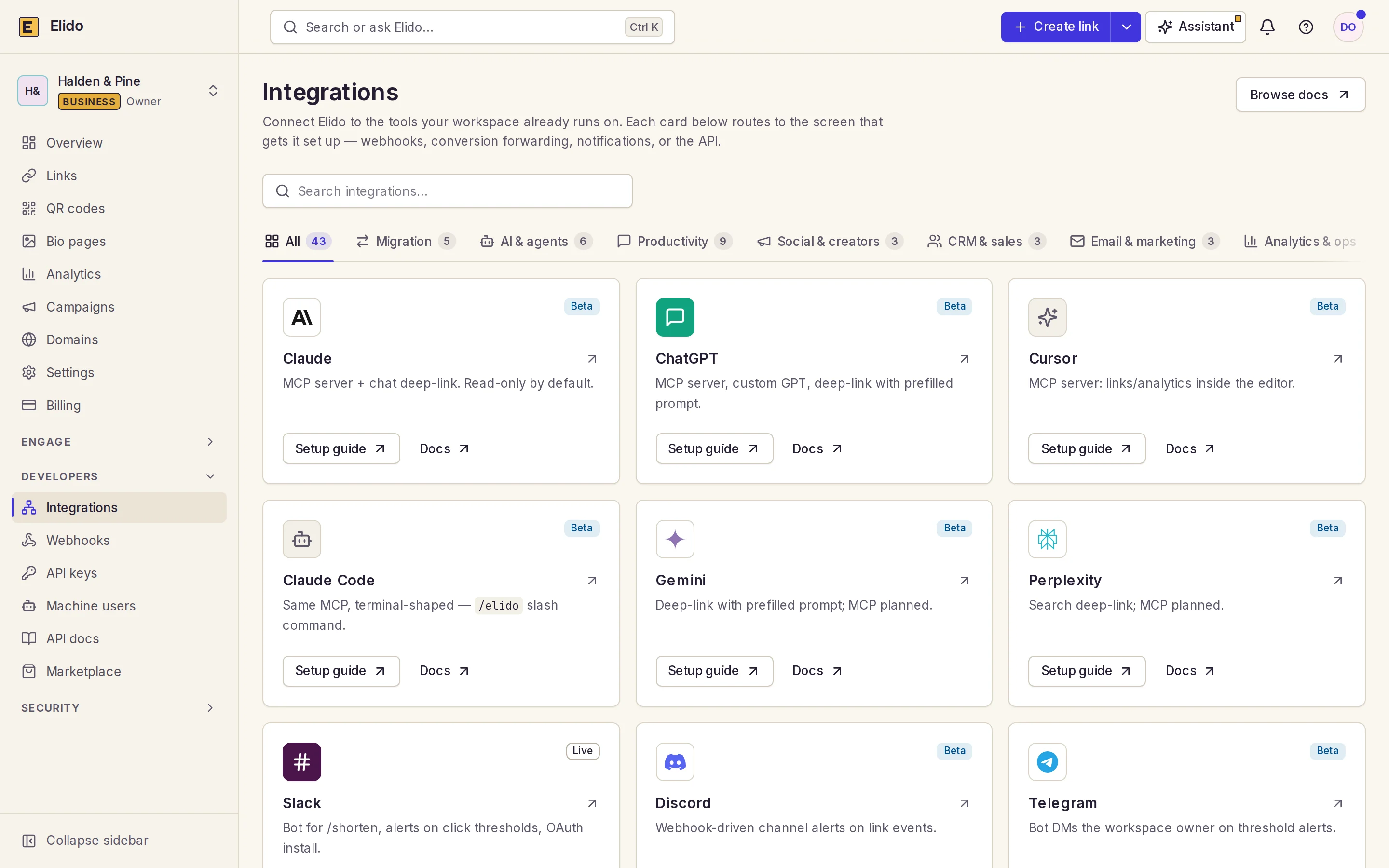
Then there's remote MCP: a hosted endpoint with OAuth, so a Claude connector could reach Elido without a local process. It is planned, not built, and the integration catalog in the dashboard lists only the local server. Use that for now.
Protocol drift is the last thing to watch. The server declares 2024-11-05 while the specification's current revision is 2026-07-28. We haven't tested it against every client release, so check the server's status in your client after an update.
Where this goes next
The gaps above are in the backlog: publish the package, fix generate_qr, add Streamable HTTP and the remote endpoint, add more tools (update, delete, geo breakdowns) and per-key audit attribution. For a different route to the same agent idea, see the Gemini guide and the ChatGPT guide; for key hygiene, API key permissions for link tools.
Related on the Blog
-
API key permissions for link tools - roles, least privilege and rotation.
-
Bulk-import short links from a Google Sheet - the right path for hundreds of links.
-
Gemini URL shortener - where tool calls work in Gemini.
-
ChatGPT URL shortener - what works and what fakes it.
-
Short links as Terraform - infrastructure-style link management.
-
URL shortener API rate limits and idempotency - how limits behave for clients.
-
Marius
Frequently asked questions
Is the Elido MCP server on npm?
Not yet. The package is not on npm (`npm view @elido/mcp-server` returns a 404 as of 2026-11-11), so `npx -y @elido/mcp-server` fails. A public release is coming soon. Until then the server only runs from a local build of the package (packages/mcp-server in our private monorepo), which you point your MCP client at via the compiled dist/index.js file.
Which tools does the Elido MCP server expose?
Five: create_link, list_links, query_analytics, generate_qr and list_workspaces. The first four need a workspace, which comes from ELIDO_WORKSPACE_ID or from the key seeing exactly one workspace. generate_qr calls a route we couldn't find in api-core, so treat it as unreliable until it's fixed.
How do I make an MCP key read-only?
Create the API key with the viewer role in the dashboard. Keys carry a workspace role (viewer, editor or admin, editor by default), not per-tool scopes. A viewer key can list links and read analytics, and create_link comes back as a permission error from the API.
Does Elido have a remote MCP URL for Claude connectors?
Not yet. There is no hosted MCP endpoint with OAuth; a remote server is planned. Use the local stdio server, which exposes the five tools listed above.
Which MCP transport and protocol version does the server use?
Stdio only, with line-delimited JSON-RPC 2.0. It answers initialize with protocol version 2024-11-05 and handles tools/list and tools/call. The current MCP specification also defines a Streamable HTTP transport, which this server doesn't implement.
Do tool calls count against my rate limit?
Yes. The server is an ordinary API client, so the per-workspace limit applies: 10 requests per second on Free, 30 on Pro and 100 on Business, with bursts of 20, 60 and 200. For hundreds of links, use the bulk-create endpoint instead of one tool call each.
Try Elido
Paste a URL, get a working short link
No signup. Link lives for 30 days. Sign up to keep it forever.
No signup needed. Sign up free for 50 links a month.