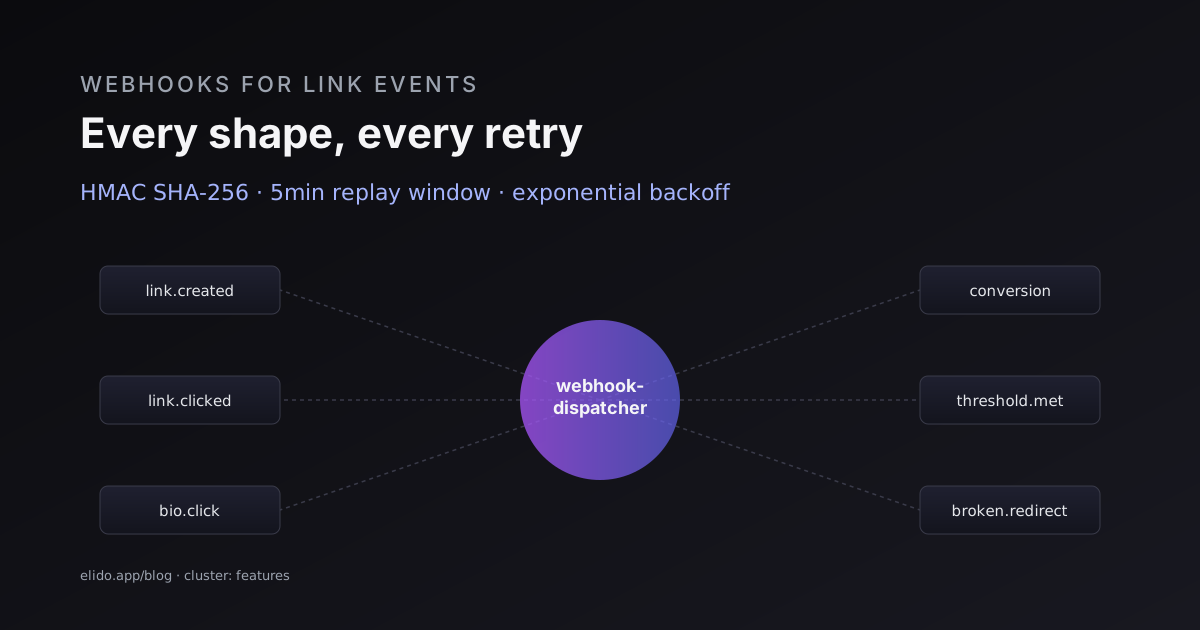
Webhooks are the part of a URL shortener's API surface that everyone ships and almost no one ships well. The hard parts are not the encoding — the payload is a JSON object — but the operational details: signature verification, retry policy, idempotency, delivery guarantees, and what happens when the subscriber endpoint is down for two days.
This post documents every webhook event Elido emits, every shape of payload, the retry curve, and the signature scheme. The URL shortener API + SDKs quickstart covers the inbound API surface; this is the outbound side.
The 12 event types#
Elido emits 12 webhook event types, grouped into three families:
Click and traffic events: click, bio.click, qr.scan, conversion. These fire on every redirect or scan after a small queue delay (described below).
Lifecycle events: link.created, link.updated, link.deleted, bio.published. These fire from the API layer when the underlying record changes.
Aggregation and ops events: daily.summary, campaign.ended, alert.threshold_exceeded, quota.warning. These fire on schedule or on threshold-cross.
A subscriber registers a webhook at POST /v1/webhooks with a target URL and an array of event types they want delivered. The full subscription request:
POST /v1/webhooks
Content-Type: application/json
Authorization: Bearer <api-key>

{
  "url": "https://example.com/webhooks/elido",
  "events": ["click", "conversion", "link.created"],
  "secret": "whsec_<32-byte-base64>",
  "active": true
}
The secret is the HMAC key used to sign outgoing requests. It is opaque to Elido; we never log or display it after the response to the create call.
The click event payload#
By volume this is the event you care about. Every redirect through any short link produces one click event after the redirect has been served to the client. The shape:
{
  "id": "evt_2g8kFqJxYwPaZcvAm3HsTr",
  "type": "click",
  "created_at": "2026-05-22T14:32:18.847Z",
  "data": {
    "link_id": "lnk_2g3jQpRyXz4Mn8VbF7Hkl",
    "short_url": "https://elido.me/abc123",
    "destination_url": "https://shop.example.com/spring",
    "click_id": "clk_2g8kFqJxYwPaZcvAm3HsTr",
    "ip_prefix": "203.0.113.0/24",
    "country": "DE",
    "city_geoname_id": 2950159,
    "user_agent_family": "Chrome 124",
    "device_type": "mobile",
    "os_family": "iOS 17.5",
    "referrer": "https://www.google.com",
    "utm_source": "newsletter",
    "utm_medium": "email",
    "utm_campaign": "spring-2026",
    "utm_term": null,
    "utm_content": null
  },
  "workspace_id": "ws_12"
}
A few details worth highlighting:
ip_prefix, notip. We retain the /24 (IPv4) or /48 (IPv6) network prefix, not the full address. The GDPR for URL shorteners post covers why; the practical effect is your subscriber gets enough geographic precision for analytics without the personal-data liability of full IPs.city_geoname_id, notcity_name. The GeoNames ID is stable across locales; the city name varies. If you need a localised name, look up the ID against GeoNames.org's dump once and cache the result.user_agent_family, not the full UA string. We strip the full UA on ingestion (it is high-entropy fingerprint data); the family is the browser+major-version that survives.
The delay between the redirect serving the client and the webhook firing is typically 200ms to 2s. Click events flow through Redpanda first, get aggregated for analytics, and then a fan-out worker emits the webhooks. This is the same pipeline that powers the dashboard analytics — the fire-and-forget click ingestion post covers the queue mechanics.
The conversion event payload#
Conversion events fire when a click is matched to a downstream conversion — a purchase, signup, lead form, or anything else you wire into the conversion forwarding pipeline.
{
  "id": "evt_2g8mPzKlYxRcBnQvFt5HwS",
  "type": "conversion",
  "created_at": "2026-05-22T14:38:42.193Z",
  "data": {
    "click_id": "clk_2g8kFqJxYwPaZcvAm3HsTr",
    "link_id": "lnk_2g3jQpRyXz4Mn8VbF7Hkl",
    "conversion_id": "cnv_2g8mPzKlYxRcBnQvFt5HwS",
    "value": 49.50,
    "currency": "EUR",
    "event_name": "purchase",
    "product_id": "sku_42",
    "metadata": {
      "order_id": "ord_12345",
      "is_new_customer": true
    },
    "attribution_window_minutes": 6,
    "forwarded_to": ["meta_capi", "ga4_mp"]
  },
  "workspace_id": "ws_12"
}
The click_id links back to the original click event; you can join the two server-side to reconstruct the click-to-conversion path. The attribution_window_minutes is the elapsed time between the click and the conversion firing, which is useful for attribution modelling.
The forwarded_to array tells you which platform pixels Elido has already pushed this conversion to. If your subscriber is wiring conversions into your own data warehouse, you can use this to avoid double-counting against your downstream analytics.
The link.created event payload#
Lifecycle events have a thinner shape — just the resource and the actor:
{
  "id": "evt_2g8mPzKlYxRcBnQvFt5HwS",
  "type": "link.created",
  "created_at": "2026-05-22T14:38:42.193Z",
  "data": {
    "link": {
      "id": "lnk_2g3jQpRyXz4Mn8VbF7Hkl",
      "slug": "abc123",
      "short_url": "https://elido.me/abc123",
      "destination_url": "https://shop.example.com/spring",
      "domain": "elido.me",
      "tags": ["spring-2026", "newsletter"],
      "created_at": "2026-05-22T14:38:42.193Z",
      "created_by": "usr_42"
    }
  },
  "workspace_id": "ws_12"
}
link.updated includes a previous snapshot alongside the new state; link.deleted includes the link's final state at deletion time. The full schema lives in the /docs/guides/conversion-forwarding operational guide.
Signature verification#
Every webhook request includes three HTTP headers:
Elido-Signature: t=1716392538,v1=4f3b2e1d9c8a7b6f5e4d3c2b1a0f9e8d7c6b5a49382716054 ...
Elido-Webhook-Id: evt_2g8kFqJxYwPaZcvAm3HsTr
Elido-Delivery-Attempt: 1
The signature scheme follows the Stripe model: HMAC-SHA256 over {timestamp}.{body} using the webhook secret. The v1= prefix is the version of the signing algorithm; new algorithm versions are added before they are made default, so subscribers can verify multiple versions at once.
Verifying in Go:
import (
    "crypto/hmac"
    "crypto/sha256"
    "encoding/hex"
    "fmt"
    "strings"
    "time"
)

func verify(sigHeader, body, secret string) bool {
    parts := strings.Split(sigHeader, ",")
    var t int64
    var v1 string
    for _, p := range parts {
        kv := strings.SplitN(p, "=", 2)
        if len(kv) != 2 { continue }
        switch kv[0] {
        case "t":
            fmt.Sscanf(kv[1], "%d", &t)
        case "v1":
            v1 = kv[1]
        }
    }
    if time.Since(time.Unix(t, 0)) > 5*time.Minute {
        return false // reject stale requests
    }
    mac := hmac.New(sha256.New, []byte(secret))
    fmt.Fprintf(mac, "%d.%s", t, body)
    expected := hex.EncodeToString(mac.Sum(nil))
    return hmac.Equal([]byte(expected), []byte(v1))
}
The 5-minute staleness check is the part most subscribers forget. Without it, a replay attack — an attacker who captured a valid request and replays it later — succeeds because the signature is still valid. With the timestamp check, the request is only accepted within a 5-minute window of when Elido emitted it.
The signature spec is documented in the OWASP cheat sheet on webhook security; we did not invent the pattern, we just implemented it.
Retry policy#
This is the part where most webhook implementations get sloppy.
A webhook fires once on the happy path: subscriber returns 2xx, the dispatcher records success, the event is done. The harder cases are non-2xx responses, network errors, and subscribers that respond slowly.
The Elido retry schedule:
| Attempt | Delay after previous | Cumulative | Status |
|---|---|---|---|
| 1 | — | 0 | initial |
| 2 | 1s | 1s | first retry |
| 3 | 30s | 31s | |
| 4 | 5m | 5m 31s | |
| 5 | 1h | 1h 5m 31s | |
| 6 | 6h | 7h 5m 31s | |
| 7 | 24h | 31h 5m 31s | final |
After attempt 7 (~31 hours after the first attempt), the dispatcher gives up and emits an internal webhook.failed event. The subscriber endpoint is marked degraded after three consecutive failures across any events; degraded subscriptions get reduced retry budget for 24 hours. After 50 consecutive failures, the subscription is paused and the workspace owner is notified.
The retry behaviour respects Retry-After headers from the subscriber. If your endpoint is rate-limiting Elido (returning 429 with Retry-After: 120), the next attempt waits 120 seconds rather than the schedule's default 30s.
Failure to respond within 10 seconds is treated as a timeout and counts as a failed attempt. The 10-second budget is generous on purpose — it covers cold-start latency on serverless subscribers — but if your endpoint regularly takes more than 5 seconds, fix that first; it will cost you in retry volume.
Idempotency#
Subscribers can receive the same event more than once.
This is not a bug; it is the consequence of how distributed message delivery works. If a subscriber returns a 504 because their backend was slow but eventually processed the event, the dispatcher will retry; the subscriber will receive it twice and might process it twice. The same event can also fire twice if the dispatcher crashes mid-delivery and the event is requeued.
The mitigation: every event has a unique id (the evt_… prefix). Subscribers should store the IDs they have already processed (a small key-value table works; TTL of 14 days covers the retry window with margin) and skip events whose ID they have seen before.
CREATE TABLE webhook_processed_events (
    event_id TEXT PRIMARY KEY,
    received_at TIMESTAMPTZ DEFAULT now()
);

-- in your handler:
INSERT INTO webhook_processed_events (event_id) VALUES ($1)
ON CONFLICT (event_id) DO NOTHING
RETURNING event_id;
-- if the RETURNING is empty, you've already processed this event
The ON CONFLICT DO NOTHING is the cheap idempotency check. If the insert returns a row, this is the first time you have seen the event; if it returns nothing, you have already processed it.
For high-throughput subscribers (>1k events/sec), a dedicated Redis SETNX with TTL works the same way at lower cost than a Postgres row.
Delivery ordering#
There is no global ordering guarantee. Events from the same link_id are dispatched in submission order, but events from different links can arrive interleaved. A click event at time T+0 and a conversion event at time T+10ms might arrive at your subscriber in either order depending on the worker pool state.
The created_at timestamps are authoritative for ordering. If your subscriber needs strict ordering, sort by created_at server-side before processing.
For the click → conversion path specifically: the conversion event always references the click event's click_id, so you can join them server-side even if they arrive out of order.
Webhooks vs polling — the tradeoff#
The webhooks vs polling for click tracking post covers this in detail. The short answer: webhooks are the right pattern when (a) you need low latency on event arrival (<5 seconds), and (b) your subscriber is reachable from the public internet with TLS. Polling is the right pattern when (a) you do not need real-time, (b) you control the data warehouse and just want a daily/hourly batch, or (c) your subscriber is in a network that does not accept inbound traffic.
For most teams, webhooks are the answer. The retry curve handles transient failures gracefully; the signature scheme handles security; the idempotency model handles delivery duplication. The work is on the subscriber side — building a robust handler — and that work is small compared to building a polling-based ingestion pipeline.
Operational tooling#
The dashboard's webhook page shows three things per subscription:
- Delivery history: every event sent, the HTTP status the subscriber returned, the latency, and the next retry timestamp (if any).
- Replay: a button per event to replay it. Useful for testing changes to your handler.
- Test endpoint: a button per subscription to send a synthetic test event without firing a real click. The test event has
type: "test"and a fixed payload.
The replay and test endpoints are also exposed as API endpoints (POST /v1/webhooks/{id}/events/{evt_id}/replay and POST /v1/webhooks/{id}/test).
For high-throughput debugging, the observability guide covers how to wire webhook delivery into your own metrics — every dispatch is exported as a Prometheus counter and a histogram.
External references#
- OWASP webhook security cheat sheet — the signature scheme rationale.
- Stripe's webhook documentation — the reference implementation for HMAC-signed webhooks.
- RFC 7234 — HTTP/1.1 Caching — covers
Retry-Aftersemantics.
Related reading#
- Smart links explained — the features cluster cornerstone.
- Webhooks vs polling for click tracking — when to pick which.
- URL shortener API + SDKs quickstart — the inbound API surface.
- Fire-and-forget click ingestion with Redpanda — the queue behind the dispatcher.
- Server-side conversion tracking — what fires the
conversionevent. - Product surfaces:
/features/webhooks,/solutions/developers. - Operational guide:
/docs/guides/conversion-forwarding,/docs/guides/observability.