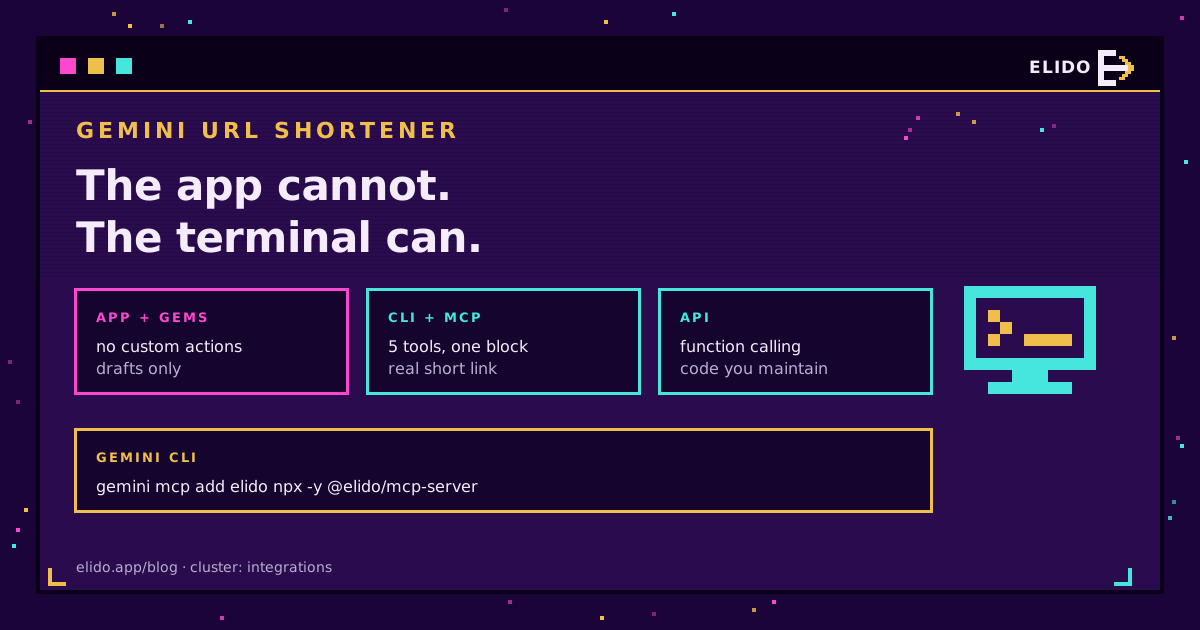
Gemini can create a working short link. Just not in the place most people try first.
The split is sharper than it is with other assistants, and it comes down to one architectural decision Google made: the consumer Gemini app has no mechanism for calling an API you own. Ask it to shorten a URL and you get a slug with the right shape and nothing behind it. Gemini CLI is a different product with a different answer, and that is where the tool call lives, which is why a decision that looks like a preference between two Google surfaces turns out to decide whether your team can use this at all.
This post covers the three surfaces and what each can genuinely do: the CLI over MCP, function calling in the Gemini API, and the prefilled chat. The parallel write-up for ChatGPT reaches a different conclusion, for reasons worth understanding before you pick a surface.
Why the Gemini App Cannot Create a Short Link
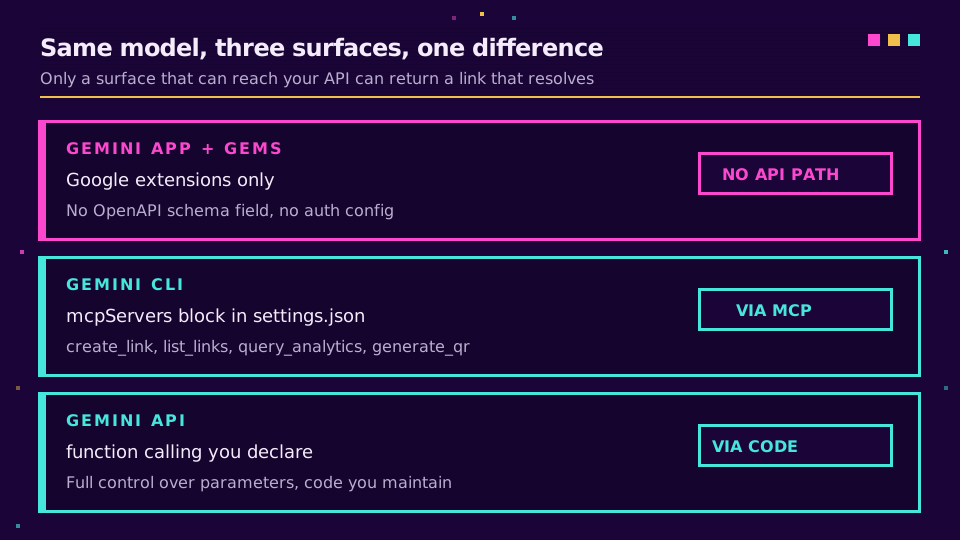
Gems are Gemini's custom-assistant feature, and on the surface they look like the equivalent of a custom GPT. They are not, in the way that matters here. Gems have no Actions equivalent. No OpenAPI schema field. No auth configuration. No way to point one at your own endpoint.
Gems can use Google's own extensions: Workspace, Maps, YouTube. Those are built by Google, not configured by you. So the capability gap is not a maturity gap that closes with a setting. Nothing you write in a Gem's instructions gives it network access to your API.
So the app does what any untooled assistant does with a request for a short link. It produces plausible characters. Worth knowing before you spend an afternoon prompting around it.
Route One: Gemini CLI Over MCP
Gemini CLI supports the Model Context Protocol, which means the same @elido/mcp-server that serves Claude Desktop and Cursor works here with no Gemini-specific code. Configure it once and create_link, list_links, query_analytics, generate_qr and list_workspaces appear as callable tools.
Adding the server
The fast path is the built-in command:
gemini mcp add -s user -e ELIDO_API_KEY=$ELIDO_API_KEY elido npx -y @elido/mcp-server
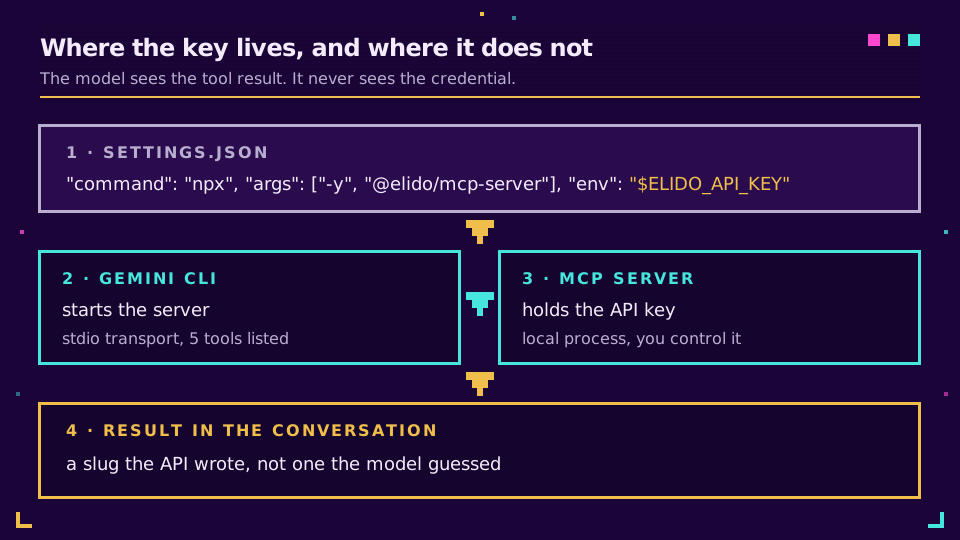
Or edit the settings file directly. User scope lives at ~/.gemini/settings.json, project scope at .gemini/settings.json, and the block goes under mcpServers:
{
  "mcpServers": {
    "elido": {
      "command": "npx",
      "args": ["-y", "@elido/mcp-server"],
      "env": {
        "ELIDO_API_KEY": "$ELIDO_API_KEY",
        "ELIDO_WORKSPACE_ID": "$ELIDO_WORKSPACE_ID"
      },
      "timeout": 30000
    }
  }
}
The env expansion detail that bites
Gemini CLI expands $VAR and ${VAR} inside the env block, which is why the key above is a reference rather than a pasted secret. Use it. Committing a project-scoped .gemini/settings.json with a live key is an easy mistake and a slow one to notice.
One sharp edge from Google's MCP server documentation: an undefined variable resolves to an empty string rather than throwing. So a typo in the variable name does not fail loudly at startup. It fails later, at the first tool call, as an auth error. I lost twenty minutes to a missing export, all of it spent re-reading the wrong file, because an auth error points at the credential rather than at the name of the variable that was supposed to carry it. If the server connects but every call comes back unauthorised, check the variable first.
Set the key up, and the next campaign brief you write in the terminal can create its own links: start a workspace and generate a scoped key for this one integration.
Route Two: Function Calling in the Gemini API
If you are building something rather than working interactively, function calling is the equivalent mechanism at the API layer. You declare the function, the model returns a structured call when it decides one is warranted, your code executes the request, and you feed the result back.
The shape is the same as any tool integration. Describe create_link, run the HTTP request yourself, return the response. What you gain over MCP is control. You decide exactly which parameters the model may set, and you can refuse anything outside your naming convention before the request ever leaves your process. What you lose is portability. This wiring is yours to maintain, and it follows you nowhere.
For most teams this route makes sense only when the shortening is one step inside a larger automated flow. If you just want links while you work, the CLI is less code and less to keep running.
Route Three: The Prefilled Chat
The zero-setup option is a link that opens Gemini with the prompt already written:
https://gemini.google.com/app?q=<url-encoded%20prompt>
That is the mechanism behind the buttons on the LLM integrations page, confirmed against the live surface in April 2026. Query-parameter behaviour on any AI product moves, so re-test if a button stops doing what it used to.
Be clear-eyed about what this gives you, given the first section. The assistant has no tools, so it drafts and you execute. That is still useful. A launch needing eight UTM variants on a consistent naming scheme is tedious by hand and easy for a model to get right. It just does not end with a link.
Which Route Fits
| Surface | Can call your API | Setup | Best for |
|---|---|---|---|
| Gemini app and Gems | No | None available | Drafting slugs and UTM sets |
| Gemini CLI | Yes, over MCP | One config block | Daily interactive use |
| Gemini API | Yes, function calling | Code you maintain | Links inside an automated flow |
Read that table alongside the ChatGPT one and the asymmetry is the point. ChatGPT's shareable surface is the one that can hold a connected action, so a marketing team can be handed a working custom GPT. Gemini's connected surface is a terminal. If your users are marketers, that difference decides the platform before any feature comparison does.
Keeping the Key Scoped
The MCP server holds the credential and the model never sees it, which is the right shape. That still leaves you deciding what the credential can do.
Issue a key per integration rather than reusing one across tools. A key for interactive link creation needs to create links and read analytics; it does not need to delete links or touch custom domains. When something unexpected shows up in the audit log, a per-integration key tells you which surface produced it, and revoking it breaks nothing else.
Project scope deserves one extra thought. A .gemini/settings.json committed to a shared repository is convenient and is also a file every contributor inherits. Keep the secret in the environment and the settings file free of anything you would not paste into a pull request.
Honest Limits
Three things worth setting expectations on.
The tool surface is small on purpose. @elido/mcp-server is at 0.1.x with five tools, and workspace administration is deliberately not among them. Inviting people, configuring domains and changing plans stay in the dashboard, where a logged-in human does them.
Bulk work belongs elsewhere. Asking for forty links in one conversation produces rate-limit errors and a model that loses track of which slug went with which destination. Past a handful, use the API or a CSV import.
And the app gap is not temporary as far as anyone has announced. Plan around it rather than waiting it out. If a non-technical team needs to create links from a chat surface today, the honest answer is a different assistant or the dashboard, not a Gem.
Read the cornerstone → Connect Elido to Claude and Cursor with MCP
Related on the Blog
- ChatGPT URL shortener: what works and what fakes it - the same question, a different answer.
- Connect Elido to Claude and Cursor with MCP - the full MCP reference this builds on.
- URL shortener API quickstart - the REST surface underneath every route here.
- Short links as Terraform - when links belong in code rather than a chat.
Întrebări frecvente
Can Gemini shorten a URL?
Only where it can call a tool. Gemini CLI supports MCP servers, so with the Elido MCP server configured it creates a real link. The consumer Gemini app cannot: it has no mechanism for calling a third-party API, so asking it there produces an invented slug that resolves to nothing.
Do Gemini Gems support custom actions like custom GPTs?
No. Gems have no equivalent to GPT Actions, so you cannot point one at your own API, webhook, or service. Gems can use Google's own extensions, such as Workspace, Maps and YouTube, but those are pre-built by Google rather than connections you configure. This is the main structural difference between building on Gemini and building on ChatGPT.
How do I add an MCP server to Gemini CLI?
Either run gemini mcp add with the server name and command, or add an mcpServers block to settings.json directly. User scope lives at ~/.gemini/settings.json and project scope at .gemini/settings.json, and the scope flag decides which file gets written.
Can I keep my API key out of settings.json?
Yes. Gemini CLI expands environment variables inside the env block, so you can write $ELIDO_API_KEY instead of pasting the secret. Note that an undefined variable resolves to an empty string rather than raising an error, so a typo looks like an auth failure at the first tool call.
What if I only use the Gemini web app?
Then use the prefilled chat to draft, and create the link yourself. The assistant can propose a slug that fits your convention and write the UTM set for a multi-channel launch, but the link has to be made somewhere that can actually write it. Treat the app as a drafting surface, not an execution one.
Is the Gemini integration production ready?
The MCP server it relies on is at 0.1.x and the Gemini surface is marked Beta in our integration registry, so treat it as usable but early. Tool inputs will not break within the 0.1.x range, and the tool surface will grow rather than shrink.
Încearcă Elido
Lipește un URL, obții un link scurt funcțional
Fără înregistrare. Linkul este activ timp de 30 de zile. Înregistrează-te ca să-l păstrezi pentru totdeauna.
Gratuit, fără înregistrare · 2 pe zi