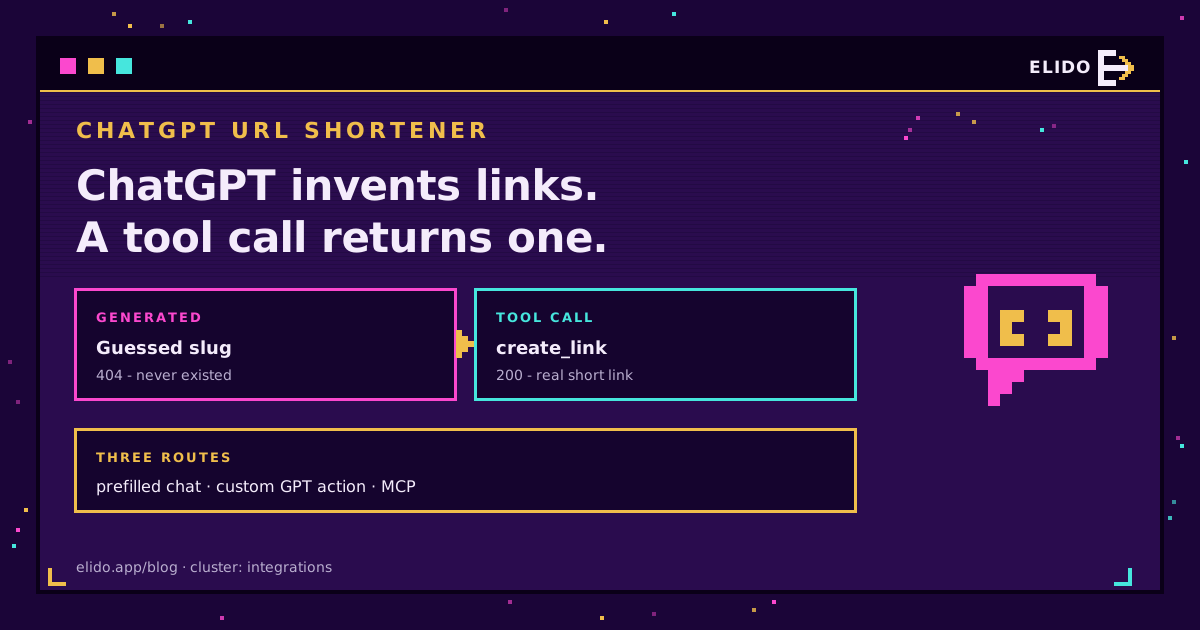
Ask ChatGPT to shorten a URL and it hands back something shaped exactly right: a short domain, a slash, seven characters of base62. Paste it into a browser and you get nothing. The slug does not exist, because ChatGPT generated it the way it generates any other text, and a short link is not text. It is a row in somebody's database. Without a tool call there is no database, so the model guesses.
Two different problems hide behind the phrase "ChatGPT URL shortener", and the search results mix them together. Some people want to shorten a link to a ChatGPT conversation, because those share URLs run past sixty characters and look like a tracking parameter exploded. Others want to shorten links inside ChatGPT, mid-draft, without tabbing out to a dashboard. Both are solvable. Neither is solved by asking the model nicely.
This post covers the share-link case first because it takes one paragraph, then the three routes that let an assistant create a working branded short link: a prefilled chat, a custom GPT action, and an MCP connector. If you already know you want the last one, the full MCP setup guide for Claude and Cursor is the deeper reference and the same server works here.
Why ChatGPT Invents Short Links
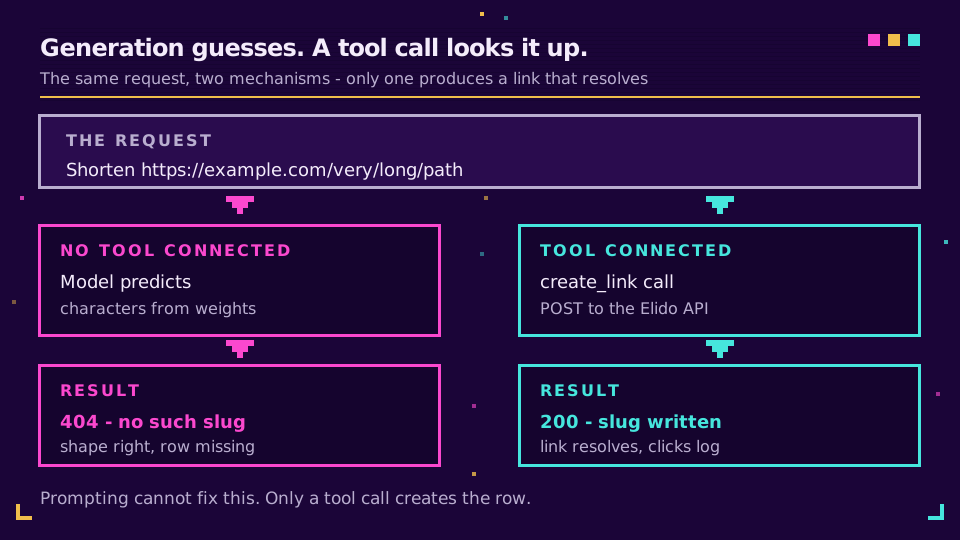
A short link is an arbitrary identifier. f.elido.me/k7mQ2p means nothing until a shortener has written that slug against a destination URL, which is precisely the kind of fact a language model cannot recover from its weights. So it produces the shape and fills the middle with plausible characters.
This is not a ChatGPT quirk. OpenAI published a paper arguing that language models hallucinate because standard training and evaluation reward a confident guess over an admission of uncertainty: a wrong answer and "I don't know" score the same zero, so guessing wins on average. URLs are the sharpest case of that incentive. Nieman Lab documented ChatGPT returning fabricated article URLs for more than ten publishers that had signed licensing deals with OpenAI, including the AP, the Financial Times and Le Monde. If the model will invent a URL for a story that exists, it will certainly invent a six-character slug.
The fix is structural, not prompt engineering. Every working route below replaces generation with a tool call, so the assistant asks a shortener for a slug and reports what came back. No amount of "only give me real links, do not make anything up" changes the mechanism.
Shortening a Link to a ChatGPT Conversation
This one is simpler than the search volume suggests. Hit Share in ChatGPT, copy the URL, and paste it into a shortener as an ordinary destination. A chatgpt.com/share/... address is a normal HTTPS URL; nothing about it needs special handling.
The reason to bother at all is measurement. A raw share link posted to a newsletter or a Slack channel tells you nothing about who opened it. Route it through a link you own and you get click counts, referrer, country and device, which is the whole point of putting a shortener in front of anything. The same applies to a custom GPT's chatgpt.com/g/... address if you are promoting one.
Two caveats worth knowing. Shared conversations are public to anyone with the URL, so shortening one does not add privacy, and a shortener with a public analytics page would actually reduce it. And if you are shortening conversation links at volume for a launch, put them in one campaign folder with consistent UTM tags rather than creating them ad hoc, or the numbers will be unattributable a week later. Our guide to tracking UTMs end to end covers the tagging convention.
Route One: A Prefilled Chat, No Setup
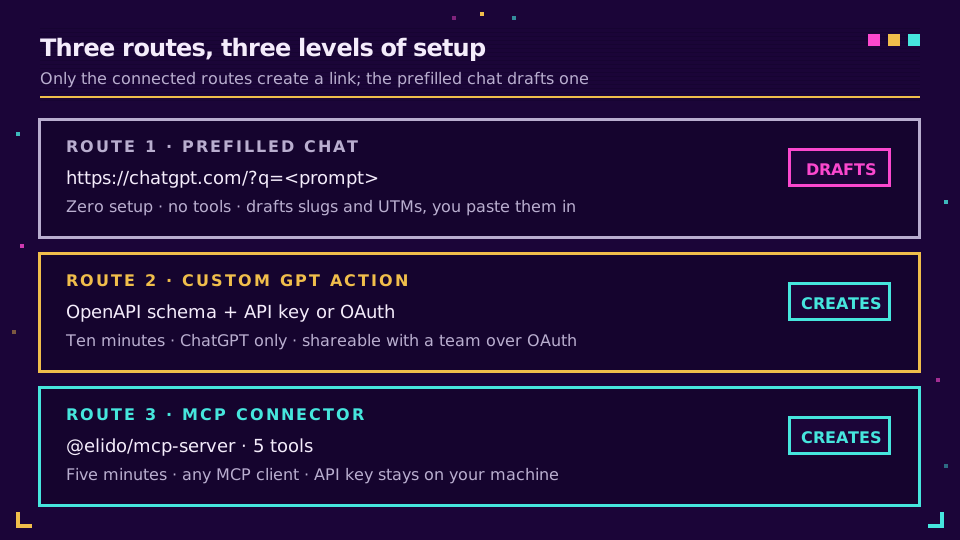
The lowest-effort option needs no account, no install and no configuration. ChatGPT accepts a query parameter that opens a new conversation with the prompt already filled in:
https://chatgpt.com/?q=<url-encoded%20prompt>
That is the mechanism behind the buttons on the LLM integrations page. The prefilled prompt explains what Elido is and asks the assistant to help shorten a URL you paste next. Confirmed against the live surface as of April 2026, though query-parameter behaviour on any AI product is a moving target and worth re-testing if a button stops working.
Be clear about what this route is. The assistant still has no tools, so it cannot create the link. What it can do is walk you through the fields, propose a slug that fits your naming convention, and draft the UTM set for a six-channel launch, then you paste the results in. It removes the thinking, not the tab switch. For a one-off that is genuinely enough; for anything repeated, keep reading.
Right now the tab switch is probably costing you more than you think. Create a free workspace and wire up one of the two connected routes below, then the next campaign brief never leaves the chat window.
Route Two: A Custom GPT Action on the Elido API
There is no official Elido GPT in the store as of August 2026, and I would rather say so than let you go looking for one. Worth noting that this route has no equivalent on Gemini, where custom assistants cannot call an external API at all - the Gemini write-up covers why. Building your own takes about ten minutes and gives you something better anyway: an action scoped to your workspace, with your own instructions baked in.
A custom GPT action is a REST call described by an OpenAPI schema. Elido publishes one at https://elido.app/openapi.yaml, covering link creation, listing, analytics queries and QR generation, so most of the work is already done.
Wiring the action
In the GPT editor, create a new GPT, open Configure, then Create new action, and paste the schema. Trim it first. GPT actions get confused by large specs, and a GPT that only needs to create and read links does not need the domain-management endpoints. Keep the /v1/workspaces/{workspace_id}/links path for create and list, plus one analytics query, and delete the rest.
Then pick an auth scheme. OpenAI's action authentication docs support three:
- None. Fine for a public read-only endpoint, wrong for anything that writes to your workspace.
- API key. The pragmatic choice for a private GPT you use alone. The key is encrypted at rest by OpenAI and sent as a Bearer token on every action call.
- OAuth. The right answer for a GPT shared with a team, since each user authenticates as themselves. You supply a client ID and secret, authorization and token URLs, and a scope list, and register the redirect
https://chatgpt.com/aip/{g-YOUR-GPT-ID}/oauth/callback. OpenAI requires thestateparameter.
Instructions that stop the guessing
The action alone is not sufficient. Without explicit instructions the model will sometimes answer from memory instead of calling the tool, especially when the conversation already contains a short link it can pattern-match against. Put something blunt in the instructions field:
Never write a short URL yourself. Every short link must come from the createLink action's response. If the action fails, report the error and stop; do not produce a substitute link.
That single paragraph is the difference between a GPT that works and one that quietly fabricates on the third turn.
Route Three: An MCP Connector
The Model Context Protocol is the emerging standard for exactly this problem, and it has one advantage over a custom GPT: the same server works across clients. Configure it once and the tools show up in every MCP-capable assistant rather than living inside one GPT.
@elido/mcp-server is a local Node process speaking the stdio transport. It exposes five tools: create_link, list_links, query_analytics, generate_qr and list_workspaces. Your API key stays inside the server process, so the model sees tool results and never the credential. The protocol itself is documented at modelcontextprotocol.io, and the MCP setup walkthrough has the config files and two worked sessions.
Client support for MCP is uneven and changing fast, so check your ChatGPT plan and version before committing to this route. Where it is available it is the cleanest of the three by a wide margin.
Which Route Fits Your Setup
| Prefilled chat | Custom GPT action | MCP connector | |
|---|---|---|---|
| Setup time | None | About ten minutes | About five minutes |
| Creates a real link | No, drafts only | Yes | Yes |
| Works in other assistants | Per-surface link | ChatGPT only | Any MCP client |
| Team sharing | Anyone with the link | Via OAuth | Per-machine config |
| Best for | A one-off | A shared marketing GPT | Developers and daily use |
If you are picking for a marketing team, the custom GPT with OAuth wins on distribution: people already live in ChatGPT and a shared GPT needs no local install. If you are picking for yourself and you write code, the MCP connector wins on reach, because the same tools follow you into your editor. The prefilled chat is a demo, not a workflow.
Security: What the Assistant Can Actually Reach
Any of these routes hands an AI product a credential that can write to your workspace, so scope it deliberately.
Issue a dedicated API key per integration rather than reusing one, and keep it to the permissions the assistant needs. A campaign GPT wants link creation and analytics reads; it has no business deleting links or managing custom domains. When something looks wrong, a per-integration key means the audit log tells you which one did it, and revoking it costs you nothing else.
Two things to know about data flow. With a custom GPT action, your request and response pass through OpenAI's infrastructure, so treat destination URLs as disclosed to a US processor and check that against your own transfer assessment. With MCP the server runs on your machine and calls the API directly, which keeps the traffic between you and an EU region. If that distinction matters for your compliance posture, it is the strongest argument for route three, and our notes on EU data residency for marketing tools go into the reasoning.
Honest Limits
Three things this does not fix.
Assistants are bad at bulk. Asking for forty links in one conversation produces rate-limit errors and a model that loses track of which slug went with which destination. Use the API or a CSV import past a handful.
Slug quality still needs a human. Models reach for generic slugs, so if your convention encodes campaign and channel, spell that out in the instructions and check the output for a while.
Measuring what those links then return is a separate job, and a harder one than it looks: tracking traffic from ChatGPT works through why a large share of the clicks arrive unattributable.
And there is no way to stop a determined model from writing a plausible link in prose while correctly calling the tool elsewhere in the same reply. Spot-check what gets published. The failure is silent by construction, which is the whole reason this article exists.
Read the cornerstone → Connect Elido to Claude and Cursor with MCP
Related on the Blog
- How AI crawlers treat short links - what happens when an assistant, not a person, follows your redirect.
- Measuring the AI assistant channel in GA4 - attributing the traffic these conversations send you.
- llms.txt explained - the file that shapes how assistants describe your product.
- URL shortener API quickstart - the REST surface every route above sits on.
- Tracking traffic from ChatGPT - counting the clicks these links bring back.
- Gemini URL shortener: where tool calls actually work - the same question on Google's stack.
Întrebări frecvente
Can ChatGPT shorten a URL?
Not on its own. ChatGPT predicts text, and a short link only exists once a shortening service has written the slug to its database. Asked without a connected tool, the model returns a slug with the right shape that resolves to nothing. Connect a custom GPT action or an MCP connector and the shortening happens through a real API call, so the link works.
How do I shorten a link to a ChatGPT conversation?
Copy the share URL from the Share button in ChatGPT, then paste it into any shortener as a normal destination URL. The share link is a plain HTTPS address, so nothing special is required. Using a shortener you control adds click data, which the raw share URL gives you no way to collect.
Why does ChatGPT make up short links?
Because it is generating characters, not looking anything up. OpenAI's own research attributes hallucination to training and evaluation that reward confident guessing over admitting uncertainty. A short slug is high-entropy and unguessable by design, so it is close to the worst possible thing to ask a language model to produce from memory.
Is there an official Elido GPT in the GPT Store?
No. As of August 2026 there is no published Elido GPT. You can build your own custom GPT in a few minutes by pointing a GPT action at the public Elido OpenAPI spec, or connect the Elido MCP server in any client that supports MCP.
What is the difference between a GPT action and an MCP connector?
A GPT action lives inside one custom GPT and calls your REST API from OpenAI's side, described by an OpenAPI schema. An MCP connector runs as a process you control and exposes the same capability as named tools to any client that speaks the protocol. The action is easier to share with a team; the connector follows you across assistants and keeps the API key on your own machine.
Do I need a paid plan to shorten links from ChatGPT?
No. Both the MCP server and the REST API work on the free plan, subject to the same rate limits as any other API client. Custom domains and longer analytics retention are the paid features, not API access itself.
Încearcă Elido
Lipește un URL, obții un link scurt funcțional
Fără înregistrare. Linkul este activ timp de 30 de zile. Înregistrează-te ca să-l păstrezi pentru totdeauna.
Gratuit, fără înregistrare · 2 pe zi