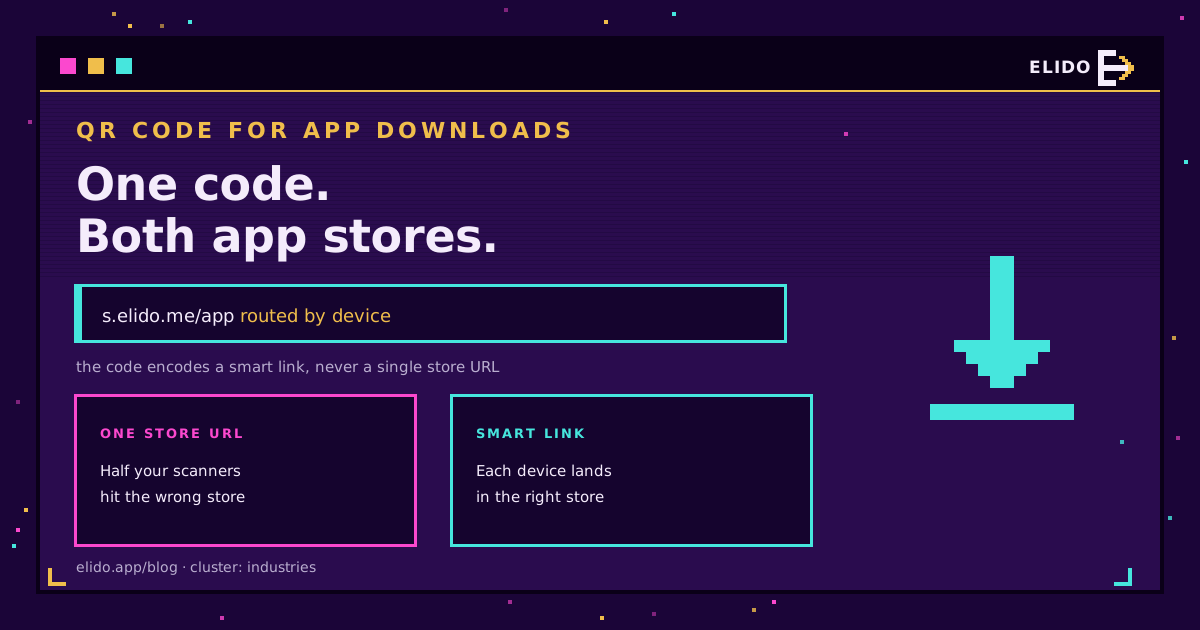
QR-код для завантаження додатків - це єдиний сканований код, який спрямовує користувачів iPhone до App Store, а користувачів Android - до Google Play, і рішення про це ухвалюється в момент сканування. Хитрість у тому, що код не вказує на магазин. Він вказує на смарт-лінк, який зчитує пристрій і перенаправляє до потрібного магазину, а веб-сторінка слугує резервом для будь-кого на десктопі. Один надрукований код, обидві платформи, жодних хибних кроків.
Це практична версія: чому проста адреса магазину губить половину вашої аудиторії, як працює лінк, що визначає пристрій, як його побудувати і де його розмістити. Якщо коди для вас нова тема, як створити QR-код охоплює основи.
Проблема: два магазини, один код
Ваш додаток живе у двох місцях. Користувачі iPhone встановлюють його з Apple App Store, користувачі Android - з Google Play, і кожен магазин має власну адресу. QR-код може містити лише одну адресу, тож якщо ви закодуєте посилання на App Store, кожен, хто сканує з Android, потрапить на сторінку, якою не зможе скористатися, і навпаки.
Друк двох кодів, по одному на кожен магазин, перекладає вибір на того, хто сканує, а йому спершу треба зрозуміти, який телефон у нього в руках, і обрати відповідний квадрат. Більшість цього не зробить. Результат - втрачені встановлення саме в той момент, коли хтось хотів отримати ваш додаток. Виправлення - зробити так, щоб код сам обирав маршрут.
Як працює лінк, що визначає пристрій
Один короткий лінк розташований між кодом і магазинами, і саме він вирішує, куди вести при кожному скані.
Коли телефон відкриває лінк, запит несе інформацію про операційну систему. Лінк зчитує її і перенаправляє: iOS - до App Store, Android - до Google Play, усе інше - на резервну веб-сторінку. Той, хто сканує, нічого з цього не бачить - він просто натискає і потрапляє до правильного магазину. Це той самий маршрутизаційний механізм, що описаний у поясненні смарт-лінків, застосований до магазинів додатків замість країн чи мов. Apple документує свої маркетингові посилання App Store, а Google - посилання на Play Store (обидва - доступ від 2026-07-18), і смарт-лінк просто обирає правильне для кожного пристрою.
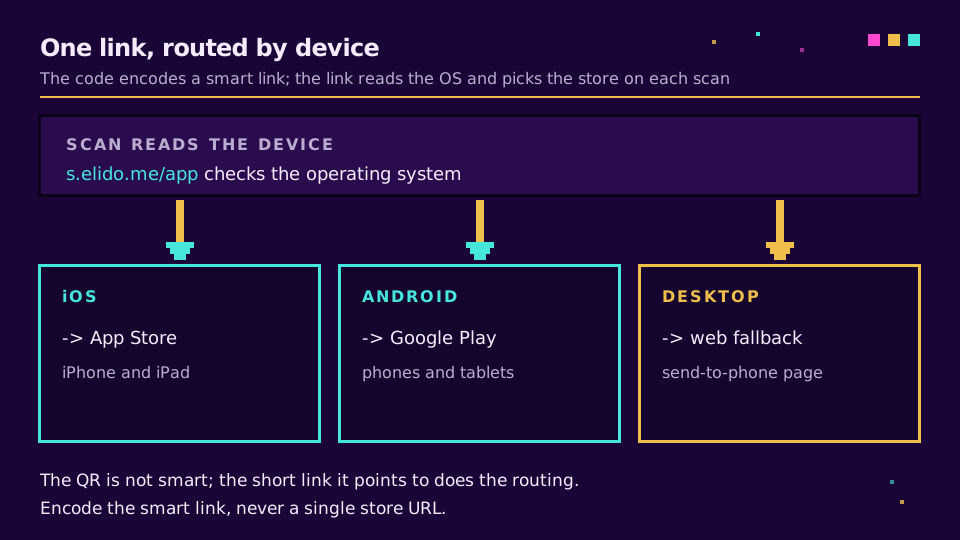
Сам код не є розумним. Він кодує одне посилання. Уся логіка міститься саме в цьому лінку, тому код для завантаження додатка має вказувати на смарт-лінк і ніколи - на голу адресу apps.apple.com чи play.google.com.
Як його побудувати
Чотири кроки, і порядок має значення.
- Зберіть адреси обох магазинів. Посилання на продукт в App Store і посилання на лістинг у Google Play. Якщо ви публікуєтеся ще в якомусь магазині, наприклад AppGallery, збережіть і його теж.
- Створіть смарт-лінк. Встановіть пункт призначення для iOS, для Android і резервний варіант для десктопа чи іншого випадку. Це один короткий лінк із правилами за пристроєм.
- Згенеруйте QR-код саме з цього смарт-лінка. Закодуйте короткий лінк, а не адресу магазину. Тримайте його динамічним, щоб пізніше можна було змінити магазини й прочитати статистику сканів.
- Свідомо налаштуйте резервний варіант. Спрямовуйте десктопні скани на сторінку призначення з бейджами обох магазинів або опцією «надіслати на телефон», а не на магазин, яким неможливо скористатися.
Оскільки код кодує короткий лінк під вашим контролем, це за визначенням динамічний код, що важливо з причин, описаних у статті динамічні проти статичних QR-кодів: ви можете замінити адресу магазину, додати платформу чи виправити помилку без передруку.
Якщо ви не хочете самі налаштовувати маршрутизацію, смарт-лінки Elido виконують визначення пристрою, а QR-коди генерують код поверх того самого короткого лінка, тож маршрутизація і статистика сканів живуть в одному місці. Ви можете налаштувати це на безкоштовному тарифі.
Приземляйте людей на потрібному екрані, а не лише в потрібному магазині
Правильний магазин - це половина справи. Друга половина - те, на чому додаток відкривається після встановлення.
За замовчуванням свіже встановлення відкриває загальний головний екран, навіть якщо скан прийшов з реклами конкретної функції. Відкладене глибоке посилання проносить цей намір крізь встановлення, тож додаток відкривається саме на потрібному екрані - саме тут кампанії зі встановленнями зазвичай втрачають користувачів. Механіка описана в що таке глибоке посилання, а для налаштування без важкого SDK - у статті глибокі посилання без SDK. Для звичайної кампанії на встановлення маршрутизації за магазином достатньо; додавайте відкладене глибоке посилання, коли скан обіцяє конкретне місце всередині додатка.
Куди його розмістити
Код для завантаження додатка виправдовує своє місце будь-де, де телефон уже в руках, а ваш додаток - наступний крок.
Постери й реклама в транспорті, упаковка товару та вкладки, стенди й бейджі на заходах, столи в ресторанах, чеки, візитки і фінальний екран відео - все це працює. Патерн той самий, що й для будь-якого друкованого розміщення: дайте кожній поверхні власний короткий лінк, щоб постер, упаковка і стенд були окремими рядками, які можна порівняти. Дизайн так само важливий, тож зберігайте тиху зону, контраст і чіткий заклик до дії на кшталт «Скануйте, щоб отримати додаток», за принципами з дизайну брендованого QR-коду.
Що не працює
Три налаштування, що виглядають добре, але втрачають встановлення:
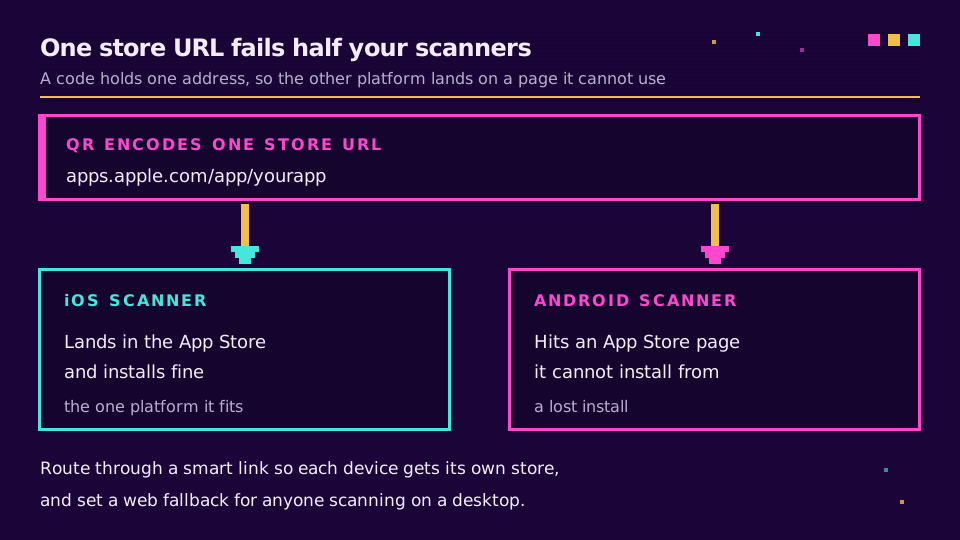
Кодування адреси одного магазину. Код, що містить посилання на App Store, - мертвий вантаж для кожного, хто сканує з Android, і навпаки. Це найпоширеніша помилка, і смарт-лінк вирішує її повністю.
Відсутність резерву для десктопа. Скани трапляються і з ноутбуків - за робочим столом, зі спільного екрана. Без резервного варіанту ці люди потрапляють на мобільну сторінку магазину, з якої не можуть нічого встановити. Спрямуйте їх на сторінку, яка допоможе отримати посилання на телефон.
Статичний код прямо на магазин. Навіть для однієї платформи кодування адреси магазину напряму означає відсутність даних про скани і мертвий код, якщо адреса лістингу зміниться. Проведіть його через короткий лінк, щоб код залишався редаговним і вимірюваним.
Налаштуйте маршрутизацію правильно - і один код нестиме всю вашу воронку встановлення: скан, правильний магазин і, коли потрібно, точний екран усередині додатка.
Пов'язане в блозі
Поширені запитання
Як зробити один QR-код для App Store і Google Play одночасно?
Спрямуйте один QR-код на смарт-лінк, а не на адресу магазину. Зберіть посилання на App Store та посилання на Google Play, створіть смарт-лінк, що визначає пристрій відвідувача і перенаправляє користувачів iPhone до App Store, а користувачів Android - до Google Play, а потім згенеруйте QR-код саме з цього єдиного смарт-лінка. Встановіть веб-резерв для тих, хто сканує з десктопа. Оскільки вибір магазину відбувається в момент сканування, один надрукований код обслуговує обидві платформи.
Чи може один QR-код вести одразу до обох магазинів додатків?
Так, через смарт-лінк посередині. QR-код може закодувати лише одну адресу, тож ви не можете вставити в нього дві адреси магазинів напряму. Натомість ви кодуєте один смарт-лінк, який зчитує пристрій при кожному скані й перенаправляє до потрібного магазину. Той, хто сканує, ніколи не бачить цього перенаправлення - він просто потрапляє до App Store чи Google Play залежно від свого телефону.
Як код дізнається, який магазин відкрити?
Смарт-лінк за кодом зчитує запит, включно з операційною системою, яку повідомляє телефон, і обирає пункт призначення. Пристрої на iOS ідуть до App Store, пристрої на Android - до Google Play, а решта пристроїв - на веб-сторінку, яку ви налаштовуєте як резерв. Сам QR-код не є розумним; маршрутизацію виконує короткий лінк, на який він вказує, тому код для завантаження додатка має кодувати саме смарт-лінк, а не звичайну адресу `apps.apple.com` чи `play.google.com`.
Що відбувається, коли хтось сканує код застосунку на десктопі?
Це залежить від резервного варіанту, який ви налаштували. Десктоп чи ноутбук не може встановити мобільний додаток, тож хороший смарт-лінк спрямовує такі скани на сторінку призначення: ваш сайт, сторінку з бейджами обох магазинів або форму «надіслати на телефон». Без резервного варіанту той, хто сканує з десктопа, потрапляє на сторінку магазину, з якою нічого не може зробити. Завжди налаштовуйте десктопний пункт призначення свідомо, а не залишайте це на волю випадку.
Чи можна відстежити завантаження додатка з QR-коду?
Скани можна відстежити точно, а встановлення - за додаткового налаштування. Динамічний код для завантаження додатка проходить через редирект, тож кожен скан логується з часом, пристроєм і місцем розміщення. Підрахунок встановлень - окремий крок, що потребує власної атрибуції магазину чи партнера з вимірювання, бо магазини додатків не повідомляють про встановлення напряму QR-коду. Сама кількість сканів уже показує, який постер чи розміщення працює.
Спробуйте Elido
Вставте URL - отримайте коротке посилання
Без реєстрації. Посилання живе 30 днів. Зареєструйтесь, щоб зберегти назавжди.
Безкоштовно, без реєстрації · 2 на день