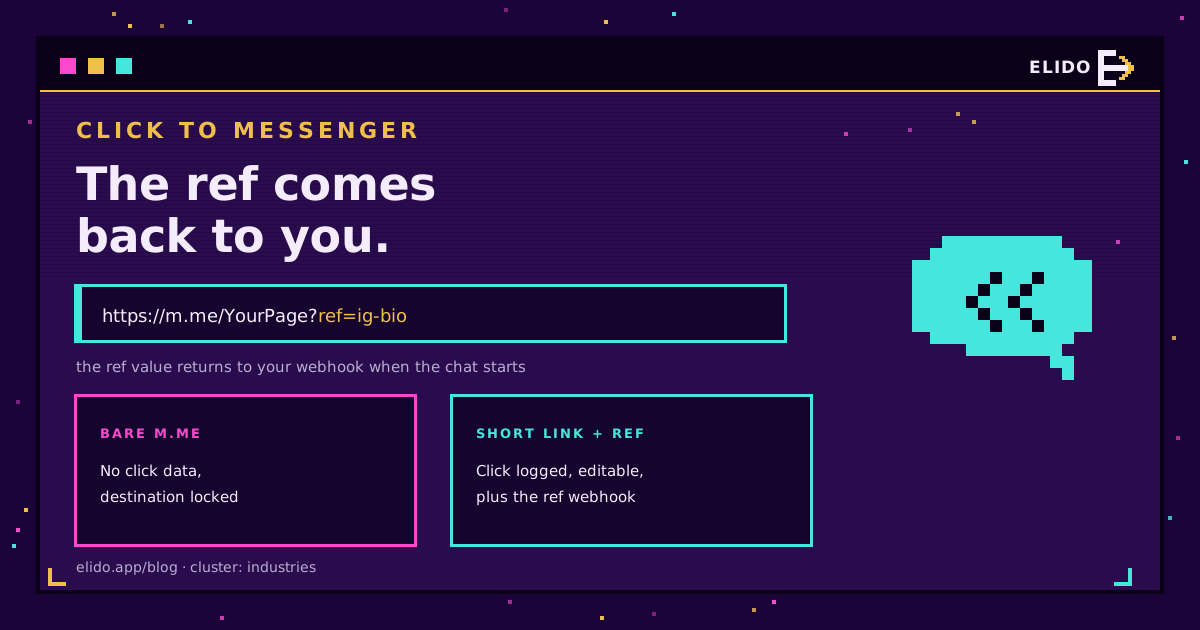
Click-to-Messenger посилання - це веб-адреса m.me, яка відкриває чат Facebook Messenger з вашою Page після натискання. Формат такий: https://m.me/YourPage, а додавання ?ref=payload прикріплює тег для відстеження. Натискаєте посилання, Messenger відкриває розмову з вашим бізнесом, і значення ref передається вашому додатку.
Саме ця остання деталь - різниця між Messenger і WhatsApp. Посилання wa.me відкриває чат і нічого не розповідає про те, звідки прийшло натискання. Параметр ?ref= у Messenger доставляється до вашого вебхука, коли розмова починається чи відновлюється, тож атрибуція, яку більшість глибоких посилань для месенджерів втрачають, тут вбудована прямо в посилання. Для розміщень без бота, і щоб зафіксувати сам клік, ви все одно ставите редирект попереду. Цей пост охоплює обидві половини.
Патерн URL-адреси m.me
Є одна адреса й один параметр, що мають значення. Meta документує це в довіднику посилань m.me (доступ від 2026-07-18).
- Відкрити чат з вашою Page:
https://m.me/YourPage, деYourPage- це публічне ім'я користувача Page, а не її числовий ID. Спершу встановіть ім'я користувача в налаштуваннях Page, інакше посилання не розпізнається. - Прикріпити тег для відстеження:
https://m.me/YourPage?ref=spring-promo. Значенняref- це URL-безпечний текст, який подорожує разом із посиланням і доставляється вашому додатку.
Вимога щодо імені користувача заплутує людей найчастіше. Page без підтвердженого імені користувача не має робочого посилання m.me, тож це перше, що варто перевірити. Щойно ім'я користувача встановлено, базове посилання працює одразу, а параметр ref - це опційний бонус зверху, що перетворює звичайний відкривач чату на вимірюваний.
Відкриття посилання m.me також скидає стандартне 24-годинне вікно для повідомлень - період, протягом якого Meta дозволяє вашій Page вільно відповідати після взаємодії користувача. Це важливо для будь-якої подальшої автоматизації, і це ще одна причина, чому click-to-Messenger посилання - це більше, ніж зручний ярлик.
Чому параметр ref - це перемога для атрибуції
Більшість каналів click-to-chat односторонні: натискання відкриває розмову, і ви ніколи не дізнаєтеся, що її запустило. Messenger ламає це правило, бо ?ref= повертається до вас. Meta доставляє його через вебхук messaging_referrals (доступ від 2026-07-18) для наявної розмови і всередині події messaging_postbacks, коли нова розмова починається натисканням Get Started.
Отже, payload може нести ID кампанії, назву розміщення чи закодований ID запису, і ваш додаток зчитує це в момент початку чату. Жодного пікселя, жодного вгадування за текстом повідомлення. ref з m.me/YourPage?ref=ig-bio надходить у вебхук, і ви знаєте, що розмова почалася з посилання в біо Instagram, а не з головної сторінки.
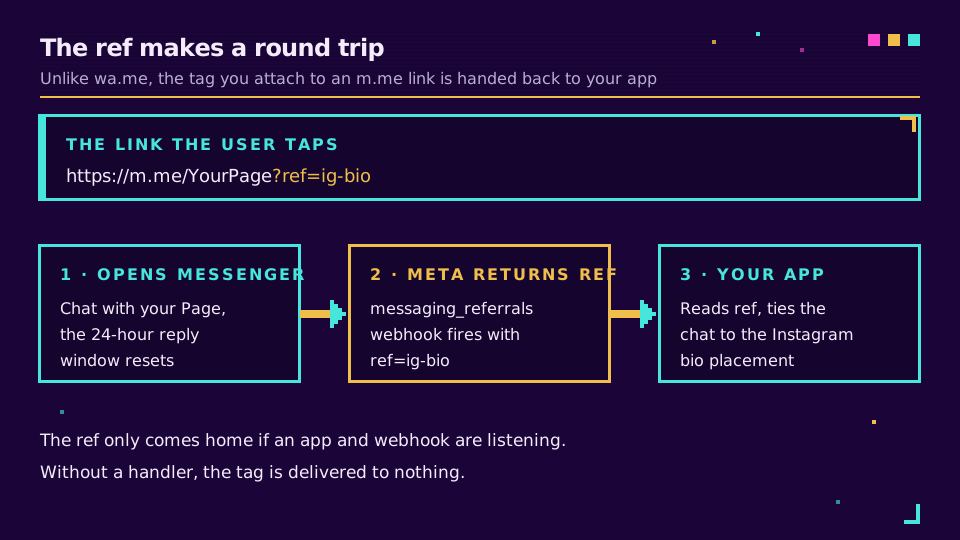
Це дзеркальне відображення проблеми WhatsApp. Deep-лінки WhatsApp Business змушені непомітно вбудовувати ID для відстеження в тіло попередньо заповненого повідомлення, бо wa.me нічого не повідомляє назад. Messenger дає вам чистий канал для того самого сигналу. Telegram робить щось схоже зі своїм стартовим параметром бота, що описано в глибоких посиланнях Telegram. Серед великої трійки саме WhatsApp - виняток.
Шар редиректу
Вебхук ref потужний, але він спрацьовує лише якщо у вас налаштовані додаток і вебхук, і повідомляє лише про розмови, а не про сирі натискання. Для всього іншого поставте короткий лінк перед URL-адресою m.me. Клієнт натискає s.elido.me/msg, edge-сервер фіксує клік, а потім переадресовує на https://m.me/YourPage?ref=ig-bio.
З вашого боку змінюються три речі:
- Клік фіксується. Редирект генерує подію з часом, геолокацією, пристроєм і UTM-параметрами короткого лінка, тож навіть розміщення без вебхука вимірюється.
- Пункт призначення можна редагувати. Замініть Page, payload у
refчи весь пункт призначення без передруку QR-коду чи редагування живої реклами. Перенесіть кампанію на іншу Page - і ви змінюєте це один раз. - Дані кампанії переносяться.
s.elido.me/msg?utm_source=ig&utm_medium=bio&utm_campaign=springфіксує теги на редиректі, які пізніше можна об'єднати з розмовою, про яку повідомив вебхукref.
Короткий лінк і параметр ref не конкурують - вони накладаються шарами. Редирект дає вам клік і контекст UTM; ref дає підтвердження всередині розмови. Разом вони замикають цикл від показу реклами до чату. Це той самий шар редиректу, що описаний у статті наскрізне відстеження UTM.
Якщо ви не хочете самі будувати всю цю сантехніку з редиректів і вебхуків, глибокі посилання Elido стають перед будь-яким пунктом призначення m.me і логують кожне натискання, і ви можете налаштувати це на безкоштовному тарифі.
Реклама Click-to-Messenger
Якщо ви запускаєте рекламу Meta з Messenger як пунктом призначення, рекламна платформа автоматично передає ref у розмову, і ця атрибуція потрапляє в Ads Manager. Для платного випадку вам не потрібно вручну будувати посилання - за це відповідає ціль реклами.
Там, де ручне посилання і шар короткого лінка справді окупаються - це органіка й офлайн: біо Instagram, футер email, надрукований QR, кнопка на сайті. За цими розміщеннями немає рекламної платформи, тож ref, який ви встановлюєте, плюс клік, який фіксує редирект, - єдина атрибуція, яку ви отримаєте. Розглядайте платний Click-to-Messenger і органічний click-to-chat як дві доріжки, що живлять одну й ту саму картину конверсій Messenger.
Практичне налаштування
Три короткі лінки охоплюють більшість Page:
- Загальний лінк:
s.elido.me/msgна вашу основну Page, використовується у футері сайту, біо й підписі email. Йогоrefназиває поверхню, наприкладref=site-footer. - Лінк кампанії: по одному на кожну активну кампанію,
s.elido.me/msg-spring, зref, специфічним для кампанії, тож і вебхук, і клік несуть тег. - Лінк для друку на QR:
s.elido.me/msg-shopдля фізичних розміщень, зref, що називає розміщення, тож розмова відкривається вже позначеною.
Кожен лінк відповідає шаблону UTM і описовій мітці на кшталт surface:ig-bio · channel:messenger · campaign:spring. Налаштуйте їх на /links, і мітки керуватимуть фільтрами в аналітиці. Фільтруйте за channel:messenger, щоб побачити кожне натискання, спричинене Messenger, у всіх кампаніях.
Поверхні для QR-коду
Реальна частка трафіку click-to-Messenger приходить зі сканів у фізичному контексті: магазин, захід, флаєр. Патерн «друк - розмова» - одне з найсильніших застосувань схеми «короткий лінк, а потім m.me».
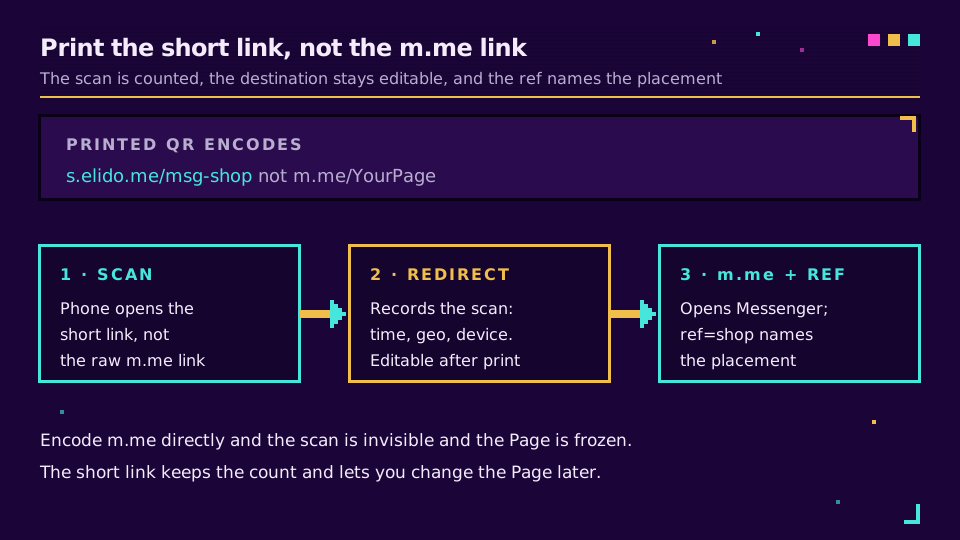
Два правила зберігають корисність тиражу:
- QR кодує
s.elido.me/<slug>, ніколи неm.me/...напряму. Кодуванняm.meфіксує пункт призначення назавжди, вбиває аналітику сканів і робить тираж марним, якщо ім'я користувача Page зміниться. - Кожне розміщення отримує власний короткий лінк і власний
ref, тож код на вітрині, код на флаєрі й код на упаковці - окремі рядки, які можна порівняти. Тиха зона, контраст і корекція помилок - звичні питання, розкриті в статті динамічні проти статичних QR-кодів.
Що не працює
Три патерни, що виглядають розумно, але руйнуються:
Кодування сирого посилання m.me в QR чи рекламі. Жодних даних про клік, жодного контролю над пунктом призначення, і мертвий актив у момент зміни імені користувача Page. Завжди друкуйте короткий лінк.
Встановлення ref без вебхука, що його прийме. Значення ref корисне, лише якщо додаток слухає подію referral. Без обробника тег доставляється в нікуди. Якщо у вас ще немає бота, покладайтеся на короткий лінк для кліку і додайте вебхук, коли будуватимете автоматизацію.
Надто довгі чи небезпечні значення ref. Тримайте ref коротким і URL-безпечним. Напхавши в нього повний рядок UTM чи пробіли, ви ризикуєте отримати обрізання й помилки кодування. Використовуйте компактний ID і розшифровуйте його до деталей кампанії на своєму боці.
Messenger - найдружніший до атрибуції канал серед click-to-chat, бо саме посилання несе тег, що повертається додому. Поєднайте ref з коротким лінком попереду - і ви отримаєте і натискання, і розмову, прив'язані до кампанії, яка їх запустила.
Пов'язане в блозі
- Deep-лінки WhatsApp Business: click-to-chat з атрибуцією
- Глибокі посилання Telegram: відстежуйте t.me та стартові посилання бота
- Що таке глибоке посилання? Просте і зрозуміле пояснення
- Як відстежувати UTM-кампанії наскрізно без CDP
- Пояснення смарт-лінків: маршрутизація на edge без додаткових сервісів
Поширені запитання
Як створити click-to-Messenger посилання?
Візьміть ім'я користувача вашої Facebook Page і побудуйте https://m.me/YourPage. Натискання на нього відкриває чат Messenger з вашою Page. Додайте ?ref=payload, щоб прикріпити тег для відстеження, тож посилання стане https://m.me/YourPage?ref=spring-promo. Значення ref має бути URL-безпечним текстом, і воно доставляється до вашого вебхука, коли людина починає чи відновлює розмову. Вашій Page потрібне публічне ім'я користувача, встановлене в налаштуваннях Page, щоб посилання m.me розпізнавалося.
Що таке параметр ref у посиланні m.me?
Параметр ref - це рядок для відстеження, який ви додаєте до посилання Messenger як ?ref=value. Коли хтось відкриває посилання, Meta передає це значення вашому додатку через вебхук messaging_referrals для наявної розмови або вебхук messaging_postbacks, коли нова розмова починається натисканням Get Started. Саме так ви дізнаєтеся, яке розміщення, реклама чи кампанія запустили чат - деталь, якої більшість каналів click-to-chat вам не дають.
Чи можна відстежити кліки за посиланням Messenger?
Двома способами, і вони поєднуються. Параметр ref повідомляє вашому боту чи додатку, яке розміщення запустило чат, і доставляється через вебхук referral. Окремо, розміщення короткого лінка перед URL-адресою m.me фіксує сирий клік з часом, пристроєм, геолокацією та UTM-тегами, навіть для розміщень, де у вас немає обробника вебхука. Використовуйте ref для сигналу всередині розмови і короткий лінк для самого кліку.
Чи передається ref з m.me моєму боту?
Так. Коли людина відкриває https://m.me/YourPage?ref=value, Meta доставляє ref у події messaging_referrals до вашого вебхука, якщо розмова вже існує, або в полі referral події messaging_postbacks, коли вона натискає Get Started для нової розмови. Ваш додаток зчитує це значення і може привітати користувача з урахуванням контексту або залогувати джерело. Для цього потрібен налаштований додаток Messenger і вебхук, а не лише сама Page.
У чому різниця між посиланням m.me і посиланням на Facebook Page?
Посилання на Facebook Page (facebook.com/YourPage) відкриває профіль вашої Page, де відвідувачу ще треба знайти кнопку повідомлення. Посилання m.me відкриває розмову Messenger з вашою Page напряму, тож наступний крок - це набір тексту, а не навігація. Для заклику до дії на кшталт «напишіть нам» m.me прибирає один крок, а параметр ?ref= додає атрибуцію, яку звичайне посилання на Page нести не може.
Спробуйте Elido
Вставте URL - отримайте коротке посилання
Без реєстрації. Посилання живе 30 днів. Зареєструйтесь, щоб зберегти назавжди.
Безкоштовно, без реєстрації · 2 на день