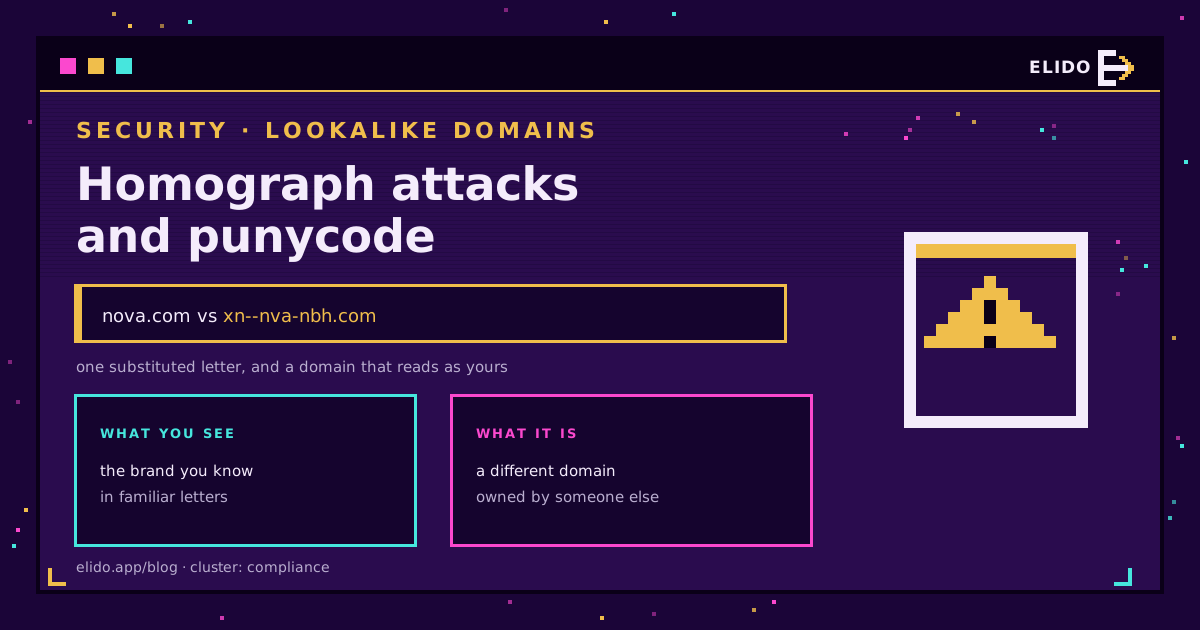
Атака омографов регистрирует домен, построенный из символов, которые выглядят идентично символам настоящего домена, но таковыми не являются - например, кириллическая «a» вместо латинской «a», - так что адрес, который читает человек, и адрес, который разрешает браузер, оказываются двумя разными вещами. Трюк работает потому, что система доменных имен понимает только ASCII, поэтому каждый не-ASCII домен переводится в ASCII-форму под названием punycode, помеченную префиксом xn--, прежде чем вообще коснуться DNS. Браузеры декодируют это обратно в читаемую версию для отображения, и именно в этом шаге декодирования и живет обман.
Современные браузеры теперь отлавливают очевидные случаи и показывают исходный punycode, когда метка подозрительно смешивает алфавиты, закрывая большинство простых атак, которые срабатывали десять лет назад. Но эта защита не выходит за пределы строки адреса браузера.
Я по работе рассматриваю случаи подделки брендов, и хорошие подделки все еще на полсекунды цепляют мой взгляд, прежде чем срабатывает распознавание подвоха. Этот пост рассказывает о том, как работает атака омографов, где заканчивается защита браузера и что с этим делать - собираетесь ли вы кликнуть по ссылке или владеете доменом, который подделывают. Более широкий вопрос о том, можно ли доверять самим коротким ссылкам, раскрывает статья насколько безопасны сокращатели URL; этот же пост - о домене, который стоит под ссылкой.
Что такое punycode и почему он существует
DNS создавался под ASCII - и точка. У него нет собственного способа хранить буквы с диакритикой, кириллицу, арабское письмо или китайские иероглифы, из которых состоит большинство систем письма в мире, и это стало настоящей проблемой, как только регистрация доменов открылась за пределами англоязычных рынков.
Punycode - это решение: обратимая кодировка, стандартизированная как RFC 3492, которая превращает Unicode-метку в латинские буквы, цифры и дефисы, которые DNS способен передавать без каких-либо изменений в самом протоколе. Немецкая пекарня, регистрирующая домен с умлаутом, или украинский ритейлер, регистрирующий домен кириллицей, получает рабочее интернационализированное доменное имя, которое разрешается точно так же, как любое другое, потому что под капотом это просто еще одна ASCII-метка. Закодированная форма всегда начинается с xn--, сигнализируя: «это punycode, декодируй, прежде чем показывать человеку».
Само по себе все это не уязвимость - интернационализированные доменные имена являются настоящей, необходимой функцией, а не обходным решением, которое кому-то стоило бы отключать. Проблема начинается на уровень выше, в тот момент, когда браузер решает, как именно показать вам это декодированное имя.
Как работает атака омографов
Атака омографов эксплуатирует разрыв между тем, что на самом деле содержит домен, и тем, как он выглядит после отображения. В реальном мире встречаются два варианта, и распространены они неодинаково.
Полностью иноязычный вариант регистрирует весь домен в нелатинском алфавите, начертания букв которого случайно напоминают целевой бренд. Его заметно сложнее построить незаметно, и защитникам его проще поймать, поскольку вся метка целиком чужая.
Смешанный вариант - тот, что реально используется на практике, потому что ему нужна всего одна замена. Возьмем домен вида novacloud.com. Замените латинскую «o» на визуально идентичную кириллическую «о» (U+043E) - и получите nоvacloud.com: та же форма, та же длина, другая кодовая точка, а сам домен кодируется как xn--nvacloud-nbh.com. Все остальное в метке остается нетронутым, так что глазу почти не за что зацепиться. Исследователи безопасности называют такую пару похожих символов «confusable», и небольшая горстка таких пар покрывает большую часть латинского алфавита.
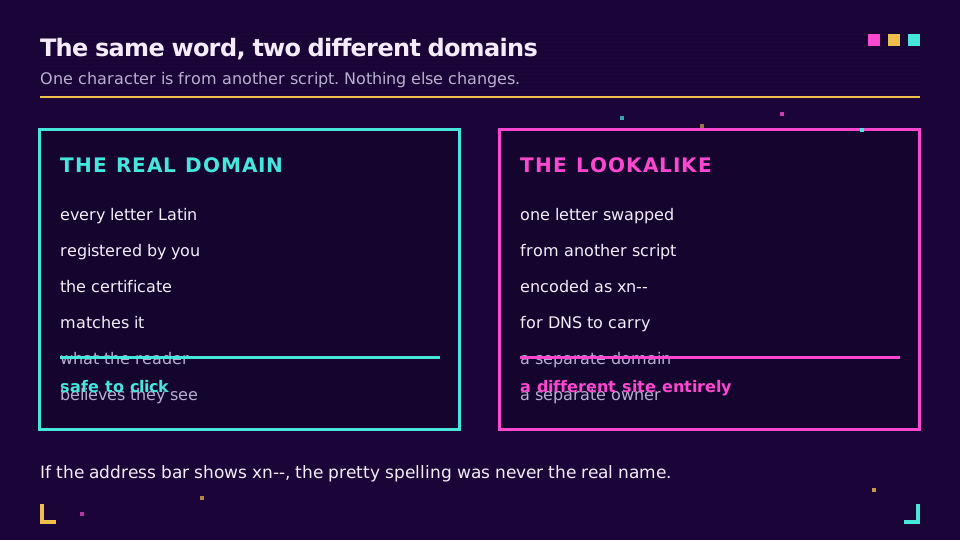
После того как домен зарегистрирован, остальная часть атаки - это обычный фишинг: страница входа, скопированная пиксель в пиксель, срочное сообщение со ссылкой на поддельный адрес и жертва, у которой нет причин сомневаться в адресе, который выглядит абсолютно правильно.
Что браузеры делают с этим сегодня
Разработчики браузеров закрыли большую часть простой версии этой атаки еще несколько лет назад с помощью правила о том, каким алфавитам разрешено смешиваться в одной метке. Политика Chrome, описанная в руководстве по обработке IDN, проверяет, правдоподобно ли каждый символ метки принадлежит одному алфавиту или небольшому набору комбинаций алфавитов, которые законно встречаются вместе, например японские иероглифы кандзи с хираганой. Смешайте алфавиты за пределами этого разрешенного набора - и браузер покажет исходную форму xn--, вместо того чтобы декодировать ее: главное преимущество атаки, домен, который выглядит совершенно нормально, снова превращается в явно закодированную строку. Firefox выполняет сопоставимую проверку, описанную в алгоритме отображения IDN от Mozilla, а Safari применяет собственную версию.
Это не полная защита. Метка со смешанными алфавитами, построенная только из символов внутри одной разрешенной комбинации, все еще может проскользнуть как читаемое, обманчивое имя, а само правило применяется в каждом браузере отдельно, без единого органа, который решал бы, что считать безопасным.
Где заканчивается эта защита
Проверка на смешивание алфавитов живет в коде отрисовки строки адреса браузера. Она не сопровождает URL больше нигде, и именно в этом разрыве поддельный домен все еще наносит реальный ущерб.
Почтовые клиенты - самая большая зона риска: письмо может показывать любой текст ссылки поверх любого адреса назначения, и большинство почтовых приложений вообще не проверяют похожие символы. Мессенджеры разворачивают отправленную ссылку в карточку предпросмотра, построенную из метаданных страницы, а не из рендерера, понимающего punycode. QR-коды полностью убирают текстовый шаг - этот пробел мы разбираем в статье насколько безопасны QR-коды, а у печатных материалов между глазом и обманом вообще нет программного слоя.
| Канал | Показывает реальный адрес до того, как вы действуете | Типичная зона риска |
|---|---|---|
| Современный настольный браузер | Обычно да, благодаря правилам смешивания алфавитов | Низкая для распространенных браузеров, при условии актуальности |
| Почтовый клиент | Редко - текст ссылки может говорить что угодно | Высокая, особенно в мобильных почтовых приложениях |
| Чаты и мессенджеры | Редко - превью ссылок используют метаданные страницы | Высокая, развернутые ссылки выглядят идентично |
| QR-код | Нет - ничего не отображается до сканирования | Высокая, решение принимается за долю секунды |
| Печатные материалы | Никогда - программного обеспечения вообще нет | Самая высокая, техническая проверка невозможна |
Если ваша команда отправляет ссылки на домене, который клиенты уже узнают, у поддельного двойника остается гораздо меньше пространства, чтобы убедительно имитировать вас сразу во всех этих каналах. Посмотрите, как работает собственный брендовый домен в Elido, если вы все еще отправляете ссылки с общего или обезличенного домена.
Почему брендовый домен - ваша лучшая защита
Атака омографов работает за счет эксплуатации узнаваемости - ей нужен узнаваемый бренд, который можно подделать. Это звучит как аргумент против построения собственного узнаваемого домена, а на деле все наоборот. Отличительная брендовая короткая ссылка, которую аудитория уже связывает с вами, - это то, с чем можно сравнить подозрительное сообщение; обезличенный или заимствованный домен сокращателя дает злоумышленнику шаблон, который клиенты все равно не могут отличить от настоящего провайдера, потому что ни тот ни другой не похож на «вас».
Настройка собственного домена для коротких ссылок означает, что каждая отправленная вами ссылка несет имя, которое узнают получатели, а это поднимает планку для любого, кто попытается ее подделать. Стоит отличать это от клоакинга ссылок и маскировки URL - осознанного, раскрытого выбора направлять ссылки через собственный домен. Атака омографов - это противоположный ход: скрыть личность злоумышленника, имитируя вашу, - и защитой здесь служит прозрачность в вопросе, какой домен на самом деле принадлежит вам.
Настройки регистратора, которые реально имеют значение
Как только у вас появляется домен, который стоит защищать, основную реальную работу выполняют два механизма контроля, действующих на разных уровнях стека.
Registrar lock - это повседневный механизм: флаг статуса, часто отображаемый как clientTransferProhibited, который блокирует рутинные автоматические запросы на передачу внутри панели вашего регистратора. Его стоит включить на каждом активно используемом домене - это ничего не стоит. Registry lock находится на уровень выше, подключая напрямую оператора реестра, так что любое изменение, передача или удаление требуют ручной проверки вне обычного канала - телефонного звонка или защищенной кодовой фразы - прежде чем вступить в силу. Эта дополнительная преграда уместна на одном-двух доменах, где несанкционированное изменение обошлось бы по-настоящему дорого, а для большинства компаний это как минимум основной брендовый домен.
Ни один из этих механизмов не помешает кому-то зарегистрировать домен-двойник рядом с вашим. Для этого нужен активный мониторинг: отслеживание новых регистраций доменов и публичных журналов certificate transparency на предмет имен, визуально близких к вашему бренду, чтобы вы могли сообщить об этом регистратору или предупредить клиентов до того, как кампания с его использованием кого-либо достигнет.
Что включить в политику защиты бренда
Если у вас есть домен, который стоит подделывать, раздел безопасности в политике защиты бренда должен быть настолько конкретным, чтобы новый человек в команде мог выполнить его, не спрашивая вас предварительно.
- Блокировка передачи у регистратора на каждом домене, которым владеет компания, с добавлением registry lock на основном брендовом домене и на всем, что обрабатывает платежи или вход в систему.
- Регулярный, повторяющийся цикл сканирования новых регистраций доменов и журналов certificate transparency на предмет имен, визуально близких к вашему бренду, а не разовая проверка.
- Защитная регистрация меток-двойников и похожих доменов верхнего уровня с наивысшим риском, которую вы можете обосновать, с приоритетом по степени сходства с вашим основным доменом.
- Назначенный ответственный и путь эскалации для сообщения об обнаруженном домене-двойнике его регистратору, а также внутренние инструкции, чтобы сотрудники поддержки узнавали этот паттерн, когда клиент сообщает о нем. Чек-лист безопасности при выборе провайдера ссылок описывает смежные меры контроля со стороны поставщика.
Рецепт проверки, который может выполнить каждый
Вам не нужно понимать punycode, чтобы безопасно проверить ссылку. Четыре шага, выполненные по порядку, отлавливают почти все, на что рассчитывает атака омографов.
- Сначала разверните ссылку, вместо того чтобы сразу по ней кликать. Статья как узнать, куда ведет короткий URL разбирает инструменты для этого, а собственный чекер ссылок Elido делает то же самое, не требуя сначала довериться адресу назначения.
- Читайте регистрируемый домен - часть непосредственно перед доменом верхнего уровня, - а не то, что находится перед ним. Именно эту часть злоумышленнику нужно контролировать полностью.
- Проверьте наличие префикса xn-- либо в исходном развернутом URL, либо в строке адреса браузера. Если вы видите его там, где ожидали обычное имя бренда, остановитесь и считайте это доменом-двойником, пока не доказано обратное.
- Проверьте имя в сертификате сайта назначения. Сертификат отражает то, что реально было выдано владельцу домена, а подделать это убедительно намного сложнее, чем отображаемую метку.
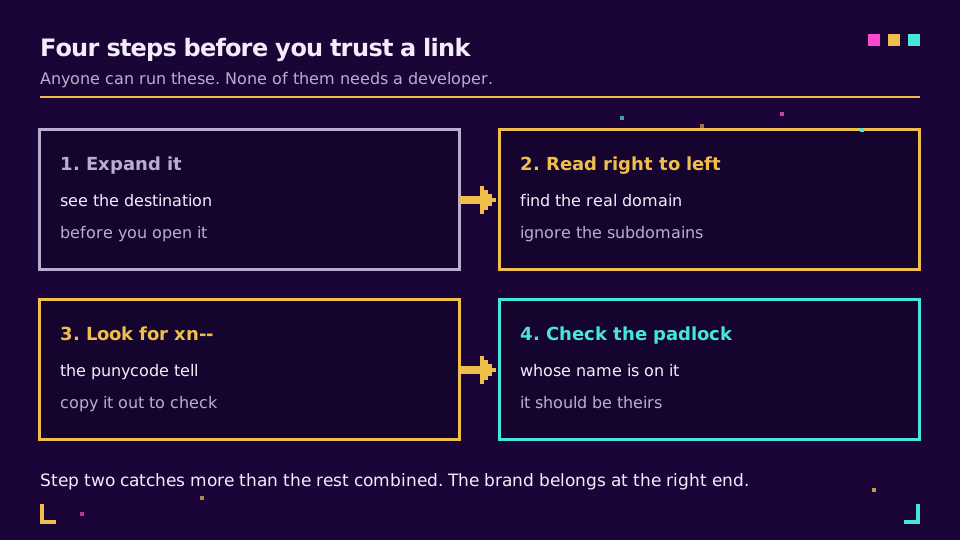
Ни один из этих шагов не занимает больше нескольких секунд, как только они становятся привычкой, и всем четырем можно научить нетехнического коллегу за то время, которое требуется, чтобы один раз прочитать этот раздел.
Атака омографов - это проблема отображения, надевшая костюм угрозы безопасности. Punycode делает ровно то, для чего был создан; обман происходит в разрыве между тем, чем на самом деле является домен, и тем, что вместо этого показывает вам программа. Браузеры закрыли большую часть этого разрыва для строки адреса. Везде больше разрыв все еще открыт, и именно поэтому разворачивание ссылки и чтение регистрируемого домена остается привычкой, которая работает независимо от того, какой канал показал вам эту ссылку.
Связанные темы в блоге
Частые вопросы
Что такое IDN-атака омографов?
IDN-атака омографов регистрирует домен с использованием символов из другого алфавита, которые выглядят идентично или почти идентично символам настоящего домена, так что читатель не может отличить их на глаз. Классический случай - замена одной латинской буквы на похожую кириллическую или греческую, например кириллической «а» на латинскую «a», при этом все остальное в домене остается без изменений. Поскольку у символа-заменителя другая базовая кодовая точка, два домена технически различны и могут быть зарегистрированы и контролироваться разными владельцами. Атака работает исключительно за счет внешнего сходства, поэтому целью становятся узнаваемые, заслуживающие доверия бренды, а не малоизвестные.
Что такое punycode и зачем он нужен?
Punycode - это кодировка, определенная в RFC 3492, которая превращает не-ASCII метки домена в ASCII-строку, которую система доменных имен способна хранить и разрешать. Она существует потому, что DNS понимает только ограниченный набор ASCII-символов, поэтому домен, записанный кириллицей, арабским письмом, китайскими иероглифами или латинскими буквами с диакритикой, должен быть переведен в эту форму, прежде чем его можно будет найти. Закодированная метка всегда начинается с префикса xn--, который сообщает резолверам и браузерам, что дальше идет punycode-строка, а не обычное ASCII-имя. Затем браузеры декодируют ее обратно в исходный алфавит для отображения - это легитимная и необходимая функция, а не уязвимость сама по себе.
Что означает префикс xn-- в URL?
Префикс xn-- отмечает метку домена как ASCII Compatible Encoding, полученную с помощью punycode, и сигнализирует, что читаемое имя было переведено из не-ASCII символов. Все, что идет после префикса, - это закодированная форма исходной метки: например, xn--nvacloud-nbh.com декодируется в домен, похожий на novacloud.com, с одной буквой, замененной на похожую. Увидеть форму xn-- там, где вы ожидали обычное имя бренда, - это как раз тот признак, которым браузеры вас предупреждают, потому что это означает, что метка смешивала алфавиты таким способом, который браузер не счел безопасным для отображения в «красивом» виде. Домен без единого не-ASCII символа никогда не дает форму xn--, поэтому, увидев ее, всегда стоит присмотреться внимательнее.
Защищают ли браузеры от атак омографов?
Современные браузеры применяют правила смешивания алфавитов, которые отлавливают большинство попыток атаки омографов и вместо обманчивой формы показывают исходную punycode-запись. И Chrome, и Firefox проверяют, правдоподобно ли символы метки домена принадлежат одному алфавиту или небольшому набору алфавитов, которые обычно используются вместе, и если нет - показывают версию xn--, вместо того чтобы декодировать ее во что-то похожее на знакомое имя. Это закрывает самые простые атаки на основе полностью иноязычного алфавита, не давая им выглядеть убедительными подделками, хотя злоумышленники по-прежнему могут находить символы внутри разрешенных наборов, визуально неотличимые от латинских букв. При этом защита строго ограничена строкой адреса браузера - больше ничто в цепочке не наследует ее автоматически.
Как понять, что ссылка ведет на домен-двойник, прежде чем по ней кликнуть?
Сначала разверните ссылку, чтобы увидеть полный адрес назначения, а не короткую или усеченную версию, а затем читайте регистрируемый домен, а не то, что стоит перед ним. Если строка адреса или сервис разворачивания ссылок показывает префикс xn-- там, где вы ожидали обычное имя бренда, считайте это доменом-двойником, пока не доказано обратное. Проверка имени в сертификате сайта назначения - полезный финальный шаг, поскольку сертификат отражает то, что реально было выдано, а не то, что просто отображается. Для всего этого не нужно специальное программное обеспечение - только привычка делать это до того, как вы введете пароль или номер карты.
Что такое registry lock и нужен ли он моему домену?
Registry lock - это механизм контроля на уровне реестра доменов, который блокирует любое изменение, передачу или удаление домена, пока это не подтверждено вручную вне обычного канала - как правило, по телефону или с помощью защищенной кодовой фразы, что не дает увести домен даже при взломе аккаунта регистратора. Это более сильная гарантия, чем более распространенный registrar lock, который лишь предотвращает рутинные автоматические передачи внутри панели вашего регистратора. Registry lock оправдывает свою скромную ежегодную стоимость для любого домена, простой или угон которого обошелся бы дорого, а для большинства компаний это как минимум основной брендовый домен. Он не помешает кому-то зарегистрировать похожий домен рядом с вашим - это отдельная проблема, которую решает мониторинг, а не блокировка.
Попробуйте Elido
Вставьте URL - получите короткую ссылку
Без регистрации. Ссылка живёт 30 дней. Зарегистрируйтесь, чтобы оставить её навсегда.
Бесплатно, без регистрации · 2 в день