Email click attribution through Elido works for two of the three big ESPs today. Brevo and Klaviyo can receive a server-side event for every click on your short links: Brevo gets a link_click custom event, Klaviyo gets an event on a custom metric called Elido Link Click. Mailchimp is on the roadmap but isn't connected yet. No click reaches Mailchimp today, so treat anything you read about Mailchimp click events as a plan.
What the forwarded events carry matters more than which logo is on the card. They describe the link and the click (link ID, slug, country, device, destination), not the subscriber. Your ESP's own link tracking still knows who clicked; Elido knows what happened at the redirect, including clicks from places your newsletter never reached. The two are complementary, and the rest of this overview is about using them that way.
If your campaign tagging is still inconsistent, start with the cornerstone on tracking UTMs end to end. Everything below assumes the destination URLs already carry clean UTMs.
What Elido Forwards to Each Email Platform
Forwarding is set per workspace, not per link. Once you paste a key into the Brevo or Klaviyo card under Integrations, every click on every link in that workspace is posted to that vendor. You can't filter by tag, and nothing is sampled. Each click becomes one HTTP request. It goes out after the visitor has been redirected, so it never slows the redirect down.
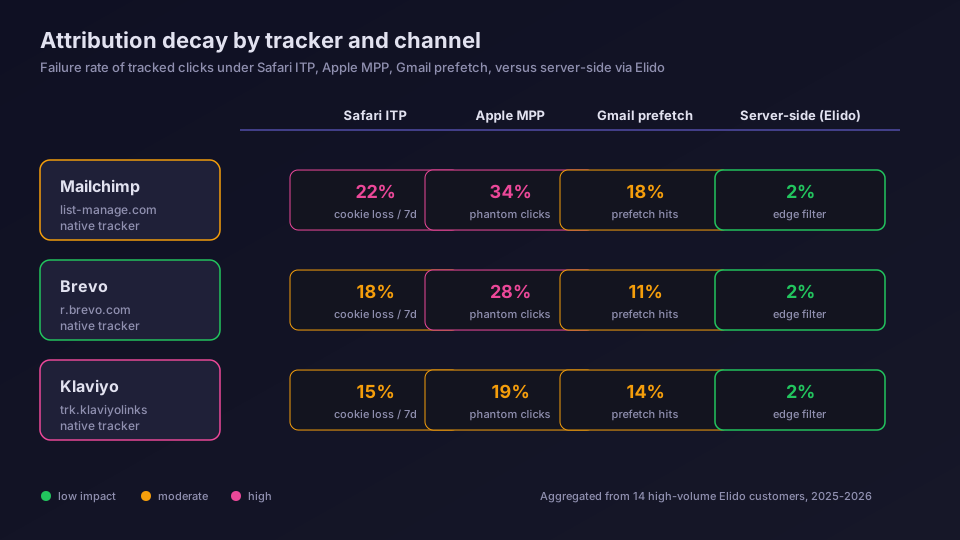
The matrix above is the short version. Here's the longer one:
- Brevo: a
link_clickevent per click, posted to Brevo's marketing automation tracker. - Klaviyo: an
Elido Link Clickevent per click, posted to the Klaviyo Events API. - Mailchimp: nothing yet. Short links work in Mailchimp campaigns, but no click event goes back.
- Mixpanel, GA4 and Datadog use the same forwarder; if product analytics is the goal, the Mixpanel link click events guide covers that path.
A failed request is retried once, a second later, and then dropped. No queue replays clicks after an outage at the vendor, so treat the forwarded stream as a very good signal rather than a ledger. The full click history lives in your Elido link analytics either way.
Brevo Click Events: link_click on the Tracker Endpoint
The Brevo forwarder posts to https://in-automate.brevo.com/api/v2/trackEvent, the REST side of Brevo's marketing automation tracker described in Brevo's tracker REST docs. It authenticates with an ma-key header. That's the tracker key from Brevo's automation settings, not the xkeysib- API key from the SMTP and API page, and mixing the two up is the most common reason nothing arrives.
The body is small:
{
  "email": "[email protected]",
  "event": "link_click",
  "properties": {
    "workspace_id": 12,
    "link_id": 4711,
    "slug": "spring-sale",
    "country": "DE",
    "device": "mobile",
    "destination": "https://store.example/sale?utm_source=brevo&utm_medium=email"
  }
}
Look at the email field. By default it's a placeholder address built from the link ID, so all clicks on one link land on one Brevo contact that nobody will ever mail. A workspace can instead set one fixed address in the integration config through the API, which puts every click on a single contact. Either way, no real subscriber gets the event. There are no UTM fields in the properties either; if the destination carries UTMs, they arrive inside destination and nowhere else.
That shapes what the Brevo events are good for: counting and charting link activity next to your campaign data, plus a clean record of clicks from SMS and social that Brevo's own tracking never saw. The Brevo short links guide walks through setup, SMS character savings and why the two click counts differ.
Klaviyo URL Shortener Events: The Elido Link Click Metric
For Klaviyo, the forwarder calls https://a.klaviyo.com/api/events/ with your private key in an Authorization: Klaviyo-API-Key header and revision: 2023-02-22. That's the endpoint in Klaviyo's Create Event reference. The key needs the events:write scope.
Each event goes on a metric named Elido Link Click, which Klaviyo creates the first time one arrives. The properties are workspace_id, link_id, slug, country, device, destination and ip. The payload has no click ID and no unique_id, so Klaviyo relies on its own deduplication, which collapses events on the same profile and metric within the same second.
The profile is where people get surprised. Every event is sent with anonymous_id: elido-link-<linkID>, never with an email address. So a link clicked by 4,000 people shows up in Klaviyo as one anonymous profile with 4,000 events on its timeline. You can chart the metric, break it down by country or slug, and report on it. You can't use it to message the person who clicked, because the profile has no email or phone number to send to.
My honest take: use Elido Link Click for cross-channel reporting inside Klaviyo, and keep flows triggered on Klaviyo's native Clicked Email. The Klaviyo click events deep dive has the full payload, the setup steps and the flow limits.
Mailchimp Link Tracking: Coming, Not Available Yet
Elido has no Mailchimp forwarder today. The integration is on the roadmap as an OAuth connection that works in both directions: Elido link clicks onto the Mailchimp contact timeline, and Mailchimp campaign clicks back into Elido analytics. Automatic shortening of the links in a campaign is planned for Mailchimp, Brevo and Klaviyo alike. None of that has shipped, and I wouldn't build a reporting process around a date.
What you can do right now is simple. Put Elido short links in your Mailchimp campaigns where a branded domain or a shorter URL helps, for example in plain-text emails or in content that also goes out on social. Mailchimp will wrap them in its own tracking link as usual and count clicks per subscriber. Elido counts the same clicks at the short link, plus every click from outside the email, and you compare the two in Elido's dashboard rather than inside Mailchimp.
If you need clicks inside an ESP's segmentation today, Brevo and Klaviyo are the options, with the identity limits described above.
Email UTM Tracking: Put the Tags on the Destination
This is the part that quietly breaks reports. Elido's redirect does not pass the short link's own query string through to the destination. The destination you stored is what the visitor gets. So if an ESP appends utm_source and friends to the short link, those parameters are dropped at the redirect and never reach your analytics.
ESPs do append them. Mailchimp's Google Analytics link tracking adds UTM parameters to the links in a campaign, and Klaviyo and Brevo have similar switches. On a normal link that's fine. On a short link, it tags the wrong URL.
The fix takes a minute per link:
- Build the full destination with UTMs, for example with the UTM builder, and store that as the short link's destination.
- Leave the ESP's automatic UTM option on or off as you like; for short links it has no effect on what arrives.
Elido campaigns can already hold a UTM set of their own, and a workspace-wide default UTM template is on the roadmap. Neither is applied by the Brevo or Klaviyo integration; the destination URL is still what counts.
A side benefit: the UTMs now travel with the link. The same short link in a newsletter, a QR code and an Instagram bio reports under one set of tags, and the forwarded Brevo or Klaviyo event shows them inside destination.
Bot Clicks and Why the Numbers Differ
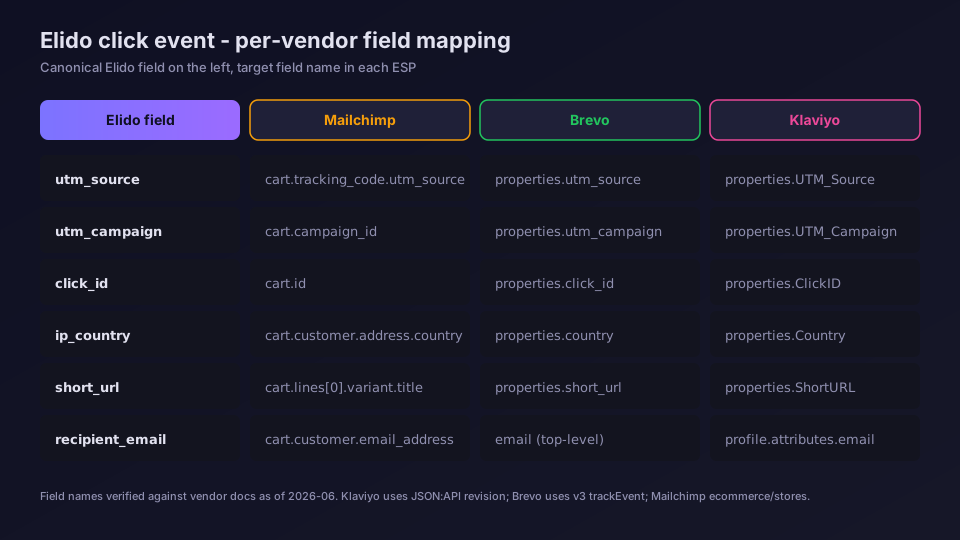
Click counts disagree between your ESP and Elido, and that's expected. They count at two different doors, and each door lets different traffic through.
Elido filters bots by user agent only. When a request's user agent matches a known crawler, link-preview bot, uptime monitor or HTTP library, the redirect still happens but no click is recorded, so nothing is forwarded either. IP ranges aren't checked at all. Email security scanners that open links with an ordinary browser user agent look like people to the redirect, get counted and get forwarded. Clicks that Elido flags as suspicious for other reasons are still forwarded too; the flag stays on the Elido side.
Your ESP has blind spots too. Apple Mail Privacy Protection mostly inflates opens by preloading remote content, which is one reason clicks have become the more trusted email metric. The email link click tracking guide goes through where each gap comes from and how to reconcile the numbers without losing an afternoon to it.
Short Links in Newsletters: A Rollout That Holds Up
Here's the order I'd use for a team that sends on Brevo or Klaviyo and wants click events flowing this week.
- Tag destinations first, as above. Retagging after launch means new links.
- Create the key: an
ma-keytracker key in Brevo, or a private key withevents:writein Klaviyo. Paste it into the vendor's card under Integrations and save. Settings take a few minutes to reach the forwarder. - Click a test link from a real phone, not from a terminal. A
curlrequest is treated as a bot and never shows up. - Check Brevo's contact timeline for the placeholder contact, or Klaviyo's metrics list for
Elido Link Click. - Keep the ESP's own click tracking on. It's the only source that knows who clicked.
If the link domain in your emails matters to you, and for deliverability it can, run short links on your own custom domain rather than a shared one. Plans and limits are on the pricing page. The conversion tracking feature picks up where the click ends, and the cookieless attribution explainer covers the session-to-sale leg.
Ready to try it on a real campaign? Set up a workspace for your marketing team and connect Brevo or Klaviyo in a few minutes.
Read the cornerstone: Track UTMs end to end.
Related on the Blog
- Klaviyo link tracking with short link clicks - the Elido Link Click metric in detail.
- Brevo URL shortener for campaigns - link_click events, SMS links and click count gaps.
- Track email link clicks - how email click tracking works and why numbers disagree.
- Mixpanel link click events - the same forwarder feeding product analytics.
- Server-side conversion tracking - what happens after the click.
Întrebări frecvente
Can Elido send short link clicks to Mailchimp?
Not yet. Mailchimp is listed as coming: the planned integration connects over OAuth and puts link clicks on the contact timeline, but no Mailchimp forwarder runs today. Until it ships, use Elido short links in Mailchimp campaigns and read their clicks in Elido.
What event does Elido send to Brevo and to Klaviyo?
Brevo receives a custom event called link_click through its trackEvent endpoint. Klaviyo receives an event on a custom metric called Elido Link Click through its Events API. Both carry the workspace ID, link ID, slug, country, device and destination URL, and Klaviyo also gets the visitor IP.
Does a forwarded click land on the subscriber who clicked?
No. The redirect doesn't know which subscriber tapped the link. Klaviyo events go to an anonymous profile per link, elido-link plus the link ID, and Brevo events go to a placeholder address per link or one fixed address set for the workspace. Per-subscriber clicks stay with each ESP's own tracking.
Where should UTM parameters go when I use short links in email?
On the destination URL stored in the short link. Elido does not pass the short link's own query string through to the destination, so UTMs that an ESP appends to the short link are dropped at the redirect. Tag the destination once and every channel that uses the link reports the same way.
Does Elido filter bot clicks before forwarding them to my ESP?
Partly. The redirect drops clicks whose user agent matches a known crawler, preview bot or HTTP client, so those are neither counted nor forwarded. It does not filter by IP range, and email security scanners that present a normal browser user agent get through and are forwarded like any other click.
Why do my ESP and Elido show different click counts for the same email?
They count at different doors. The ESP counts hits on its own tracking link and ties them to a subscriber; Elido counts hits on the short link, minus user agents it recognises as bots, including clicks from places the email never went. A gap in either direction is normal and usually explainable.
Încearcă Elido
Lipește un URL, obții un link scurt funcțional
Fără înregistrare. Linkul este activ timp de 30 de zile. Înregistrează-te ca să-l păstrezi pentru totdeauna.
Gratuit, fără înregistrare · 2 pe zi