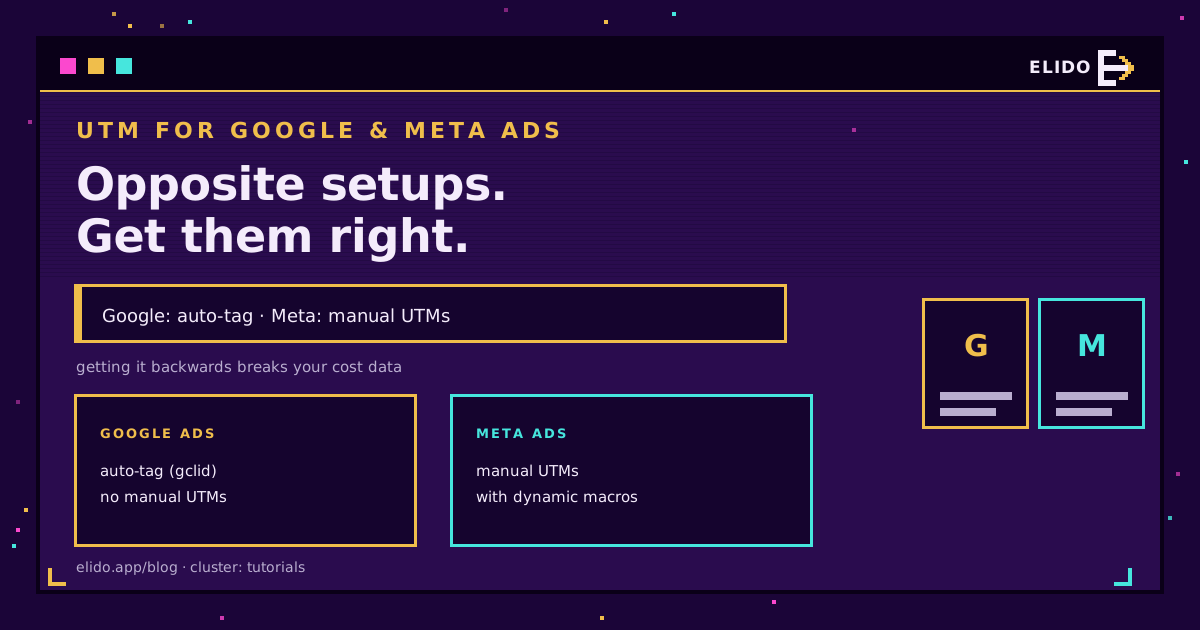
Google Ads und Meta-Ads brauchen entgegengesetzte UTM-Setups, und sie zu verwechseln ist der häufigste Fehler im Paid-Tracking. Google taggt jeden Klick automatisch mit einem gclid, weshalb keine manuellen UTMs hinzugefügt werden sollten - tut man es doch, zerbrechen die Kostendaten. Meta taggt überhaupt nicht automatisch, weshalb manuelle UTMs nötig sind, sonst erscheint der Traffic als direkt. Dieser Beitrag zeigt, wie jede Plattform korrekt getaggt wird.
Wer mit den Tags selbst noch nicht vertraut ist: UTM-Parameter erklärt ist die Einführung, und der kostenlose UTM-Builder erzeugt die getaggten URLs. Dieser Beitrag geht speziell auf die zwei großen Ad-Plattformen ein, wo die Regeln sich unterscheiden.
Google Ads: Auto-Tagging aktiviert lassen
Google Ads hat einen eigenen Klick-Identifikator, und der ist für Googles eigene Daten besser als ein UTM.
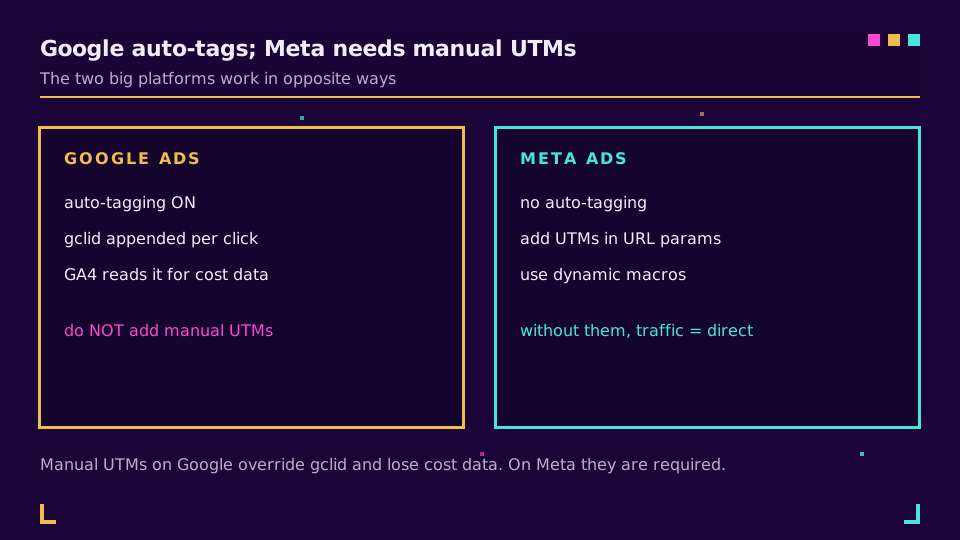
Ist Auto-Tagging aktiviert, hängt Google an jeden Anzeigenklick einen gclid-Parameter an. GA4 liest dieses gclid aus, um die Source auf google und das Medium auf cpc zu setzen, und vor allem, um die Kosten-, Keyword- und Kampagnendaten zu übernehmen, die nur Google hat. Werden zusätzlich manuelle utm_source- und utm_medium-Werte hinzugefügt, überschreiben sie die gclid-Attribution, und GA4 verliert die Kostendaten. Die Regel für Google Ads ist also einfach: Auto-Tagging aktiviert lassen und der finalen URL keine manuellen UTMs hinzufügen.
Die einzige Ausnahme ist, wenn die Google-Ads-Kampagnendaten dort gebraucht werden, wo GA4 nicht hinkommt, etwa in einem CRM, das kein gclid lesen kann. Dann werden zusätzlich UTMs hinzugefügt, mit dem Wissen, dass GA4 sich darauf verlässt. Für die meisten Teams greift diese Ausnahme nicht, und das sauberste Google-Setup ist gclid allein.
Meta-Ads: Manuelle UTMs mit Makros
Bei Meta ist es umgekehrt. Es gibt kein Auto-Tagging, weshalb ein Meta-Klick ohne UTMs in GA4 als direkter oder nicht zugewiesener Traffic landet und die Kampagne unsichtbar bleibt.
Die Lösung ist das Feld für URL-Parameter im Ads Manager, gesetzt auf Anzeigengruppen- oder Anzeigenebene, gefüllt mit UTMs, die Metas dynamische Makros nutzen, damit sich die Werte selbst einsetzen:
utm_source=facebook&utm_medium=paid_social&utm_campaign={{campaign.name}}&utm_content={{ad.name}}&utm_id={{campaign.id}}
Die Makros in doppelten geschweiften Klammern werden von Meta bei der Auslieferung ersetzt, sodass utm_campaign mit dem echten Kampagnennamen gefüllt wird, ohne ihn pro Anzeige einzutippen. Die Source auf facebook oder instagram setzen, das Medium konsistent halten (paid_social ist gängig) und den Rest den Makros überlassen. Kleinschreibung und ein festes Vokabular durchsetzen, denn eine Mischung aus Facebook und facebook spaltet die Berichte.
Der iOS-Datenschutz-Aspekt
Hier ein Grund, UTMs auch dort zu behalten, wo eine Plattform selbst taggt.
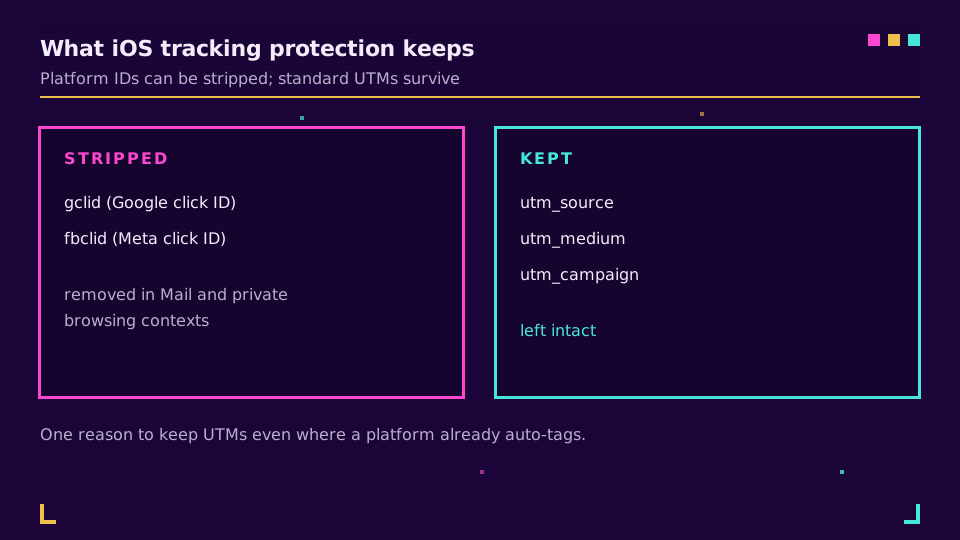
Apples Link Tracking Protection entfernt bekannte Klick-Identifikatoren, darunter gclid und fbclid, in manchen Kontexten wie Mail und privatem Browsen aus URLs. Standardmäßige utm_-Parameter entfernt sie nicht. Bei Traffic, wo Apple den Plattform-Identifikator entfernt hat, trägt ein selbst hinzugefügtes UTM die Attribution also weiterhin durch. Für Kampagnen, die auf iOS-starke Zielgruppen ausgerichtet sind, ist diese Widerstandsfähigkeit den zusätzlichen Tag wert, und genau deshalb ergänzen sich die zwei Systeme, statt zu konkurrieren.
Sollen die getaggten Links außerdem kurz, gebrandet und in einer Anzeige oder Bio klickbar sein, gruppiert und kürzt Elidos Kampagnen die getaggten Links, und ein Start mit dem kostenlosen Plan ist möglich.
Häufige Fehler, die Ad-Tracking zerstören
Drei Fehler sind für die meisten defekten Paid-Ads-Reportings verantwortlich.
Der erste ist, zusätzlich zum Auto-Tagging manuelle UTMs zu Google Ads hinzuzufügen, was das gclid überschreibt und die Kostendaten in GA4 auslöscht. Eines von beiden wählen, und bei Google gclid wählen. Der zweite ist, UTMs bei Meta komplett zu vergessen, wodurch der Traffic im direkten oder nicht zugewiesenen Topf landet, wo er unsichtbar bleibt. Meta braucht sie jedes Mal. Der dritte sind inkonsistente Werte über Plattformen und Kampagnen hinweg: hier facebook, dort Facebook, an einer Stelle paid_social, an einer anderen paid-social. UTM-Werte sind case-sensitiv und wörtlich, also wird jede Variante zu einer eigenen Zeile, und der Bericht zersplittert. Eine Kleinschreibungs-Taxonomie festlegen, aufschreiben und wiederverwenden, denn das Tool kann Namensdrift nicht beheben, und ein darauf aufgebauter Bericht kann es ebenso wenig.
So wird geprüft, ob es funktioniert
Nicht davon ausgehen, dass die Tags gefeuert haben - überprüfen.
Die eigene Live-Anzeige oder eine Vorschau anklicken und die URL in der Adressleiste lesen. Bei Google sollte ein gclid angehängt sein und keine verirrten UTMs. Bei Meta sollten die eigenen utm_-Werte mit eingesetzten Makros erscheinen, nicht der wörtliche Text in doppelten Klammern. Dann einen Tag später GA4s Traffic-Acquisition-Bericht öffnen und prüfen, ob Source und Medium wie beabsichtigt aussehen: google / cpc für Google, facebook / paid_social für Meta, da GA4 die Werte in seine Kampagnenberichte einordnet. Landet eine Kampagne bei direkt oder nicht zugewiesen, fehlt ein Tag oder er ist fehlerhaft - dieser Fünf-Minuten-Check fängt das ab, bevor ein ganzer Flight falsch berichtet.
Eine schnelle Referenz
Das Ganze passt in eine Tabelle.
| Plattform | Tagging | Was zu tun ist |
|---|---|---|
| Google Ads | Auto-Tag (gclid) | Auto-Tagging aktiviert lassen; keine manuellen UTMs hinzufügen |
| Meta Ads | Keine | Manuelle UTMs mit dynamischen Makros in den URL-Parametern hinzufügen |
| Keine | Manuelle UTMs von Hand hinzufügen | |
| E-Mail usw. | Keine | Manuelle UTMs hinzufügen; Ergebnis kürzen |
Werden diese zwei großen Plattformen richtig eingerichtet, folgt der Rest demselben manuellen Muster: Jeder Kanal, der nicht automatisch taggt, bekommt manuelle UTMs, und jede lange getaggte URL wird gekürzt, damit sie in einem Post, einer Bio oder im Druck nutzbar bleibt. Für die Namensdisziplin, die das alles sauber hält, ist UTM-Benennungskonventionen der Begleiter, und UTM-Kampagnen Ende-zu-Ende tracken zeigt, wo die Daten landen.
Verwandte Beiträge im Blog
- UTM-Parameter erklärt: Die 5 Tags und wie sie funktionieren
- Kostenloser UTM-Builder: Verfolgbare Kampagnen-URLs erstellen
- UTM-Benennungskonventionen: Regeln für saubere Kampagnendaten
- UTM-Kampagnen Ende-zu-Ende ohne CDP tracken
- Social-Media-Links tracken: Klicks nach Kanal
- UTM Parameters for TikTok and LinkedIn Ads: A Guide
Häufig gestellte Fragen
Sollten UTM-Parameter zu Google Ads hinzugefügt werden?
Normalerweise nicht, jedenfalls nicht manuell. Das Auto-Tagging von Google Ads hängt ein gclid an, das GA4 ausliest, um Quelle und Medium zu setzen und die Kostendaten zu übernehmen. Werden zusätzlich manuelle UTMs hinzugefügt, überschreiben sie das, und die Google-Ads-Kostenzahlen in GA4 gehen verloren. Auto-Tagging aktiviert lassen. Manuelle UTMs nur hinzufügen, wenn die Kampagnendaten in einem Tool gebraucht werden, das kein gclid lesen kann, etwa manche CRMs.
Braucht es UTM-Parameter für Meta-Ads?
Ja. Meta taggt nicht automatisch, ohne manuelle UTMs erscheint der Meta-Traffic also als direkt oder nicht zugeordnet. UTMs im Feld für URL-Parameter auf Anzeigengruppen- oder Anzeigenebene hinzufügen, mit Metas dynamischen Makros, damit Kampagnen- und Anzeigenname sich automatisch einsetzen. Das ist das Gegenteil von Google Ads, wo manuelle UTMs Probleme verursachen.
Was ist der Unterschied zwischen gclid und UTM-Parametern?
Ein gclid ist Googles eigener Klick-Identifikator, automatisch vom Auto-Tagging hinzugefügt, und er trägt die Kosten- und Kampagnendaten von Google Ads in GA4. UTM-Parameter sind offene, manuelle Tags, die jedes Analysetool lesen kann. gclid ist reichhaltiger, aber Google-exklusiv und nur von Google lesbar; UTMs sind einfacher, aber universell. Ernsthafte Paid-Search-Setups fahren mit gclid-Auto-Tagging und fügen UTMs nur dort hinzu, wo ein Nicht-Google-Tool sie braucht.
Überleben UTM-Parameter den iOS-Link-Tracking-Schutz?
Ja. Apples Link Tracking Protection entfernt bekannte Klick-Identifikatoren wie gclid und fbclid in manchen Kontexten aus URLs, lässt aber die standardmäßigen utm_-Parameter unangetastet. Das ist ein praktischer Grund, UTMs auch dort auf Kampagnen zu behalten, wo eine Plattform automatisch taggt: Das UTM überlebt, wo der Plattform-Identifikator es womöglich nicht tut.
Welche UTM-Werte sollten für Facebook- und Instagram-Ads verwendet werden?
Eine gängige Konvention ist utm_source=facebook (oder instagram), utm_medium=paid_social, sowie utm_campaign, utm_content und utm_id, gefüllt mit Metas dynamischen Makros wie {{campaign.name}} und {{ad.name}}. Alles klein geschrieben und konsistent halten. Die genauen Source-Werte sind frei wählbar; Konsistenz über jede Kampagne hinweg zählt mehr als die konkreten Begriffe.
Elido testen
URL einfügen, kurzer Link in Sekunden
Kein Konto nötig. Link bleibt 30 Tage aktiv. Konto erstellen, um ihn dauerhaft zu behalten.
Kostenlos, keine Anmeldung erforderlich · 2 pro Tag