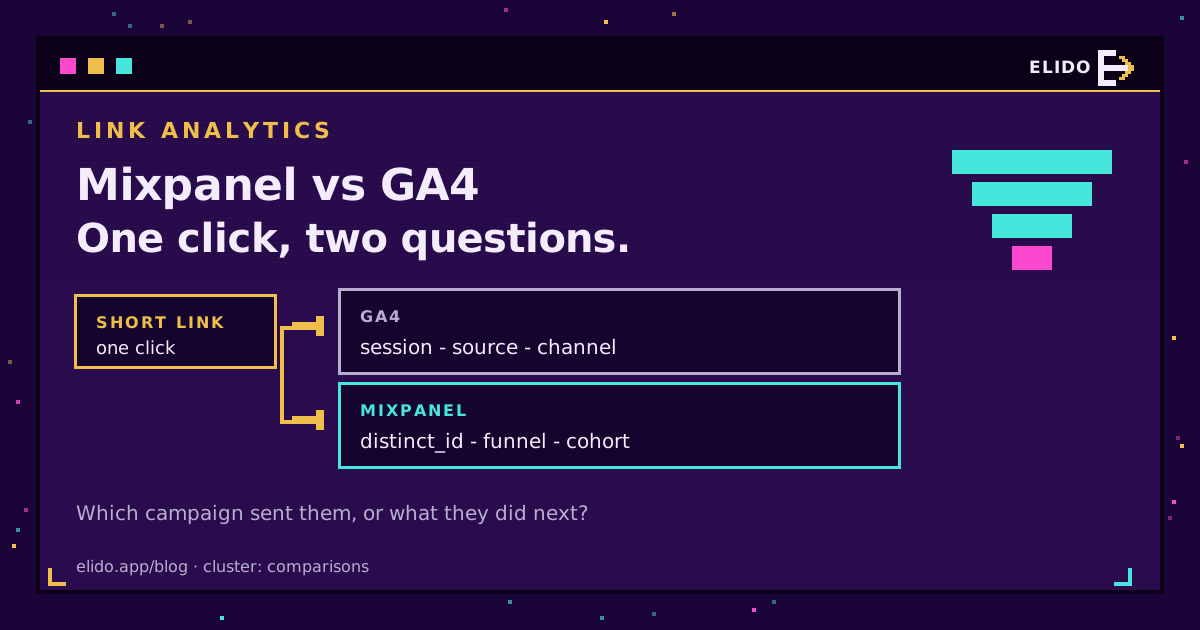
Pick GA4 if your question is "which campaign sent the traffic", and Mixpanel if it's "what did the people who clicked do next". That's the Mixpanel vs GA4 decision for link analytics in one sentence. Google's tool organises clicks into sessions and acquisition channels and costs nothing on the standard tier. Mixpanel organises the same clicks into users and funnels, bills by event volume, and lets you keep the data in the EU.
Most comparisons of Mixpanel vs Google Analytics are written for product teams choosing an in-app analytics stack. This one has a narrower job: a short link was clicked, a campaign paid for that click, and you want to know what it was worth. The event model, the identity rules and the attribution window differ between the two tools in ways that matter a lot more for that job than the feature grid suggests.
The click itself has to come from somewhere first. How we tag it and carry the UTM values through to a conversion is covered in the end-to-end UTM tracking guide, which is the cornerstone this post builds on.
Two Data Models for the Same Click
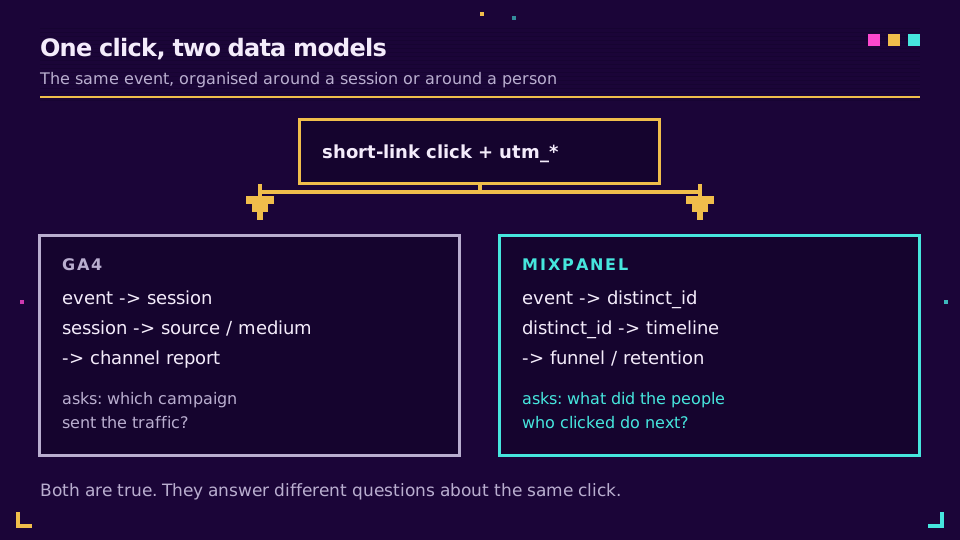
Both tools call themselves event-based, and both are. The difference is what they build on top of the event.
Google's model groups events into a session with a 30-minute inactivity timeout, then stamps that session with a source, a medium and a channel. Almost every standard report starts from that acquisition view. A click on a short link becomes interesting to GA4 only once the destination page loads, the tag fires, and a session exists to hang the campaign on.
Mixpanel skips the session as the unit of analysis. Each event belongs to a distinct_id, and reports ask what that ID did over time: funnels, retention curves, flows. A click event with utm_campaign as a property sits in the same timeline as a signup three days later, and you can ask about the pair directly.
Here's why that matters for campaign links. A GA4 report might tell you the spring newsletter drove 4,000 sessions. The equivalent Mixpanel report might tell you that 11% of the people who clicked it activated within a week, and that the ones from mobile churned faster. Both statements are true. They just aren't the same question.
Identity: Who Clicked, and Can You Find Them Later
A click is anonymous at the moment it happens, and both tools start from an anonymous device ID. GA4 uses the client_id stored in the _ga cookie, adds a user_id if you send one after login, and can blend in Google signals where users allow it. Mixpanel uses an anonymous distinct_id and merges it into the identified user when you call identify, which Mixpanel's ID management docs walk through step by step.
The practical difference shows up weeks later. In Mixpanel, a person who clicked a campaign link on their phone and upgraded on a laptop a month later can sit in one profile, provided you identify them on both devices. Google can connect the same pair with a user_id, but GA4 reports lean toward the session in which the conversion happened, and user-level history is limited by your retention setting.
One trap applies to both when clicks are forwarded server-side. The redirect never sees the analytics cookie, so a forwarded click arrives with a synthetic ID, not the visitor's real one. Elido's GA4 connection guide and Mixpanel connection guide both describe this: per-link reporting works out of the box, while stitching the click to an existing user needs you to pass the _ga client ID or your Mixpanel distinct_id back.
Attribution Models and Where the Credit Lands
By default, key events in GA4 get credit through data-driven attribution, with paid-and-organic last click as the alternative. Google retired the rule-based first-click, linear, time-decay and position-based models in 2023, so if a team wants a linear view of a campaign mix, GA4 alone won't produce it any more.
Mixpanel's attribution feature goes the other way. It offers first touch, last touch, linear, participation, time-decay and several shaped models, plus custom weights, on Growth and Enterprise plans. The catch is that it only attributes what you tracked: Mixpanel's own docs tell you to send the UTM values as event properties on every touchpoint, or the models have nothing to work with.
That's where short links earn their keep. When every campaign URL carries consistent UTM values and each click is recorded as an event, both tools get clean inputs. If the tags are messy, a smarter model won't save you, and I'd fix the UTM values that never reach GA4 before arguing about data-driven versus linear.
Pricing, Sampling and Data Thresholds
The standard GA4 tier costs nothing, while GA4 360 is the paid enterprise version, priced through Google or a reseller. Mixpanel's pricing page (accessed 2026-09-21) lists a free plan up to 1 million events a month, a Growth plan that starts at zero and scales by volume up to 20 million, and Enterprise on request.
Free isn't the whole story, though. Google's help centre documents three limits worth knowing before you trust a campaign number:
- Retention. Standard properties keep user-level and event data for 2 or 14 months; only 360 goes to 26, 38 or 50 months. Year-over-year comparisons in explorations need the 14-month setting switched on from day one, because the default is 2.
- Sampling and thresholds. Explorations sample once a single query crosses 10 million events on a standard property, and thresholding withholds rows when counts are low or demographic data is involved. A small campaign filtered by country can end up hidden.
Mixpanel queries the full event set by default. Query-time sampling exists, but its docs limit it to Enterprise projects above 2 billion monthly events, and even then it's opt-in per report. For link analytics at normal marketing volume, you'll see every click.
So cost runs in opposite directions. Google's option is free but lossy at the edges; Mixpanel is exact but charges for every event you send, which is a reason to forward conversions and meaningful clicks rather than every bot-filtered request.
If you'd rather see the raw click count before deciding which tool gets which events, Elido's click analytics records each resolve at the redirect in an EU region, with no sampling and no threshold to hide a small campaign.
EU Data Residency and GDPR
This is where Mixpanel vs Google Analytics differs most for European teams. There's no option in GA4 to choose where data is stored. Google processes Analytics data on its global infrastructure, and the legal questions that raises, from the Austrian and French regulator decisions through the Data Privacy Framework, are covered in our GA4 GDPR analysis.
Mixpanel does offer EU data residency, processing and storing project data in Europe. Three details from its docs catch people out. You choose the region when you create the project. An existing project can't be migrated, so a wrong choice means a new project and a manual data move. And an EU project only ingests events sent to the EU ingestion host; send to the default US host and nothing arrives. Check which host every server-side forwarder posts to, Elido's included, before you point it at an EU project; the Mixpanel EU data residency guide lists each regional host and how to check your project's setting. The pricing table also lists the US-or-EU choice under Enterprise, so confirm what your plan covers.
Residency is one part of GDPR, not all of it. Consent still governs the cookie that ties a click to a person in either tool. The EU data residency guide for marketing teams goes through what residency does and doesn't settle.
Getting Elido Click Data Into Each Tool
Both routes are server-side and both are set up under Dashboard, Conversions in Elido. Neither needs JavaScript on the destination page, which matters for ad-blocked visitors and for clicks that never produce a page view at all.
For GA4, you paste a Measurement ID and a Measurement Protocol API secret. Elido then forwards events through the GA4 Measurement Protocol. Google is explicit that the protocol augments tag-based collection rather than replacing it, and server-only data gets partial reporting. Expect the events in Realtime within a minute, and in standard reports after 24 to 48 hours.
For Mixpanel, you paste the project token. Click and conversion events can be toggled independently, and each carries the link slug, destination, country and device as properties, so a Mixpanel funnel can start at the click. The Mixpanel integration page marks it as beta.
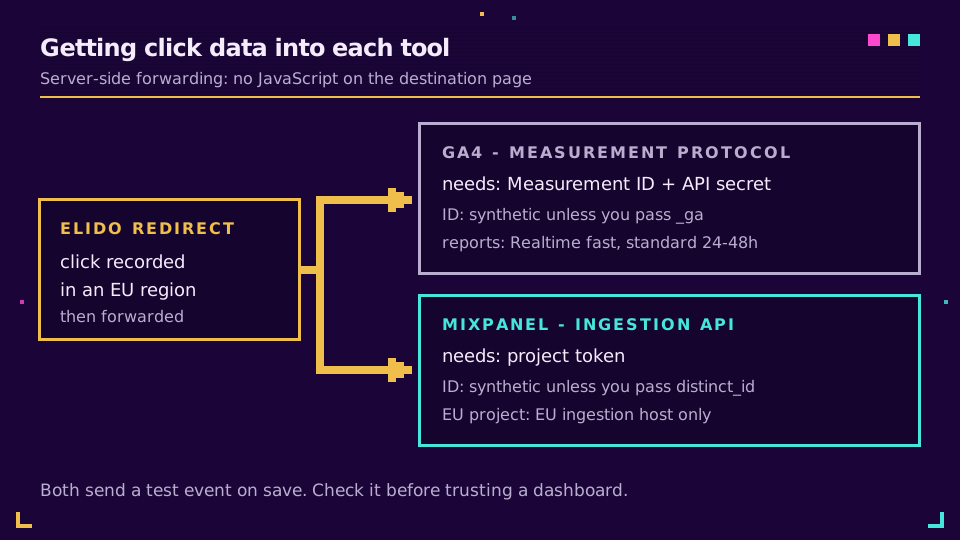
Both send a test event the moment you save. I'd check it before trusting any dashboard: an invalid Mixpanel token still gets an HTTP 200 back, and a wrong GA4 secret is dropped without complaint. The full field mapping lives in the conversion forwarding guide, and the broader case for doing this outside the browser is in server-side conversion tracking.
Decision Table: Mixpanel, GA4, or Both
Honestly, most teams that ask "Mixpanel or GA4" end up running both, and the split is predictable once you name the question each tool answers. Use the rows below as a starting point, not a verdict.
| Your situation | Pick | Why |
|---|---|---|
| Paid media reporting, Google Ads bidding | GA4 | Native Ads link and channel reports |
| Activation or retention after a campaign click | Mixpanel | User timelines, funnels, cohorts |
| Need linear or first-touch attribution | Mixpanel | GA4 dropped rule-based models |
| Zero analytics budget | GA4 | Standard tier is free |
| EU storage is a hard requirement | Mixpanel | EU residency, chosen per project |
| Small campaigns, exact counts matter | Mixpanel | No sampling at marketing volume |
| Marketing owns acquisition, product owns activation | Both | Each team keeps its own model |
Whichever you choose, the click itself is the one number both tools see second-hand. Keep a first-party count at the link, and the gap you'll inevitably find between link clicks and GA4 sessions becomes something you can explain instead of something you argue about.
Related on the Blog
- Track UTMs end to end - the tagging convention both tools depend on.
- Short-link clicks vs GA4 sessions - why the two totals never match.
- Link analytics in Looker Studio - joining click data with GA4 in one dashboard.
- GA4 server-side tracking via redirects - the Measurement Protocol route in depth.
- Send short link click events to Mixpanel - the setup and the properties each click carries.
- Mixpanel EU data residency - regional ingestion hosts and why events sent to the wrong one vanish.
Sıkça sorulan sorular
Is Mixpanel better than GA4?
Neither is better in general; they answer different questions. GA4 is built around sessions and acquisition channels, so it's strong at telling you which campaign brought traffic. Mixpanel is built around users and events, so it's strong at telling you what those people did afterwards, across weeks and devices.
Can I use Mixpanel and GA4 together?
Yes, and many product-led teams do. The usual split is GA4 for acquisition and paid-media reporting, Mixpanel for activation funnels and retention. The cost is two tracking plans to keep in sync, so agree on one event name and one set of UTM property names before you wire both.
Is Mixpanel free?
Mixpanel has a free plan that covers up to 1 million events a month with unlimited seats, according to its pricing page as of 21 September 2026. The Growth plan starts at zero and bills by volume above that, and Enterprise is priced on request. The attribution report needs Growth or Enterprise.
Does GA4 sample data?
Standard reports are not sampled, but explorations and API requests can be once a single query crosses the property's event quota, which Google documents as 10 million events per query on standard properties. GA4 360 raises that ceiling. Separately, thresholding can hide rows when counts are small or demographic data is involved.
Can Mixpanel store data in the EU?
Yes. Mixpanel offers EU data residency, which processes and stores project data in Europe. You pick the region when you create the project and cannot migrate an existing project afterwards, and every event has to be sent to the EU ingestion host or it won't be ingested at all.
How do short-link clicks get into Mixpanel or GA4?
The most dependable route is server-side. The shortener records the click at the redirect and forwards it, to GA4 through the Measurement Protocol and to Mixpanel through its ingestion API. That works without JavaScript on the destination page and isn't blocked by browser extensions, though identity stitching needs an extra ID.
Elido'yu deneyin
Bir URL yapıştırın, çalışan bir kısa bağlantı alın
Kayıt gerekmez. Bağlantı 30 gün boyunca yaşar. Sonsuza kadar saklamak için kaydolun.
Ücretsiz, kayıt gerekmez · Günde 2