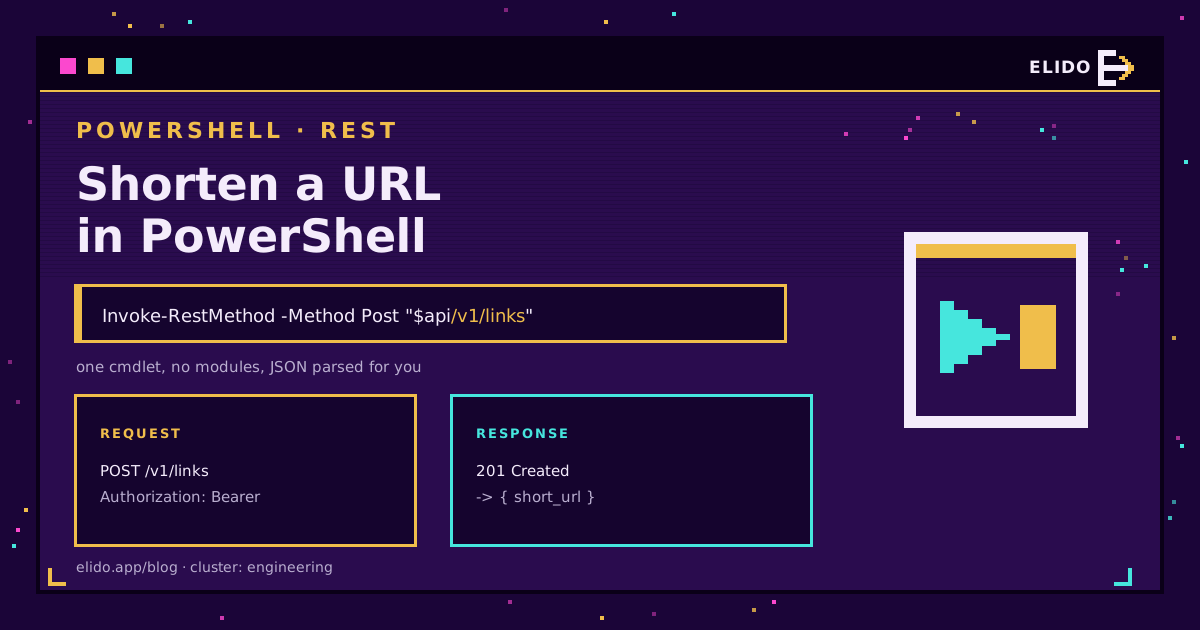
Сокращение URL в PowerShell выполняется одной командой. Invoke-RestMethod отправляет URL назначения в API сервиса сокращения, передаёт API-ключ в заголовке Bearer и возвращает разобранный объект, а не строку JSON. Ничего устанавливать не нужно на любой машине, где уже есть PowerShell.
Это раздел серии для системных администраторов, в которой также рассматриваются Python, JavaScript, C# и Go. Формат эндпоинта и модель авторизации описаны в обзоре бесплатного API сервиса сокращения URL, а маршрут панели управления - в общем руководстве по сокращению URL.
Самый быстрый способ: один вызов Invoke-RestMethod
$headers = @{
    Authorization  = "Bearer $env:ELIDO_API_KEY"
    'Content-Type' = 'application/json'
}

$body = @{
    destination_url = 'https://example.com/spring-sale?utm_source=newsletter'
} | ConvertTo-Json

$link = Invoke-RestMethod -Method Post `
    -Uri 'https://api.elido.app/v1/links' `
    -Headers $headers `
    -Body $body `
    -TimeoutSec 10

$link.short_url   # https://s.elido.me/ab12cd
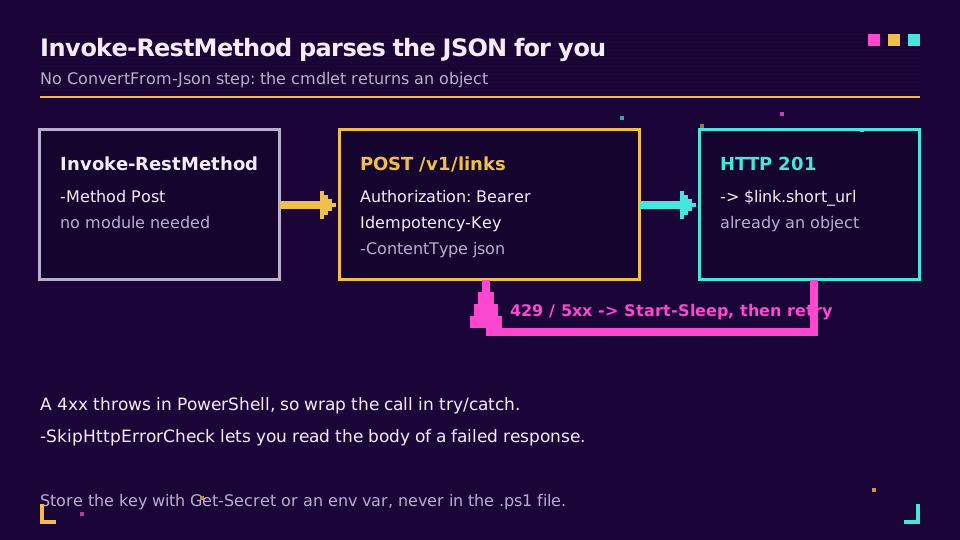
Invoke-RestMethod десериализует ответ, и в этом его отличие от Invoke-WebRequest. Шаг ConvertFrom-Json не нужен, как и распаковка .Content: $link уже является объектом с полями id и short_url.
ConvertTo-Json обязателен. Если передать хеш-таблицу напрямую в -Body, PowerShell закодирует её как форму, API увидит application/x-www-form-urlencoded, и вы получите ответ 400, который будет выглядеть как проблема сервера.
Есть одна неожиданность, специфичная для PowerShell: здесь 401 или 404 - это завершающая ошибка, а не возвращаемое значение. Все остальные клиенты в этой серии заставляют проверять код состояния, а этот - перехватывать исключение.
Обработка 429 и повторный запуск скрипта
Для любой запланированной задачи нужно добавить три вещи. try/catch из-за описанного выше поведения с ошибками. Ожидание с учётом Retry-After. И Idempotency-Key, чтобы повторный запрос возвращал исходную ссылку, а не создавал вторую для того же URL назначения.
function Get-ShortLink {
    param(
        [Parameter(Mandatory)][string] $Destination,
        [int] $Attempts = 3
    )

    # stable key: the same destination always produces the same one
    $sha  = [System.Security.Cryptography.SHA256]::Create()
    $key  = [BitConverter]::ToString(
                $sha.ComputeHash([Text.Encoding]::UTF8.GetBytes($Destination))
            ).Replace('-', '')

    $headers = @{
        Authorization     = "Bearer $env:ELIDO_API_KEY"
        'Content-Type'    = 'application/json'
        'Idempotency-Key' = $key
    }
    $body = @{ destination_url = $Destination } | ConvertTo-Json

    for ($attempt = 0; $attempt -lt $Attempts; $attempt++) {
        try {
            return (Invoke-RestMethod -Method Post -Uri 'https://api.elido.app/v1/links' `
                        -Headers $headers -Body $body -TimeoutSec 10).short_url
        }
        catch {
            $status = $_.Exception.Response.StatusCode.value__

            if ($status -eq 429) {
                $wait = $_.Exception.Response.Headers['Retry-After']
                if (-not $wait) { $wait = 2 }        # works on 5.1 too; no ?? operator
                Start-Sleep -Seconds ([int]$wait)
            }
            elseif ($status -ge 500) {
                Start-Sleep -Seconds ([math]::Pow(2, $attempt))   # 1s, 2s, 4s
            }
            else {
                throw   # 401, 403, 422: retrying will not help
            }
        }
    }

    throw "shorten failed after $Attempts attempts"
}
В PowerShell 7 можно обойти большую часть разбора исключений с помощью -SkipHttpErrorCheck: он возвращает объект ответа вместо того, чтобы выдавать ошибку, и позволяет напрямую прочитать тело ошибки API. Это особенно полезно при отладке ответа 422, когда нужно увидеть, какое поле вызвало возражение API.
Не храните ключ в скрипте
$env:ELIDO_API_KEY - простой ответ, которого достаточно для запланированной задачи с собственной сервисной учётной записью. Ключ, набранный в файле .ps1, таким ответом не является: он попадёт в систему контроля версий, в Get-History и в любые журналы транскрипции, включённые в вашей инфраструктуре.
Для всего, чем пользуются совместно, лучше подходит модуль SecretManagement:
$env:ELIDO_API_KEY = Get-Secret -Name ElidoApiKey -AsPlainText
После этого для смены ключа достаточно обновить одну запись в хранилище, а не искать его в скриптах на четырёх серверах.
Хотите запустить эти примеры без изменений? Создайте ключ на бесплатном тарифе, задайте $env:ELIDO_API_KEY, и всё на этой странице будет работать как есть.
Сокращение целого столбца CSV
На практике обычно нужно обработать не один URL, а целую таблицу. Четыре командлета и ограничение:
$rows    = Import-Csv .\campaign-urls.csv     # columns: id, destination
$funcDef = ${function:Get-ShortLink}.ToString()

$done = $rows | ForEach-Object -ThrottleLimit 8 -Parallel {
    $function:Get-ShortLink = $using:funcDef   # ship the function into each runspace
    [pscustomobject]@{
        id          = $_.id
        destination = $_.destination
        short_url   = try   { Get-ShortLink -Destination $_.destination }
                      catch { "ERROR: $($_.Exception.Message)" }
    }
}

$done | Export-Csv .\campaign-urls-short.csv -NoTypeInformation
Весь приём заключается в -ThrottleLimit 8: одновременно выполняются восемь запросов, независимо от того, содержит файл пятьдесят строк или пятьдесят тысяч. У -Parallel есть два нюанса. Каждая итерация выполняется в собственном runspace, поэтому функции и переменные вызывающего кода недоступны, если не передать их с помощью $using:. Кроме того, нужен PowerShell 7; в Windows PowerShell 5.1 обычный foreach - честный выбор для нескольких сотен строк.
Запись ошибок в столбец результата вместо выдачи исключения сохраняет возможность повторного запуска. Поскольку ключ идемпотентности вычисляется из URL назначения, после исправления трёх строк можно повторно обработать весь файл без затрат и дубликатов.
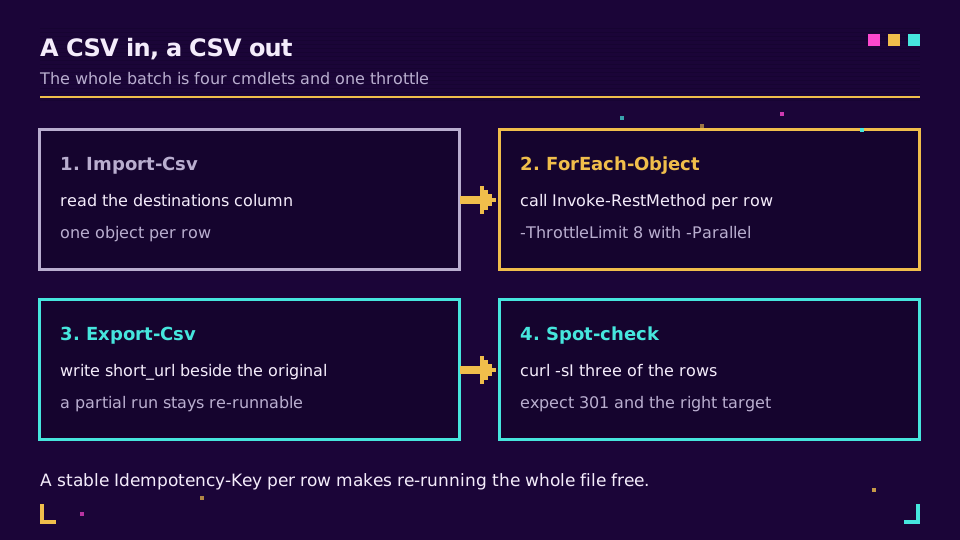
Перед выводом или отправкой по электронной почте выборочно проверьте результат. curl.exe -sI https://s.elido.me/ab12cd для трёх строк занимает десять секунд и выявляет случай, когда столбец сместился на одну позицию.
Когда PowerShell подходит лучше всего
Это правильный инструмент, если данные уже находятся в CSV или Active Directory, задача выполняется в планировщике Windows или её сопровождает системный администратор, а не разработчик приложения. Для всего, что поставляется внутри приложения, версию на C# с типизированным клиентом и внедрением зависимостей проще тестировать.
В любом случае используйте ключ из окружения или хранилища, явный -TimeoutSec, try/catch вокруг вызова и стабильный ключ идемпотентности для всего, что может выполняться дважды. На странице API и SDK описаны сгенерированные клиенты, а в разделе решений для разработчиков рассказано о других возможностях API.
Основная серия
Эта статья входит в кластер engineering. Начните с руководства по бесплатному API сервиса сокращения URL, затем перейдите к материалу лимиты запросов API сервиса сокращения URL и идемпотентность. Актуальная справочная информация находится в документации API, а в статье массовый импорт коротких ссылок из Google Sheets описан путь без кода для той же задачи с CSV.
Другие статьи блога
- Как сократить URL в C# с HttpClient и .NET
- Как сократить URL в Python с библиотекой requests
- Массовый импорт коротких ссылок из Google Sheets
- Лимиты запросов API сервиса сокращения URL и идемпотентность
- Как сокращать URL в Excel: четыре рабочих способа
- CLI для сокращения URL: сокращайте ссылки из терминала
Частые вопросы
Как сократить URL в PowerShell?
Вызовите Invoke-RestMethod с параметром -Method Post для эндпоинта ссылок, передав API-ключ в заголовке Authorization, а URL назначения - в формате JSON. Командлет сам разбирает ответ, поэтому $link.short_url доступен сразу, без шага ConvertFrom-Json.
Нужен ли модуль, чтобы сокращать URL в PowerShell?
Нет. Invoke-RestMethod встроен в Windows PowerShell 3.0 и во все версии PowerShell 7, а вызов сервиса сокращения состоит из одного запроса. Модули оправданы, если вам нужны оболочки в форме командлетов для множества эндпоинтов, а не один POST.
Почему Invoke-RestMethod выдаёт ошибку для 404 или 401?
Потому что он трактует любой ответ 4xx или 5xx как завершающую ошибку, что противоположно поведению большинства HTTP-клиентов. Оберните вызов в try/catch или в PowerShell 7 передайте -SkipHttpErrorCheck, чтобы получить обратно объект ответа и прочитать тело ошибки, которое вернул API.
Как не хранить API-ключ в скрипте PowerShell?
Прочитайте его из переменной окружения с помощью $env:ELIDO_API_KEY или сохраните в модуле SecretManagement и получите через Get-Secret. Ключ, вставленный в файл .ps1, окажется в системе контроля версий, истории консоли и любых включённых журналах транскрипции.
Как сократить целый столбец URL из CSV?
Импортируйте файл через Import-Csv, передайте его в ForEach-Object -Parallel с -ThrottleLimit 8 и экспортируйте результат через Export-Csv, разместив короткую ссылку рядом с исходной. Именно ограничение удерживает выполнение в пределах лимита запросов API: без него большой файл запускает все запросы одновременно.
Работает ли ForEach-Object -Parallel в Windows PowerShell 5.1?
Нет, для него нужен PowerShell 7 или более поздней версии. В 5.1 практичные варианты - обычный цикл foreach, которого достаточно для нескольких сотен строк, или пулы runspace, если размер пакета оправдывает дополнительный код.
Попробуйте Elido
Вставьте URL - получите короткую ссылку
Без регистрации. Ссылка живёт 30 дней. Зарегистрируйтесь, чтобы оставить её навсегда.
Бесплатно, без регистрации · 2 в день