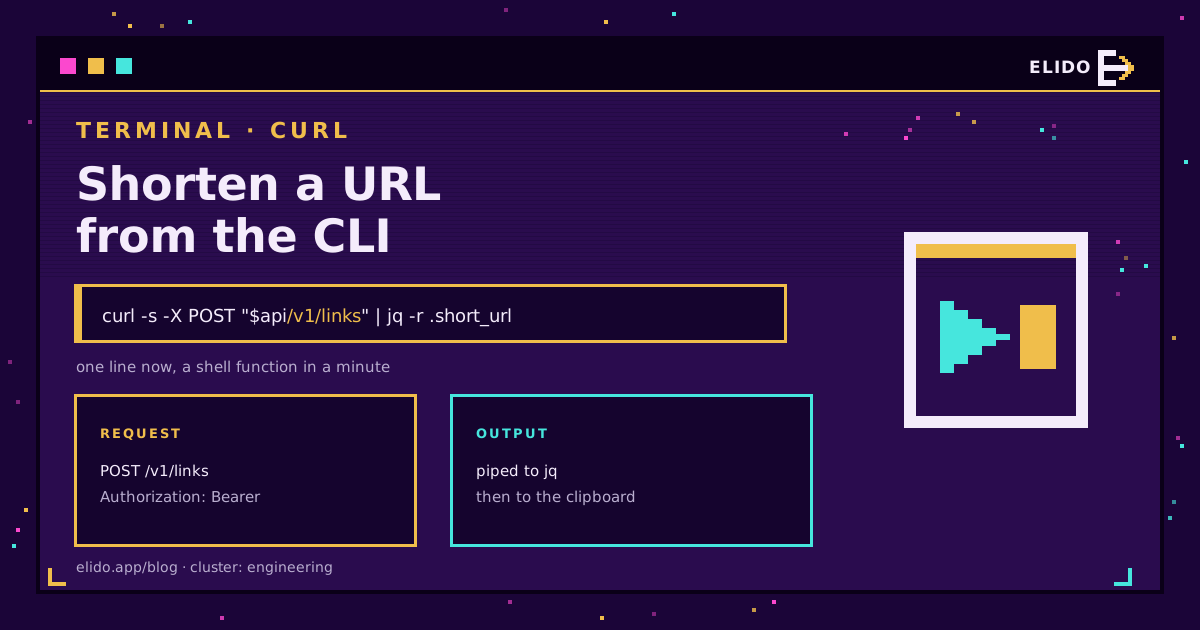
Shortening a URL from the terminal is one line:
curl -s -X POST https://api.elido.app/v1/links \
  -H "Authorization: Bearer $ELIDO_API_KEY" \
  -H "Content-Type: application/json" \
  -d '{"destination_url":"https://example.com/spring-sale"}' | jq -r .short_url
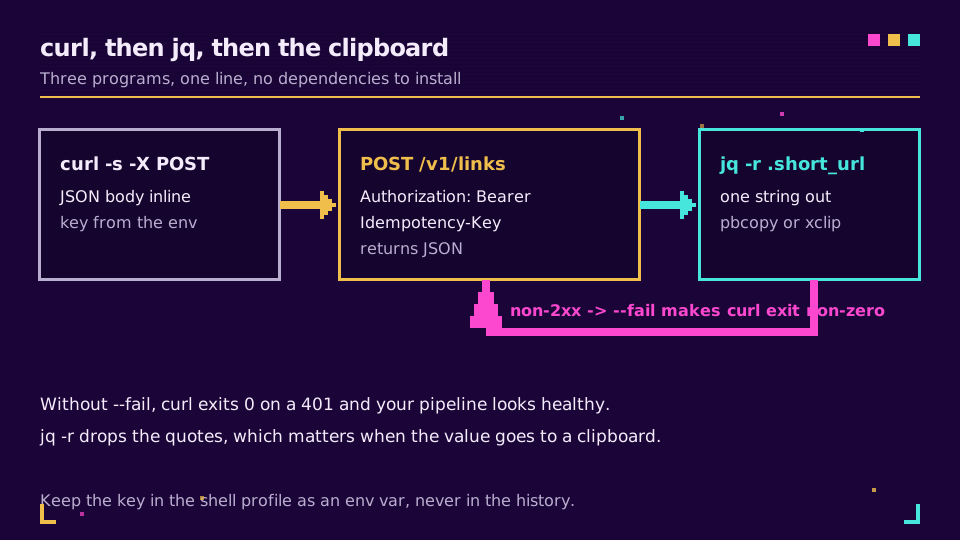
That prints https://s.elido.me/ab12cd and nothing else. curl makes the request, jq pulls one field out of the JSON, and -r drops the surrounding quotes so the value can go straight into a clipboard or another command.
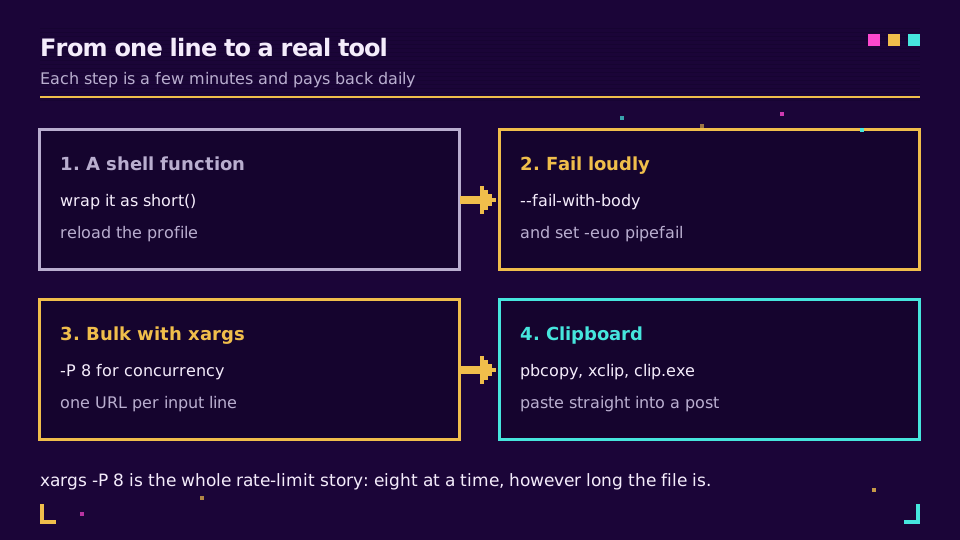
The rest of this post is the four upgrades that turn that line into something you actually use: a shell function, honest exit codes, bulk with bounded concurrency, and the clipboard. If you would rather write it in a language than in shell, the same call exists in Python, Go, and six other runtimes.
Make It a Command
An alias cannot take an argument, so use a function. In .zshrc or .bashrc:
short() {
  [ -z "$1" ] && { echo "usage: short <url> [slug]" >&2; return 2; }

  local body
  body=$(jq -n --arg url "$1" --arg slug "${2:-}" \
    '{destination_url: $url} + (if $slug == "" then {} else {slug: $slug} end)')

  curl -s --fail-with-body -X POST https://api.elido.app/v1/links \
    -H "Authorization: Bearer $ELIDO_API_KEY" \
    -H "Content-Type: application/json" \
    -H "Idempotency-Key: $(printf %s "$1" | shasum -a 256 | cut -d' ' -f1)" \
    -d "$body" | jq -r .short_url
}
Three deliberate choices in there.
Building the JSON with jq -n --arg rather than string interpolation means a destination containing a quote or an ampersand does not break the request. This is the shell equivalent of parameterised SQL, and skipping it is the same class of bug.
--fail-with-body is the flag people miss. By default curl exits 0 for any completed exchange, so a 401 flows through the pipe, jq prints null, and a script carries on with null where a link should be. With it, a 4xx sets a non-zero exit status and you still get the error body to read.
The Idempotency-Key derived from the URL means running the same command twice returns the same link rather than creating two. That matters more in the bulk section below, and the reasoning is in rate limits and idempotency.
Need a key? Create one on the free plan, export it from your shell profile, and the function works on the next new terminal.
Straight to the Clipboard
The last few characters that make it feel finished:
short "https://example.com/spring-sale" | tee /dev/tty | pbcopy      # macOS
short "https://example.com/spring-sale" | tee /dev/tty | xclip -sel c # Linux, X11
short "https://example.com/spring-sale" | tee /dev/tty | wl-copy     # Wayland
short "https://example.com/spring-sale" | tee /dev/tty | clip.exe    # WSL
tee /dev/tty prints the link and copies it in the same breath, which beats copying blind and hoping.
Bulk Without Collecting 429s
A file of URLs, one per line, shortened eight at a time:
export -f short                      # bash; zsh users call the script directly
xargs -P 8 -I{} bash -c 'short "{}"' < urls.txt > short-urls.txt
-P 8 is the entire rate-limit strategy: eight requests in flight no matter whether the file has fifty lines or fifty thousand. Without it, xargs runs them as fast as it can spawn processes and the API answers most with 429.
Two caveats worth knowing before you point this at a real file. xargs -P interleaves output, so lines can arrive out of order; if the mapping between input and output matters, print both:
xargs -P 8 -I{} bash -c 'printf "%s\t%s\n" "{}" "$(short "{}")"' < urls.txt > mapping.tsv
And a URL containing a space or a quote will not survive -I{} unescaped. For anything user-supplied, xargs -0 with a null-delimited input file is the safe version. At that point a real script in Python is usually less work than getting the quoting right.
Keep the Key Out of Your History
ELIDO_API_KEY=abc123 short <url> puts the key in ~/.zsh_history and in the process list, where any other account on the machine can read it with ps.
Export it from your shell profile instead, or better, pull it from a secret store at shell start:
export ELIDO_API_KEY="$(security find-generic-password -s elido -w)"      # macOS Keychain
export ELIDO_API_KEY="$(pass show elido/api-key)"                          # pass
Rotating a key then means updating one entry rather than grepping dotfiles across three machines. The same principle applies on the server side of any script you schedule, and webhooks for link events is the pattern for getting data back without another key living somewhere.
When the Terminal Is the Right Place
It is right when the URLs are already in a file, when you are already in a shell, or when the shortening is one step of a larger script: a release process that generates a distribution link, a CI job that shortens a preview deployment URL, a git hook that produces a link for a changelog entry.
It is the wrong place for managing a campaign. Folders, tags, and comparing click volume across placements need a dashboard, and trying to do it with jq queries against a list endpoint is a project rather than a shortcut. Solutions for developers covers what the API exposes beyond creation, and the API and SDKs covers the typed clients for when a shell script stops being enough.
Read the Cornerstone Series
This sits in the engineering cluster. Start with the free URL shortener API guide for the endpoint shape, then rate limits and idempotency. The live reference is the API docs.
Related on the Blog
Sıkça sorulan sorular
How do I shorten a URL from the command line?
POST the destination to the shortener's API with curl and pipe the response through jq to pull out the short link. One line, no install beyond curl and jq, and the API key comes from an environment variable so it never appears in your shell history.
How do I make it a reusable command?
Wrap the curl call in a shell function in your .zshrc or .bashrc, taking the URL as the first argument. Reload the profile and short https://example.com works from any directory. A function beats an alias here because it needs to accept an argument.
Why does my curl pipeline succeed when the API returned a 401?
Because curl exits 0 for any completed HTTP exchange, including error responses. Add --fail-with-body so a 4xx or 5xx sets a non-zero exit code and the body is still printed, otherwise a script keeps going with an error object where the short link should be.
How do I shorten a whole file of URLs from the shell?
Pipe the file into xargs with -P 8 to run eight requests at a time and -I{} to substitute each line. That caps concurrency at eight regardless of file length, which is what keeps a large batch under the API rate limit instead of collecting 429s.
How do I copy the short link straight to the clipboard?
Pipe the output into pbcopy on macOS, xclip -selection clipboard on Linux with X11, wl-copy on Wayland, or clip.exe under WSL. Combined with a shell function it means one command produces a link that is already ready to paste.
Where should the API key live for a CLI workflow?
In an environment variable exported from your shell profile, or better, fetched from a password manager or secret store at shell start. Typing the key inline puts it in your history file and in the process list, where any other user on the machine can read it.
Elido'yu deneyin
Bir URL yapıştırın, çalışan bir kısa bağlantı alın
Kayıt gerekmez. Bağlantı 30 gün boyunca yaşar. Sonsuza kadar saklamak için kaydolun.
Ücretsiz, kayıt gerekmez · Günde 2