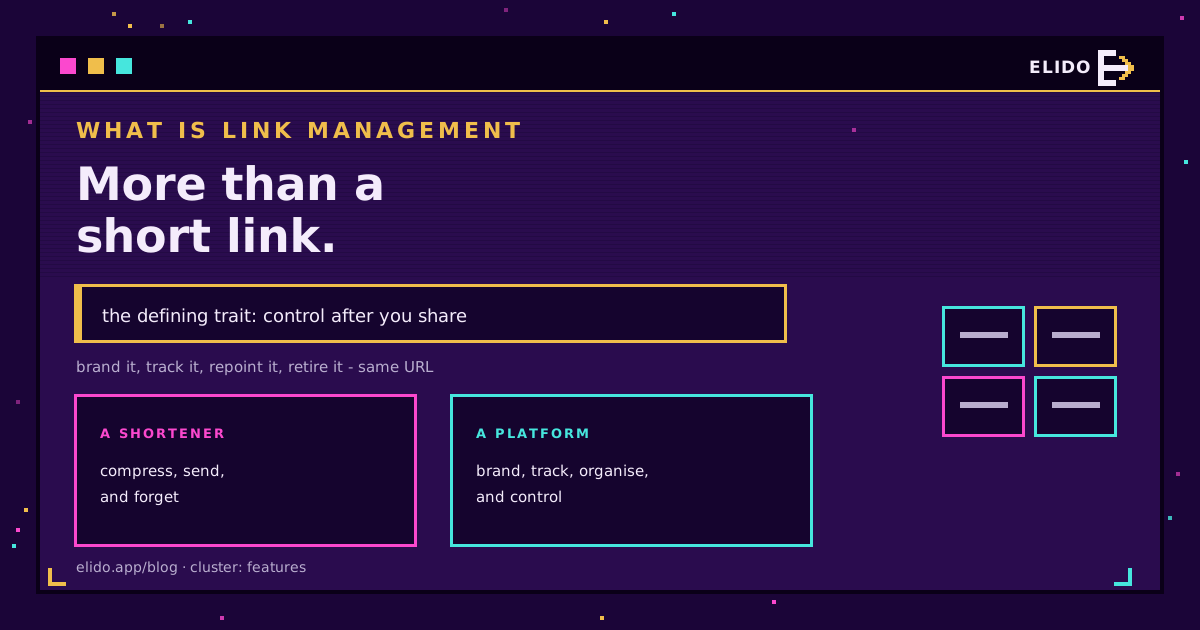
A gestão de links é a prática de criar, dar marca, organizar, rastrear e controlar links curtos a partir de uma única plataforma, incluindo depois de os ter compartilhado. A parte que a torna mais do que um simples encurtamento é o controlo que continua a existir depois de o link já estar no ar: um link gerenciado pode ser reapontado para um novo destino, medido, protegido por palavra-passe, expirado ou desativado instantaneamente, tudo sem alterar o URL curto que as pessoas já têm.
Esse último ponto é toda a ideia. Um link curto simples é do tipo "enviar e esquecer"; assim que é impresso num folheto ou enviado por email, perde-se o controlo sobre ele. Um link gerenciado mantém-se editável e mensurável durante toda a sua vida. Este guia cobre o que a gestão de links inclui, em que difere de um simples encurtador de URL, e quando realmente precisa de uma plataforma em vez de uma ferramenta pontual.
Se está começando mais atrás, o que é um encurtador de URL cobre a funcionalidade isolada sobre a qual isto se constrói, e smart links explicados é o artigo-pilar sobre como funciona o encaminhamento por baixo.
Gestão de Links vs Encurtador de URL
Estes termos são usados de forma intercambiável, e não são a mesma coisa.
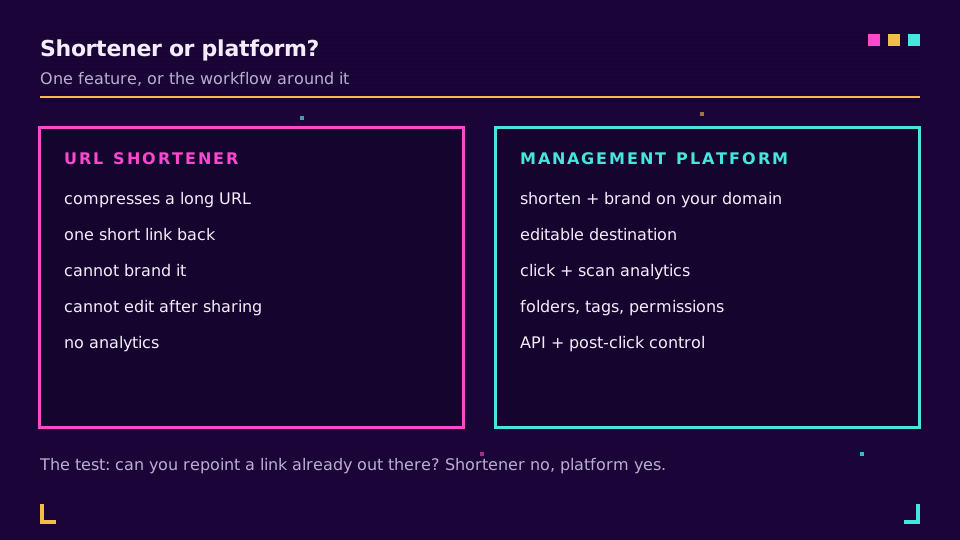
Um encurtador de URL faz um único trabalho: comprime um URL longo num URL curto que redireciona para ele. Isso é genuinamente útil, e para uma partilha rápida é tudo o que precisa. Uma plataforma de gestão de links faz esse encurtamento e envolve-o num fluxo de trabalho: domínios de marca, destinos editáveis, análises, códigos QR, organização, permissões e uma API.
A forma mais clara de ver a diferença é o momento em que um destino muda. Com um encurtador simples, um link que já está no mundo aponta para onde apontava quando foi criado, para sempre. Com uma plataforma de gestão de links, reaponta-o e todas as cópias existentes desse URL curto passam a ir para o novo destino. Mesmo link, novo alvo, sem reimpressão.
As Capacidades Essenciais
Uma plataforma de gestão de links é, no fundo, um conjunto de capacidades que um encurtador deixa de fora, e a categoria cresceu até se tornar um segmento de software a sério, que até os líderes estabelecidos (a Bitly enquadra-o da mesma forma) descrevem nestes termos. As que importam:
- Links de marca no seu próprio domínio personalizado, para que o URL curto carregue o seu nome em vez de um genérico, até ao custom back-half que escolhe depois da barra.
- Destinos editáveis, para que um link ativo possa ser reapontado sem alterar o URL.
- Análises de cliques e leituras, para ver volume, origens, dispositivos e tempo.
- Códigos QR, idealmente dinâmicos e ligados ao mesmo link editável.
- Pastas, etiquetas e pesquisa, para que centenas de links se mantenham organizados.
- Papéis e permissões, para que uma equipe possa compartilhar links sem pisar uns nos outros.
- Uma API, para que os links possam ser criados e atualizados a partir dos seus próprios sistemas.
As plataformas mais avançadas acrescentam rastreamento de conversões pós-clique e desativação instantânea para casos de abuso. Nem todas as ferramentas incluem tudo isto, por isso comparar por funcionalidade em vez de por nome é o que importa, e é por isso que o artigo melhores encurtadores de URL pontua as ferramentas exatamente nestes critérios.
Se quer ver o lado das análises na prática, análise de ligações curtas - o que medir cobre quais destes números realmente merecem atenção. Também pode experimentar a plataforma gratuitamente e configurar um link de marca e rastreado em poucos minutos.
Porque É Que Isto É Importante
A gestão de links justifica o seu lugar por quatro razões, e elas somam-se.
O controlo pós-clique significa que um erro ou uma alteração é uma edição de dois minutos, não uma reimpressão ou uma audiência perdida. A atribuição significa que pode ligar um clique de volta à campanha, ao canal e ao criativo que o gerou, o que transforma um "publicámos muito" num "este canal funcionou". A confiança de marca significa que um link no seu próprio domínio recebe mais cliques do que um genérico, porque as pessoas veem para onde vai. E a governação significa que uma equipe pode operar à escala sem os links se espalharem numa confusão sem gestão.
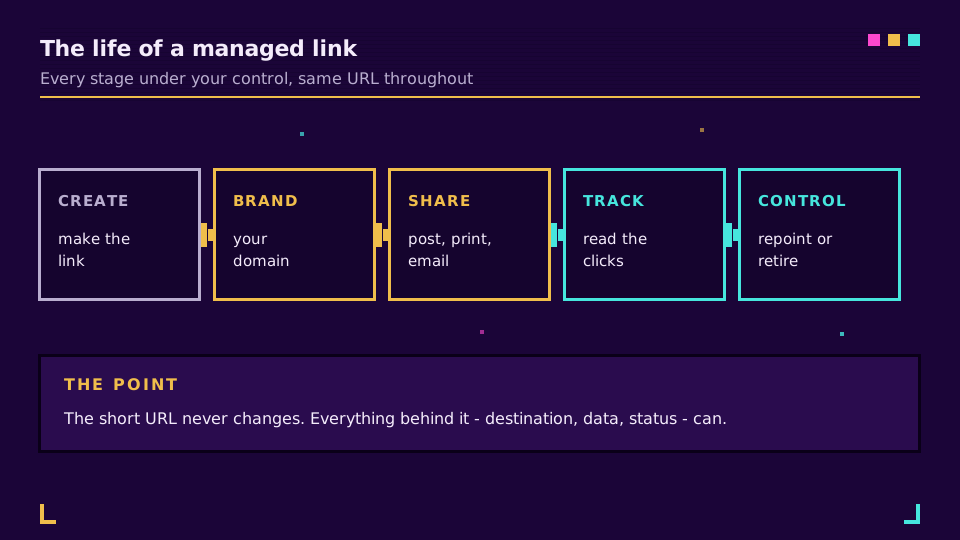
Pense nisto como a diferença entre um link ter um momento e um link ter um ciclo de vida. O encurtador dá-lhe o momento. A plataforma dá-lhe toda a vida do link, desde a criação até ao dia em que o retira.
Como as Equipes o Usam
A definição fica mais clara com casos concretos.
Uma equipe de marketing corre uma campanha entre email, redes sociais e um folheto impresso, cada um com o seu próprio link rastreado, e depois lê qual canal realmente gerou os cliques. Uma agência mantém os links de uma dezena de clientes em pastas separadas com permissões por cliente, para que ninguém mexa na conta errada. Uma equipe de suporte aponta um único link curto para o que quer que seja o artigo de ajuda atual e reaponta-o quando o artigo muda de lugar, para que o código QR já impresso na embalagem nunca fique desatualizado. Uma equipe de produto gera milhares de links diretamente a partir dos seus próprios sistemas através da API em vez de à mão.
Nenhum destes casos funciona com um encurtador simples. São a forma do dia a dia da gestão de links assim que uma equipe passa a depender dela de fato.
Quem Precisa de uma Plataforma
Seja honesto sobre de que lado da linha está, porque pagar por uma plataforma que não usa é tão desperdício como continuar preso a um encurtador que já ficou pequeno.
Um simples encurtador chega-lhe se partilha links ocasionalmente, nunca precisa de os alterar e não se importa de os medir. Passou a precisar de uma plataforma assim que qualquer uma destas situações for verdadeira: usa domínios de marca, gere mais do que um punhado de links, uma equipe mexe neles, ou precisa de rastrear e reapontar links depois de estarem no ar. O gatilho habitual é a primeira vez que um link já impresso ou já enviado precisa de mudar de destino, porque é exatamente isso que um encurtador não consegue fazer e uma plataforma torna trivial.
Relacionado no Blog
- O que é um encurtador de URL? Uma explicação clara e simples
- Smart links explicados: encaminhamento na edge sem um serviço extra
- Melhores encurtadores de URL: 6 ferramentas classificadas e comparadas
- O que é um custom back-half? Slugs de links curtos explicados
- Análise de ligações curtas - o que medir e o que ignorar
- O que é um link de marca? Links curtos no seu domínio
- Como criar um link clicável em email, redes sociais e HTML
Perguntas frequentes
O que é a gestão de links?
A gestão de links é a prática de criar, dar marca, organizar, rastrear e controlar links curtos a partir de uma única plataforma, incluindo depois de partilhados. A característica que a define é o controlo pós-clique: um link gerido pode ser reapontado, medido, protegido por palavra-passe, expirado ou desativado sem alterar o URL curto que as pessoas já têm. É a diferença entre um link que se envia e esquece e um link sobre o qual se mantém o controlo.
Qual é a diferença entre um encurtador de URL e uma plataforma de gestão de links?
Um encurtador de URL transforma um link longo num link curto. Uma plataforma de gestão de links faz isso e acrescenta domínios personalizados de marca, destinos editáveis, análises de cliques, códigos QR, pastas e permissões, e uma API. O encurtador é a funcionalidade isolada; a plataforma é o fluxo de trabalho à sua volta. Se só precisa de um link mais curto uma vez, um encurtador basta; se os links fazem parte de como gere as suas campanhas, quer a plataforma.
Quais são as funcionalidades essenciais da gestão de links?
Links de marca no seu próprio domínio, URLs de destino editáveis, análises de cliques e leituras, geração de códigos QR, pastas e etiquetas para organização, papéis e permissões de equipa, e acesso à API para automação. As melhores plataformas acrescentam rastreamento de conversões pós-clique e a capacidade de atualizar ou desativar um link depois de estar ativo. Nem todas as ferramentas têm tudo isto, por isso compare a lista de funcionalidades com o que realmente faz.
Preciso de uma plataforma de gestão de links ou apenas de um encurtador?
Se partilha um link ocasional e nunca precisa de o alterar ou medir, um simples encurtador chega. Precisa de uma plataforma assim que tiver domínios de marca, mais do que um punhado de links, uma equipa a mexer neles, ou a necessidade de rastrear e reapontar links depois de estarem no ar. O gatilho costuma ser a primeira vez que um link já impresso ou já partilhado precisa de mudar de destino.
A gestão de links é o mesmo que o rastreamento de links?
O rastreamento é apenas uma parte. O rastreamento de links mede o que acontece depois de um clique - contagens, origens, dispositivos, conversões. A gestão de links inclui o rastreamento, mas também cobre criar, dar marca, organizar e controlar os próprios links. Pode rastrear links sem os gerir, mas não os pode gerir bem sem os rastrear, por isso as plataformas maduras fazem as duas coisas.
Experimente Elido
Cole uma URL, obtenha um link curto
Sem cadastro. O link vive 30 dias. Cadastre-se para mantê-lo para sempre.
Grátis, sem necessidade de registo · 2 por dia