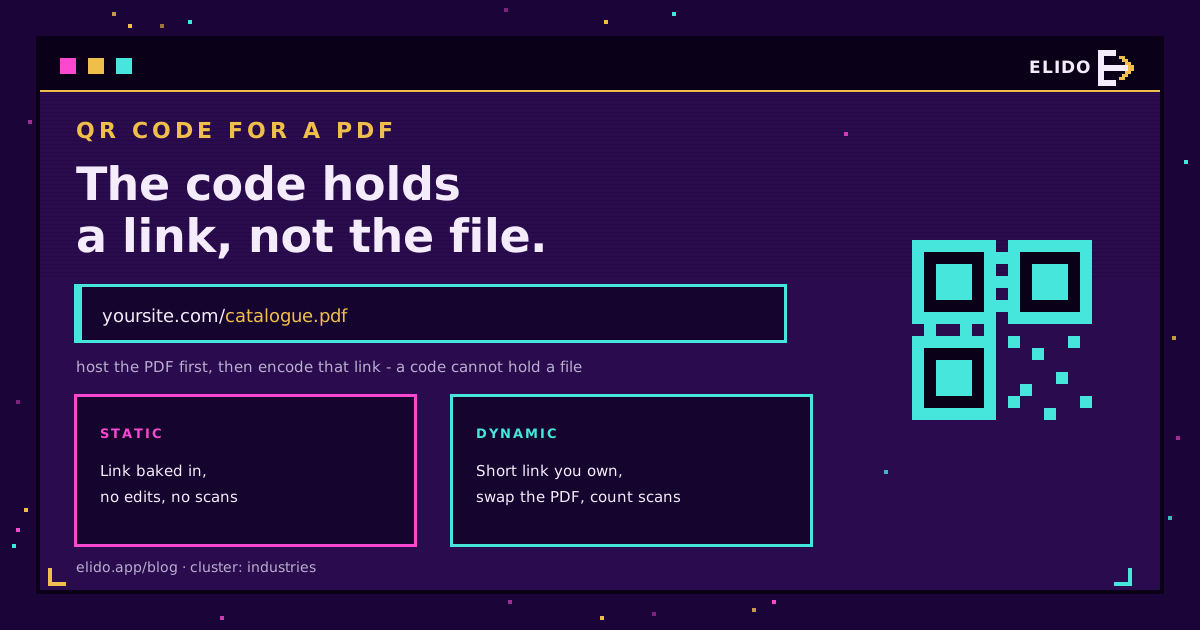
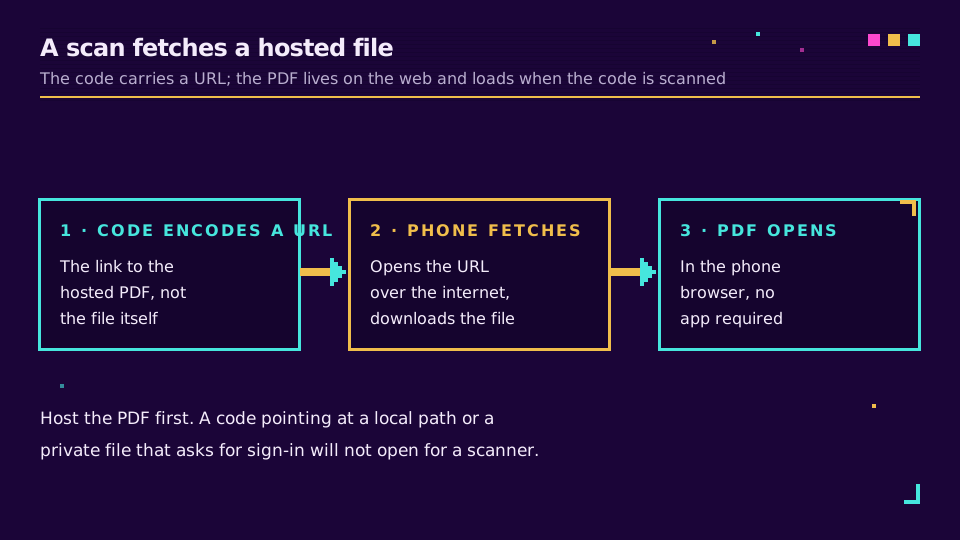
Um código QR para um PDF é um código lido pelo celular que abre um PDF hospedado no navegador. O detalhe importante é que o código não contém o arquivo. Contém um link para o arquivo, por isso o primeiro passo é sempre colocar o PDF num endereço web e depois codificar esse endereço. Leia o código, o celular obtém o documento, e quem lê tem o seu catálogo, menu, manual ou brochura no tela em segundos.
Este é um guia prático: onde hospedar o PDF, como transformar o link num código, a única decisão que realmente importa, e como manter o código a funcionar depois de o imprimir. Se os códigos QR são novidade para si, Como Criar um QR Code: Estático, Dinâmico e Rastreável cobre primeiro o básico.
Porque Colocar um PDF Atrás de um Código QR
O papel esgota o espaço, os telas não. Um flyer de uma página com um código pode abrir um catálogo de quarenta páginas, uma ficha técnica completa, um programa de evento ou um manual de instruções, sem imprimir nada disso.
O padrão encaixa em qualquer sítio onde uma superfície física se cruze com um documento mais longo: uma caixa de produto que remete para o manual, uma mesa de restaurante que remete para o menu, um flyer imobiliário que remete para a planta, um crachá de conferência que remete para o programa, a borda de uma prateleira que remete para a ficha de dados de segurança. Quem lê o código faz a leitura em vez de escrever um URL longo, e evita reimprimir o documento sempre que este muda.
Passo 1: Aloje o PDF num URL
O código precisa de um link, por isso o PDF tem primeiro de estar nalgum sítio público. Há três opções comuns.
- O seu próprio site ou servidor de arquivos. Carregue o PDF e use o seu URL direto, por exemplo
yoursite.com/files/catalogue.pdf. A opção mais limpa se tiver um site, porque o endereço é seu e estável. - Uma unidade na cloud com partilha de link. O Google Drive, o Dropbox ou semelhantes conseguem gerar um link público. Defina a partilha para qualquer pessoa com o link, ou quem lê o código cai numa barreira de início de sessão. A Google documenta os seus links de partilha de arquivos (consultado a 2026-07-18).
- Um gerador que hospeda o arquivo. Muitas ferramentas de códigos QR carregam o PDF e hospedam-no por si, o que é conveniente mas prende o arquivo a esse fornecedor.
Seja qual for a opção escolhida, abra o link final numa janela privada do navegador antes de continuar. Se pedir início de sessão, ou fizer download em vez de mostrar o arquivo, resolva isso agora. Um código só é tão fiável quanto o link que tem dentro.
Passo 2: Escolha Estático ou Dinâmico
Esta é a decisão que importa mais do que qualquer escolha de design, por isso vem antes de personalizar seja o que for.
Um código estático codifica o link do PDF diretamente. É gratuito e permanente, mas não pode ser editado nem medido. Se o arquivo mudar de sítio ou publicar uma nova versão, o código impresso aponta para nada. Um código dinâmico, em vez disso, codifica um link curto que controla, que passa por um redirect até ao PDF, por isso pode trocar o documento mais tarde e contar cada leitura. Desenvolvemos essa comparação em códigos QR dinâmicos vs estáticos.
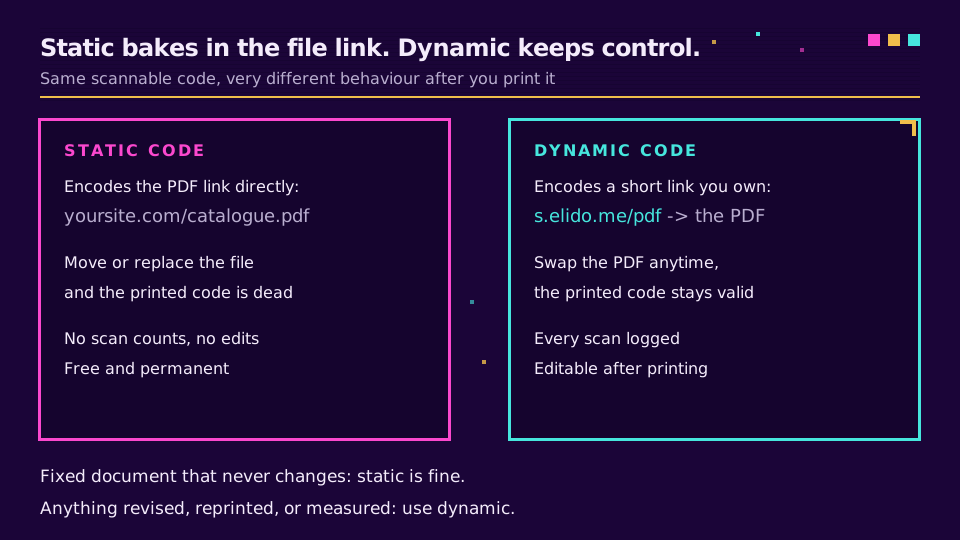
A regra prática é simples. Um documento fixo que nunca vai mudar, como um arquivo histórico, funciona bem como código estático. Tudo o que é revisto, reimpresso ou medido, como uma lista de preços, um manual ou uma brochura de marketing, deve ser dinâmico. A versão que imprime em janeiro raramente é a versão que quer ativa em junho.
Passo 3: Gere, Personalize e Faça o Download
Agora faz com que o código pareça seu e exporta-o com qualidade de impressão.
Cole o URL (ou configure o link curto dinâmico), depois adicione um logótipo no centro, defina as cores da marca, e mantenha um contraste forte entre o padrão e o fundo, porque códigos de baixo contraste falham na leitura. Deixe a zona silenciosa, a margem clara à volta do código, intacta. Adicione uma chamada para ação curta ao lado, como "Leia para o catálogo completo", para que as pessoas saibam o que vão obter. Design de código QR com marca cobre logótipos, cores e os erros que impedem um código de ser lido.
Exporte em alta resolução. Um código que parece nítido no tela pode borrar num flyer impresso, por isso faça o download em tamanho grande e deixe a impressora reduzir a escala. Para impressões ao ar livre ou muito manuseadas, aumente o nível de correção de erros, definido na norma QR, para que o código continue a ser lido mesmo com um risco ou um logótipo por cima.
Se quiser o código editável e mensurável desde o início, os códigos QR da Elido geram um código dinâmico e com marca sobre um link curto que lhe pertence, para que possa trocar o PDF e ler as leituras mais tarde. Pode criar um workspace Elido gratuito.
Passo 4: Teste Antes de Imprimir
Um código que falha numa tiragem impressa é caro, por isso teste a coisa real, não apenas o tela.
Leia o código descarregado com um iPhone e um Android, usando a câmera integrada, e confirme que o PDF abre sem uma barreira de início de sessão. Imprima uma cópia no tamanho final e leia-a também, porque o contraste do papel e a escala mudam a forma como o celular lê o código. Preste atenção ao tamanho do arquivo: um PDF muito grande pode ser lento ou falhar a carregar em dados móveis, por isso comprima-o se chegar a dezenas de megabytes. Só depois de um teste limpo em papel é que avança para a tiragem completa.
Erros Comuns
Alguns erros explicam a maioria dos códigos de PDF avariados.
- Codificar um caminho de arquivo local.
file:///Users/...ou um caminho no seu computador não é um URL público e nunca vai abrir no celular de outra pessoa. O PDF tem de estar hospedado. - Um link privado na cloud. Um arquivo do Drive ou do Dropbox deixado em partilha restrita envia quem lê o código para um tela de início de sessão. Torne-o público antes de codificar.
- Um código estático para um documento vivo. Se a lista de preços muda todos os trimestres, um código estático garante uma reimpressão a cada trimestre. Use dinâmico.
Acerte nestes três pontos e o resto é simples.
Acompanhe o Desempenho do PDF
Se optou por dinâmico, agora pode ver se o código está sequer a funcionar.
Um código dinâmico de PDF registra cada leitura, por isso pode ver quantas pessoas abriram o documento, quando, e em que dispositivo, e comparar colocações entre si. Isso diz-lhe se o inserto na caixa supera o cartão na prateleira, ou se um manual impresso chega sequer a ser lido. Como monitorar leituras de códigos QR percorre a leitura desses dados. O mesmo link curto que transporta o PDF é, por baixo, um link curto normal, e é por isso que pode ser medido e reapontado.
Medido ou não, a forma é a mesma: aloje o arquivo, codifique o link, escolha dinâmico se algum dia mudar, e teste em papel antes da tiragem.
Relacionado no Blog
Perguntas frequentes
Como faço um código QR para um PDF?
Aloje o PDF num endereço web e depois codifique esse endereço como um código QR. Um código QR não consegue conter um ficheiro, apenas um link, por isso primeiro carregue o PDF nalgum sítio onde obtenha um URL público, como o seu site, uma unidade na cloud com partilha de link, ou um gerador que aloja o ficheiro por si. Cole esse URL num gerador de códigos QR, escolha estático ou dinâmico, personalize e faça o download. Ao ler o código, o PDF abre no navegador do telemóvel.
Um código QR pode guardar o próprio PDF?
Não. Um código QR guarda uma pequena quantidade de texto, normalmente um URL, não o ficheiro. Um PDF inteiro é demasiado grande para caber dentro do código. O que codifica é o link para uma cópia alojada do PDF, e o telemóvel obtém o ficheiro pela internet quando o código é lido. É por isso que o PDF tem primeiro de estar num endereço web acessível.
Posso transformar um PDF num código QR gratuitamente?
Sim, para um código estático. Se alojar o PDF por sua conta, por exemplo no seu site ou numa unidade na cloud com partilha pública, o código QR que codifica esse link é gratuito de gerar. O custo surge com os códigos dinâmicos, que acrescentam um link curto que controla, para poder trocar o ficheiro e monitorizar as leituras. Códigos estáticos gratuitos servem bem para um documento fixo que nunca vai mudar.
Posso atualizar o PDF depois de imprimir o código QR?
Só se o código for dinâmico. Um código estático guarda o link do PDF diretamente, por isso, se o ficheiro mudar de sítio ou for substituído, o código impresso fica morto. Um código dinâmico aponta para um link curto que controla e que passa por um redirect até ao PDF, por isso pode carregar uma nova versão e reapontar o link sem tocar no código impresso. Para tudo o que é reimpresso ou revisto, use dinâmico.
Porque é que o meu código QR do PDF não abre?
Normalmente o problema é o link por trás dele. Confirme que o URL do PDF é público, e não um ficheiro privado numa unidade na cloud que pede início de sessão, e que abre o ficheiro diretamente em vez de uma pré-visualização ou um aviso de download. Confirme também que o código tem contraste e zona silenciosa suficientes para ser lido, e que um PDF muito grande não está a demorar demasiado tempo em dados móveis. Teste num iPhone e num Android antes de imprimir.
Experimente Elido
Cole uma URL, obtenha um link curto
Sem cadastro. O link vive 30 dias. Cadastre-se para mantê-lo para sempre.
Grátis, sem necessidade de registo · 2 por dia
Continuar lendo
- IndústriasQR Code para Coleta de Dados: Formulários, Check-In, Inventário
- IndústriasQR Codes para Bancos: Casos de Uso, Riscos e Controles
- IndústriasCódigos QR para Hotéis: Um Código Dinâmico Para Cada Momento do Hóspede
- IndústriasFraude em Códigos QR de Bilhetes de Eventos: Como Prevenir Capturas de Tela