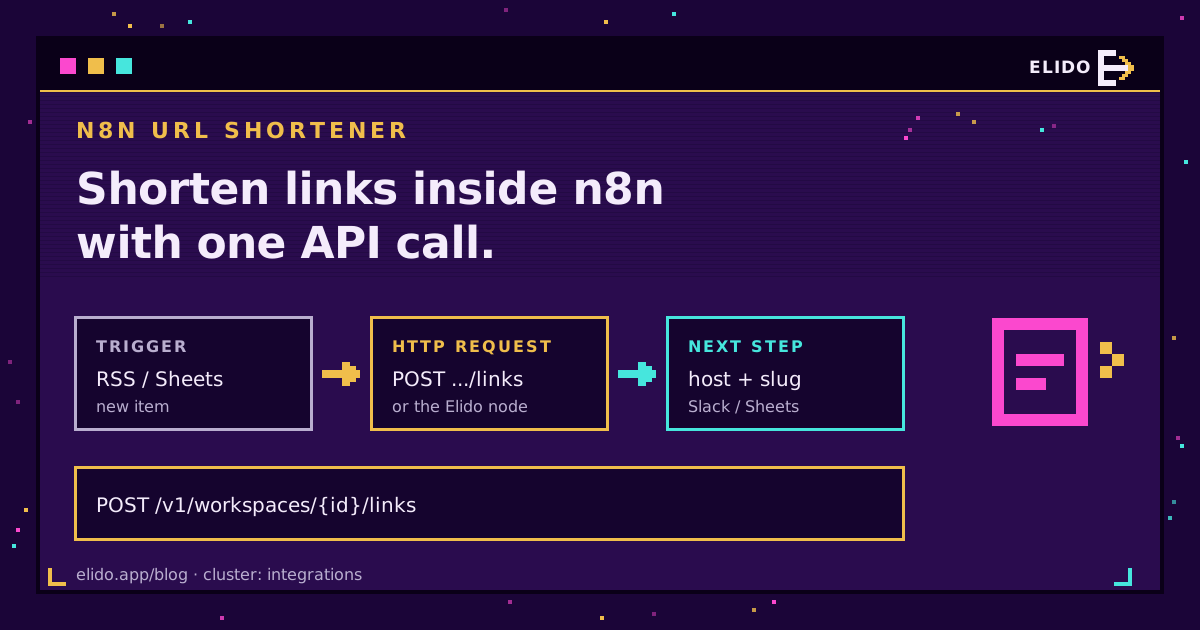
To build an n8n URL shortener on Elido today, use n8n's built-in HTTP Request node: POST to /v1/workspaces/{workspace_id}/links with a Bearer token, a domain_id and a destination_url, and the response hands back the new link's slug and short_url. That route works on n8n Cloud and self-hosted alike. There's also a packaged community node, n8n-nodes-elido, published on npm (0.2.0), which wraps the same API in typed fields for self-hosted instances.
Most n8n short link searches want that first route. The HTTP Request node needs about five minutes of setup: one credential, two IDs from your workspace and a JSON body. After that it's just another node.
I've written it from the API and package source rather than from marketing copy, because a request body is easy to state exactly and painful to guess. If the REST API itself is new to you, the API and SDKs quickstart covers tokens, workspaces and the rest of the surface this post sits on.
Two Ways to Shorten Links in n8n
n8n has no shortener built in, so there are two ways to wire Elido in:
- HTTP Request node. Built into every n8n edition, reaches every endpoint, and lets you set headers such as
Idempotency-Keyyourself. It's the reference path. - Community node
n8n-nodes-elido. A packaged Elido node with a Link resource and four operations (Create, Get, List, Get Analytics) plus an Elido API credential type. Self-hosted only.
The Make and IFTTT recipes treat n8n as one option among four platforms. Here n8n gets the whole post.
Shortening a URL With the HTTP Request Node
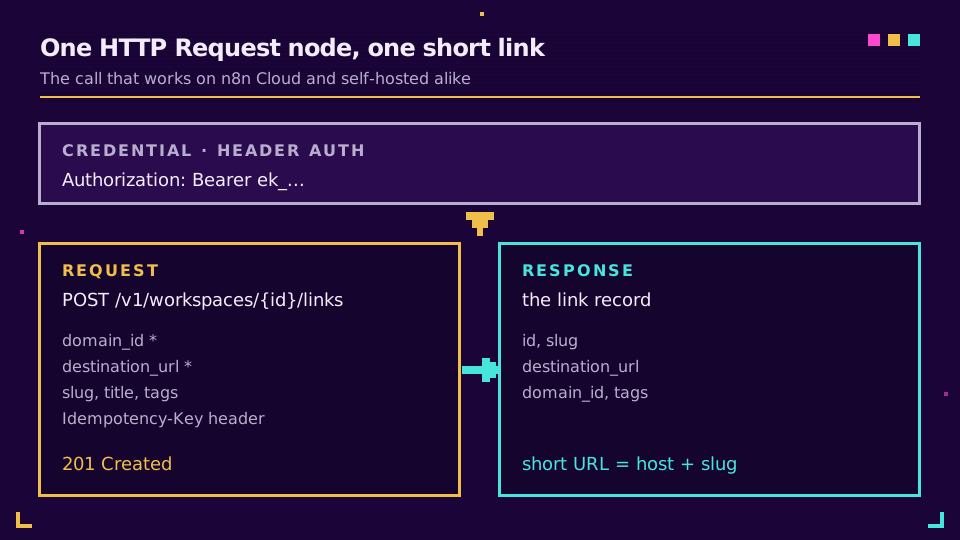
Start with a token. In Elido, open Settings, then API Tokens, and create a personal access token; it starts with elido_ and is shown once. In n8n, create a Header Auth credential with the name Authorization and the value Bearer elido_.... n8n encrypts it at rest and keeps it out of exported workflow JSON, which beats pasting the header into every node of every workflow and then hunting them all down on the day the token rotates. Give the token the editor role and an expiry date; our breakdown of API key permissions for link tools explains why a link workflow never needs admin.
Next, two numbers. Your workspace ID sits in the dashboard URL right after /dashboard/. For the domain, run one GET against /v1/workspaces/{workspace_id}/domains from a throwaway HTTP Request node: each item carries an id and a hostname, and you need both.
Then the create call itself:
Method:         POST
URL:            https://api.elido.app/v1/workspaces/1/links
Authentication: Generic credential > Header Auth (Authorization: Bearer elido_...)
Headers:        Idempotency-Key: {{ $execution.id }}-{{ $itemIndex }}
Body (JSON):    {
                  "domain_id": 7,
                  "destination_url": "{{ $json.link }}",
                  "title": "{{ $json.title }}",
                  "tags": ["n8n", "rss"]
                }
The response is the link record: id, slug, short_url, destination_url, domain_id, tags and timestamps. Map {{ $json.short_url }} into the next node; the hostname you noted only matters if you build a URL by hand. Add a slug field for a vanity back-half (Starter plan and above), or leave it out and Elido generates one. n8n's HTTP Request node docs cover the remaining options, including built-in pagination for list calls.
The Elido Community Node for Self-Hosted n8n
The packaged node sells one thing: typed fields. It registers an Elido API credential (Base URL, an API Token that is a workspace API key starting with elido_, and Workspace ID), and the credential test reads GET /v1/workspaces/{id}. Then there's one Elido node with a Link resource. Create takes a destination URL plus optional custom slug, domain ID, title, tags, expiry and a 301, 302 or 307 redirect status. Get fetches one link by ID. List takes a limit from 1 to 100 and filters for search, tags and active or disabled status, and emits one n8n item per link. Get Analytics takes a link ID and a report (clicks over time, or clicks by country, referrer, device or browser), a From and To date that defaults to the last 30 days, and a day or hour interval, with one item per row. Link responses include short_url.
One condition applies before you plan around it. n8n Cloud accepts verified community nodes only, and this one isn't verified, so it's self-hosted or nothing. The package itself is on npm as version 0.2.0:
npm view n8n-nodes-elido version
On a self-hosted instance, an owner or admin can open Settings, then Community Nodes, select Install and enter n8n-nodes-elido. In Docker, set N8N_COMMUNITY_PACKAGES="n8n-nodes-elido" instead. There's no Elido trigger node yet (one is planned), so link events still come in through n8n's Webhook node, and Update and Look Up by slug actions are planned too. The self-hosted n8n help page has the setup steps. n8n's community node installation guide covers the GUI, manual and environment-variable routes, including the manual one queue-mode setups need.
Three n8n Short Link Workflows Worth Building
These are the flows I'd build first, in rising order of fiddliness. Each uses the HTTP Request call from above plus stock n8n nodes, so none of them depends on the community package.
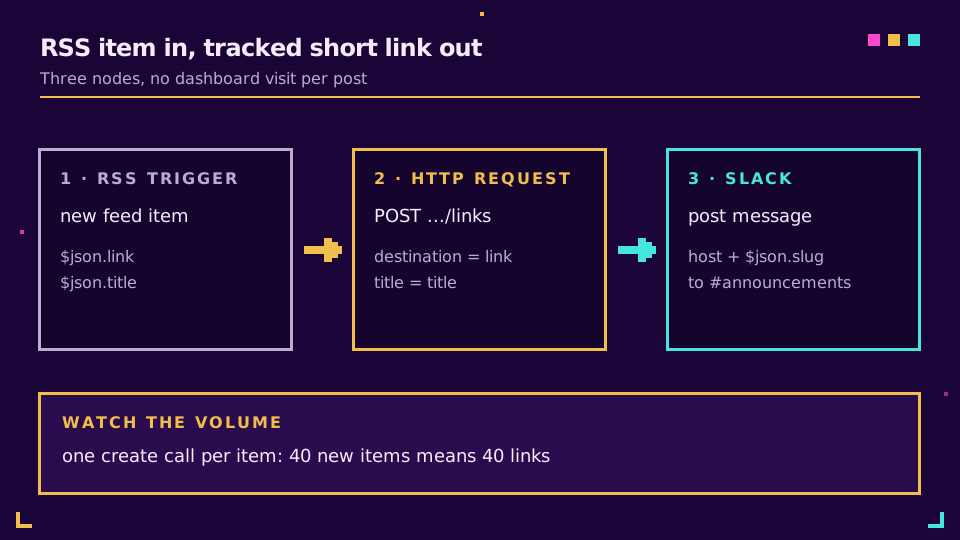
RSS to short link to Slack. An RSS Feed Trigger polls your blog feed. The HTTP Request node posts {{ $json.link }} as the destination and {{ $json.title }} as the title. A Slack node then posts the hostname plus {{ $json.slug }} to your announcements channel. That's three nodes, zero dashboard visits. If you'd like UTM tags on those links, build them into the destination with a Set node first; our UTM tracking guide has the naming convention.
New sheet row to short link and back. A Google Sheets trigger fires on each new row, the create call shortens the url column, and a second Sheets node writes the finished short URL back into the same row. It's a hand-rolled version of bulk import from Google Sheets, better when rows trickle in daily and worse when you paste 5,000 at once.
New link to an audit channel. Put n8n's Webhook node first and subscribe its production URL to link.created under Settings, Webhooks in Elido. Turn on the Webhook node's Raw Body option, because the signature is an HMAC-SHA256 over timestamp.raw_body and a re-serialised JSON body won't match. Verify in a Code node, then post the slug and destination to Slack. The dashboard's webhook form lists link lifecycle and workspace events, not per-click ones (a click.created event is planned), so for click reports I'd run a scheduled pull instead. The webhook events write-up covers retries and headers.
Tired of pasting links by hand into the same three tools every Monday? Open a free workspace, mint a token and wire the RSS flow above in about the time it takes to read this section.
Error Handling: Retries, Duplicates and Failed Runs
n8n gives every node two settings that matter here. Retry On Fail reruns the node on error, with a wait you choose, and On Error decides whether the workflow stops, continues, or routes the failure down a separate error output. For a workflow-wide net, n8n's guide to handling errors gracefully shows how to point every workflow at one error workflow that starts with an Error Trigger.
Match the setting to the status code. A 429 or any 5xx is worth retrying with a wait of a few seconds, since the API sets Retry-After on rate limits and the free tier allows 60 requests a minute. A 400 won't get better on its own, and it's usually a missing domain_id or destination_url. A 409 on create means the custom slug is taken, so route it down the error output and append a suffix rather than retrying the same request five times.
Here's the part I'd want someone to tell me. Without an Idempotency-Key, a create call that times out after the server has already written the link gets retried into a duplicate. That's why the sample above sends one built from the execution ID and item index: a retry of the same item replays the original response instead of minting a second link. The rate limits and idempotency guide explains the replay window.
Community Node vs HTTP Request: Which to Use
The packaged node and the HTTP Request node reach the same API, so this is a maintenance choice more than a capability one.
| HTTP Request node | Elido community node | |
|---|---|---|
| Runs on n8n Cloud | Yes | No, self-hosted only |
| Endpoints | All of them | Create, Get, List, Get Analytics |
| Idempotency-Key header | You add it | Not exposed |
| Setup | Header Auth credential plus a JSON body | Typed fields and an Elido API credential |
| Best for | Production flows and anything unusual | Simple flows a non-developer maintains |
My rule of thumb: build on HTTP Request by default, because it runs on every n8n edition and you control every header, and reach for the community node on a self-hosted instance when someone who doesn't read JSON will own the workflow, and when its four operations cover the job. For the full endpoint list, see the API and SDKs feature page, and if a push model fits better than polling, Elido webhooks cover the outbound side. Weighing hosted tools instead? Read the Zapier walkthrough too.
Read the cornerstone → URL shortener API and SDKs quickstart
Related on the Blog
- Short link automation with Make and IFTTT - the same jobs on two hosted automation platforms.
- Zapier URL shortener automation - native Zapier app, no self-hosting.
- Webhooks for link events - payloads, signatures and retry behaviour.
- API rate limits and idempotency - retrying without duplicate links.
- Slack link shortening bot and alerts - when the Slack side deserves its own app.
- Self-hosted link automation with n8n - Docker, reverse proxy and signed webhooks on your own server.
Veelgestelde vragen
Does n8n have a built-in URL shortener node?
No. n8n ships no shortener of its own, so you call a shortener's REST API from the built-in HTTP Request node or install a community node. For Elido, the HTTP Request node is the route that works on every n8n edition today, and the n8n-nodes-elido package, published on npm, is the typed option for self-hosted instances.
Can I install the Elido community node on n8n Cloud?
No. n8n Cloud only offers verified community nodes, and n8n-nodes-elido is not on the verified list, so it needs a self-hosted instance. On Cloud, use the HTTP Request node with a Header Auth credential, which reaches the same Elido API.
How do I shorten a URL in n8n without a community node?
Add an HTTP Request node, set the method to POST and the URL to https://api.elido.app/v1/workspaces/{workspace_id}/links, attach a Header Auth credential carrying your Bearer token, and send a JSON body with domain_id and destination_url. The response returns the new link's slug and a ready-made short_url.
Where do I find the domain_id for an Elido short link?
Call GET /v1/workspaces/{workspace_id}/domains with the same credential. Each item in the response has an id and a hostname, so pick the domain you want the links to live on and hard-code its id in the create call. Keep the hostname too if you ever build a short URL by hand, though responses already carry short_url.
Why does the Elido API return 401 or 403 in n8n?
A 401 means the token is missing, mistyped or revoked, so recreate it under Settings, API Tokens and paste it into the Header Auth credential again. A 403 means the token is valid but lacks permission in that workspace, which usually points at the wrong workspace ID in the URL rather than a bad token.
Can n8n create custom slugs or expiring short links?
Yes. Add a slug field to the create body for a vanity back-half on Starter plans and above, or leave it out and Elido generates one. For expiry, add an expires_at timestamp to the same create body, or send PATCH to an existing link's URL with one.
Probeer Elido
Plak een URL, krijg een werkende korte link
Geen aanmelding nodig. Link blijft 30 dagen actief. Meld je aan om hem voor altijd te bewaren.
Gratis, geen aanmelding nodig · 2 per dag