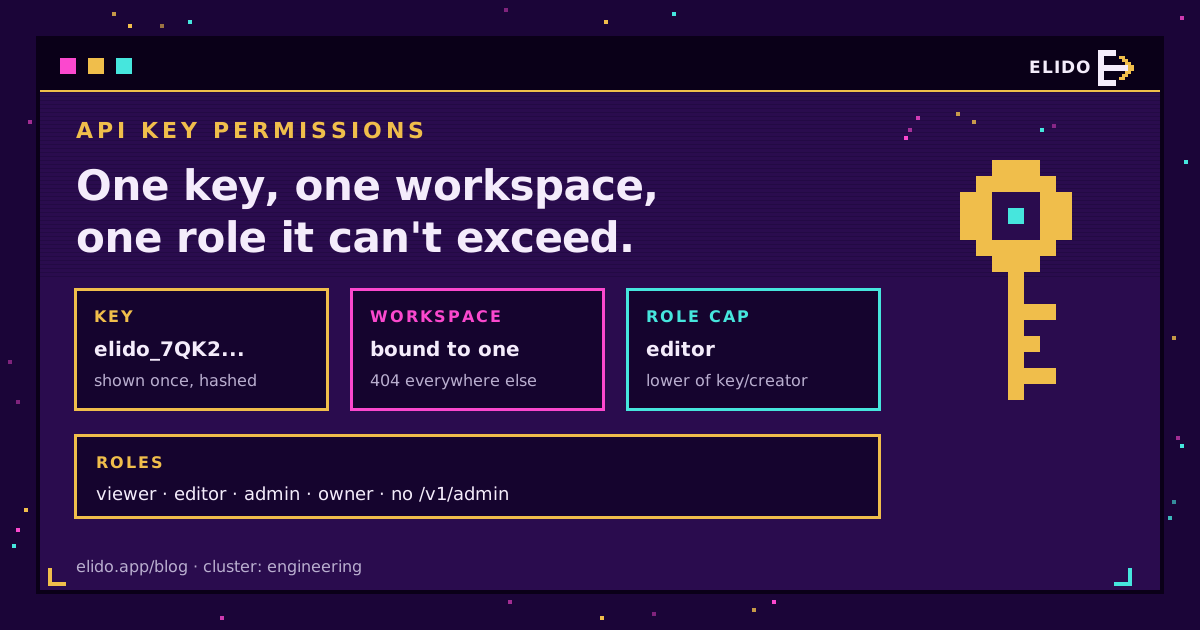
API key permissions decide what a leaked key can break. In a link tool, the safe default is a key bound to a single workspace, capped at the lowest role that does the job, stored as a peppered hash, rate-limited on its own and set to expire. A key that only creates links has no business touching webhooks, members or billing, and it should never open an admin endpoint. That's least privilege, and most of it comes down to choices you make in the thirty seconds it takes to create the key.
I've read a lot of automation setups over the past year, and the pattern repeats: someone pastes their own all-powerful key into n8n on a Friday afternoon, it works, and nobody thinks about it again until that person leaves or the workflow export lands in a shared drive. The rest of this post covers how API key scopes and roles work in a short-link product, what each role can actually do, and how to hand a key to an automation tool without handing over the workspace.
It sits alongside our broader URL shortener security checklist, which covers scanning, webhook signing and audit logs across the whole platform. This one zooms in on the key itself.
What API Key Permissions Mean in a Link Tool
A link tool's API touches more than links. The same token that creates go.example.com/spring-sale can, depending on its permissions, read click analytics, add a custom domain, invite a member, or register a webhook that ships every event to an outside server. That last one scares me. A webhook is a standing data feed that whoever creates it can point at any server they like, and nobody on your team would necessarily notice for weeks.
So permissions have three axes. Where does the key work (which account or workspace)? What can it do there (read, write, administer)? And for how long, and how fast? NIST's definition of least privilege boils down to granting only the access a task needs, and all three axes are part of that. A key with read-only rights that never expires and has no rate limit is still over-privileged in time.
Workspace-Scoped API Keys: One Key, One Workspace
On Elido, every key is minted inside a workspace and stays there. Call any other workspace's endpoints with it and you get a 404, the same answer as for a workspace that doesn't exist, so a key can't even confirm that other workspaces are there.
This matters more than it sounds. Agencies and larger teams often belong to five or ten workspaces. If a personal key inherited everything its creator could reach, one leaked token from one client project would open every client. Workspace-scoped API keys shrink the blast radius to one workspace.
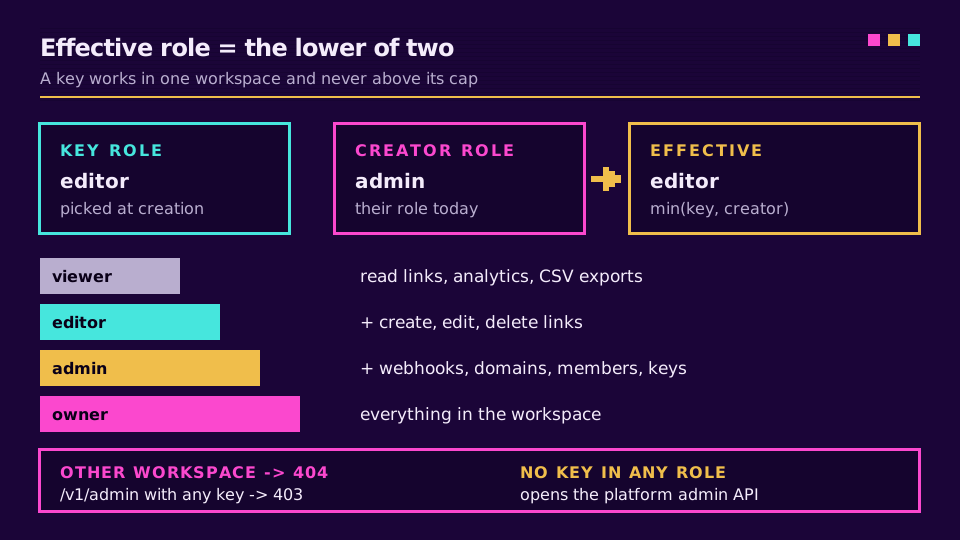
The key is also capped at the role chosen when it was created, and it never exceeds its creator's current role. Effective access is the lower of the two. Demote the admin who made a key to editor. The key drops with them. Custom permissions attached to that member get dropped too whenever the key's role is the lower one, because those describe the person, not the key.
Role-Based API Keys: What Each Role Can Do
Elido keys use the same four roles as people: viewer, editor, admin and owner. You pick one when you create the key; leave it out and the key defaults to editor, which covers the usual automation job of creating links and reading analytics without any admin reach.
Here's what that looks like in practice for the things integrations usually touch.
| Role | Links and campaigns | Analytics | Webhooks | Domains, members, keys |
|---|---|---|---|---|
| viewer | Read only | Read, run CSV exports | List endpoints | View domains and members |
| editor | Create, edit, delete, bulk create | Read, run CSV exports | List endpoints | View domains and members |
| admin | Everything editor can | Plus data exports, scheduled reports | Create, change, replay | Manage domains, members, keys |
| owner | Everything | Everything | Everything | Everything |
A reporting dashboard that pulls click counts into a BI tool needs viewer. A Google Sheets job that mints campaign links needs editor. Almost nothing in day-to-day automation needs admin, and I'd treat an owner key as a smell: owner exists for the humans who run the workspace, and there's no automation job I can think of that needs it.
Two limits are worth knowing. Only admins and owners can create, list or revoke keys at all, so a viewer or editor key can't mint itself a bigger sibling. And no key of any role reaches the platform admin API. That surface refuses API-key auth outright with a 403 and the message "admin access requires an interactive session". A key is for a workspace integration, and that's all it opens.
Why Webhook Management Needs an Admin Key
This is the one that surprises people. Reading the list of webhook endpoints is allowed for any member, viewer keys included. But creating an endpoint, changing where it points, or replaying a delivery requires the workspace.edit permission, which only admin and owner hold.
The reasoning is the standing-feed problem from earlier. An editor can create a thousand links and you'll notice. An editor who could add a catch-all webhook pointed at their own server would receive every link event from then on, silently. So webhook changes sit with the same people who can change workspace settings.
In practice, set up webhooks once, by hand, as an admin in the dashboard. Then give the automation that consumes them an editor or viewer key for its API calls. If you're wiring webhooks for link events into Slack or a CRM, the receiving side doesn't need an Elido key at all; it needs the signing secret to verify payloads.
Want proof before you wire anything up? Create a free workspace, mint a viewer key and an editor key, and try the same write call with each. The 403 on the viewer key tells you more than any table.
How Keys Are Stored: Pepper, Hash and Prefix
A token looks like elido_ followed by 52 characters of base32, generated from 32 random bytes. You see the whole thing exactly once, in the response to the create call. After that it's gone from our side for good.
What we keep is an HMAC-SHA256 of the token, keyed with a server-side pepper that lives in the application's configuration, not in the database. On every request the incoming Bearer token (the scheme defined in RFC 6750) is hashed the same way and looked up by hash. A stolen database dump is a list of hashes that can't be checked without the pepper, and the production service refuses to start without one set.
For your own records we store the first eight characters after elido_ as a display prefix. The API keys page shows that prefix next to the key's name, role, creation date, expiry, last-used time and last-used IP, plus total and failed request counts. When a key turns up in a log somewhere, the prefix tells you which one it is without anyone needing to see the full secret.
Rate Limits, Expiry and API Key Rotation
Each key gets its own token bucket, separate from the per-workspace limit, so one runaway workflow can't eat the budget for everything else. An admin can override a single key's rate from 1 to 10,000 requests per second and its burst from 1 to 20,000, or clear the override to fall back to the default. Over the limit, the key gets a 429 with Retry-After: 1 and X-RateLimit-Scope: api_key, so your retry logic can tell a key cap from a workspace cap. The rate limits and idempotency guide covers backing off properly.
Expiry is optional and set at creation as an RFC 3339 timestamp. Once it passes, the key simply stops matching. Revocation is one DELETE. It's idempotent, too.
There's no single "rotate" button, and I don't miss it. Rotation is three steps:
- Create a new key with the same role and a fresh expiry.
- Swap it into the tool's credential store and confirm a call succeeds.
- Revoke the old key, then check the list that its last-used time has stopped moving.
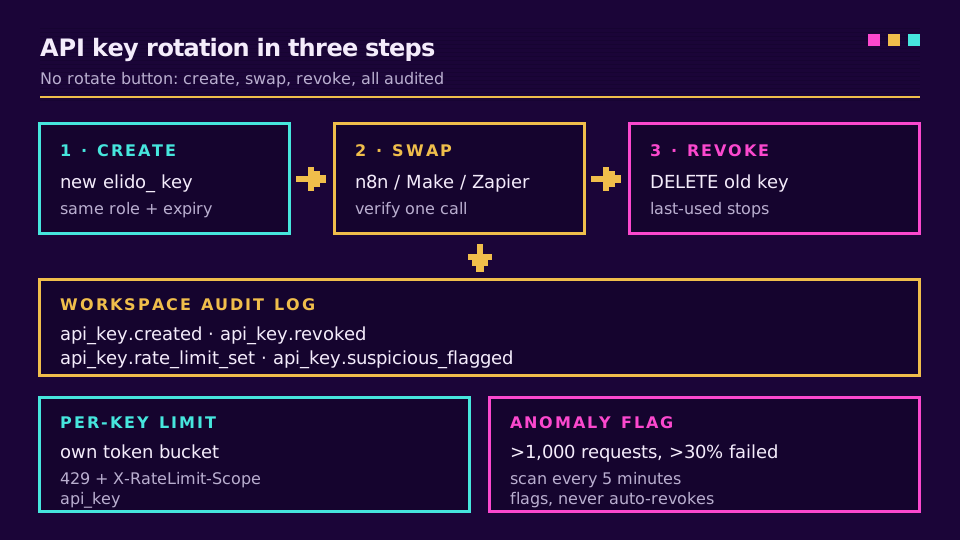
Every step lands in the workspace audit log: api_key.created with the name and role, api_key.revoked, and api_key.rate_limit_set for overrides. A background scan also runs every five minutes and flags any key with more than 1,000 requests where over 30% failed. The flag goes into the audit log and onto the key. No auto-revoke. Killing a key is a human decision, because a burst of 404s is as often a broken workflow as an attacker.
Handing Least Privilege API Keys to n8n, Make and Zapier
Automation platforms are where keys go to be forgotten. They sit in a credential store, get copied into exported workflow JSON, and outlive the person who set them up. Two habits help:
- One key per tool and per workflow family, named after it ("n8n: campaign sheets"). Revoking it then breaks exactly one thing, and the audit log says which tool did what.
- Editor for anything that creates links, viewer for anything that only reads, and an expiry date on both.
That's it for the list; the rest is judgment. The OWASP Secrets Management Cheat Sheet is a good read on keeping tokens out of logs and exports, which is where automation keys usually leak.
For the tool-specific setup, the n8n URL shortener guide puts the key in a Header Auth credential, and the Make vs IFTTT vs n8n vs Zapier comparison covers where each platform keeps it. Zapier connects through the same token, per the Zapier automation walkthrough. For CI or anything that should survive a person leaving, a machine user is the better fit: a service account with its own role, separate from any human's key.
And the reason a key must never open admin endpoints is exactly this handoff. Once a token sits in a third-party tool, anyone with edit access to that tool's workflows can use it. You're trusting everyone on their side, not just yours.
Per-Scope Tokens Are Planned, Not Live
Roles are coarse on purpose, and sometimes too coarse. An editor key that only ever creates links can also delete them, because deleting is part of the editor role. The fix is per-scope tokens, such as links:write or analytics:read attached directly to a key, layered on top of roles.
That's on our roadmap and not shipped. Today, a key's permissions are its workspace plus its role, and nothing finer. If you need tighter control right now, the two levers are a lower role and a short expiry, plus separate keys per job so each one's blast radius is small. The API quickstart and the API and SDK reference show the current key model in working code, and teams that also want identity-level control can read about SCIM and SSO for marketing tools.
Read the cornerstone: the URL shortener security checklist covers the controls around the key, from URL scanning to IP allowlists.
Related on the Blog
Veelgestelde vragen
What are API key permissions?
They're the set of actions a key is allowed to perform against an API: which resources it can read, which it can change, and in which account. In Elido, a key's permissions come from the workspace it was issued in and the role picked when it was created, so the same key can't act in another workspace or above that role.
What is least privilege for API keys?
It means each key gets the smallest set of permissions its job needs and nothing more. A dashboard that only reads click counts gets a viewer key, a workflow that creates links gets an editor key, and admin keys are kept for the rare job that manages webhooks, domains or members. A leaked key can then only do what that one job did.
What's the difference between API key scopes and roles?
A scope is a narrow permission such as links:write attached directly to a token, while a role is a named bundle of permissions such as editor. Roles are easier to reason about; scopes are finer. Elido keys use workspace roles today, and per-scope tokens are planned on top of them but not live yet.
How often should API keys be rotated?
Common guidance is every 30 to 90 days, plus right away whenever someone who saw the key leaves, the key shows up in a log, or its traffic looks wrong. Setting an expiry date at creation turns that schedule into a hard stop instead of a calendar reminder people ignore.
Can an API key access admin endpoints?
On Elido, no. The platform admin API only accepts an interactive, signed-in session and answers an API key with a 403, whatever the role of the person who created it. Workspace settings that need admin rights are still reachable, but only by a key created with the admin or owner role.
How should API keys be stored on the provider side?
Never in plaintext. The provider should store a keyed hash of the token and show you only a short prefix afterwards, so a copy of the database alone can't be used to call the API. Elido hashes each token with HMAC-SHA256 and a server-side pepper and shows the full token exactly once.
Probeer Elido
Plak een URL, krijg een werkende korte link
Geen aanmelding nodig. Link blijft 30 dagen actief. Meld je aan om hem voor altijd te bewaren.
Gratis, geen aanmelding nodig · 2 per dag